

Fingerprinting vs Cookies: Key Differences for Fraud Teams

Last updated on September 23, 2026 · 14 min read
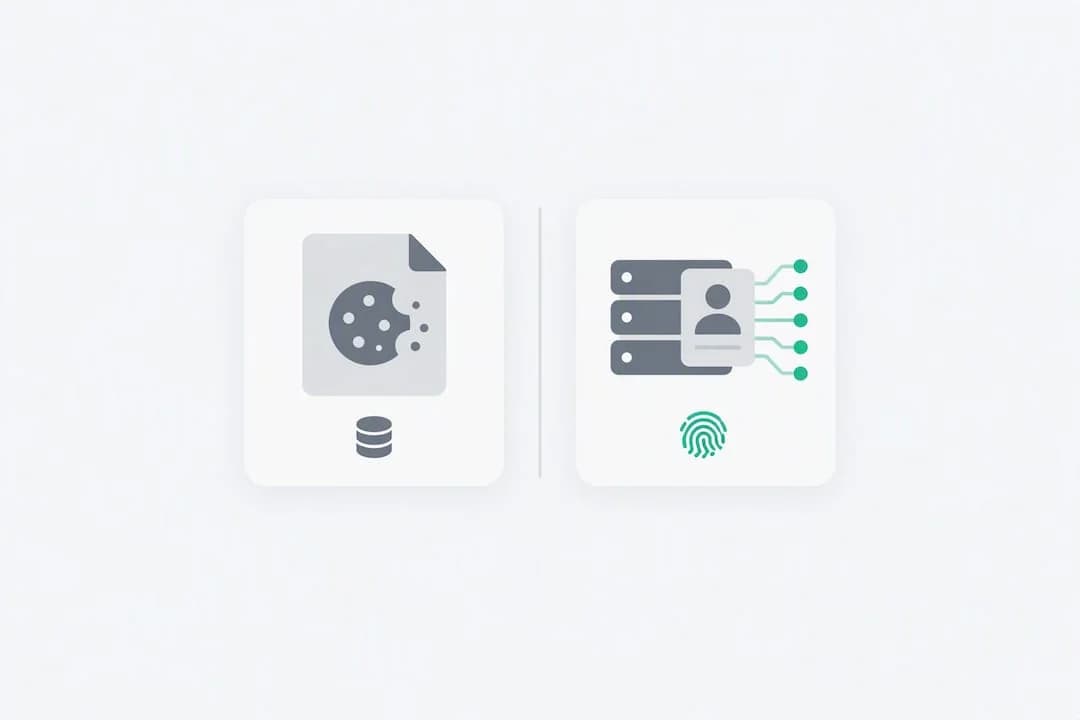
Cookies store data locally on a device and stay visible to anyone who opens their browser settings. Fingerprinting builds a server-side identifier from dozens of device and browser signals, and it is far harder to detect, delete, or opt out of. The practical stakes follow directly from that split: cookies fall under user control and standard consent banners, while fingerprinting resists ordinary privacy tools and draws closer regulatory scrutiny because it can persist through the exact actions people take to stop tracking.
TL;DR:
- Fingerprinting can recognize returning visitors across weeks or months by analyzing stable device traits, even after cookies are cleared or private browsing is used.
- Unlike cookies, fingerprinting signals are stored on the server and regenerate with each visit, making them invisible and resistant to user control or opt-out.
- Under privacy law, any method that reads device signals, including fingerprinting, often requires the same consent as non-essential cookies, especially when identifiers are persistent.
- Using a rotating-salt, cookieless approach can provide accurate daily visitor counts without persistent tracking, but it limits long-term recognition capabilities.
- Enterprise-level fingerprinting gathers 300+ device and network signals, such as VPN use, proxies, and automation detection, delivering 99.9% identification accuracy for fraud prevention in challenging conditions.
Cookies vs Fingerprinting: A Quick Comparison
Both methods try to answer the same question, whether a visitor has been here before, but they get there through completely different mechanics. The table below breaks down the six dimensions that matter most when you're evaluating returning user recognition or trying to understand what's tracking you.
- Storage: Cookies live in a local file on the user's device; fingerprints are computed and stored server-side.
- Persistence: Cookies expire or get cleared; fingerprints regenerate from stable hardware and browser traits.
- User control: Cookies can be viewed, blocked, or deleted in browser settings; fingerprints offer no equivalent on/off switch.
- Detectability: Cookies are transparent by design; fingerprinting scripts run quietly in the background.
- Consent requirements: Non-essential cookies generally require opt-in consent; fingerprinting often falls under the same legal obligation despite storing nothing locally.
- Typical uses: Cookies handle logins, carts, and preferences; fingerprinting supports fraud detection, security, and analytics that need to survive a cleared cache.
The practical takeaway: if you can see it and delete it, it's probably a cookie. If it keeps recognizing you anyway, it's probably not.
How Do Cookies Work?
A cookie is a small text file a website asks your browser to store, containing a piece of data like a session ID or a saved preference. That's the entire mechanism. No hashing, no hardware signals, just a file sitting in your browser's storage that gets sent back to the server on every request.
Cookies split into two useful categories. Session cookies disappear the moment you close your browser tab. They're what keeps you logged into a shopping cart while you browse. Persistent cookies stick around for a set expiration date, sometimes days, sometimes years, which is how a site remembers your language preference three weeks later. There's a second split that matters more for privacy: first-party cookies come from the site you're actually visiting, while third-party cookies get set by a different domain (usually an ad network) embedded in that page, and it's third-party cookies that built the ad-retargeting industry of the 2010s.
Every major browser gives you direct visibility into this system. Chrome, Firefox, and Edge all let you inspect, block, or wipe cookies through their settings menus, and clearing your cookies genuinely breaks the recognition, at least for cookie-based tracking. That user-facing control is precisely why cookies sit differently in privacy law than fingerprinting does: the mechanism is visible, so the consent model built around it, opt-in banners for non-essential cookies, actually works as intended.
The browser landscape has also been actively closing this door. Safari's Intelligent Tracking Prevention has capped and restricted third-party cookie lifespans for years, and the broader industry shift away from third-party cookies has pushed advertisers and analytics vendors toward alternative identification methods, fingerprinting chief among them. That migration is a big part of why fingerprinting vs cookies has become a live debate rather than a settled question: as one door closes, another quietly opens.
One nuance that trips people up: not every cookie needs consent. Strictly necessary cookies, the ones that keep a login session alive or remember items in a cart, are generally exempt from opt-in requirements under most cookie law frameworks. It's the non-essential ones, the analytics and advertising cookies, that trigger the consent banners you click through daily.
How Does Browser Fingerprinting Work?
Fingerprinting skips local storage entirely and instead builds an identifier out of characteristics your device already broadcasts. A script running on a page can quietly collect your screen resolution, installed fonts, GPU rendering quirks through canvas and WebGL tests, browser plugins, time zone, language settings, and even how your device's audio stack processes a test signal. None of these signals alone is unique. Combined, dozens of them narrow down to a device profile that's often unique among millions of visitors, according to Surveillance Self-Defense's fingerprinting explainer.
That combined profile gets hashed into a single identifier and stored on the server, not on your device. There's no file to open, no setting to toggle off, because the "fingerprint" isn't a thing sitting on your machine waiting to be deleted. It's a calculation the server performs every time you show up, based on traits your hardware and browser configuration hand over automatically just by loading a page.
This is exactly why clearing cookies or switching to private/incognito mode doesn't reliably stop it. A Princeton CITP technical brief explains that fingerprint-derived identifiers regenerate instantly after you wipe local storage, because the underlying hardware and browser traits never changed. Private browsing mode blocks cookies from persisting past the session, but it doesn't alter your screen resolution, your installed fonts, or your GPU's rendering signature. The fingerprint comes right back, identical to before.
That persistence is a double-edged property. Used for cross-site ad profiling without disclosure, it's the kind of stealthy tracking that's drawn increasing public attention, including reporting on the rise of fingerprinting as sites lean on it to replace fading cookie-based methods. Used for fraud detection and account security, the same underlying technique serves a legitimate purpose: recognizing that the device attempting a login or a signup has shown up before under a different account, even after clearing its cookies. The signal is identical. The application, and the disclosure around it, is what separates responsible use from covert profiling.
What Are the Key Differences That Actually Matter?
Six dimensions separate these two methods, and each one carries a different practical consequence depending on whether you're a privacy-conscious reader or a product team building recognition logic.
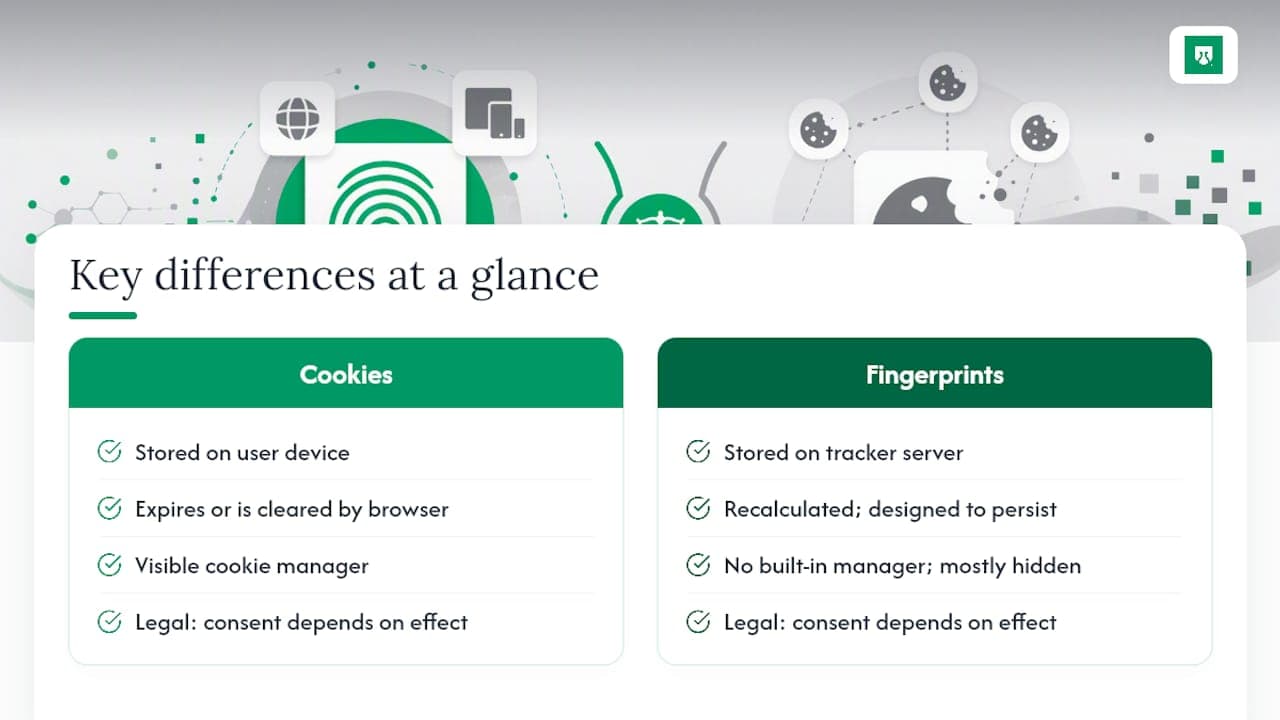
Storage location is the foundational split. Cookies sit in a file on the user's own device, which means the user technically owns the storage medium. Fingerprints live entirely on the tracker's server, computed from signals the device exposes but never actually written down locally. That's the core reason clearing your browser data deletes one and does nothing to the other.
Persistence follows directly from storage. A cookie has an expiration date, or vanishes the moment the browser wipes it. A fingerprint has no expiration because it's recalculated fresh each visit from traits that rarely change, screen size, installed fonts, GPU behavior. Engineering-wise, fingerprinting is built for stability across months; cookies are built to expire.
User control and detectability diverge sharply too. Every browser ships a visible cookie manager. No browser ships an equivalent "fingerprint manager," because there's nothing local to manage. You can see a cookie in your settings. You generally can't see that a fingerprinting script just ran, unless you're using specialized detection tools.
Consent and legal treatment, somewhat counterintuitively, don't follow the same split. Regulators have made clear that the mechanism doesn't determine the legal obligation, the effect does. That means a technique with zero local storage can still trigger the same consent requirements as a cookie, a point worth sitting with before assuming "cookieless" automatically means "compliant."
Typical uses tend to diverge by design intent rather than capability. Cookies dominate session management, shopping carts, and login persistence, the bread-and-butter of everyday web functionality. Fingerprinting shows up where a business needs recognition that survives a cleared cache: fraud detection, bot mitigation, and account security, where the whole point is catching someone who's actively trying to look like a new visitor.
Picture three scenarios. A returning customer logging into a loyalty account: a cookie handles that fine, and login state makes it airtight regardless. A user attempting account takeover after wiping their browser data: cookies tell you nothing, because they were cleared along with everything else, but device signals persist and can flag the same hardware attempting entry under a new identity. Measuring unique visitors for analytics: cookies inflate the count every time someone clears their cache, while fingerprinting (used carefully) can hold a more accurate number, though at a real privacy cost if that identifier isn't time-limited.
What Do Privacy Regulators Actually Focus On?
Regulators don't care what you call the technique. Article 5(3) of the ePrivacy Directive, the EU rule most commonly cited, applies to storing or accessing information on a user's terminal equipment, and Article 29 Working Party's Opinion 9/2014 makes clear the trigger is that technical act, not the word "cookie" specifically. Later EDPB guidance built on that same reading.
That framing directly covers fingerprinting. Because a fingerprinting script reads dozens of device characteristics off the terminal equipment to build its identifier, that reading act falls within the same scope as setting a cookie, even though nothing gets written to local storage. The practical result: many uses of fingerprinting need the same consent treatment as non-essential cookies, and a site can't dodge that obligation just by swapping the underlying mechanism.
There's a real exception, though, and it matters. Genuinely privacy-preserving "cookieless" analytics can sidestep consent requirements, but only when the identifier is engineered to expire, not persist. Gizmo Analytics describes an approach that hashes IP address and user agent together with a salt that rotates daily, producing a short-lived identifier good for counting same-day unique visitors without ever creating a stable, cross-day profile. Rotate the salt, and yesterday's identifier stops matching today's, by design. That's a meaningfully different architecture from fingerprinting aimed at long-term stability, and regulators generally treat design intent, expire versus persist, as the dividing line.
For product teams, a workable compliance checklist looks like this: disclose what signals you collect and why, limit how long any derived identifier stays valid, offer a real opt-out where the law requires one, and document the specific purpose behind persistent recognition rather than defaulting to "just in case." Obfuscating a persistent identifier to dodge a consent banner is exactly the move regulators have flagged as indefensible.
How Can You Reduce Tracking, and What Should Developers Build Instead?
If you're trying to limit exposure as an individual, start with realistic expectations. Browser extensions like uBlock Origin and Privacy Badger block a meaningful share of tracking scripts, and browsers with built-in anti-fingerprinting measures (Firefox's Enhanced Tracking Protection and Brave's fingerprinting randomization among them) add friction that basic scripts can't easily defeat. Private browsing mode still has real value for blocking cookie persistence and hiding local history, but don't expect it to stop fingerprinting; the underlying device traits it reads don't change just because you opened an incognito window.
- Use a browser with built-in anti-fingerprinting protection rather than relying on default settings.
- Install a script-blocking extension and keep it updated, since fingerprinting techniques evolve.
- Treat private mode as cookie protection, not fingerprint protection, and adjust expectations accordingly.
- Check periodically whether a site's cookie banner actually covers fingerprinting scripts, since many don't disclose it clearly.
For developers weighing how to build recognition into a product, the choice comes down to how much persistence the use case actually justifies. Kitbase's cookieless analytics explainer lays out the tradeoff plainly: rotating-salt architectures give you accurate same-day metrics and skip the consent overhead, but they sacrifice the ability to recognize the same anonymous visitor across weeks. If your product genuinely needs that longer-horizon recognition, fraud detection is the clearest example, a durable signal like login state or a disclosed device identifier is the more honest architecture than quietly reaching for fingerprinting to fill the gap.
Pro Tip: If your only goal is counting unique visitors without profiling anyone, a rotating-salt, cookieless approach is almost always the better privacy-preserving choice. Save persistent device recognition for cases where the business need, like stopping repeat fraud, genuinely requires it and you can document why.
What Does Enterprise-Level Fingerprinting Look Like in Practice?
Consumer-grade fingerprinting scripts typically lean on a handful of signals: canvas rendering, fonts, screen size. Enterprise fraud detection operates on a different scale entirely. ShieldLabs draws on 300+ device and network signals, covering risk signals like VPNs, proxies, Tor, iCloud Private Relay, datacenter IP ranges, anti-detect browser detection, and automation traffic, interpreted through a mix of deterministic rules and AI.

The identification layer is built for persistence specifically because fraud actors count on the opposite: cleared cookies, incognito sessions, rotated IPs, months of gaps between attempts. The platform recognizes a returning visitor with 99.9% identification accuracy across exactly those conditions. Every score arrives with the underlying signals attached, so fraud or trust teams can see the reasons behind risk scores rather than relying on an opaque number. The service supplies the score and the signals behind it; teams choose the action for each case: flag it, restrict it, or escalate it for review. Teams that want the signal-level detail can dig into how device fingerprinting works or browse the broader device fingerprinting resource library.
Why Transparency Should Beat Convenience Every Time
The fingerprinting vs cookies debate keeps getting framed as a technical question when it's really a disclosure question. Nothing about server-side identification is inherently worse than a cookie, the harm comes entirely from doing it quietly. A team that documents exactly what signals it reads, limits how long any derived identifier stays valid, and builds a consent gate around genuinely non-essential tracking has nothing to hide and no reason to obscure the mechanism.
My honest read: most of the "cookieless is automatically compliant" confusion in this space comes from vendors marketing convenience as virtue. Persistence should be a deliberate, justified choice, not a default setting nobody examined.
Yahor Papou, CMO at ShieldLabs
Get Signal-Level Visitor Recognition Without the Enterprise Sales Call
Enterprise fraud teams have had access to deep device and network signals for years, usually behind an annual contract and a sales conversation. This platform provides similar depth, including anti-detect browser detection, proxy and VPN scoring, and ready-made detection of multi-accounting, account sharing, impossible travel and account takeover, available self-serve with published pricing from day one. Every risk score comes with the signals that produced it, so teams see why a user was flagged and choose the action for each case rather than relying on a black-box verdict.
Setup runs through a single JavaScript snippet, roughly five minutes to the first signal, with guides for React, Next.js, Vue, and WordPress, plus server-side SDKs for Node.js, Python, Go, and PHP. The Free plan covers 5,000 identifications, one time, with no card required, enough to test recognition accuracy against your own traffic before committing to anything. From there, paid plans (Starter, Growth, and Scale) start from 79 USD a month, with per-identification pricing decreasing as volume increases. Check current pricing and plan details to see which tier fits your traffic volume.
Sources
- Surveillance Self-Defense: What Is Fingerprinting?
- Article 29 Working Party: Opinion 9/2014
- Princeton Tech Brief: Digital Fingerprinting
- Gizmo Analytics: Website tracking without cookies
- Websites are tracking you via browser fingerprinting (TAMU Stories)
Recommended
Frequently asked questions
- Is It Better to Accept or Reject Cookies?
- Rejecting non-essential cookies is generally the safer privacy choice, since it limits third-party tracking and ad profiling without breaking core site functionality. Strictly necessary cookies, like login sessions, typically load regardless of your choice because they're exempt from the consent requirement.
- Which Browser Is Best for Avoiding Fingerprinting?
- Browsers with built-in anti-fingerprinting protection, such as Firefox's Enhanced Tracking Protection and Brave's fingerprinting randomization, reduce how reliably a device can be uniquely identified. No mainstream browser eliminates fingerprinting entirely, since the underlying signals it reads are largely unavoidable byproducts of normal web browsing.
- Which Is Safer, Password or Fingerprint Authentication?
- This question usually refers to biometric fingerprint login, not browser fingerprinting, and the two are unrelated technologies. Biometric fingerprint authentication is generally considered more resistant to casual compromise than passwords, since it can't be guessed or reused across sites the way a weak password can.
- Can You Be Tracked Through Cookies?
- Yes, cookies can track you across a session or across visits, particularly third-party cookies shared across multiple sites for ad targeting. Unlike fingerprinting, cookie tracking is visible and reversible: clearing your browser's cookies removes the identifier entirely, according to EFF's fingerprinting explainer, which contrasts that reversibility with fingerprinting's persistence.
- How Much Does ShieldLabs Cost for Fraud Detection?
- ShieldLabs offers a Free plan covering 5,000 identifications, one time, with no card required, followed by paid tiers at 79, 319, and 799 USD per month depending on volume, all listed on the pricing page.
Related articles

Device Fingerprinting for Fraud: GDPR and UK PECR Considerations
A practical guide to purpose, consent exceptions, retention and rights when using device fingerprinting for fraud prevention in the UK and EU.

How to Evaluate Device Fingerprinting Accuracy on Real Traffic
Test device fingerprinting accuracy with independent ground truth, return recognition, collisions, splits and coverage. Keep benchmarks and claims separate.

What is audio fingerprinting? The browser technique, explained
Audio fingerprinting identifies a device by how it processes a sound signal in the browser. How it works, what it reveals, and how stable it is.