

10 browser fingerprinting techniques explained

Last updated on June 15, 2026 · 12 min read
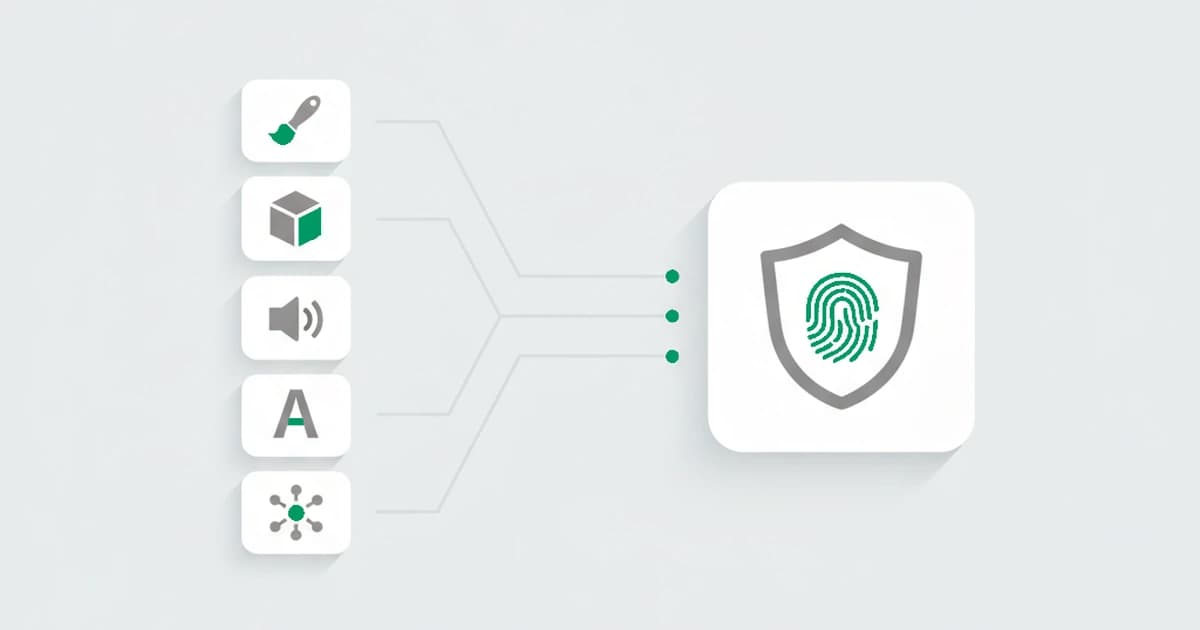
Browser fingerprinting is the foundation of device intelligence: the way a site recognizes the same visitor without a cookie. Browser fingerprinting techniques are the individual methods a site uses to read attributes of a browser, each one probing a different surface, and combine them into an identifier that recognizes the same visitor again. No single attribute is unique; the power is in the combination. A landmark study by the Electronic Frontier Foundation, published in the 2010 Privacy Enhancing Technologies Symposium proceedings, found that a browser fingerprint carried enough distinguishing detail to single out roughly 84 percent of browsers in its sample.
The toolkit has grown from a handful of HTTP headers to a layered read across the graphics stack, the audio engine, and the network itself. The consistent pattern is that the attributes a browser can fake in JavaScript are the weak ones, and the techniques that reach down to the real hardware and the connection are the ones that hold up under a tool built to defeat them. This guide walks through the main techniques behind browser fingerprinting, what each one reads, and how stable each is.
Key takeaways
- A browser fingerprint is built from many techniques at once. Each reads one attribute, and combined they carry enough distinguishing detail to recognize a returning visitor without a cookie.
- The strongest techniques read what the browser cannot easily hide: how the device renders graphics (canvas, WebGL), processes audio, and negotiates a connection (TLS, network).
- Declared attributes like the user agent are easy to spoof, so they add little on their own. The render-and-hardware techniques are what make a fingerprint stable.
- Anti-detect browsers fake these attributes per profile, but faking many layers consistently is hard, so the contradictions between them are their own detection signal.
What are browser fingerprinting techniques?
Browser fingerprinting techniques are the individual methods a website uses to read attributes of a visitor's browser, with each method probing a different surface such as graphics rendering, audio processing, installed fonts, or the network connection. No single attribute is unique on its own, but together they carry enough distinguishing detail to recognize the same browser, and the device behind it, again without a cookie. These are the methods behind browser fingerprinting.
How browser fingerprinting works
Browser fingerprinting works by collecting attributes that vary from one device to the next, then combining them into a single identifier. Each attribute on its own is shared by many people; together they narrow the field until the combination is, in most cases, unique. The detail that makes it work is that much of this data is exposed automatically through standard browser APIs, so a script can read it in milliseconds without any permission prompt.
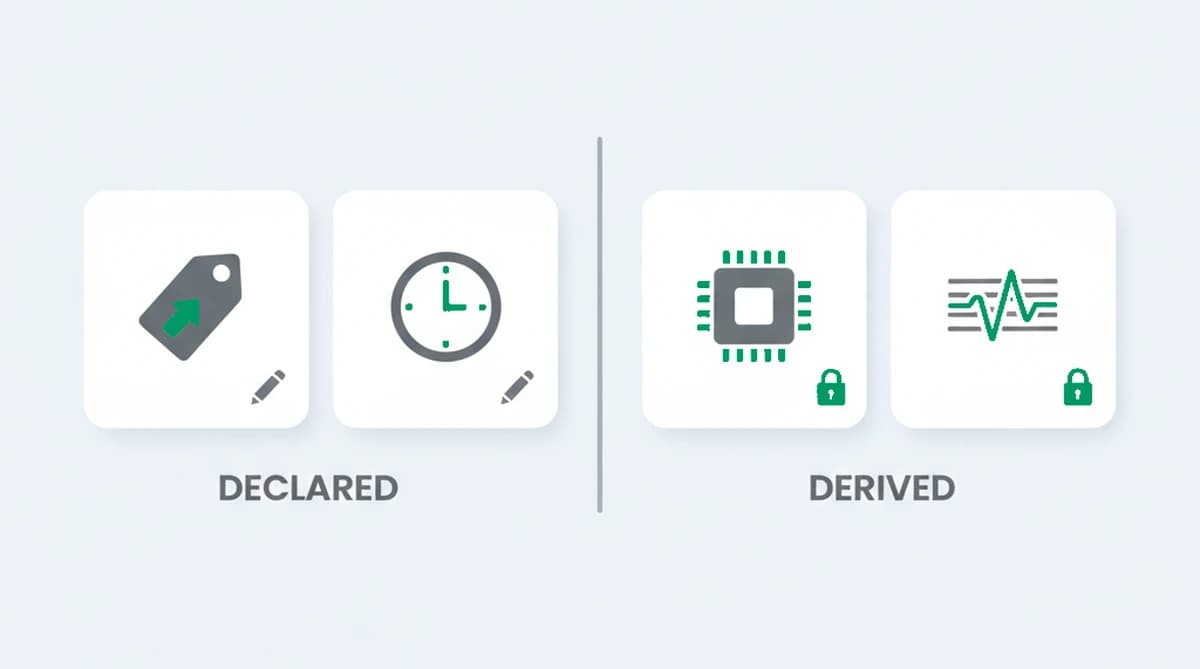
The techniques split into two families. Declared attributes are values the browser simply reports, like the user agent or the language, and they are trivial to change. Derived attributes are produced by asking the browser or device to do something, render an image, process an audio signal, negotiate a connection, and reading the result. Derived attributes are what give a fingerprint its staying power, because they reflect the real hardware and software underneath rather than a string the user can edit.
The main browser fingerprinting techniques
The techniques below are listed roughly from the most stable to the most easily changed. A real fingerprint reads many of them at once. Most of them run inside the browser, canvas, WebGL, audio, fonts, and the declared attributes, while TLS and WebRTC read the layer underneath, the connection and the network, which is why they are harder to fake and pull double duty for anonymity detection. In practice a detection system reads across all of these together.
| Technique | What it reads | How stable |
|---|---|---|
| Canvas fingerprinting | A hash of how the device renders text and graphics to a hidden canvas | High |
| WebGL fingerprinting | The GPU and graphics driver, read from a rendered 3D scene | High |
| Audio fingerprinting | Tiny differences in how the device's audio stack processes a generated signal | High |
| TLS fingerprinting (JA3/JA4) | The exact shape of the TLS handshake the browser sends | High |
| WebRTC | A local or real IP address the browser can expose, even behind a VPN | Medium |
| Font fingerprinting | Which fonts are installed and how they render | Medium |
| Hardware attributes | CPU cores, device memory, touch points, sensors | Medium |
| Media device fingerprinting | How many media devices are connected and of what kind (full labels need camera or mic permission) | Low |
| Screen, timezone, language | Resolution, color depth, timezone offset, locale | Medium |
| User agent and client hints | The declared browser, version, and operating system | Low |
Canvas fingerprinting
Canvas fingerprinting asks the browser to draw text and shapes to an off-screen HTML canvas, then reads the pixel data back and hashes it. Because the result depends on the GPU, the graphics driver, the operating system's font rendering, and anti-aliasing, two devices almost never produce the same hash. It is one of the most reliable techniques because the user cannot easily change how their hardware renders, which is why canvas fingerprinting carries so much weight in a combined read.
WebGL fingerprinting
WebGL fingerprinting is the 3D cousin of canvas. A script renders a scene through the WebGL API and reads back both the rendered output and the reported GPU vendor and renderer strings. By exposing the graphics hardware directly, WebGL fingerprinting stays stable per device and is hard to spoof convincingly.
Audio fingerprinting
Audio fingerprinting uses the Web Audio API to generate a sound signal, process it through the device's audio stack, and measure the output. The tiny variations introduced by the hardware and the audio processing produce a stable value that differs between devices, even when nothing is actually played out loud. This kind of audio fingerprinting is a different thing from the music recognition that shares the name.
TLS fingerprinting (JA3/JA4)
TLS fingerprinting reads the connection itself rather than anything in the page. When a browser opens an encrypted connection, the order and contents of the TLS handshake it sends are characteristic of the client software. Methods like JA3 and the newer JA4 summarize that handshake into a value, which is powerful because it is sent over the network and a page script cannot rewrite it. It is the technique that most often catches a browser lying about what it is, and the JA4 fingerprint is how that handshake becomes a value you can compare.
To see how far that goes, run browsers configured to spoof their identity through a combined read, and the TLS handshake is the layer that gives them away most reliably. A profile can rewrite its user agent in seconds, but the handshake it actually negotiates still matches the client software underneath, so the declared browser and the connection stop agreeing. JA4, released in 2023, made that handshake easier to reduce to a single comparable value, which is why a contradiction between it and the declared user agent is such a dependable tell.
WebRTC
WebRTC is a browser feature for real-time audio and video, and while setting up a connection it can reveal a local network address, and sometimes the real public one, even when the visitor sits behind a VPN or proxy. That makes it less a source of device distinguishing detail and more a way to notice a connection that is hiding its origin. It is why WebRTC matters more for anonymity detection, surfacing a real address that contradicts the declared one, than for telling two ordinary devices apart.
Font fingerprinting
Font fingerprinting detects which fonts are installed by measuring how sample text renders, since a missing font falls back to a default with different dimensions. The set of installed fonts reflects the operating system and the software a person has added, which makes it a useful medium-stability signal.
Hardware and device attributes
A browser also exposes hardware hints: the number of logical CPU cores, an approximate amount of device memory, the maximum number of simultaneous touch points, and, with permission, motion and orientation sensors. The set of supported browser features and APIs adds a few more bits the same way. Older techniques read the battery level and charging state too, though browsers have since restricted that one specifically because it was being used to track people. None is unique alone, but together they add distinguishing detail and tend to stay constant for a given device.
Media device fingerprinting
Media device fingerprinting reads the list of media inputs and outputs the browser reports through the media devices API: the microphones, cameras, and audio outputs attached to the machine. It captures nothing from them, only how many are connected and of what kind. The full list, with each device's label and ID, is only exposed once the visitor has granted camera or microphone access, so on its own this technique is a weak, supporting signal rather than a primary one. Where it does apply, the set of devices stays fairly consistent for a given machine and is awkward to fake convincingly across a fleet of fake profiles.
Screen, timezone, and language
Screen resolution and color depth, the timezone offset, and the language and locale are all read directly. They are moderately stable and useful mostly as corroboration, and a mismatch between them, a timezone that disagrees with the declared locale, is itself a tell.
User agent and client hints
The user agent string and the newer client hints report the browser, its version, and the operating system. They are the easiest attributes to spoof, so on their own they add almost no distinguishing detail, but when they disagree with what the render and TLS techniques reveal, that disagreement is a detection signal.
How unique and stable is a fingerprint?
A fingerprint's strength comes from distinguishing detail: how much each attribute narrows the field of possible devices. The EFF's early research found most browsers were unique within its sample. In 2018, a study of around two million fingerprints, published in the Web Conference proceedings, found only about 33 percent were unique, because common phone models share very similar fingerprints. The practical reality sits in between: on desktop, a full fingerprint is usually distinctive; on mobile, it is weaker on its own and leans more on the network and behavioral layers.
Stability is the other half. Fingerprints drift as browsers update, drivers change, and fonts are added, so a resilient system does not expect an exact match every time. It scores how much of the fingerprint agrees and tolerates small changes, which is also what separates a returning real user from an assembled profile that is too clean or internally contradictory.
Can browser fingerprinting be blocked?
Browser fingerprinting can be resisted but not fully blocked, and the trade-offs are real. Privacy browsers and extensions add noise to canvas and audio readings, block known scripts, or make a device look like many others, and an anti-detect browser goes further by spoofing a full set of attributes per profile. Each of these changes some surfaces, but covering every technique consistently is hard, and the act of covering them, a too-uniform fingerprint, an injected-noise canvas that changes on every read, or a TLS handshake that disagrees with the declared browser, becomes its own signal. That cat-and-mouse plays out in full when a session runs an anti-detect browser.
How browser fingerprinting works without a cookie
Browser fingerprinting works without a cookie, and that is the point. A cookie is a value the site writes into the browser, so the visitor can clear it, switch to a private window, or move to a fresh browser and the link is gone. A browser fingerprint is not written anywhere; it is derived on the fly from the attributes the techniques above read, so the same browser produces the same identifier on the next visit even after cookies are cleared. That is why it survives the resets a fresh email and a private window are meant to provide.
Fingerprinting does not replace cookies so much as complement them. A first-party cookie is a fast, reliable way to recognize a returning visitor who has not cleared anything, and the fingerprint is the layer underneath that still holds when the cookie is gone. Reading both together gives a steadier recognition than either one alone. That complement matters even though the third-party cookie did not disappear on the timeline many expected: in April 2025, Google confirmed it would not phase out third-party cookies in Chrome after all, keeping its existing cookie-choice approach, so cookieless recognition is a resilient companion to cookies rather than a scramble to replace them.
How browser fingerprinting helps detect fraud
Browser fingerprinting helps detect fraud because most online abuse depends on one person looking like many different people. Multi-accounting, free-trial farming, fake signups, and account takeover all rely on creating a fresh-looking visitor for each attempt, usually by clearing cookies, switching browsers, or rotating IPs. A browser fingerprint cuts through that, because the same device keeps producing the same identifier no matter how many fresh emails and new IPs sit on top of it. Linking those attempts back to one device is what turns a wall of separate-looking accounts into a recognizable pattern.
The combination of techniques is also a fraud signal in its own right. A real browser produces attributes that agree with each other: the declared user agent matches what the render and TLS techniques reveal, the timezone fits the locale, the network looks like a residential connection. A tool built to fake a visitor has to keep all of those layers consistent at once, and the moment they can contradict each other, a TLS handshake that disagrees with the declared browser, a risk signal that surfaces a real address behind a VPN, that disagreement is the tell. So fingerprinting helps detect fraud two ways at once: it links repeat attempts to one device, and it flags the inconsistencies that mark an assembled identity.
Recognizing returning visitors with ShieldLabs
ShieldLabs turns device and browser signals into a stable device identifier through one JavaScript snippet that recognizes a returning visitor even after cleared cookies and a rotated IP. The identifier is derived from the combination of signals, which is what makes it survive the resets a fresh email and a new IP are meant to provide, so your team can link repeat fraud and abuse attempts back to one device.
Around that identifier, each visit returns a risk score from 0 to 100 with the named signals behind it, including the risk signals, a VPN, anonymous proxy, datacenter connection, or anti-detect browser, that surface when what a visitor presents and the underlying signals contradict each other. The API and webhooks deliver the risk score and named risk signals, while four High-Risk Events, multi-accounting, account sharing, impossible travel and account takeover, are detected directly in the analytics dashboard, API and webhooks. Because the read happens in the background from data the browser already exposes, it adds no friction for a real visitor, and ShieldLabs helps block fraudulent and abusive traffic.
Sources
- Eckersley, Peter (Electronic Frontier Foundation): How Unique Is Your Web Browser? (PETS, 2010)
- Wikipedia: Device fingerprint
- MDN Web Docs: Canvas API
- Gómez-Boix, Laperdrix, Baudry: Hiding in the Crowd: An Analysis of the Effectiveness of Browser Fingerprinting at Large Scale (WWW, 2018)
- Google: The Privacy Sandbox: Next steps (2025)
Frequently asked questions
- What is the most accurate browser fingerprinting technique?
- There is no single most accurate technique; accuracy comes from combining several. The render-based techniques, canvas and WebGL, and TLS fingerprinting tend to carry the most weight, because they reflect the real hardware and connection and are hard to spoof. The user agent and declared attributes add the least, since they are trivial to change.
- What is the difference between canvas and WebGL fingerprinting?
- Both read how a device renders graphics, but at different layers. Canvas fingerprinting hashes how the device draws 2D text and shapes, reflecting the GPU, drivers, and font rendering. WebGL fingerprinting renders a 3D scene and reads the GPU and driver more directly, including their reported vendor strings. They overlap but are not identical, so a fingerprint usually reads both.
- Is browser fingerprinting legal?
- Browser fingerprinting itself is widely used and not illegal, but using it to track people can fall under privacy laws like the GDPR and ePrivacy rules, which can require consent for non-essential tracking. Using it for security and fraud prevention generally sits on firmer ground than for advertising, though the line depends on your jurisdiction.
- Can a fingerprint be faked or blocked?
- It can be resisted but not perfectly. Privacy tools add noise or block scripts, and anti-detect browsers spoof a set of attributes per profile. The catch is consistency: covering every technique at once is hard, so a fingerprint that is too uniform, randomized on every read, or internally contradictory becomes a detectable signal itself.
- How does ShieldLabs use device and browser signals?
- ShieldLabs turns device and browser signals into persistent identification through one JavaScript snippet that recognizes a returning visitor after cleared cookies and a rotated IP. It pairs that with a risk score and named risk signals, and returns the evidence through the API, flagging risky users so you can act on the result in your backend. The free tier covers your first 5,000 identifications.
Related articles
Fingerprinting vs Cookies: Key Differences for Fraud Teams
How cookies differ from server-side fingerprinting, why many cookieless claims mislead, and practical steps for developers and fraud teams.

What was Google's Privacy Sandbox, and why did it end in 2025?
Google retired the Privacy Sandbox in October 2025 and third-party cookies are staying in Chrome. What it was, why it ended, and what it means for fraud.

How to detect anti-fingerprint browsers (2026)
Anti-fingerprint browsers spoof canvas, WebGL, fonts, and TLS to break recognition. How to detect them in 2026, and the tells they leave behind.