

How to detect anti-detect browsers in 2026

Last updated on July 2, 2026 · 12 min read
In a March 2026 analysis, Stripe found that 7.4 percent of sign-ups at AI companies were implicated in suspected multi-account abuse. Behind most of that sits one quiet tool: the anti-detect browser. It lets a single person run dozens of "different" users from one laptop, each looking like a fresh device. That's the engine of multi-accounting, bonus farming, and ban evasion. The good news for teams trying to stop fraudsters: faking a browser cleanly is harder than the marketing claims, and the act of faking leaves its own trail.
Key takeaways
- An anti-detect browser rewrites a browser's fingerprint signals per profile, so one machine can present as dozens of separate users, each looking like its own browser on its own device. It's the core tool behind multi-accounting.
- It can be detected. Faking signals leaves contradictions, so detection scores how consistently a session's signals describe one real device instead of relying on any single check.
- Using one is usually a terms-of-service violation, not a crime. It crosses into fraud when it's the means to take something under false pretenses.
- The most resilient detection combines many independent signals at once (fingerprint consistency, browser-API integrity, the network layer) because no single check is enough.
What is an anti-detect browser?
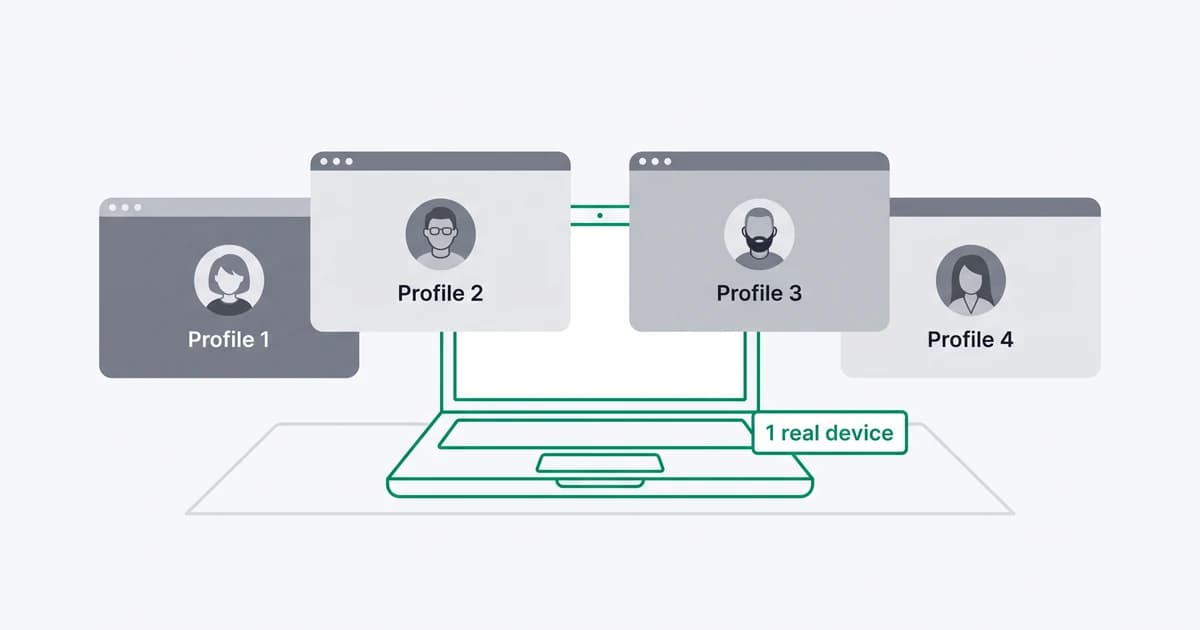
An anti-detect browser is a specialized browser that rewrites a browser's fingerprint signals on a per-profile basis, so each profile looks like a separate device even when dozens run on the same machine. It rewrites the browser fingerprint, user agent, canvas, fonts, and screen, so each profile reads as its own browser on its own device. Where a normal browser reports one consistent identity, each profile gets its own synthetic set of signals:
- user agent and operating system
- screen resolution and timezone
- language and installed fonts
- canvas, WebGL, and audio fingerprint
To the site, every profile reads as a brand-new device. Under the hood, the browser works by intercepting and modifying the data a normal browser would otherwise share with a site through JavaScript and other browser APIs.
The selling point is isolation. One user opens profile 1, profile 2, profile 3, and to a site relying on cookies or a single fingerprint, each looks like an unrelated visitor. That's what makes the tool attractive to anyone who needs to look like many people at once.
A useful distinction up front, because the two are easy to confuse. Browser fingerprinting asks one question: have I seen this browser before? Anti-detect browser detection asks a different one: is this browser deliberately faking its signals? The first matches identities; the second flags the tool built to defeat that matching. Both rest on the same device fingerprint the browser is trying to rewrite, and they run together, not instead of each other.
Why do people use anti-detect browsers?
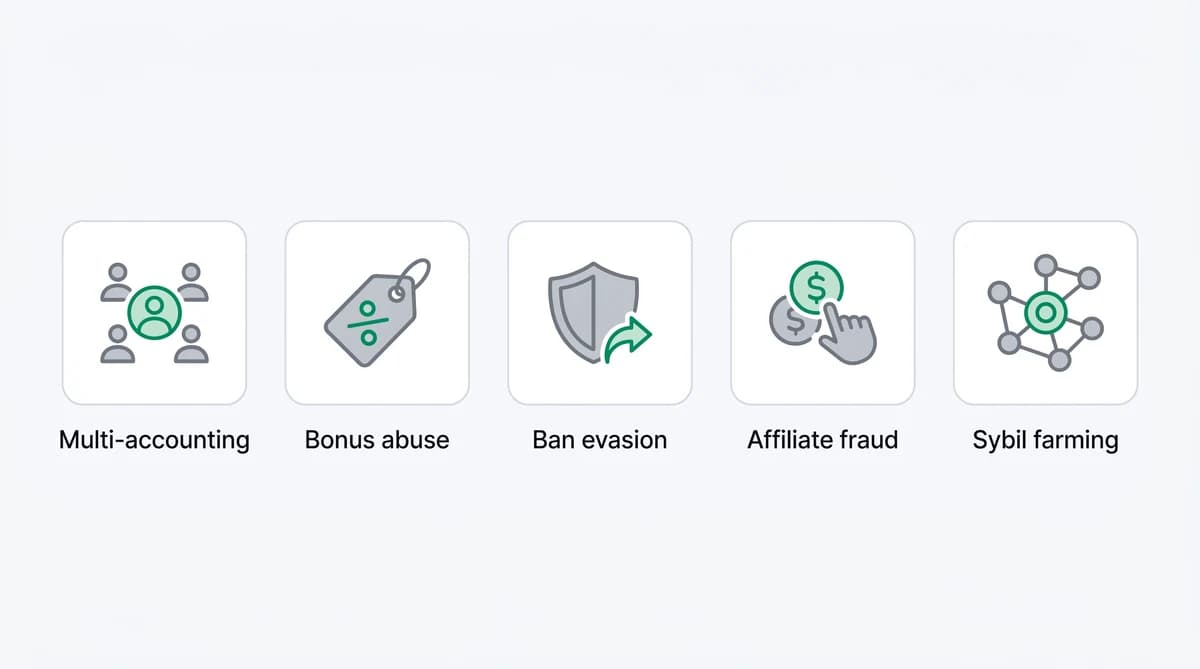
Because looking like many independent users unlocks whatever a platform hands out once per person. The same tool shows up across a familiar set of abuse cases:
- Multi-accounting and account farms. One person operating many accounts to multiply whatever a single account earns, the product-world version of what online communities call sockpuppetry.
- Bonus, promo, and free-trial abuse. Cycling through fresh profiles to claim a welcome credit, referral payout, or trial again and again.
- Ban evasion. Returning after a block or suspension under a profile that reads as brand new.
- Paid-traffic and affiliate fraud. Inflating campaign metrics with sessions that were never real customers.
- Sybil farming. Multiplying wallet addresses and identities to farm crypto airdrops and reward campaigns.
Not every anti-detect browser session is abuse. QA testers, security researchers, and privacy-conscious users run them too. That's real, but in most business contexts it's the exception. The point of detection isn't to punish the tool. It's to give your team the context to tell a one-off legitimate session apart from coordinated multi-accounting.
Is using an anti-detect browser illegal?
Using an anti-detect browser is usually a terms-of-service violation, not a crime. The tools are sold and bought openly, and running one is not itself unlawful, but most platforms prohibit operating multiple accounts or evading bans, so using one for that breaks their rules and can get accounts closed.
It crosses into fraud when the spoofing is the means to take something: claiming payouts under false pretenses, laundering stolen credentials, or covering tracks during account takeover. On its own, anti-detect browser use is typically a platform-policy problem your team enforces, which is exactly why detection (the data) and response (the action) are worth keeping separate.
Can anti-detect browsers be detected?
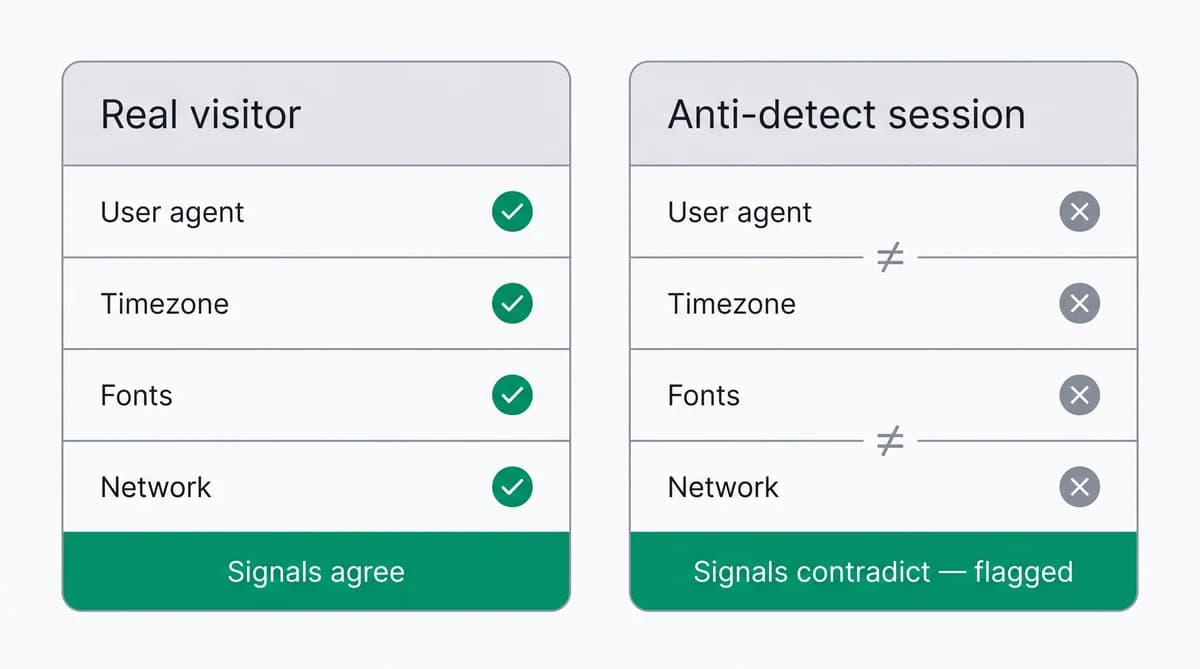
Anti-detect browsers can be detected, because they sell isolation, not invisibility. To make each profile look like a separate device, they have to fake signals, and faking is a different act from being a real device: a genuine browser's signals all describe one real machine, while an assembled profile's signals can contradict each other.
So the question isn't "can you see the device." It's "can you tell this device is lying about itself." That's the part anti-detect browsers struggle with, and it's where detection lives.
How do websites detect anti-detect browsers?
Websites detect anti-detect browsers by collecting many independent signals and scoring how consistently they describe one real, untampered device. No single check is decisive, so resilient detection correlates several at once. The techniques that do the work:
- Fingerprint-consistency and lie-detection: cross-check attributes that must agree, like the user agent versus the platform the browser reports separately, the WebGL renderer versus the claimed OS, and timezone versus locale, plus a platform signal sent over the connection itself that page scripts can't rewrite.
- Graphics, audio, and font fingerprinting: re-sample canvas, WebGL, and audio output, since a real device returns identical output every time while the noise these tools inject to defeat fingerprinting returns something different on each read.
- Browser-API integrity and tool signatures: patched browser APIs stop behaving like the originals, a built-in automation flag gives away tools like Selenium or Puppeteer, and vendors match the signatures of known anti-detect tools.
- Local port and control-interface probing: anti-detect, automation, and remote-access tools open known ports on the visitor's own machine, which a page can surface by timing how quickly those local ports respond.
- Network and transport fingerprinting: passive TCP/IP fingerprinting infers the real OS, and the TLS handshake catches a faked browser stack when it doesn't match the browser the visitor claims.
- IP and connection intelligence: reputation lists, datacenter-versus-residential classification, ASN, reverse DNS, geolocation, and latency separate hosted or masked connections from real ones.
- Connection-origin and leak checks: a WebRTC STUN request can expose the real IP behind a proxy, while a blocked UDP path or an unusual MTU (maximum transmission unit, the smaller-than-normal packet size that tunneling leaves behind) hints at a VPN tunnel.
- Behavioral signals: some stacks add mouse and keyboard dynamics, navigation timing, and velocity, like one device "traveling" across countries in minutes.
- Cross-signal correlation: each tell is weak alone, so they're weighed into one score, and an environment that is too clean or self-contradictory is its own anomaly.
When we ran the same canvas and audio reads twice inside one session, the results were clean: a genuine device returned byte-identical output both times, while a profile using a noise injector to look unique returned a different value on each read. That difference is the tell. The user-agent line became weaker evidence in 2022, when Chrome began reducing it and moving real device detail into structured client hints, which is why detection weighs it against a platform value sent over the connection that a spoofed profile cannot rewrite as easily.
The pattern across all of them: detection is about correlation, not any single check. A determined, well-configured profile on a residential proxy raises the difficulty, but the more it spoofs, the more surfaces it has to keep perfectly consistent. Consistency at scale is exactly what gives it away.
What an anti-detect browser looks like to a detection layer
An anti-detect session doesn't show up as a single "bad" flag. It surfaces as a profile whose pieces don't fit, scored across several independent reads. Here's what a detection layer compares:
| What's read | A real visitor | An anti-detect session |
|---|---|---|
| Fingerprint consistency | signals describe one coherent device | layers contradict each other |
| Browser-API integrity | native APIs return native values | patched APIs leave traces |
| Network vs declared browser | network matches the declared OS/browser | network layer disagrees |
| Local control ports | no anti-detect or automation port answering | a known control or debug port answers on localhost |
| Environment realism | normal quirks and distinguishing detail | too clean or internally contradictory |
No single row is proof on its own. Together they answer the question that actually matters: is this one honest device, or a profile assembled to look like many?
Detecting anti-detect browsers with ShieldLabs
ShieldLabs runs this detection for you, so your team skips the homegrown scripts that go stale every time an anti-detect tool ships an update. One JavaScript snippet scores every visitor in about five minutes from install to first risk signal.
Each visit returns a dedicated anti-detect browser signal and a risk score that reflects how consistently the session's signals describe one real device and rises when the visitor is using an anti-detect browser. All of it happens in the background, with no friction for the visitor. That signal travels with a full set of 300+ risk signals, including anonymous proxy detection, VPN, and others.
A stable identifier ties a "fresh" visit back to a returning device even after cleared cookies and rotated IPs. ShieldLabs detects the cross-session behavior behind multi-accounting directly as High-Risk Events, such as Multi-accounting and Account sharing, each with Medium or High confidence and ready out of the box in the analytics dashboard. The analytics dashboard also breaks your traffic down by quality, so your team can gauge how much of it is clean versus routed through anonymizing tools and watch anonymous traffic as a trend, not just one visit at a time.
The risk score, named risk signals, and High-Risk Events are available through an API and webhooks, so ShieldLabs flags risky users and helps block fraudulent and abusive traffic while your team chooses the action for each case in its own flow.
Sources
- Stripe: Analyzing first-party fraud trends: account, free-trial and refund abuse (2025)
- Wikipedia: Device fingerprint
- Wikipedia: Canvas fingerprinting
- W3C: WebDriver specification
Frequently asked questions
- Can JavaScript alone detect an anti-detect browser?
- JavaScript catches some tells, like an inconsistent canvas reading or a screen size that contradicts the declared device, but the strongest evidence sits at the network and transport layer that page scripts can't reach. Reliable detection pairs the browser-side read with server-side signals, then scores how well the whole picture agrees: partly, not on its own.
- Is anti-detect browser detection the same as bot detection?
- Anti-detect browser detection and bot detection overlap but are not the same. Bot detection flags automation, like headless browsers or scripted input; anti-detect browser detection flags a human user running many disguised profiles to look like separate people. A session can pass a bot check and still be a disguised one, so the two work best together.
- Does an anti-detect browser always mean fraud?
- An anti-detect browser does not always mean fraud. QA testers, security researchers, and privacy-conscious users run them too, so an anti-detect signal is one risk input to weigh with the rest. The value is context: telling a one-off legitimate session apart from a coordinated pattern across accounts, then choosing the action for each case.
Related articles
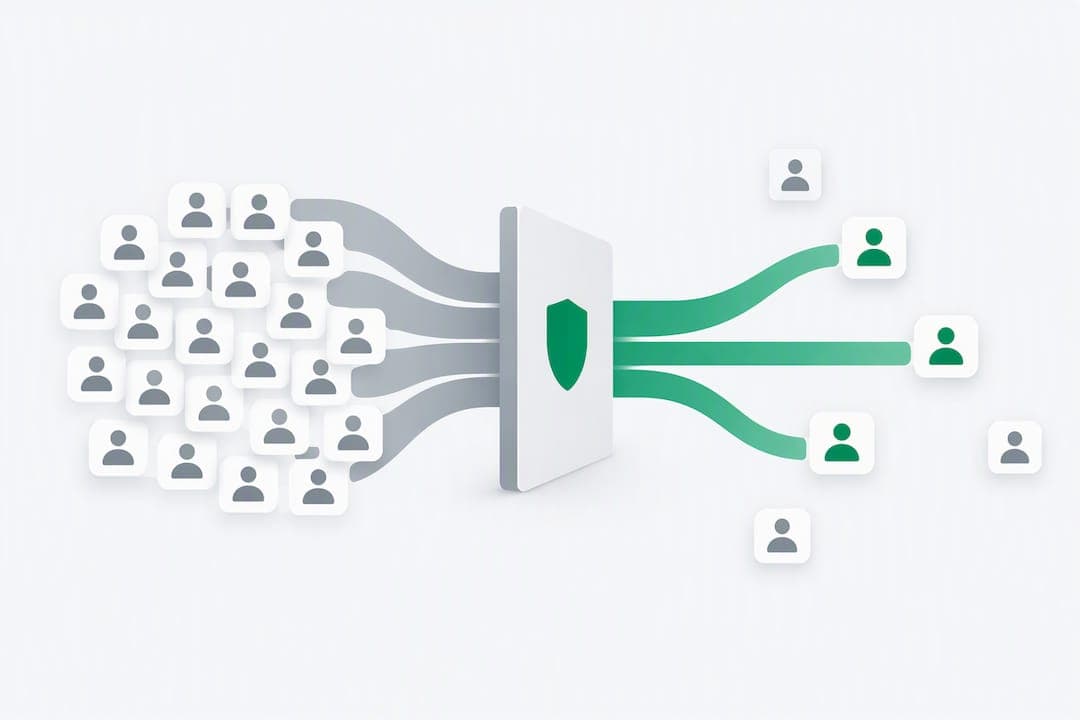
Stop Sybil Attacks Without KYC: Evidence-First Prevention for Marketplaces
Build an evidence-first defense for marketplace Sybil attacks: payment-weighted reputation, graph-based detection, device and anonymity signals, plus...


How to stop multi-accounting in online gambling: sportsbooks, poker, and casinos
How to stop multi-accounting in online gambling: why players open multiple betting accounts, the signals that link them to one person, and an operator playbook.

How to detect betting bots on sportsbooks, casinos, and poker sites
How to detect betting bots: the five kinds operators face, the device, network, and timing signals that expose them, and how to stop bot-driven abuse.