

Stop media and streaming fraud.
End all subscription abuse
Prevent account sharing, fake free-trial accounts, and multi-accounting
across streaming, music, and entertainment subscriptions at signup and login
How ShieldLabs helps
Keep fake accounts off the free tier
Stop one person from cycling free trials and signing up under fresh identities on every welcome offer
Recover revenue lost to account sharing
Detect the account sharing that stretches one paid login across many households
Stop credential resale at the login
Prevent account-takeover logins from unrecognized devices and anonymized connections
Keep real subscribers moving
Legitimate subscribers sign up and log in without extra verification steps
How ShieldLabs prevents streaming fraud and abuse
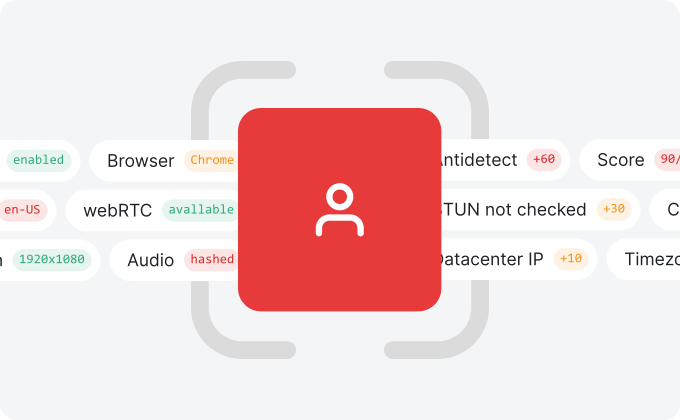
ShieldLabs recognizes the real visitor behind every anonymous session
Accurate Identification
Identify returning visitors and users across sessions, cleared cookies, incognito mode, and rotated IP, even when they sign up under fresh emails
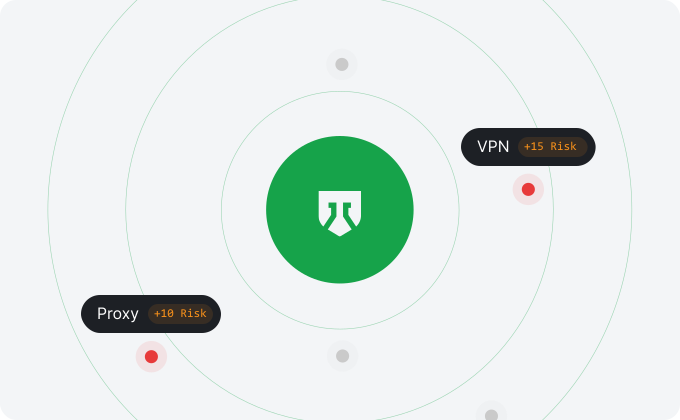
Risk Signals
Detection of VPN, proxy, Tor, anti-detect browser, IP reputation, and other risk signals on every visit, with 99.9% risk signal detection accuracy
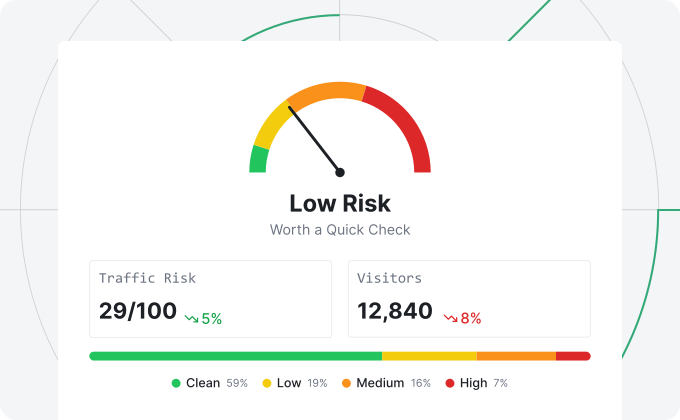
Risk Score
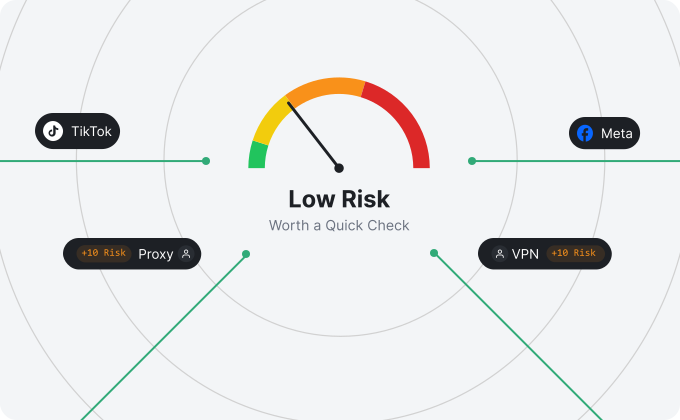
A ready-to-use score reflecting the risk of each visit, with the weight of every signal behind it
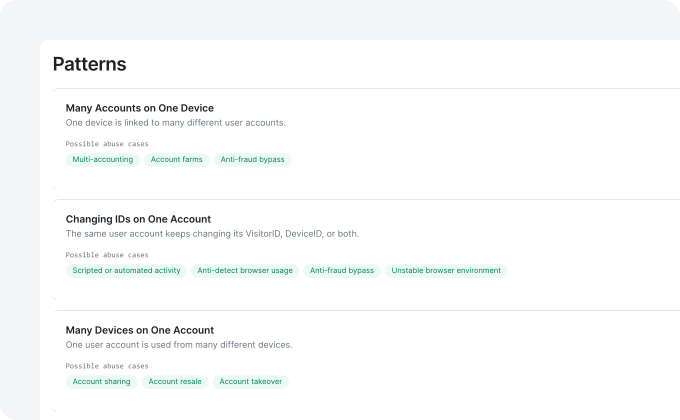
High-Risk Events
Direct detection of account sharing, multi-accounting, impossible travel, and account takeover, each with Medium or High confidence
Real-Time Analytics
See how much of your traffic is masked, with an overall quality score and a breakdown of the sources sending your visits
Prevent streaming fraud and abuse in 5 minutes
Easily integrate into any signup, login, or account flow
- 1
Create your account
Sign up and get 5,000 free identifications.
- 2
Add the snippet
It identifies every visitor and returns their risk signals and a risk score
- 3
Check your traffic quality
See how much of your traffic is masked, with an overall traffic score
- 4
Use API & Webhooks
Act on the risk score, risk signals, and High-Risk Events in your backend to stop fraud and abuse
{
  "request_id": "0c284695-cf0b-4755-8beb-0a2e9536595e",
  "visitor_id": "aa8c616a-8a25-4a5e-bee2-a9a08e5128a4",
  "device_id": "6a45967d-1371-9652-ba99-b01ea3992208",
  "user_hid": "u_9f2a41c7",
  "public_ip": { "ip": "62.197.149.124", "country": "United States" },
  "local_ip": { "ip": "45.83.91.7", "country": "United States" },
  "connection_type": "vpn",
  "os": "Windows",
  "browser": "Chrome",
  "device_type": "desktop",
  "risk_score": 85,
  "signals": [
    { "name": "antidetect_browser", "weight": 60 },
    { "name": "vpn", "weight": 15 },
    { "name": "timezone_mismatch", "weight": 10 }
  ]
}
Protect your streaming platform from fraud and abuse today
Free 5,000 one-time identifications, with transparent pricing that scales with your needs
Frequently asked questions
Streaming fraud is any deceptive activity targeting video, music, podcast, and entertainment subscription services to extract free access, resell paid logins, or drain subscriber revenue. Operators usually break it into separate layers, each needing a different tool: Account layer: one person opening many free-trial accounts, cycling introductory offers under fresh identities, stretching one paid login across many households, or reselling a subscriber's credentials; Payment layer: fraudulent card use, chargeback abuse, and friendly-fraud disputes after content has already been viewed; Network layer: large-scale credential stuffing and automated traffic against login endpoints; Content layer: DRM bypass, stream ripping, and unauthorized redistribution; Royalty layer (music): bot networks farming fake plays to pull royalties from a platform. ShieldLabs covers the account layer at signup and login: it detects Multi-accounting (one person behind many accounts), Account sharing and Impossible travel (one paying account stretched across many devices and countries), and Account takeover (logins from unrecognized devices), using persistent visitor and user identification that holds across sessions regardless of email, IP, or cleared cookies.
You prevent streaming fraud by running a tool at each layer where it appears, since no single product covers all of them. A typical stack runs these layers in parallel: Payment: a chargeback-prevention or payment-fraud platform screens card transactions and friendly-fraud disputes; Content: DRM and forensic watermarking protect the playback stream and trace leaked content; Network: a bot-management tool screens credential stuffing and automated signup floods; Policy: your own rules (concurrent-stream limits, household device caps, free-trial throttles per identity, geo-licensing checks) keep obvious abuse in check; Account: an identification tool detects one person operating many accounts, one paying account used across many devices and countries, and logins from unrecognized devices. ShieldLabs sits at the account layer: it returns a risk score and High-Risk Events at signup and login, so you can hold or step up before a free trial converts, a bonus week is granted, or a shared login is upgraded.
ShieldLabs runs through a single JavaScript snippet on your signup, login, or account page and returns a real-time risk profile you can act on. On every visit it surfaces: a 0-100 risk score with a signal breakdown; persistent visitor and user identification across sessions, cleared cookies, and rotated IP; risk signals: VPN, proxy, Tor, anti-detect browser, IP reputation, and more; High-Risk Events in the analytics dashboard: Multi-accounting, Account sharing, Impossible travel, and Account takeover, each with Medium or High confidence. When many free-trial signups trace back to one device, browser, or identity, ShieldLabs detects Multi-accounting; when one paying account shows logins from many different devices, it detects Account sharing, and logins from countries too far apart to travel between in time trigger Impossible travel. ShieldLabs delivers the score, signals, and events via API and Webhooks, so you can flag, hold, or step up an account before a trial converts, a household upgrade is offered, or a high-risk login completes.
ShieldLabs detects Account sharing at signup and login from the devices and visitors behind each account, without touching the playback sessions themselves. It distinguishes two kinds of sharing: Household sharing: passwords passed to family or friends across separate devices; Credential resale: logins sold or rented to strangers on third-party markets. When one paying account is used by multiple unrelated visitors across different devices and locations, ShieldLabs links those logins through accurate identification and detects Account sharing as a High-Risk Event with Medium or High confidence. You can then prompt an upgrade to a higher household tier, require a one-time verification on a new device, throttle parallel logins, or flag the account for review, all without touching the playback session. ShieldLabs identifies the visitor and user behind each login so you can choose to upgrade, hold, or step up the account, complementing the concurrent-stream limits in your player and the household policies in your billing system.
Yes. The mechanism is the same wherever one person can profit by opening many accounts, stretching a paid login, or getting into an account that is not theirs. ShieldLabs detects Multi-accounting, Account sharing, and Account takeover at signup and login, and you act on the downstream abuse each category cares about: Subscription video (SVOD): free-trial cycling, household password sharing, and resold credentials; Ad-supported and free streaming (AVOD/FAST): fake account inflation that distorts ad inventory and viewer-count metrics; Music streaming: shared family-plan accounts and student-tier abuse; Podcast and audiobook subscriptions: duplicate free-trial signups and household sharing; Live sports streaming: one-account-many-viewer abuse during peak events and short-lived credential resale around marquee games; News and premium paywalls: paywall bypass through fresh accounts on every visit. In every case ShieldLabs identifies the visitor and user behind the account at the signup and login layer, so you can choose to allow, prompt an upgrade, hold, or step up the account.
Yes. Streaming fraud prevention software is a tool a platform integrates to run streaming fraud detection automatically instead of reviewing accounts by hand, and ShieldLabs is one, focused on the account layer. Concretely, ShieldLabs: installs as one JavaScript snippet on your signup, login, and account pages; returns a risk score and risk signals through the API and Webhooks; shows High-Risk Events such as Multi-accounting, Account sharing, and Account takeover in the analytics dashboard. ShieldLabs identifies the visitor and user, detects these events out of the box, and helps block fraudulent and abusive traffic. For the account-abuse layer that underlies most streaming fraud, it is the software that covers it.
You integrate ShieldLabs by adding one JavaScript snippet to your signup, login, or account page; integration takes about 5 minutes. The steps: Install the snippet on the pages where viewers sign up, log in, or manage their account; Pass an optional UserHID (a hashed account or subscriber identifier from your own system) once a viewer signs up or logs in; Read the risk score and risk signals on the next visit via API and Webhooks for server-side flows; High-Risk Events appear in the analytics dashboard. ShieldLabs returns the first risk score on the first visit, and the free tier includes 5,000 one-time identifications with no credit card required, so you can test on real traffic before rolling out to production.
ShieldLabs detects risky accounts out of the box and helps block fraudulent and abusive traffic, while real subscribers keep watching. Every signup and login gets a 0-100 risk score in one of three bands, plus any High-Risk Events, and you choose the action for each case: Dangerous (60-100): hold a signup or a high-risk login for manual review; Suspicious (30-59): prompt a household upgrade, flag a free-trial signup for review, or require one-time verification on a new device; Trusted (0-29): let real subscribers through with no extra steps. The free tier includes 5,000 identifications so you can see results on real traffic before rolling out to production.