

Device ban: how to block a repeat offender so the ban survives a new account

Last updated on September 23, 2026 · 9 min read
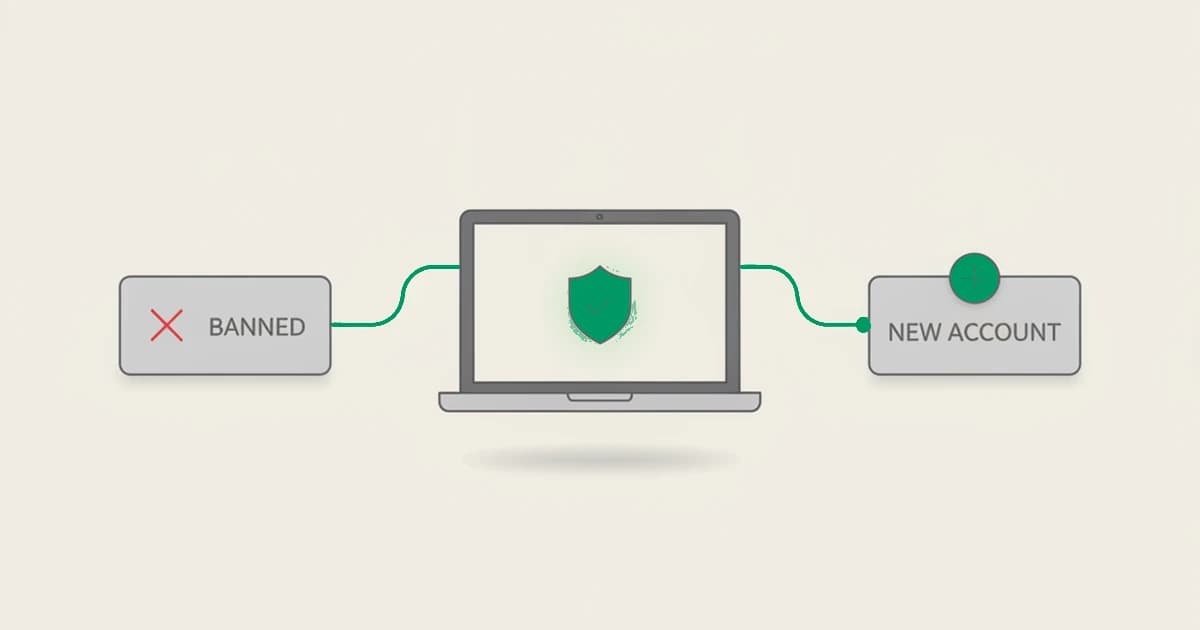
Banning an account rarely bans the person. In a single quarter, Meta actioned 1.4 billion fake accounts on Facebook alone, a scale that only exists because a removed account costs nothing to replace: a new email, a cleared cookie, a fresh IP, and the same person is back. A device ban attacks that gap. Instead of tying the block to something the user can reissue in a click, it ties it to the device behind the account, so a repeat offender who deletes and re-registers is recognized and stopped. This guide explains what a device ban is, why account, IP, and cookie bans fail, and how to build one.
Key takeaways
- A device ban blocks the device behind an account rather than the account itself, so a banned user cannot start over by creating a new login.
- Account, IP, and cookie bans all reset trivially: the account is free to recreate, the IP rotates or is shared, and the cookie clears on the first incognito window.
- A device ban works only if the identifier is durable, meaning it is derived from the device and survives cleared cookies, a new email, and a rotated IP rather than being stored in the browser.
- A detection layer recognizes the returning device under its new account and flags it, so the ban applies again, whether that means a block, a hold, or a step-up.
What is a device ban?
A device ban is a block applied to a device rather than to a single account, username, or IP address. When a user is banned, the ban is recorded against a stable identifier for the device they used. On any later visit, if that same identifier reappears, the ban still applies, even if the visit comes from a brand-new account, a different email, and a fresh IP.
The idea is old and the reasoning is simple: to permanently ban a user, you first have to give them a unique identifier they cannot easily change. An account ID is not that identifier, because the user controls it. The device is closer, because the thing a repeat offender reuses across all their "new" accounts is the machine they sit at.
Why account, IP, and cookie bans fail
Most bans are attached to one of three things a determined user can reset for free:
- Account bans. Banning the account removes the login, not the person. On an open-signup platform, a new account is a two-minute task, so an account ban is a speed bump, not a wall.
- IP bans. An IP address is not a person. Home IPs rotate on a lease, mobile users share carrier-grade NAT ranges, and anyone can route around a block with a VPN, a proxy, or Tor. Worse, blocking a shared IP can lock out unrelated legitimate users on the same network.
- Cookie bans. A cookie that marks a browser as banned is gone the moment the user clears their cookies, opens an incognito window, or switches browsers. It stops nobody who is trying.
Each of these bans the credential, not the returning visitor. The thing that actually persists across a banned user's fresh emails, cleared cookies, and rotated IPs is the device, and that is what a durable device ban keys on.
How a device ban makes a ban stick
A device ban is only as good as the identifier behind it. If that identifier is stored in the browser, it clears with the cookies and the ban resets. What makes a device ban durable is a device identifier computed from the device itself, a deterministic value derived from stable device and browser characteristics rather than saved as a token the browser can drop.
Because it is derived, not stored, the same device produces the same identifier across a new email, cleared cookies, incognito mode, and a rotated IP. That is exactly the surface a repeat offender changes when they come back, and none of it changes the underlying device. When the returning device resolves to the identifier tied to a ban, you have re-identified the person behind the fresh account, which is the same signal that drives ban-evasion detection more broadly.
In 2026 we tested this on our own product, running the exact resets a returning banned user would try. We cleared cookies, opened an incognito window, signed up under a new email, and routed the session through a different IP, and the device still resolved to the same identifier on every attempt. Recognition held at 99.9% identification accuracy across those runs, and the one case that read as new was the one we expected to: a genuinely different laptop on a different network, which is a different device, not a reset.
The cheap resets, which is what most ban evasion actually relies on, no longer work.
How to implement a device ban
The build is a short loop:
- Give every visit a device identifier. Add a JavaScript snippet to your signup, login, and key action pages so each visit returns persistent identification, including a device identifier, along with a risk score and named signals.
- Record the identifier when you ban. When your moderation or fraud process bans a user, store the device identifier from that session in a banned-devices set alongside the account.
- Check the identifier on the way in. On each new signup or login, compare the returning device identifier against your banned set.
- Choose the action. On a match, act on the result in your backend: block the registration, hold it for review, or step it up to verification. The identifier tells you it is the same device.
Reading the identifier from the webhook looks like this:
// ShieldLabs delivers the scored identification to your endpoint
app.post("/webhooks/shieldlabs", (req, res) => {
  const { device_id, risk_score } = req.body.data;

  if (bannedDevices.has(device_id)) {
    // choose the action: block, hold, or step up
    denySignup(req.body.data, "banned-device");
  }

  res.sendStatus(200);
});
That is the whole shape of it: the detection layer supplies a durable device_id, your set holds the ones you have banned, and your handler enforces the ban. Nothing about the block leaves your application.
Blocking repeat offenders with ShieldLabs
ShieldLabs gives your platform the durable identifier a device ban needs. One JavaScript snippet on your signup and login pages returns persistent identification that stays stable even after the user clears cookies, switches email, or rotates their IP, plus a risk score from 0 to 100 with the named risk signals behind it. When a device you have already banned comes back under a fresh account, its identifier matches, and its cross-account activity surfaces through ready-made multi-accounting detection, one of the four High-Risk Events, rather than reading as a new user.
ShieldLabs recognizes the returning device, names the evidence, and helps block fraudulent and abusive traffic from it. You read the identifier and score through the API and webhooks and choose the action for each case: denying the signup, holding it for review, or stepping it up. The free tier covers your first 5,000 identifications.
Sources
- Meta: Community Standards Enforcement Report, Fake Accounts
- Wikipedia: Device fingerprint
Frequently asked questions
- What is a device ban?
- A device ban is a block applied to the device behind an account rather than to the account, username, or IP address. When a user is banned, the ban is recorded against a stable identifier for their device, so if that same device returns later, even under a new account, a new email, and a fresh IP, the ban still applies. It works because the device is the one thing a repeat offender reuses across all their fresh accounts.
- Why do account and IP bans fail to stop repeat offenders?
- Because both are cheap to reset. A banned account is replaced with a new signup in minutes, and an IP address rotates, is shared across many users on the same network, or is routed around with a VPN or proxy. Banning the account removes the login but not the person, and banning the IP risks locking out unrelated legitimate users while the offender simply changes networks.
- Can a user get around a device ban?
- Sometimes, but not for free, which is the point. A durable device identifier survives cleared cookies, incognito mode, a new email, and a rotated IP, so the usual resets do not work. A user who buys a genuinely different device on a different network can come back, but that raises the cost of evasion from a two-minute task to real effort, which stops most repeat offenders and makes the rest easier to spot.
- Is a device ban legal?
- In most places, yes. A business is generally free to refuse service and enforce its own terms, and recognizing a returning device to uphold a ban is part of that. It is not the same as any specific legal restriction on network blocking, and it does not require identifying who the person is, only recognizing that the device has been banned. As always, follow your local privacy rules and disclose device recognition in your privacy policy.
- Does ShieldLabs ban users?
- ShieldLabs is the detection layer that makes a ban stick: it gives every visit persistent identification and a risk score with named signals, recognizes when a device you have banned returns under a new account, and helps block that fraudulent and abusive traffic. You choose the action for each case, whether that is blocking, holding, or stepping up the session.
Related articles
Stop Sybil Attacks Without KYC: Evidence-First Prevention for Marketplaces
Build an evidence-first defense for marketplace Sybil attacks: payment-weighted reputation, graph-based detection, device and anonymity signals, plus...

How to stop multi-accounting in online gambling: sportsbooks, poker, and casinos
How to stop multi-accounting in online gambling: why players open multiple betting accounts, the signals that link them to one person, and an operator playbook.

How to detect betting bots on sportsbooks, casinos, and poker sites
How to detect betting bots: the five kinds operators face, the device, network, and timing signals that expose them, and how to stop bot-driven abuse.