

What is font fingerprinting? How your installed fonts identify you

Last updated on June 29, 2026 · 8 min read
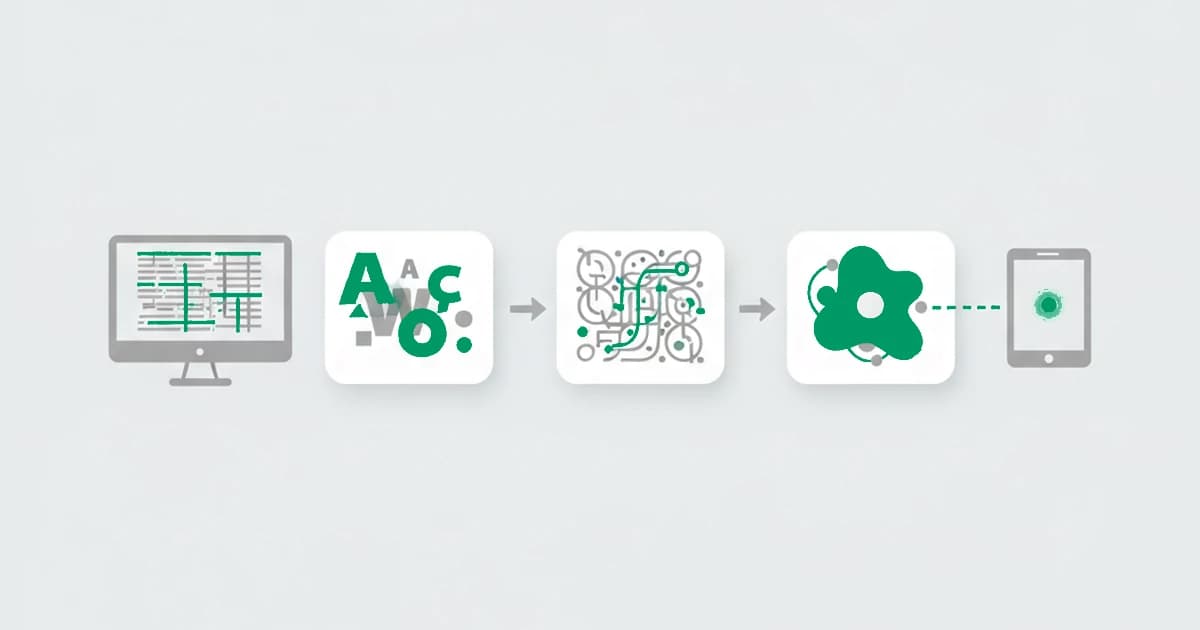
Font fingerprinting is a technique that identifies a device by the set of fonts installed on it. A script cannot read the font list directly, so it measures how text renders: it asks the browser to draw text in a given font and checks the dimensions. If the font is present, the text takes its real shape; if it is missing, the browser falls back to a default with different dimensions. Repeating this across many fonts reveals which ones a device has, and that combination is surprisingly distinctive.
The set of fonts on a machine reflects its operating system plus everything that has added fonts, design software, office suites, language packs, so it varies more than people expect. Fonts are a quiet but reliable medium-strength signal, easy to read and slow to change. This guide explains how it works, what it reveals, and where it fits in fraud detection. It is one of the browser fingerprinting techniques a site reads together.
Key takeaways
- Font fingerprinting detects which fonts are installed by measuring how text renders, since a missing font falls back to a default of a different size.
- The installed font set reflects the operating system and the software a person has added, which makes it more distinctive than it first appears.
- It is a medium-strength signal: stable over time and easy to read, but not unique on its own, so it works as part of a larger fingerprint.
- For fraud detection, fonts add distinguishing detail and corroborate other signals, and a font list that does not fit the rest of the device is itself a hint.
How font fingerprinting works
Font fingerprinting works by inference, because browsers do not hand a script the list of installed fonts outright. Instead, a script measures the effect of each font on rendered text. It runs in the background with no permission prompt.
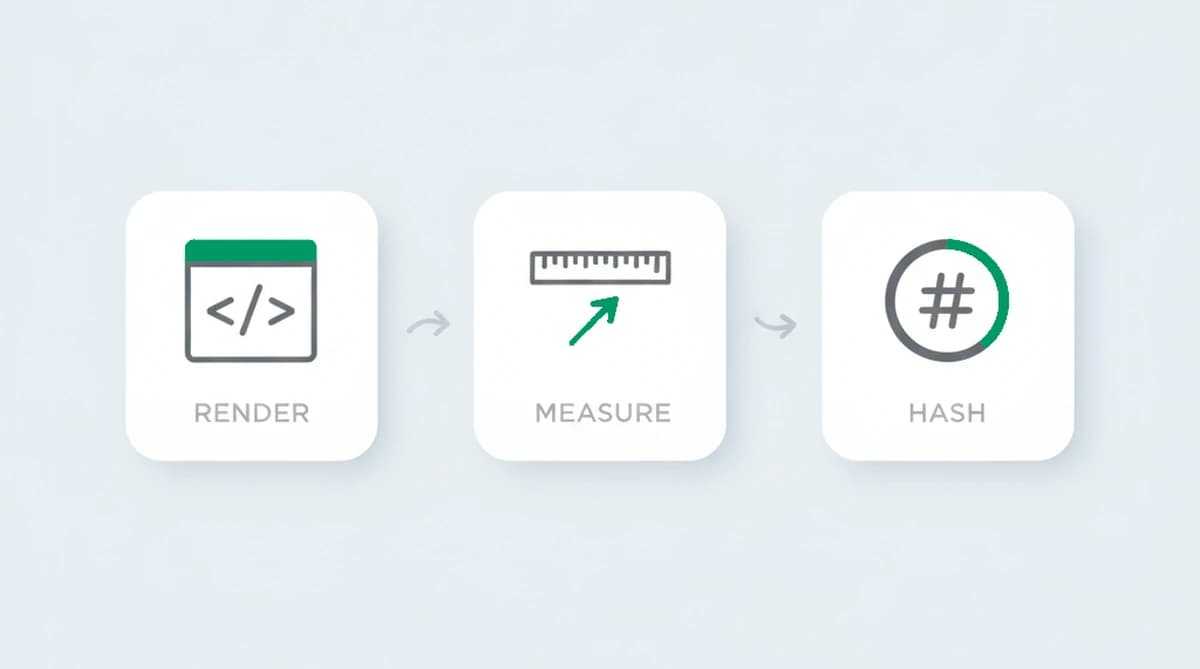
- Render text in a target font. The script draws a string in a specific font, off-screen, and asks the browser to lay it out.
- Measure the dimensions. It reads the width and height of the rendered text. If the font is installed, the text takes that font's metrics; if not, the browser substitutes a fallback, and the dimensions change.
- Compare and repeat. By comparing against the known dimensions of a fallback, the script decides whether each font is present, then repeats across a long list of fonts and condenses the result into a value.
A related variant uses the canvas element to measure font rendering more precisely, which is why font and canvas signals often appear together. Either way, the principle is the same: the instructions are identical for everyone, so the differences in the measurements come from the device's fonts.
We measured the same string rendered across a long font list and confirmed the mechanism holds: an installed font produces its own width and height, a missing one snaps to the fallback dimensions, and the resulting map of hits and misses stays put across cleared cookies and a fresh email. Why this method matters is partly historical. Browser plugins once enumerated installed fonts directly, but after Flash reached end of life in 2020, measuring rendered dimensions became the practical way to read a device's font set from the browser.
What a font fingerprint reveals
A font fingerprint does not reveal documents or personal data. It reflects the set of fonts on the device, which in turn reflects:
- The operating system and its version, which ship with a known baseline set of fonts.
- Installed software, since design tools, office suites, and other apps add their own fonts.
- Language and regional packs, which add fonts for specific scripts.
- Fonts the user installed manually, which can be highly distinctive.
None of this names a person, and many devices with a stock operating system and no extra software share a similar font set. The distinctiveness comes from the additions: a machine with design and office software carries a font list that few others match exactly.
| Property | Font fingerprinting |
|---|---|
| What it reads | Which fonts are installed, inferred by measuring the dimensions of text rendered in each font |
| Why it differs between devices | The installed font set reflects the operating system, added software, language packs, and fonts installed manually |
| Does it survive clearing cookies? | Yes, installed fonts change rarely, so the value holds across visits and survives cleared cookies and incognito mode |
| Main limitation | A stock install produces a common font set, and modern browsers increasingly limit font enumeration, so it is a medium-strength supporting signal |
How unique and stable is a font fingerprint?
A font fingerprint is stable and moderately distinctive, which makes it a dependable supporting signal. It is stable because installed fonts change rarely, only when software is added or removed, so the value holds across visits and survives cleared cookies and incognito mode. When researchers first measured font-metric fingerprinting in 2015, in work published in the Financial Cryptography and Data Security proceedings, they found that the dimensions of rendered text carried enough variation to help distinguish browsers, even using only a modest list of fonts.
Its limits are the familiar ones. A clean operating system install with no added software produces a common font set shared by many devices, so on its own the signal separates fewer machines than a full fingerprint can. And modern browsers increasingly limit font enumeration to a standard set to fight tracking, which narrows what the technique can read. It is best treated as one medium-strength signal among several, not a standalone identifier.
Font fingerprinting in fraud detection
For fraud detection, fonts add quiet corroboration to a device fingerprint. A font list does not identify anyone by itself, but together with the rendering and network signals it helps confirm that two visits came from the same device after a cleared cookie and a new email, the kind of repeat ShieldLabs surfaces as Multi-accounting, and it adds distinguishing detail that sharpens the match.
Fonts are also useful for catching inconsistency. A device that claims one operating system but carries a font set typical of another, or a session that reports an implausibly tiny or generic font list, does not fit the profile of an ordinary visitor. A defender reads signals like these into a risk score rather than acting on the font list alone.
Can font fingerprinting be blocked?
Font fingerprinting can be reduced, and browsers have been steadily limiting it. Privacy browsers such as Tor restrict pages to a fixed set of fonts so every user looks alike, and Firefox and others limit font enumeration in their anti-fingerprinting modes. Extensions can report a randomized or trimmed font list.
For a fraud detection system, those defenses change the signal rather than erasing it. A font list restricted to a bundled set is a recognizable state of its own, and a list that changes on every read, or that contradicts the rest of the device, becomes a hint that something is being hidden. As with the other techniques, the move that hides one signal tends to leave a different trace.
How ShieldLabs uses device and browser signals
ShieldLabs reads device and browser signals as one of many inputs in a single fingerprint, never any one on its own. They add distinguishing detail and corroboration to a stable device identifier that recognizes a returning visitor after cleared cookies and a rotated IP, derived from the whole combination rather than any single signal.
Each visit returns a risk score from 0 to 100 with the named signals behind it, including the risk signals and the contradictions between what a visitor presents and the underlying signals. Because the read happens in the background from data the browser already exposes, it adds no friction for a real visitor, and you act on the score through the API and webhooks and choose the action for each case.
Sources
- Fifield, Egelman: Fingerprinting Web Users Through Font Metrics (Financial Cryptography, 2015)
- Wikipedia: Device fingerprint
- Electronic Frontier Foundation: Cover Your Tracks
Frequently asked questions
- How does font fingerprinting work?
- A script cannot read the installed font list directly, so it measures how text renders. It draws text in a target font and checks the dimensions: an installed font produces its real metrics, while a missing one falls back to a default of a different size. Repeating this across many fonts reveals which are present, then condenses into a value.
- What does font fingerprinting reveal about a device?
- It reveals which fonts are installed, which reflects the operating system, the language packs, and the software a person has added, such as design or office tools. It names no one, but the combination of fonts is distinctive enough to help recognize the same device again, especially on machines with extra software beyond the stock set.
- Does font fingerprinting need permission?
- No. Font fingerprinting uses no special permission and shows no prompt. It works by measuring the dimensions of text the browser renders off-screen, which is data the browser already exposes, so the technique runs silently in the background like the other rendering-based fingerprinting methods.
- Can font fingerprinting be blocked?
- It can be reduced but not perfectly. Privacy browsers like Tor restrict pages to a fixed font set, and others limit font enumeration in anti-fingerprinting modes. For fraud detection, those defenses are recognizable states of their own, since a trimmed or randomized font list that does not fit the rest of the device is itself a signal.
- How does ShieldLabs use device and browser signals?
- ShieldLabs reads device and browser signals as one of many inputs, never any one alone. They add distinguishing detail through persistent identification and feed a risk score from 0 to 100 with the signals behind it, including contradictions between what a visitor presents and the underlying signals. You act on the result in your backend, and the free tier covers your first 5,000 identifications.
Related articles
Fingerprinting vs Cookies: Key Differences for Fraud Teams
How cookies differ from server-side fingerprinting, why many cookieless claims mislead, and practical steps for developers and fraud teams.

What was Google's Privacy Sandbox, and why did it end in 2025?
Google retired the Privacy Sandbox in October 2025 and third-party cookies are staying in Chrome. What it was, why it ended, and what it means for fraud.

How to detect anti-fingerprint browsers (2026)
Anti-fingerprint browsers spoof canvas, WebGL, fonts, and TLS to break recognition. How to detect them in 2026, and the tells they leave behind.