

JA4 fingerprinting explained: how it improves on JA3, and what it actually identifies

Last updated on July 2, 2026 · 9 min read
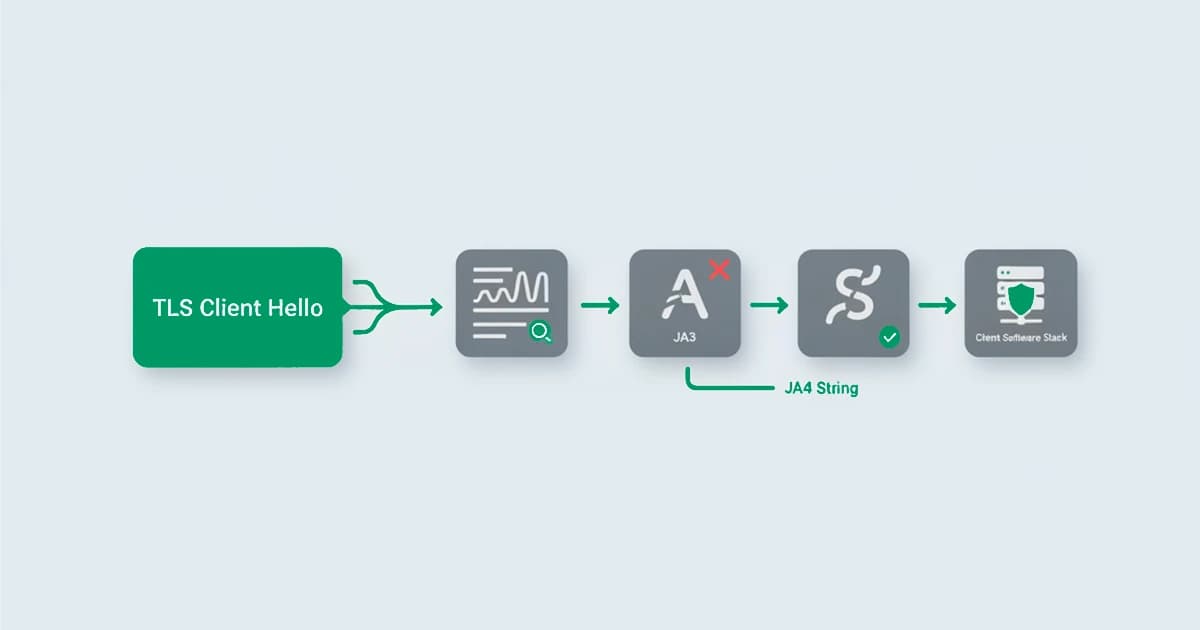
JA4 fingerprinting identifies the software behind a connection, a browser, a script, or an automation tool, by reading the TLS Client Hello it sends and condensing that handshake into a short, readable string. It is FoxIO's 2023 successor to JA3, and it exists for one reason: JA3 stopped working. JA3, the old way of fingerprinting a TLS client, broke when the browsers it watched started shuffling their own handshake. After Chrome began randomizing the order of its TLS extensions in 2023, JA3, which hashed those extensions in the order they arrived, produced a different value on almost every connection, so the fingerprint that was supposed to recognize a client recognized nothing. JA4, released the same year by FoxIO, is the answer: it sorts the values instead of trusting their order, stays human-readable, and covers more than just TLS. This guide explains what JA4 is, how it improves on JA3, and the part most write-ups skip, what it actually identifies and what it does not.
Key takeaways
- JA4 is a network fingerprint that identifies the software stack behind a connection, a browser, a script, or a tool, from the TLS Client Hello it sends, before any page code runs.
- It replaced JA3 because JA3 was order-sensitive: once browsers randomized their TLS extension order, JA3's hash changed on every connection. JA4 sorts the values, so reordering no longer breaks the match.
- A JA4 fingerprint is readable, not just a hash. Its parts spell out the TLS version, the cipher and extension makeup, and the application protocol, and JA4 is one of a family (JA4+) that also covers HTTP, TCP, and the server side.
- JA4 identifies a client type, not a person or a unique device. Everyone on the same browser and operating system can share one JA4, so it is a corroborating signal, never an identifier on its own.
- In fraud detection its value is the contradiction: a request that claims to be one browser but whose JA4 says it is a script or a tool is the tell, read at the network layer.
What is JA4 fingerprinting?
JA4 fingerprinting is a method of identifying the software behind a connection by reading the TLS Client Hello, the first, unencrypted message a client sends when it opens a secure connection, and condensing its characteristics into a short, standardized string. Because different software, a Chrome browser, a Python script, a Go HTTP library, builds that handshake differently, the resulting JA4 string is characteristic of the client type that produced it. It is the successor to JA3, created by FoxIO, the firm founded by JA3's original author John Althouse, and published as an open specification, and it sits at the network and transport layer rather than in the browser. It is the JA4 piece of TLS fingerprinting more broadly.
The reason it reads the Client Hello is that this message is sent in the clear, before encryption begins, so a server can fingerprint the client without decrypting anything. What the fingerprint captures is configuration, the TLS version offered, the list of cipher suites, the extensions, and the application protocols, which together form a signature of the software, not the user.
How JA4 improves on JA3
JA3, introduced in 2017 by John Althouse and colleagues at Salesforce, hashed the Client Hello fields in the exact order the client sent them and reduced the result to a single opaque value. That worked until the order stopped being stable. When browsers began permuting their TLS extensions on purpose, a change Chrome rolled out in 2023, the same browser produced a different JA3 on every connection, and the fingerprint collapsed. JA4 fixes this by sorting the values before it builds the fingerprint, so a harmless reordering produces the same JA4. It also keeps the fingerprint readable instead of hashing everything into one blob, and it extends beyond TLS into a whole family of fingerprints. The differences at a glance:
| JA3 | JA4 | |
|---|---|---|
| Introduced | 2017 | 2023 |
| Output | one opaque MD5 hash | a readable, multi-part string |
| Extension order | order-sensitive, breaks on reordering | sorts the values, survives reordering |
| Readability | none, just a hash | parts you can read (TLS version, cipher and extension counts, ALPN) |
| Scope | the TLS client only | a suite covering TLS, the server, HTTP, TCP, and more |
The practical upshot is resilience. JA3 was easy to defeat by accident, every browser that randomized its handshake broke it, and easy to defeat on purpose. JA4 raises the bar on both, which is why detection tooling moved to it.
The JA4 string format
A JA4 fingerprint is written in readable parts, often shown as a_b_c, in a compact multi-part shape (the two trailing hashes are 12 characters each, while the readable first part varies). Each part answers a different question:
- Part a captures the protocol and transport, the TLS version, whether the connection is over TCP or QUIC, the presence of a server name, and the application protocol negotiated via ALPN (Application-Layer Protocol Negotiation), so
t13reads as TLS 1.3. - Part b summarizes the cipher suites the client offered, as a count plus a sorted hash, so reordering the same ciphers does not change it.
- Part c does the same for the extensions and the signature algorithms.
A complete JA4 looks like t13d1516h2_8daaf6152771_02713d6af862: the t13d reads as TLS 1.3 over TCP with a server name present, the digits 1516 count the offered cipher suites (15) and extensions (16), h2 is the negotiated HTTP/2 preference, and the two trailing blocks are the sorted cipher and extension hashes. JA4 also ignores GREASE values, the deliberately random entries a browser adds to its handshake to keep the protocol extensible (defined in RFC 8701), so that padding never shifts the fingerprint.
Because the parts are separate and legible, an analyst can match on the whole string or on a single segment, and can read roughly what a client is from the fingerprint alone rather than looking it up in a table. Because a JA4 is readable and portable, common fingerprints are catalogued in open databases such as JA4DB and can be read directly in tools like Wireshark, so a value seen in your logs can be identified rather than reverse-engineered.
The JA4+ suite: more than TLS
JA4 is the TLS-client member of a larger family called JA4+, a set of fingerprints for different layers of a connection. The ones that come up most:
- JA4 fingerprints the TLS client from its Client Hello.
- JA4S fingerprints the server's response, the Server Hello.
- JA4H fingerprints the HTTP request, including the order of headers and the presence of things like an Accept-Language.
- JA4T fingerprints the TCP characteristics, such as window size, which can hint at the operating system or a proxy in the path.
- JA4X fingerprints an X.509 certificate, and JA4SSH covers SSH sessions.
Read together, the suite describes a connection from several angles at once, which is what makes a contradiction between layers, a TLS stack that does not match the HTTP behavior, so informative. Recent research pushes the same multi-layer idea further: a 2026 arXiv preprint, On the Internet, Nobody Knows You're an LLM Bot, combines network, HTTP, and browser-level fingerprints to unmask automated web agents, exactly the kind of cross-layer read where a transport-layer fingerprint that disagrees with the browser above it becomes the tell.
What JA4 can and cannot tell you
This is the part that matters most and is the easiest to get wrong. A JA4 fingerprint identifies a client's software stack, not a person and not a unique device. Everyone running the same browser version on the same operating system tends to produce the same JA4, so the fingerprint groups clients by type rather than singling anyone out. It is explicitly not designed to be unique, and there are real edge cases where it is not even stable for one client: Safari, for instance, can reuse a prior session through a TLS extension and present a different fingerprint on the next connection.
That is not a flaw to hide; it is the right way to use the signal. JA4 tells you what kind of client is connecting, with high confidence and almost no cost, and it tells you that server-side before a single line of page code runs. What it does not do is tell you who the visitor is or pin them to one machine. Treated as a corroborating signal rather than an identifier, it is genuinely useful. Treated as a unique ID, it produces false matches and misses.
JA4 in fraud detection
For threat hunters and web application firewalls, JA4 is mostly about grouping malicious traffic and rate-limiting clients that rotate IPs. For fraud and abuse detection the more useful read is narrower: the contradiction between what a client claims to be and what its JA4 says it is. A request can set a user-agent header that says Chrome on Windows, but the user-agent is just a string the client chooses, while the JA4 is produced by the actual TLS library underneath. When the header says one thing and the TLS stack says a scripting library or an automation framework, the mismatch is hard to fake and easy to read. A missing or unusual application protocol value, where a real browser would normally negotiate HTTP/2, points the same way. The reverse holds too: dedicated TLS-impersonation tools can forge a JA4 that matches a real browser, so a clean, matching fingerprint is not proof of a genuine client, only the absence of an obvious mismatch, which is one more reason to read JA4 as corroboration rather than identity.
In testing, we ran requests that set a user-agent header claiming Chrome on Windows and the network layer disagreed: the TLS stack underneath matched a scripting library or automation framework, not the browser named in the header. The header is a string the client picks; the JA4 is produced by the library actually opening the connection, which is far harder to align. This gap became more useful in 2023, when Chrome began randomizing its TLS extension order and JA4's sorted, readable format kept the fingerprint stable through the change.
That makes JA4 a strong corroborating signal for automated abuse and for anti-detect browser setups, which spoof the browser-side fingerprint but often miss the transport layer underneath. It is read alongside the rest of the session rather than acted on alone, because a shared JA4 is normal: the goal is to catch the session whose layers disagree, not to treat a common fingerprint as guilt.
Detecting spoofed clients with ShieldLabs
ShieldLabs reads network signals as one input among many, never as a standalone verdict. The network signals behind a request are cross-checked against the declared browser, the risk signals on the connection, and the rest of the session, so a client whose network layer disagrees with what it claims to be raises the read rather than passing on a header alone.
ShieldLabs scores the session, the device, and the network, and names the signals behind a risk score from 0 to 100. You read that score and the named signals through the API and webhooks and choose the action for each case. The broader technique behind these signals is covered in TLS fingerprinting and the wider set of browser fingerprinting techniques.
Sources
- FoxIO: JA4+ Network Fingerprinting specification
- Amazon Web Services: JA4Fingerprint (AWS WAF reference)
- IETF: RFC 8446: The Transport Layer Security (TLS) Protocol Version 1.3
- IETF: RFC 8701: Applying GREASE to TLS Extensibility
- Fayolle, Bouhenniche, Pélissier, Laperdrix, Maurice, Rudametkin: On the Internet, Nobody Knows You're an LLM Bot: Unmasking Web Agents with Multi-Layer Fingerprinting (arXiv preprint, 2026)
- Wikipedia: Transport Layer Security
Frequently asked questions
- What is a JA4 fingerprint?
- A JA4 fingerprint is a short, readable string that identifies the software stack behind a connection, derived from the TLS Client Hello a client sends when it opens a secure connection. Because a browser, a script, and a tool each build that handshake differently, the JA4 string is characteristic of the client type. It is created by FoxIO as the successor to JA3 and is written in a compact, multi-part format that a person can read directly.
- Is JA4 better than JA3?
- For most purposes, yes. JA3 hashed the TLS Client Hello in the order the client sent it, so once browsers began randomizing their extension order, the same browser produced a different JA3 on every connection and the fingerprint stopped working. JA4 sorts the values before fingerprinting, so reordering does not break it, and it is human-readable and covers more protocols. JA3 still appears in older tooling, but JA4 is the more resilient successor.
- Is a JA4 fingerprint unique?
- No. A JA4 fingerprint identifies a client's software stack, not an individual device or person, so everyone using the same browser version and operating system tends to share the same JA4. Some clients are not even stable across connections, for example Safari can present a different fingerprint when it reuses a prior TLS session. That is why JA4 is best used as a corroborating signal weighed with others, not as a unique identifier.
- What is the difference between JA3 and JA4?
- JA3 produces a single opaque hash of the TLS Client Hello in the order it arrived, which made it break when clients reordered their extensions. JA4 produces a readable, multi-part string and sorts the values so reordering does not change it, and it is part of the JA4+ family that also fingerprints HTTP, TCP, and the server side. In short, JA4 is more resilient, more readable, and broader in scope than JA3.
- How does ShieldLabs use network signals?
- ShieldLabs reads network signals as one input among many. They are cross-checked against the declared browser and the rest of the session and folded into a risk score, never acted on as a standalone verdict. ShieldLabs scores the session and returns the result through the API and webhooks, so you can act on it in your backend, and the free tier covers your first 5,000 identifications.
Related articles
Headless Browser Detection Before JS Runs: JA4 for Dev & Security
Dev & Sec teams: detect headless browsers early with JA4/HTTP2 fingerprints, WebGL and CDP timing; includes test-harness practices and risk scoring.

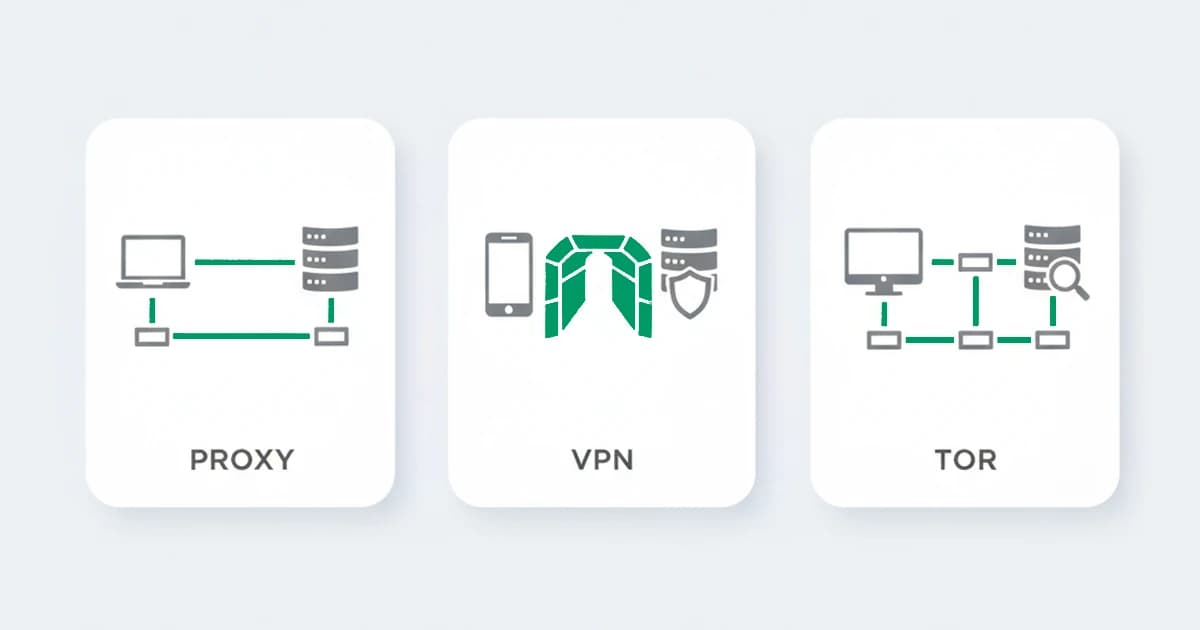
VPN vs proxy vs Tor: how each hides traffic and how detection tells them apart
VPN vs proxy vs Tor: how each hides traffic, what each one still reveals, and how a detection layer tells them apart at the network level.

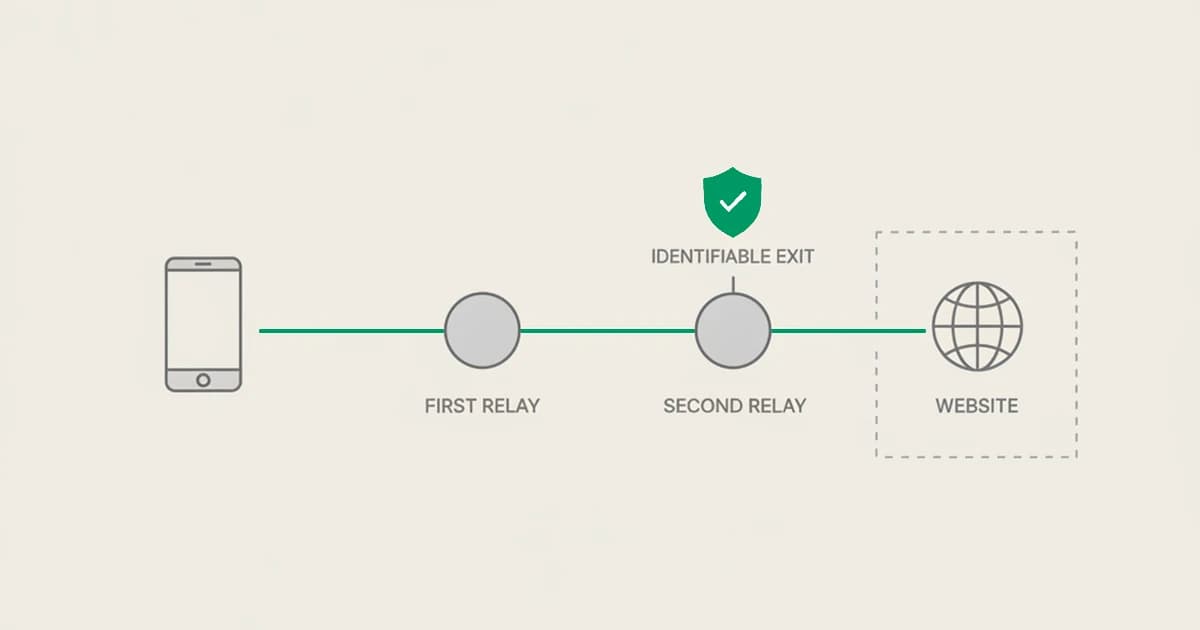
iCloud Private Relay: what it is, and what it means for fraud detection
iCloud Private Relay hides a Safari user's IP, but Apple publishes its egress ranges, so it is identifiable. What it is and how to read it for fraud.