

What is TLS fingerprinting? How JA3 and JA4 identify a client

Last updated on June 29, 2026 · 9 min read
TLS fingerprinting is a technique that identifies the software behind a connection by the way it negotiates a TLS handshake. When a client opens an encrypted connection, it sends a message describing the TLS versions, cipher suites, and extensions it supports, and the exact contents and order are characteristic of the client. Condensing that into a value, with a format like JA3 or JA4, produces a fingerprint that is hard to fake because it reflects the network stack rather than anything in the page.
TLS fingerprinting is the technique that catches a client lying about what it is. The user agent string is trivial to edit; the TLS handshake is not, because it is produced by the underlying library and operating system. This guide explains what TLS fingerprinting is, how it works, what JA3 and JA4 are, and where it fits in fraud detection. It is one of the browser fingerprinting techniques a site reads together.
Key takeaways
- TLS fingerprinting reads how a client builds its TLS handshake, then condenses the cipher suites, extensions, and other parameters into a value such as a JA3 or JA4 hash.
- It is powerful because the handshake is sent over the network and a page script cannot rewrite it, so it reflects the real client software rather than an editable string.
- JA3 is the older format; JA4 is a newer one that sorts extensions and holds up better as browsers update, which makes it more stable.
- For fraud detection, a TLS fingerprint is most useful when it disagrees with what a client claims to be, since that contradiction is a sign the client is not what it says.
How TLS fingerprinting works
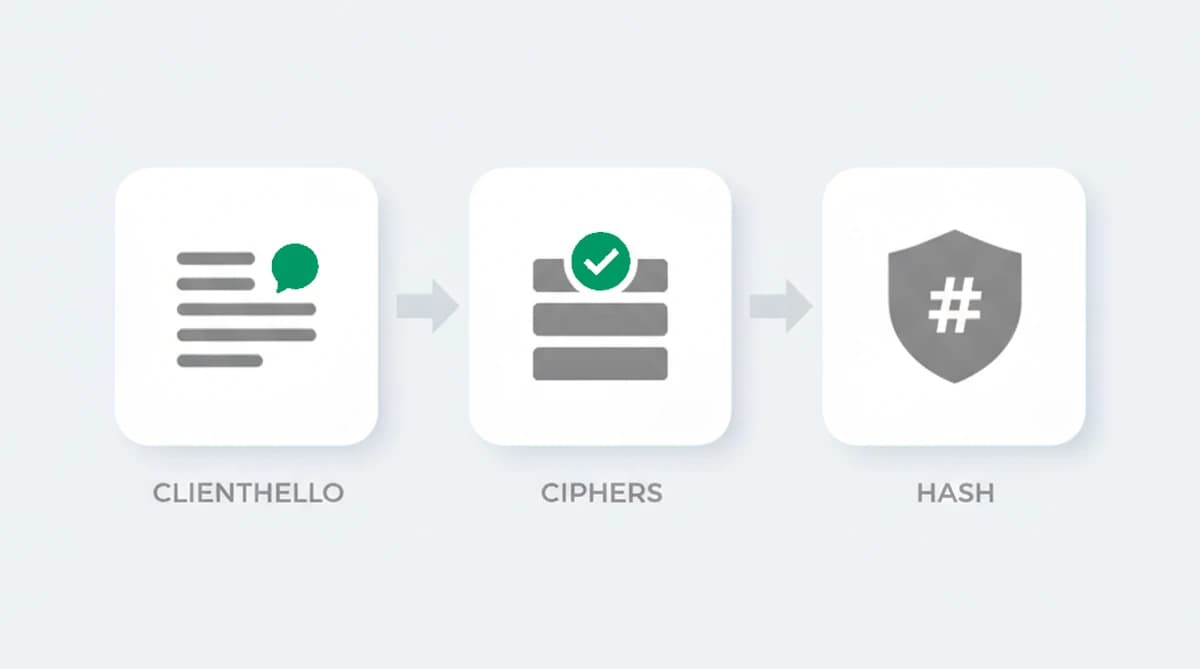
TLS fingerprinting works by reading the first message of an encrypted connection, before any data is exchanged. When a client connects to a server over HTTPS, it begins a TLS handshake by sending a ClientHello message. That message is sent in the clear, because the encryption has not been set up yet, and it lists what the client supports.
The detail that makes fingerprinting possible is that different software builds this message differently. A browser, a mobile app, and a generic scripting library each advertise their TLS versions, cipher suites, extensions, and elliptic curves in their own combination and order. A server that records those parameters, and the order they arrive in, can recognize the same kind of client again, and can notice when a client does not look like what it claims to be.
What are JA3 and JA4?
JA3 and JA4 are the two best known ways to write a TLS fingerprint down as a value. They take the raw handshake parameters and turn them into a compact, comparable string.
- JA3, introduced in 2017, is the older and widely adopted format. It builds a hash from the client's TLS version, its accepted cipher suites, its extensions, and its elliptic curves and curve formats. It is simple and effective, but because it depends on the exact order of extensions, a browser update that reorders them can change the hash.
- JA4, released in 2023, is a newer format designed to fix that. It sorts the extensions so a harmless reordering does not break the match, and it splits the fingerprint into readable parts, including the transport and TLS version, the cipher and extension makeup, and any application protocol. The result is more stable across browser updates and easier to reason about. The open JA4 specification documents the full format.
A system does not have to choose one. Many read both, using JA3 for compatibility with older records and JA4 for stability going forward.
What a TLS fingerprint reveals
A TLS fingerprint does not reveal personal data. What it reflects is the software and library stack making the connection:
- The client family, such as a mainstream browser versus a scripting library or a custom client.
- The TLS library and its version, since the set and order of cipher suites and extensions follow the library that built the handshake.
- The platform, because the operating system and its cryptographic defaults influence the handshake.
What it does not show is the content of the page or the user's identity. Its value is comparative: it says what kind of client is connecting, and whether that matches the rest of what the client presents. Because the handshake sits below the HTTP layer, it is far harder to fake than a user agent header, which is one line of text the client can set to anything.
| Property | TLS fingerprinting |
|---|---|
| What it reads | The ClientHello of the TLS handshake: TLS versions, cipher suites, extensions, and elliptic curves, with their order |
| Why it differs between clients | Each software stack, a browser versus a scripting library, builds the handshake in its own combination and order, shaped by the TLS library and the operating system |
| What it reveals | The client family, the TLS library and version, and the platform, not page content or user identity |
| Why it is hard to fake | The handshake is sent over the network below the HTTP layer, so a page script cannot rewrite it the way it can a user agent header |
| Main limitation | Moderately unique only: many people on the same browser and platform share one fingerprint, so it is a corroborating signal, not a sole identifier |
How unique and stable is a TLS fingerprint?
A TLS fingerprint is moderately unique and fairly stable, and it is strongest as a corroborating signal rather than a sole identifier. Many people running the same browser version on the same platform share the same TLS fingerprint, so it does not single out one device the way a full browser fingerprint can. What it does well is group clients by their real software and flag the ones that do not fit.
Stability depends on the format. A JA3 hash can shift when a browser update changes the order of TLS extensions, which is exactly the drift JA4 was designed to reduce by sorting them. A resilient system treats the TLS fingerprint as one signal among several and does not expect it to stay identical forever, which is also why it is read alongside the browser and device layers rather than on its own.
TLS fingerprinting in fraud detection
TLS fingerprinting has several uses, and they are worth keeping distinct. Network and security teams use it broadly to classify traffic, and bot-management products use it to tell automated clients from browsers. That use keeps drawing research: a 2026 arXiv preprint, When Handshakes Tell the Truth, trains machine-learning models on JA4 TLS fingerprints, the cipher, extension, and application-protocol makeup of the handshake, to separate automated bad bots from real users at the protocol level. The use that matters for ShieldLabs is a different one: consistency.
A TLS fingerprint is most valuable when it disagrees with what a client claims to be. If a connection presents itself as a recent version of a mainstream browser but its handshake matches a generic scripting library or a mismatched stack, that contradiction is a strong sign the client is not what it says. This is the exact tell that an anti-detect browser tends to leave, because it can edit the user agent easily but cannot as easily rewrite the TLS handshake to match. A defender uses that contradiction to inform a risk score, not to block a visitor outright.
We tested clients that rewrote their user agent to look like a current mainstream browser while leaving the handshake untouched, and the contradiction stood out every time: the declared browser said one thing, the ClientHello matched a generic scripting stack. The handshake is simply harder to rewrite than a line of header text. That gap is part of why the JA4 format, released in 2023, was designed to keep a fingerprint stable enough to compare a declared client against the stack that actually connected.
Can TLS fingerprinting be spoofed?
TLS fingerprinting can be spoofed, but doing it consistently is the hard part. A determined client can use a real browser engine, or align its TLS library so its handshake matches a popular browser, and its fingerprint will look ordinary. Tooling exists specifically to do this for automation.
The catch is the same one that runs through all of fingerprinting: every layer has to agree. A client can fake the TLS handshake, or fake the user agent, but making the TLS fingerprint, the declared browser, the JavaScript-level signals, and the rest all tell the same story at once is difficult. When one of them is off, the mismatch becomes its own signal, which is why TLS is read together with the other techniques rather than trusted alone.
Detecting spoofed clients with ShieldLabs
ShieldLabs reads network signals as one of several inputs, never on its own. It contributes to a stable device identifier and, more importantly, it is one of the signals that catches a client lying about what it is, when the network layer does not match the declared browser.
Each visit returns a risk score from 0 to 100 with the named signals behind it, including the risk signals and the contradictions that surface when the network layer disagrees with the rest of the fingerprint. Because the read happens as part of the connection, it adds no friction for a real visitor, and you act on the score through the API and webhooks and choose the action for each case.
Sources
- FoxIO: JA4+ Network Fingerprinting specification
- IETF: RFC 8446, The Transport Layer Security (TLS) Protocol Version 1.3
- Jarad, Bicakci: When Handshakes Tell the Truth: Detecting Web Bad Bots via TLS Fingerprints (arXiv preprint, 2026)
- Wikipedia: Transport Layer Security
Frequently asked questions
- What is a TLS fingerprint?
- A TLS fingerprint is a value derived from how a client builds its TLS handshake, the cipher suites and extensions it sends to open the connection. Written as a format like JA3 or JA4, it identifies the kind of software making the connection, and it is hard to fake because it reflects the network stack rather than an editable header.
- Are TLS fingerprints unique?
- TLS fingerprints are not unique to one device. Many clients running the same browser version on the same platform share the same fingerprint, because they build the handshake the same way. That is why it works better for grouping clients by their real software, and for spotting ones that do not match what they claim, than as a sole identifier.
- What is the difference between JA3 and JA4?
- JA3 is the older format, building a hash from the TLS version, cipher suites, extensions, and curves, and it can change when a browser update reorders extensions. JA4 is newer, sorts the extensions so harmless reordering does not break the match, and splits the fingerprint into readable parts. JA4 is more stable across updates.
- Can TLS fingerprinting be spoofed?
- It can. A client can use a real browser engine or align its TLS library to match a popular browser. The difficulty is consistency: faking the handshake while also keeping the declared browser, the JavaScript signals, and the rest in agreement is hard, and any mismatch between the layers becomes a detectable signal of its own.
- How does ShieldLabs use network signals?
- ShieldLabs reads network signals as one of several inputs, never alone. It helps catch a client whose network layer does not match the browser it claims to be, and it feeds a risk score with the signals behind it. You act on the result in your backend, and the free tier covers your first 5,000 identifications.
Related articles
Headless Browser Detection Before JS Runs: JA4 for Dev & Security
Dev & Sec teams: detect headless browsers early with JA4/HTTP2 fingerprints, WebGL and CDP timing; includes test-harness practices and risk scoring.

VPN vs proxy vs Tor: how each hides traffic and how detection tells them apart
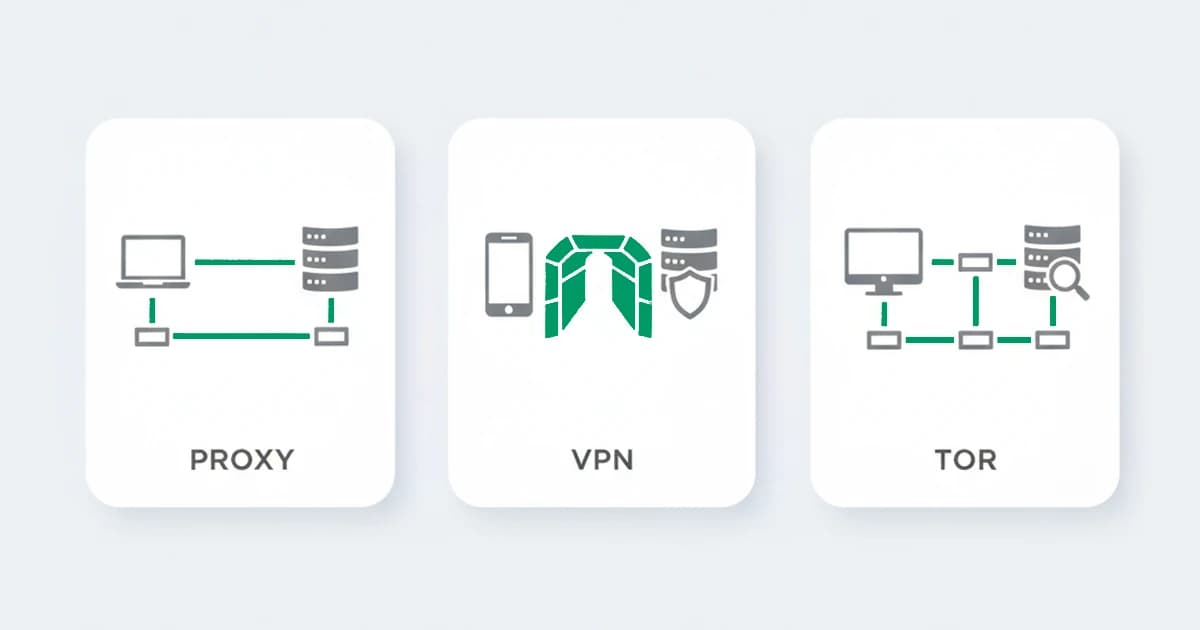
VPN vs proxy vs Tor: how each hides traffic, what each one still reveals, and how a detection layer tells them apart at the network level.

iCloud Private Relay: what it is, and what it means for fraud detection
iCloud Private Relay hides a Safari user's IP, but Apple publishes its egress ranges, so it is identifiable. What it is and how to read it for fraud.