

What is WebGL fingerprinting? How the GPU gives a device away

Last updated on June 29, 2026 · 8 min read
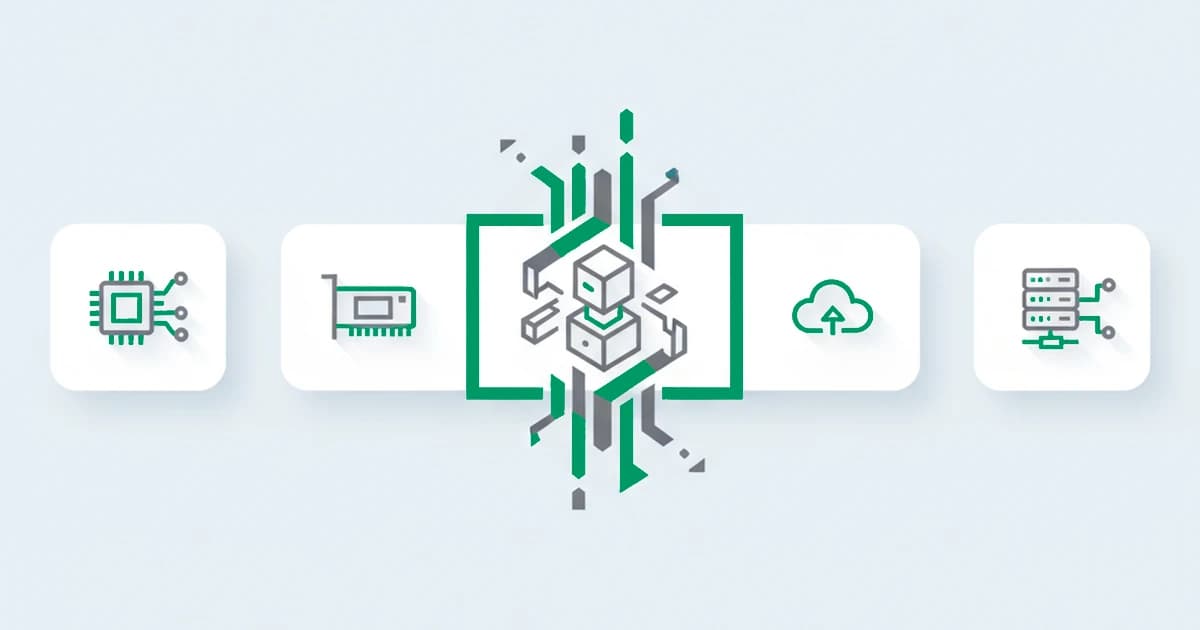
WebGL fingerprinting is a technique that identifies a device by how its GPU renders 3D graphics. A script asks the browser to draw a hidden 3D scene through the WebGL API, then reads back the rendered pixels along with the reported graphics vendor and renderer. Because the result depends on the GPU, its driver, and the operating system, two devices rarely produce the same output, which makes it a stable signal.
It is the close cousin of canvas fingerprinting, and the two are often read together. Where canvas measures 2D drawing, WebGL exercises the 3D graphics pipeline, which exposes the graphics hardware more directly. WebGL is one of the harder signals to fake convincingly, because it reflects real silicon. This guide explains how it works, what it reveals, how it differs from canvas, and where it fits in fraud detection. It is one of the browser fingerprinting techniques a site reads together.
Key takeaways
- WebGL fingerprinting renders a hidden 3D scene and reads the result, along with the GPU vendor and renderer strings, then turns it into a hash.
- It is stable and hard to spoof because it reflects the real graphics hardware and driver, which a user cannot easily change.
- It overlaps with canvas fingerprinting but reads the 3D pipeline rather than 2D drawing, so a fingerprint usually uses both.
- For fraud detection, WebGL is one strong signal in a device fingerprint, useful for recognizing a returning device rather than naming a person.
How WebGL fingerprinting works
WebGL fingerprinting works by asking the device to render a 3D scene and then measuring the exact result. It runs in the background through standard browser APIs, with no permission prompt, and the scene is drawn off-screen so the user never sees it.
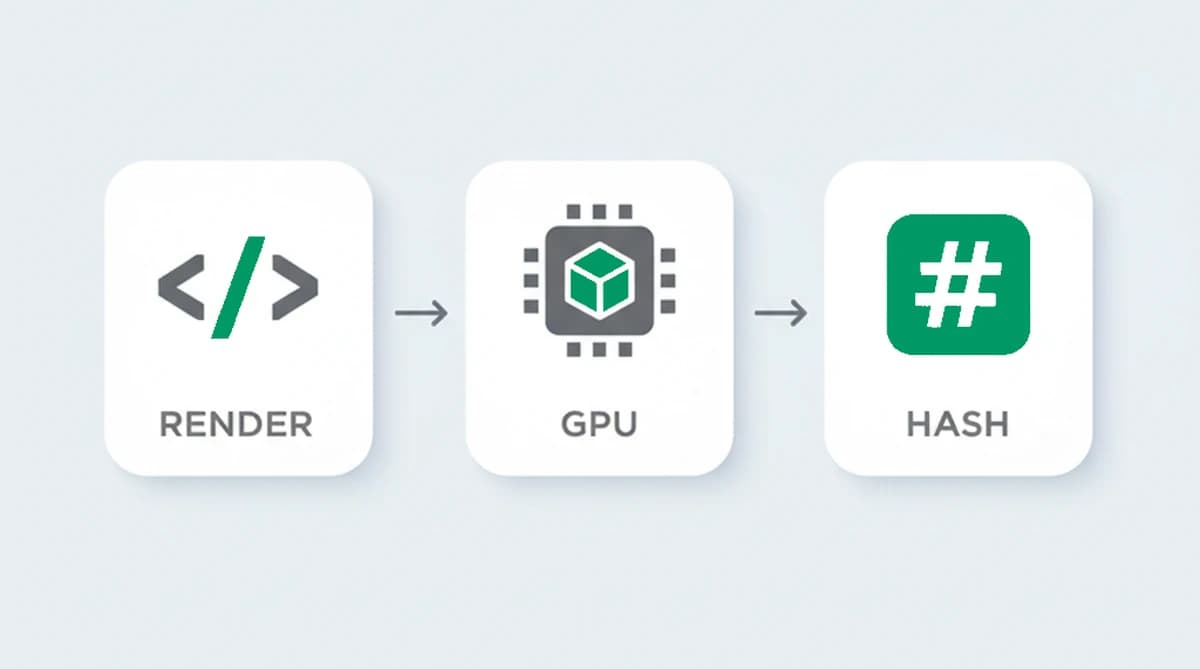
- Render. A script uses the WebGL API to draw a 3D scene, often a shape with gradients and lighting, to a hidden buffer. The GPU and its driver carry out the drawing.
- Read. The script reads back two things: the rendered pixels, which vary with the hardware, and the reported strings that name the GPU vendor and renderer.
- Hash. Both are condensed into a value. Because each graphics stack produces slightly different pixels, and the vendor and renderer strings differ across devices, the value is consistent on one device and differs on others.
As with the other rendering techniques, the drawing instructions are identical for everyone, so any difference in the output comes from the device, not the request.
What a WebGL fingerprint reveals
A WebGL fingerprint does not reveal personal data. It reflects the graphics hardware and software that produce the scene:
- The GPU and its model, which decide how shapes, lighting, and gradients become pixels.
- The graphics driver and its version, which change the exact rendering math.
- The reported vendor and renderer strings, which often name the graphics hardware directly.
- The operating system and platform, which shape the graphics pipeline underneath.
None of this names a person, and devices with the same GPU and driver produce similar results. Its value is comparative: it is one of the more distinctive signals in a fingerprint, and it stays constant for a given device until the driver or hardware changes.
| Property | WebGL fingerprinting |
|---|---|
| What it reads | The rendered pixels of a hidden 3D scene plus the reported GPU vendor and renderer strings, condensed into a value |
| Why it differs between devices | The GPU, its driver, and the operating system produce slightly different pixels, and the vendor and renderer strings vary |
| Does it survive clearing cookies? | Yes, it reflects the graphics hardware and survives cleared cookies and incognito mode |
| Main limitation | Not unique on its own, and the value can drift when a graphics driver updates, so it works as one signal among several |
Canvas vs WebGL fingerprinting
Canvas and WebGL fingerprinting are siblings, and a full fingerprint usually reads both. The difference is the layer they exercise.
- Canvas fingerprinting asks the browser to draw 2D text and shapes, then hashes the pixels. It reflects the GPU, drivers, and font rendering through the 2D pipeline.
- WebGL fingerprinting renders a 3D scene and also reads the GPU vendor and renderer strings, which exposes the graphics hardware more directly.
They overlap, since both depend on the GPU, but they are not identical. Reading both adds more distinguishing detail than either alone, which is why fingerprinting scripts almost always combine them.
How unique and stable is a WebGL fingerprint?
A WebGL fingerprint is one of the more distinctive and stable signals available, though still not unique on its own. It carries real distinguishing detail because the combination of GPU, driver, and renderer strings varies widely across devices, and it stays the same across visits because that hardware does not change between sessions. It survives cleared cookies and incognito mode the same way the other rendering techniques do.
Its limits are the usual ones. Devices that share a GPU model and driver produce similar values, so on a population of identical laptops it separates fewer devices than it appears to. It also drifts when a graphics driver updates, so a system that relies on it does not expect a permanent exact match. It treats WebGL as one strong signal among several and tolerates small changes over time. A 2024 study at The Web Conference, Assessing Web Fingerprinting Risk, measured the identifying information browser attributes carry across tens of millions of real Chrome browsers and stressed that those attributes correlate rather than each adding independent detail, which is why even a distinctive signal like WebGL narrows the field only so far on its own.
WebGL fingerprinting in fraud detection
For fraud detection, WebGL is one of the stronger signals for recognizing a returning device, because the GPU it reflects is stable and high in distinguishing detail. In research presented at the 2017 Network and Distributed System Security Symposium, researchers showed that WebGL rendering tasks can even re-identify a device across different browsers on the same machine, not just within one. On its own it still names no one, but inside a browser fingerprint it sharpens the confidence that two visits came from the same device after a cleared cookie and a fresh email.
Across the same machine in different browsers, the GPU read carries over: we measured the rendered pixels and the reported renderer strings from each browser on one device and saw the graphics hardware produce a consistent signature even as the surrounding browser signals change, which is exactly why the technique resists a fresh profile. That resilience has held since WebGL shipped in browsers in 2011, and it is what makes a renderer string that disagrees with the pixels it should have produced such a reliable tell.
Because it reflects the graphics hardware rather than anything the user can edit, it is hard to fake well. A common tell is a WebGL reading that is internally inconsistent, where the reported renderer string does not match the pixels the GPU actually produced, or one that changes on every read. A defender uses signals like these as inputs to a risk score, not as a standalone verdict.
Can WebGL fingerprinting be blocked?
WebGL fingerprinting can be resisted but not cleanly blocked. Privacy browsers and extensions either report a fake vendor and renderer, add noise to the rendered pixels so the hash changes on each read, or block the WebGL read entirely. For a privacy-minded user, these reduce tracking.
For a fraud detection system, the countermeasure tends to give itself away. A renderer string that does not match the rendered pixels, a value that randomizes on every load, or a fingerprint that is too uniform are all signs that something is being hidden. An anti-detect browser tries to present a clean, consistent fake, but keeping the WebGL output, the renderer strings, and the rest of the fingerprint all agreeing is hard, and the gaps show.
Recognizing returning visitors with ShieldLabs
ShieldLabs reads device and browser signals as one of many inputs in a single fingerprint, never on its own. It contributes highly distinctive detail to a stable device identifier that recognizes a returning visitor after cleared cookies and a rotated IP, derived from the whole combination rather than any single value.
Each visit returns a risk score from 0 to 100 with the named signals behind it, including the risk signals and the contradictions that surface between what a visitor presents and the underlying signals. Because the read happens in the background from data the browser already exposes, it adds no friction for a real visitor, and you act on the score through the API and webhooks and choose the action for each case.
Sources
- Cao, Li, Wijmans: (Cross-)Browser Fingerprinting via OS and Hardware Level Features (NDSS, 2017)
- Bacis, Bilogrevic, Busa-Fekete, Herath, Sartori, Syed: Assessing Web Fingerprinting Risk (The Web Conference, 2024)
- MDN Web Docs: WebGL API
- Wikipedia: Device fingerprint
Frequently asked questions
- How does WebGL fingerprinting work?
- A script uses the WebGL API to render a hidden 3D scene through the device's GPU, then reads back the rendered pixels along with the reported graphics vendor and renderer strings. Because each graphics stack produces the scene slightly differently, the result is hashed into a value that stays consistent on that device and differs on others.
- What is the difference between canvas and WebGL fingerprinting?
- Both read how a device renders graphics, but at different layers. Canvas hashes 2D text and shapes, reflecting the GPU, drivers, and font rendering. WebGL renders a 3D scene and also reads the GPU vendor and renderer strings, exposing the graphics hardware more directly. They overlap but are not identical, so a fingerprint usually reads both.
- How accurate is WebGL fingerprinting on its own?
- WebGL is one of the more distinctive signals, but it is not unique by itself, because devices that share a GPU and driver render alike. Its real value comes from combining it with the other fingerprinting techniques. A single WebGL hash narrows the field; the full combination is what reliably tells one device from another.
- Can WebGL fingerprinting be blocked?
- It can be resisted but not perfectly. Privacy browsers and extensions report a fake renderer, add noise to the pixels, or block the read. For fraud detection, those countermeasures tend to show, since a renderer string that does not match the rendered pixels, or a value that randomizes on every read, is itself a sign that something is being hidden.
- How does ShieldLabs use device and browser signals?
- ShieldLabs reads device and browser signals as one of many inputs, never alone. It adds highly distinctive detail through persistent identification and feeds a risk score with the signals behind it, including contradictions between what a visitor presents and the underlying signals. You act on the result in your backend, and the free tier covers your first 5,000 identifications.
Related articles
Fingerprinting vs Cookies: Key Differences for Fraud Teams
How cookies differ from server-side fingerprinting, why many cookieless claims mislead, and practical steps for developers and fraud teams.

What was Google's Privacy Sandbox, and why did it end in 2025?
Google retired the Privacy Sandbox in October 2025 and third-party cookies are staying in Chrome. What it was, why it ended, and what it means for fraud.

How to detect anti-fingerprint browsers (2026)
Anti-fingerprint browsers spoof canvas, WebGL, fonts, and TLS to break recognition. How to detect them in 2026, and the tells they leave behind.