

What is WebRTC fingerprinting? How it reveals a real IP behind a VPN

Last updated on July 2, 2026 · 9 min read
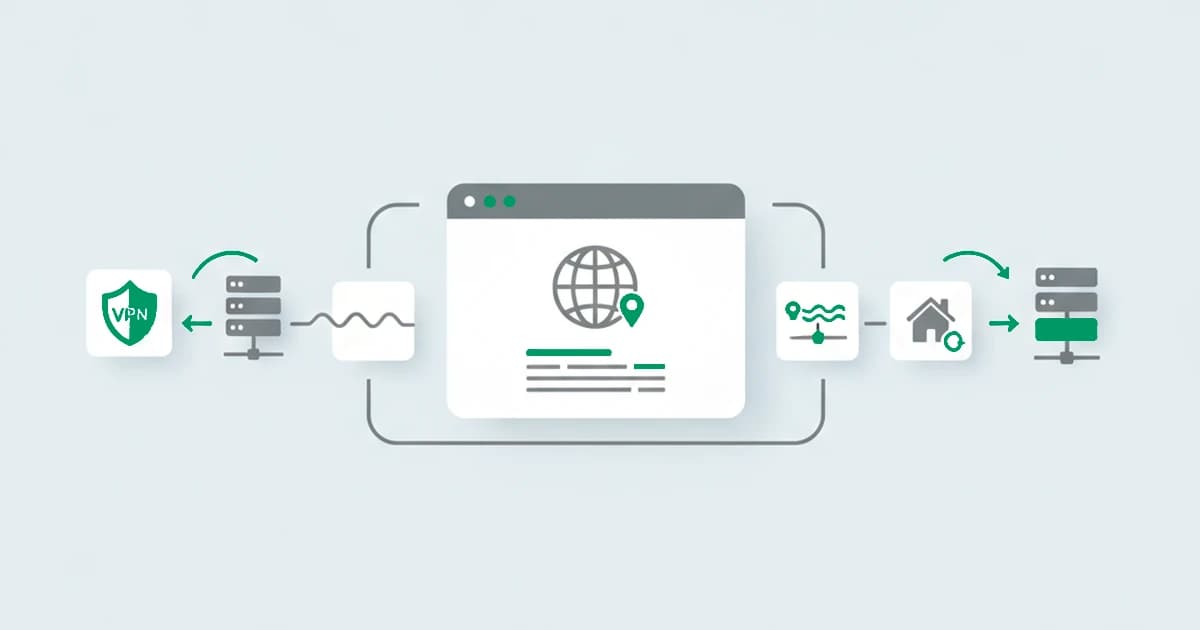
WebRTC fingerprinting is a technique that uses a browser's real-time communication features to expose network and device details, the most notable being a local or real IP address, even when the visitor is behind a VPN or proxy. WebRTC is the browser technology for live audio and video, and while it sets up a connection it gathers candidate network addresses. A script can read those without ever starting a call, which is what makes it a fingerprinting and risk signal rather than a device-distinguishing detail one.
It is the odd member of the fingerprinting family. Where canvas, WebGL, audio, and fonts measure how a device renders things, WebRTC reads the network underneath. It is most useful not for telling two clean devices apart but for catching a connection that is hiding its origin. This guide explains how it works, what it reveals, and where it fits in fraud detection. It is one of the browser fingerprinting techniques a site reads together.
Key takeaways
- WebRTC fingerprinting uses the browser's real-time connection setup to read network details, especially a local network IP and sometimes the real public one.
- It can expose a real IP even when the visitor is behind a VPN or proxy, because the address gathering can happen directly from the local machine.
- It is less a source of device distinguishing detail and more a risk signal, useful for noticing a connection that does not match what it claims.
- For fraud detection, a real IP that contradicts a declared VPN or proxy location is a strong hint, read as a corroborating signal rather than acted on alone.
How WebRTC fingerprinting works
WebRTC fingerprinting works by starting the groundwork of a real-time connection and reading what the browser gathers, without ever placing a call. It runs in the background through standard browser APIs.
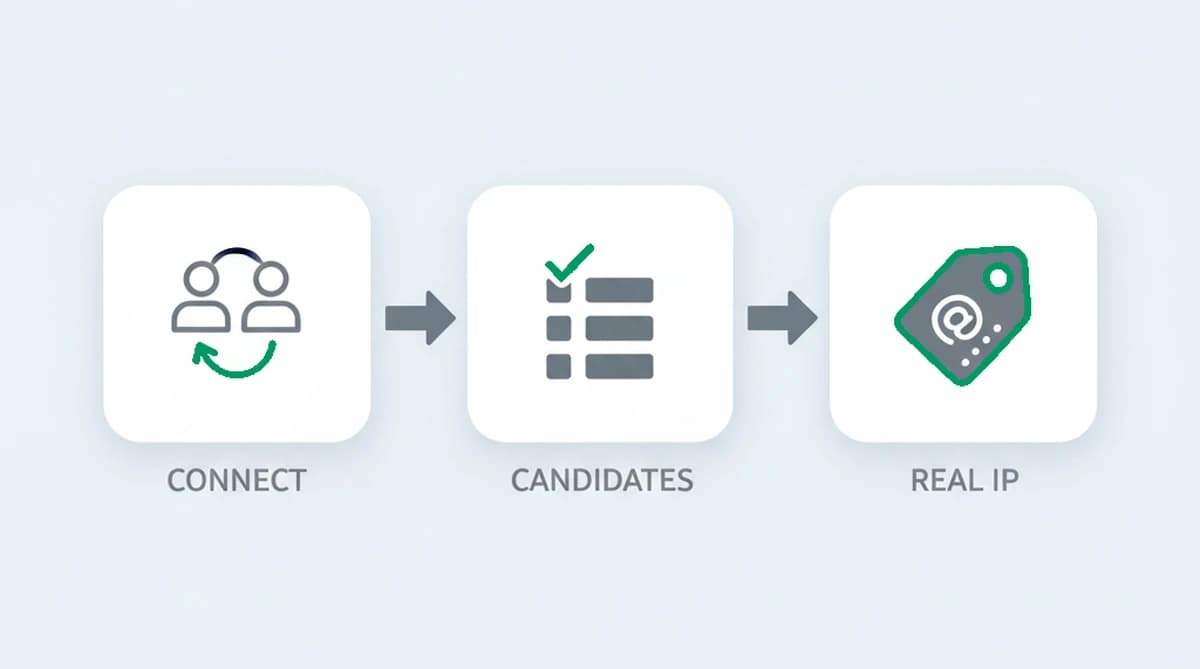
- Open a peer connection. A script uses the WebRTC API to begin setting up a connection, which triggers the browser to find ways it could be reached over the network.
- Gather candidate addresses. To do that, the browser uses helper servers to discover the addresses it can offer, and in the process it surfaces the device's local network address and, in some configurations, its real public address.
- Read the result. The script reads those candidate addresses straight from the connection object. Combined with the list of supported media devices and codecs, this forms a signal about the network and the machine.
The key point is that this address discovery can run directly from the visitor's machine, so it can reveal an address that the rest of the traffic, routed through a VPN, was meant to hide.
What WebRTC fingerprinting reveals
WebRTC fingerprinting exposes network and media details rather than rendering quirks:
- A local network IP address, the private address the device holds on its own network, which is consistent and not normally visible to a site.
- The real public IP address, in setups where the address gathering is not restricted, even when other traffic goes through a VPN.
- Connected media devices, a list of microphones, cameras, and speakers the system reports.
- Supported codecs and capabilities, the audio and video formats the browser advertises, which vary by configuration.
The address data is the part that matters most. It is not highly distinctive in the way a GPU fingerprint is, but it answers a sharper question: does the network this visitor is actually on match the one they appear to be on?
| Property | WebRTC fingerprinting |
|---|---|
| What it reads | Candidate network addresses gathered during connection setup, plus the connected media devices and supported codecs |
| What it reveals | A local network IP, sometimes the real public IP even behind a VPN, the list of microphones, cameras, and speakers, and the audio and video formats the browser advertises |
| Does it need permission? | No permission is needed to read the candidate network addresses; reading the full media device list with labels does require it |
| How stable is it? | The local address and media list stay consistent for a session and often across sessions; the public address changes with the network, read as a point-in-time fact |
| Main limitation | Not highly distinctive on its own, so it is rarely used to identify a device in isolation; its strength is corroboration and contradiction |
Why it matters for anonymity
WebRTC stands out because it can pierce the thing a VPN or proxy is supposed to provide. When a visitor routes traffic through a VPN, the site normally sees only the VPN's address. WebRTC's address gathering, though, can run from the local machine and surface the real one, which is why privacy guides have long warned about WebRTC leaks and why browsers have added controls for it, from Chrome masking the local address behind an mDNS placeholder to extensions that restrict what WebRTC can reveal.
For detection, that is exactly the value. A real address that sits behind a declared VPN, or a local network address that does not fit the story the rest of the session tells, is a clear sign the connection is not what it claims. This ties WebRTC closely to VPN and proxy detection, where the goal is the same: tell an ordinary connection from one that is deliberately masking where it comes from.
What is a WebRTC leak?
A WebRTC leak is the privacy-side name for the mechanism this article describes: the browser exposing a real or local IP address through WebRTC that a VPN or proxy was meant to hide. The phrase shows up most in consumer privacy guides, where the worry is a user's own address slipping out, and where browser extensions and WebRTC leak tests exist to check for it and close it.
It is the same event seen from two sides. To a privacy-conscious user, a WebRTC leak is a problem to fix. To a fraud team, the same exposed address is a useful signal: a real IP that surfaces from behind a declared VPN says the connection is masked, which is exactly the contradiction detection looks for. Same mechanism, opposite goals.
How stable is a WebRTC signal?
A WebRTC signal is stable in a different sense than the rendering techniques. The local network address tends to stay the same while a device is on the same network, and the media device list changes rarely, so both are consistent for a session and often across sessions. The public address changes with the network, as any IP does, so it is read as a point-in-time fact rather than a permanent identifier.
Because it is not a highly distinctive fingerprint on its own, WebRTC is rarely used to identify a device in isolation. Its strength is corroboration and contradiction: it confirms a consistent network picture, or it exposes one that does not add up, and it is read alongside the other browser and network signals.
WebRTC exposes more than addresses, too. The DTLS handshake it uses to secure a connection is itself fingerprintable, and a 2025 paper at the Free and Open Communications on the Internet workshop, Fingerprint-resistant DTLS for usage in Snowflake, built a tool to passively identify those handshakes and found the extensions field especially revealing, then generated fresh handshakes modeled on popular browsers to keep the disguise current. It is a reminder that the connection layer beneath WebRTC carries a signature of its own.
WebRTC fingerprinting in fraud detection
For fraud detection, the WebRTC signal earns its place by catching a hidden origin. A session can present a clean VPN address and an ordinary fingerprint, but if WebRTC surfaces a real address that disagrees with that VPN, the contradiction is hard to explain away. That is the kind of mismatch that separates a real visitor from one going to some effort to look like one.
In sessions behind a declared VPN, WebRTC is where the mask can slip: we measured the candidate addresses a browser gathers during connection setup and repeatedly surfaced a local or real address that the VPN exit was meant to hide, a contradiction that is hard to explain as anything but masking. Browsers started pushing back on this in 2019, when Chrome began replacing the local address with an mDNS placeholder, yet a WebRTC that suddenly returns nothing is its own unusual state, so the countermeasure still leaves a signal.
It is one input among several. A real address by itself proves nothing improper, since plenty of legitimate visitors use VPNs, so a defender reads it together with the rest of the signals and lets the combination, not the single fact, move a risk score.
Can WebRTC fingerprinting be blocked?
WebRTC exposure can be reduced, and browsers now give users ways to do it. Firefox can disable the feature, Chrome offers an extension that limits the addresses WebRTC reveals, and privacy browsers restrict or block it by default. For a privacy-minded user, these close the leak.
For a fraud detection system, the act of closing it is informative too. WebRTC fully disabled, or returning no candidate addresses at all, is itself an unusual state that most ordinary visitors are not in. As with the rest of fingerprinting, the move that hides one signal tends to leave another, so a blocked WebRTC is read as one more data point rather than a dead end.
Detecting the real IP behind a VPN with ShieldLabs
ShieldLabs reads network signals, never a single one alone. They feed the risk signals that flag a VPN, proxy, or datacenter connection.
Each visit returns a risk score from 0 to 100 with the named signals behind it, alongside the stable device identifier built from the rendering techniques. Because the read happens in the background from data the browser already exposes, it adds no friction for a real visitor, and you act on the score through the API and webhooks and choose the action for each case.
Sources
- Reiter et al.: The Fingerprintability of WebRTC (arXiv, 2016)
- Midtlien, Palma: Fingerprint-resistant DTLS for usage in Snowflake (FOCI, 2025)
- MDN Web Docs: WebRTC API
- Wikipedia: Device fingerprint
Frequently asked questions
- What is WebRTC fingerprinting?
- WebRTC fingerprinting is a technique that uses a browser's real-time communication features to read network and device details, most importantly a local or real IP address. A script begins setting up a connection, which makes the browser gather candidate addresses, then reads them without ever placing a call, using the result as a fingerprinting and risk signal.
- Can WebRTC reveal a real IP behind a VPN?
- Yes, in many configurations. WebRTC gathers network addresses directly from the device, so it can surface a local network address and sometimes the real public one even when other traffic is routed through a VPN. That is why it is described as a leak, and why browsers and privacy tools added controls to limit what WebRTC exposes.
- Does WebRTC fingerprinting need permission?
- No special permission is required to read the candidate network addresses, because the browser exposes them as part of setting up a connection, and no camera or microphone access is needed for that. Reading the full media device list with labels does require permission, but the network addresses do not.
- Can WebRTC fingerprinting be blocked?
- It can be reduced. Firefox can disable WebRTC, Chrome offers an extension that limits the addresses it reveals, and privacy browsers restrict it by default. For fraud detection, a fully disabled WebRTC or one returning no addresses is itself an unusual state, so the countermeasure becomes a signal rather than a clean block.
- Is WebRTC leaking my IP address?
- It might be. WebRTC can expose your local network address, and in some setups your real public address, even when you are on a VPN, so a site running the check could see an IP your VPN was meant to hide. You can confirm it with a WebRTC leak test, and you can limit it by disabling WebRTC in your browser or using an extension that restricts the addresses it reveals.
- How common are WebRTC leaks?
- Common enough that browsers and privacy tools added controls for it. Whether a given browser leaks depends on its version and settings: many modern browsers now obscure the local address by default, while others still expose it unless WebRTC is restricted. For a fraud team the takeaway is that a WebRTC-exposed address is a frequent enough signal to be worth reading, but not a guarantee, so it is weighed alongside the rest of the session.
- How does ShieldLabs use network signals?
- ShieldLabs reads network signals, never a single one alone. They feed the risk signals that flag a VPN, proxy, or datacenter connection. They contribute to a risk score, you act on the result in your backend, and the free tier covers your first 5,000 identifications.
Related articles

Headless Browser Detection Before JS Runs: JA4 for Dev & Security
Dev & Sec teams: detect headless browsers early with JA4/HTTP2 fingerprints, WebGL and CDP timing; includes test-harness practices and risk scoring.

VPN vs proxy vs Tor: how each hides traffic and how detection tells them apart
VPN vs proxy vs Tor: how each hides traffic, what each one still reveals, and how a detection layer tells them apart at the network level.

iCloud Private Relay: what it is, and what it means for fraud detection
iCloud Private Relay hides a Safari user's IP, but Apple publishes its egress ranges, so it is identifiable. What it is and how to read it for fraud.