

What is device fingerprinting? How it works, signals, and uses

Last updated on June 15, 2026 · 11 min read
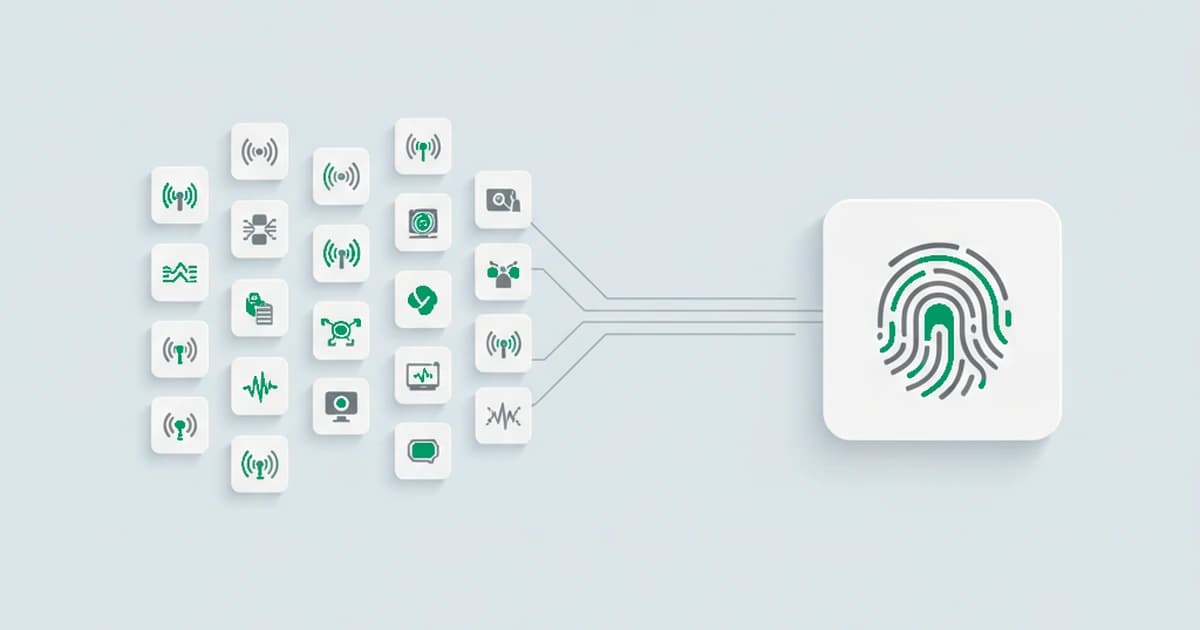
A cookie forgets you the moment it is cleared. A device fingerprint does not. By reading a combination of hardware, software, and network details that a browser and operating system give off, a service can recognize the same physical device on its next visit even when the cookie is gone, the IP has changed, or the visitor has switched browsers. That is device fingerprinting: identifying a device by what it is, rather than by a tag you set on it. This guide covers what a device fingerprint is made of, how the recognition actually works, how it differs from browser fingerprinting, and what teams use it for.
Key takeaways
- A device fingerprint is an identifier built from the device's own characteristics, the hardware, operating system, browser, and network traits it reveals, fused into one signature rather than stored as a cookie on the machine.
- Its defining property is persistence: because it is derived from the device, it survives cleared cookies, incognito's reset, and a rotated IP, the changes that make a cookie-based identity disappear.
- Device fingerprinting is broader than browser fingerprinting. Browser fingerprinting reads one browser; device fingerprinting adds the more stable device and network layer to recognize the same machine across browsers.
- Recognition is probabilistic, not an exact lookup. A device's signals drift over time, so the match tolerates small changes and treats a weak match as a new device rather than forcing it onto an old one.
- Teams use it to recognize returning visitors without cookies and to link the accounts behind one device, which is why it sits under abuse and fraud prevention as much as analytics.
What is device fingerprinting?
Device fingerprinting is a technique for recognizing a device by the combination of technical characteristics it exposes, instead of by an identifier the device stores. A script or an app reads dozens of small attributes, the screen, the graphics stack, the operating system, the network the device connects from, and combines the distinctive ones into a single signature. On its own each attribute is common; together they are rare enough to single out one device among many and to recognize it again later. The technique is sometimes called hardware fingerprinting, because the hardware traits, the processor, memory, and graphics stack, are its most stable core, though in practice a device fingerprint also leans on software and network signals.
The point worth holding onto is what makes it different from the usual ways of tracking a return visit. A cookie or a login is something a site places on the device or asks the user to present, so it disappears the moment the user clears it, switches browsers, or signs in under a new account. A device fingerprint is read off the device itself, so it persists through exactly those changes. That persistence is the whole reason the technique exists, and it is also why it sits at the center of both analytics and fraud prevention. It is also more common than casual scans suggest: a 2025 study tracking 30 real users across the top 3,000 websites found that automated crawls miss nearly half of the sites where fingerprinting actually fires for a logged-in visitor, because much of it runs behind logins and specific user actions.
What signals make up a device fingerprint?
A device fingerprint is assembled from signals across several layers, no one of which is identifying on its own. The strength comes from the combination, because each layer narrows the field and the layers that change slowly give the fingerprint its staying power. The families that do the work:
| Signal family | Examples (named, not exhaustive) | What it adds |
|---|---|---|
| Device hardware | CPU core count, device memory, GPU and renderer, screen resolution and pixel ratio | the physical machine's capabilities, the slow-changing core of a hardware fingerprint |
| Operating system | OS and version, platform, installed fonts, language and locale | the software environment around the browser |
| Browser layer | user agent, canvas and WebGL rendering, audio (AudioContext) output, supported web APIs | the most distinctive, per-browser detail |
| Network and connection | IP address, datacenter or residential connection, connection and protocol traits | where and how the device reaches you |
| Time and location | time zone, system locale, and the region they imply | the device's apparent place and clock |
| Device features | battery level, touch-screen support, sensor calibration | smaller capability tells, more of them on mobile |
| Behavioral data | typing rhythm, scroll and pointer patterns, touch pressure | how a person handles the device, read only in some advanced setups |
| Anonymity and tamper | VPN, anonymous proxy, Tor, datacenter IP, anti-detect browser | evidence the visitor is hiding the device's real configuration |
The browser layer carries the most distinctive detail, which is why browser fingerprinting works at all, but it also resets when someone switches or updates a browser. The device and network layers move more slowly, so they are what let a fingerprint recognize the same machine over time. A practical fingerprint leans on the stable, high-information signals and treats any single attribute as a hint, not a verdict.
How does device fingerprinting work?
Device fingerprinting works in three moves: collect the signals, fuse the durable ones into an identifier, and match that identifier against devices already seen. Collection happens in the background in milliseconds, with no prompt and no interruption to the visit. The parts that matter at the device level:
- Fusion across layers. The high-information attributes from the device, OS, browser, and network are combined into one compact signature, so a return visit is recognized by comparing a single identifier instead of re-reading every attribute.
- Persistence from the stable layer. Cross-browser and cross-session recognition rides on the device and network traits that do not reset when a browser does. That is the move a browser-only fingerprint cannot make, and it is where a device fingerprint gets its reach.
- A tolerant, confidence-scored match. A device's signals drift over time, so recognition is a probabilistic match rather than an exact lookup, and it carries a confidence that says how sure the link is.
The result is a persistent device identifier that ties a "new" visit back to a machine seen before. When the match is weak, good detection leaves the visit as a new device instead of merging it into an old one, so two different machines that happen to look alike are not collapsed into a single identity.
We put the same machine through two different browsers, and the browser-specific signals changed while the hardware and network layer stayed put, and the device still matched. That the combination is distinctive enough to do this is well established: in 2016, a large study of browser fingerprints measured 89.4 percent of them as unique. The slower-changing device and network traits are what carry that distinctiveness from one browser to the next, so we measured the match on the stable layer rather than any single attribute, which is why a browser switch does not read as a brand-new device.
Device fingerprinting vs browser fingerprinting and cookies
These three recognize a return visit in very different ways, and the difference is mostly about how long the recognition lasts and what breaks it. A quick comparison:
| Method | What it reads | What breaks it |
|---|---|---|
| Cookie | an identifier the site stores on the device | clearing the cookie, incognito, a new browser, a new device |
| Browser fingerprint | signals one browser exposes (canvas, fonts, user agent) | switching or heavily updating the browser |
| Device fingerprint | browser signals plus stable hardware and network traits | a hardware change or a full reset, not a cookie clear or browser switch |

The short version: browser fingerprinting identifies a browser, device fingerprinting aims at the machine underneath, and a cookie identifies neither once it is gone. In practice the browser and device layers run together: the browser side contributes the most distinctive detail, while the device and network side contributes the staying power.
Web vs mobile device fingerprinting
Device fingerprinting is collected differently on the web and in a mobile app, and the two have different strengths. On the web, a JavaScript snippet reads what the browser and the connection expose, so the signal set is rich but browser-bound and constrained by what the browser is willing to reveal. In a native mobile app, an SDK can read device and OS attributes more directly, which tends to be more stable per device, while platform privacy controls limit some of the identifiers an app is allowed to use.
The practical differences:
- Where the signals come from. Web reads through browser APIs and the network request; mobile reads through the operating system inside an app.
- Stability. A mobile app fingerprint usually drifts less than a web one, because it is closer to the hardware and is not reset by switching browsers.
- Reach. A web fingerprint follows a device across the sites that run the same detection in a browser; a mobile fingerprint is scoped to the app that embeds the SDK.
For a web-first product, the web side is where the work is: recognizing a returning device across sessions from the browser and network signals, without a native app in the loop.
What device fingerprinting is used for
Device fingerprinting earns its place because one persistent device identifier answers a question cookies cannot: is this the same device we have seen before, even though it looks new? That single answer powers a handful of jobs:
- Recognizing returning visitors without cookies. The original use: tie a return visit to a known device for persistent visitor recognition, analytics, and personalization that survives a cleared cookie.
- Linking the accounts behind one device. When several "independent" accounts trace back to one device, that link is the core signal behind multi-accounting prevention and farmed-signup detection.
- Flagging risky logins and new accounts. A login from a device with no prior history for that account, or one wearing an obvious disguise, is a reason to ask for a second factor before trusting the session, which is how device recognition supports account-takeover defense. The same read changes how much you trust a new-account signup.
- Cutting payment and promo abuse. Tying a checkout or a promo claim back to a device makes it harder for one user to pose as many first-time customers.
- Keeping analytics honest. Recognizing real returning devices, and the fake ones behind a burst of lookalike accounts, keeps the numbers a growth team steers by from being padded with traffic that was never a distinct user.
Across all of these, the device fingerprint is the input, not the decision. It tells you which visits share a device and how anomalous each one looks; you choose the action for each case.
What to weigh when evaluating device fingerprinting
Device fingerprinting is not one-size-fits-all, and a few trade-offs decide how well it fits a given product:
- Accuracy against persistence. The more aggressively you fold in volatile signals, the more a fingerprint drifts and the more often a returning device looks new. Tuning for stable recognition over brittle exact-match is what keeps the identifier useful over time.
- False positives. Two different devices can genuinely look alike, so a weak match should be treated as a new device rather than merged into an existing one. The cost of a wrong merge is a real user mistaken for someone else.
- Integration effort. Web works through a JavaScript snippet, mobile through an SDK, and the two differ in what they can read and how fast you get a usable identifier.
- Privacy posture. Reading technical device and network signals, first-party, with your own retention, is a different footprint from the cross-site tracking that web-standards bodies work to limit. It is a design choice, not a compliance certificate.
Recognizing returning visitors with ShieldLabs
ShieldLabs turns device fingerprinting into a persistent Device ID you can act on. You add one JavaScript snippet to your site, and on the first visit it fuses more than 300 signals across the device, operating system, browser, IP, and network into one identifier that recognizes the same device on its next visit with 99.9% identification accuracy, even after the cookies are cleared and the IP has rotated. The identifier holds when a visitor comes back under a fresh email, which is what links the accounts sitting behind one device. All of it runs quietly in the background, so a real visitor notices nothing.
Around that identifier, each visit returns a risk score from 0 to 100 with the risk signals behind it, including a VPN, an anonymous proxy, Tor, iCloud Private Relay, a datacenter IP, an anti-detect browser, an OS mismatch, a time zone mismatch, or an IP flagged for abuse. Across several visits, ShieldLabs detects four High-Risk Events out of the box, Multi-accounting, Account sharing, Impossible travel, and Account takeover, each with Medium or High confidence, in the analytics dashboard, API and webhooks, so a team sees which accounts trace back to one device. That lets a team watch multi-accounting and returning offenders as a steady trend instead of tracking each visit one at a time.
ShieldLabs scores the visitor and names the risk signals that fired. You read the risk score and named risk signals through the API and webhooks and choose the action for each case. The same Device ID carries straight into returning-visitor recognition, multi-accounting prevention, and new-account fraud prevention, since they are all one question, which device is this, read at one layer.
Sources
Frequently asked questions
- Is device fingerprinting permanent?
- A device fingerprint is durable rather than permanent. It is read from the device's current configuration, so it survives cleared cookies and a rotated IP, which are not part of it, but it can drift as the operating system updates, the hardware changes, or the browser is replaced. Good detection tolerates those small drifts and still ties the visit to the right device, treating only a genuinely weak match as a new one, so a fingerprint outlasts the changes that erase a cookie without being a forever tag.
- Does device fingerprinting work across different browsers?
- Device fingerprinting can recognize the same physical device across different browsers, which is the main thing that sets it apart from browser fingerprinting. It leans on traits that belong to the machine and its network rather than to one browser, so a visitor who switches browsers can still be matched, where a browser-only fingerprint would read a brand-new identity. The cross-browser link is probabilistic rather than guaranteed, since some of the signals with the most distinguishing detail are browser-specific, and it deliberately does not follow a person from one device to a separate one.
- Can device fingerprinting be blocked or prevented?
- Device fingerprinting can be reduced but is rarely blocked outright. Privacy-focused browsers, anti-fingerprinting tools, and standard browser hardening cut down the signals available, and making every device look the same is exactly their goal. Removing one signal rarely hides a device, though, because the remaining attributes still combine into something recognizable, and aggressively stripping signals can itself stand out as unusual. For a visitor it raises the effort; for a detector it becomes one more thing to weigh rather than a wall.
- What is an example of device fingerprinting?
- A simple example of device fingerprinting is recognizing a returning visitor after they have cleared their cookies. The site reads the same combination of screen, graphics, fonts, operating system, and network traits it recorded on the earlier visit, matches them to a device it has already seen, and treats the session as a return rather than a new user. That same example turns into fraud prevention when several accounts claiming to be different people keep resolving to one device, the pattern behind catching multi-accounting and farmed signups.
Related articles

Developers: 5 Steps to Reliable Persistent Device IDs
Implement persistent device IDs on Android, iOS, and web: MediaDrm and Keychain storage, migration, privacy best practices, and where ShieldLabs fits.


Returning visitor conversion: recognizing the returning shopper to capture the lift
Returning visitors convert far better than first-timers, but logged-out shoppers look new. Recognizing the returning device captures the conversion lift.

Personalization for anonymous visitors: recognizing returning visitors without a login
How to personalize for returning visitors who are not logged in, by recognizing their device with a durable identifier that holds without cookies.