

The best device fingerprinting solutions in 2026: build vs buy

Last updated on October 21, 2026 · 11 min read
Device fingerprinting solutions turn the details a browser or device reveals, its screen, fonts, canvas rendering, time zone, and dozens of other attributes, into a stable identifier that recognizes a returning device even when cookies are gone.
The reason it works is that those attributes rarely all line up the same way twice: EFF's Panopticlick experiment found that roughly 84 percent of the browsers it tested carried a unique fingerprint, and among browsers running Flash or Java that figure rose past 94 percent.
That uniqueness is what lets a fingerprint act as a device identifier without a login. This guide covers both halves of the market: the open-source libraries you self-host and maintain yourself, and the commercial solutions that maintain the identifier as browsers change and add anonymity and fraud signals on top.
Key takeaways
- A device fingerprinting solution builds a stable identifier from browser and device attributes so you can recognize a returning device without a cookie, a login, or personal data.
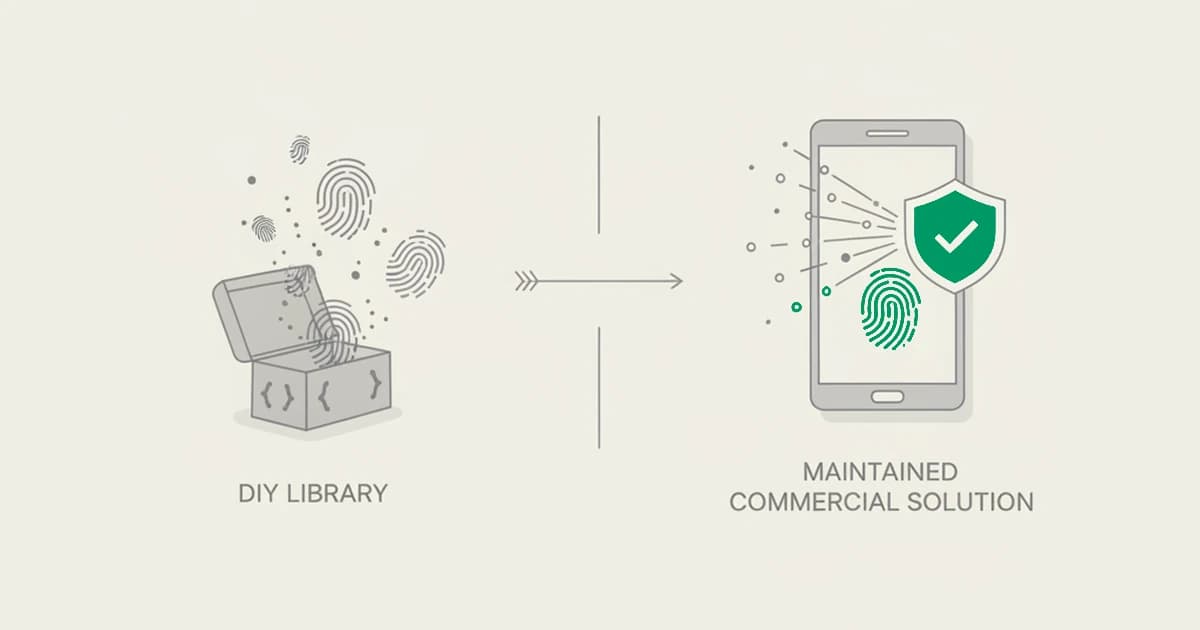
- The core build-vs-buy tradeoff: an open-source library is free and you self-host it, but you own the maintenance and you get only an identifier that decays as browsers change; a commercial solution maintains the identifier for you and adds anonymity and fraud signals a bare identifier does not carry.
- Fingerprints drift over time, so durability, the ability to re-recognize a device across cleared cookies, browser updates, and a rotated IP, matters more than raw uniqueness on day one.
- Match the choice to the job: a library fits prototyping and low-stakes recognition; a commercial solution fits fraud and abuse work where you need named signals, an explainable score, and someone else keeping the identifier alive.
What is a device fingerprinting solution?
A device fingerprinting solution is software that collects attributes from a visitor's browser or device, combines them into an identifier, and returns that identifier so you can tell whether you have seen the same device before.
Unlike a cookie, which the user can clear, the fingerprint is derived from the device itself, so it survives cleared cookies, a new browser profile, and often incognito mode. That property is what makes cookieless device identification useful for recognizing returning visitors, linking accounts back to one machine, and flagging evasion.
Solutions fall into two shapes. An open-source browser fingerprinting library runs entirely in code you host: it reads the attributes, hashes them, and hands you an identifier, and everything after that is yours to build.
A commercial device fingerprinting solution runs the same collection but keeps the identifier stable as browsers ship updates that would otherwise break a static hash, and layers on signals a raw fingerprint cannot see on its own, whether the connection is a VPN or proxy, whether the browser is being tampered with, and how many accounts trace back to the same device.
The rest of this guide walks the commercial solutions first, then the open-source libraries.
How to evaluate a device fingerprinting solution
Six criteria separate a solution that holds up in production from one that quietly degrades:
- Identifier durability. Raw uniqueness is easy; staying recognizable is hard. The real test is whether the same device is re-identified after cleared cookies, a browser update, a new profile, and a rotated IP. Fingerprints drift as attributes change, so durability over weeks and months is the number that matters, not accuracy on the first hit.
- Accuracy and collision rate. How often does the solution match two different devices to one identifier, or split one device into two? Commercial vendors publish accuracy claims; open-source libraries generally do not, and the honest answer for a self-hosted library is that you measure it yourself.
- Maintenance burden. Browsers change constantly, and every change can move an attribute the fingerprint depends on. A self-hosted library means you own that upkeep. A maintained solution means the vendor absorbs it.
- Signals on top, or just an identifier. A bare identifier tells you "same device." It does not tell you the connection is anonymized, the browser is spoofed, or twenty accounts share the machine. Decide whether you need those fraud and risk signals or only recognition.
- Web versus mobile. A JavaScript library or web-first solution and a native mobile SDK are genuinely different fits. A web signup flow and a native app have different collection surfaces.
- Privacy and compliance. Fingerprinting is regulated as personal data in some jurisdictions. Check how a solution handles consent, data retention, and GDPR before you deploy it on production traffic.
ShieldLabs is a web-first option for teams that need device recognition, named risk signals and automatic detection of multi-accounting, account sharing, impossible travel, and account takeover; a team building a native mobile app should compare vendors with native SDKs instead.
The other tools are grouped into commercial solutions and open-source libraries and listed alphabetically within each group.
| Selection question | Self-hosted browser library | Managed web solution | Native mobile SDK |
|---|---|---|---|
| What do you integrate? | A library in your web app | Usually a web snippet plus an API | An iOS or Android SDK |
| Who maintains the identifier as browsers change? | Your engineering team | The vendor | The vendor, for its mobile collection surface |
| Are fraud signals and account links included? | Build and validate them yourself | Check the vendor's named signals and events | Check the mobile SDK and API contract separately |
| What should you price? | Engineering and maintenance time | Included identifications, limits, and billing period | SDK access, usage limits, and contract terms |
The table separates collection surfaces before you compare vendors. A web-first tool such as ShieldLabs does not provide a native mobile SDK; an API response delivered to your backend does not change where the signals were collected.
Commercial device fingerprinting solutions
Commercial device fingerprinting solutions solve the two problems the libraries leave open. First, they keep the identifier stable as browsers ship updates, so you are not re-tuning a hash every quarter. Second, they add signals on top of the identifier: whether the connection is anonymized, whether the browser is being spoofed, and how activity clusters across accounts.
You trade the free, self-hosted model for a maintained identifier and fraud context, usually behind an API or a snippet. The six below are the solutions we see most often in real evaluations.
For a deeper cut focused only on the commercial fraud-decision platforms, our companion roundup of the best device intelligence platforms compares them head to head; this piece keeps the build-vs-buy lens.
ShieldLabs
ShieldLabs is a device intelligence solution built around one JavaScript snippet, with enterprise-level functionality without enterprise pricing. Each visit returns persistent identification with 99.9% identification accuracy: a durable identifier that survives cleared cookies, a new browser profile, and a rotated IP, so repeat activity from one device stays linked.
On top of the identifier it returns an explainable risk score from 0 to 100 and named risk signals, including VPN, proxy, Tor, and anti-detect browser use. It also detects bots and automation, and automatically detects multi-accounting, account sharing, impossible travel, and account takeover.
The point versus a bare library is twofold: you do not maintain the fingerprint as browsers change, and you get the fraud signals an identifier alone cannot see. Pricing is a one-time free allocation of 5,000 identifications, then plans from 99 USD a month.
ShieldLabs covers web traffic through one JavaScript snippet, with an API and webhooks on every plan. It returns the identifier, the signals, and the score, and flags the risky users for you.
Best for: developer and growth teams that want a maintained device identifier plus named risk signals and an explainable score, without self-hosting a library or building the fraud layer themselves.
Castle
Castle is a self-serve account-security platform with a dual-layer architecture: it runs at the Cloudflare edge and inside your app through an SDK, so signals from one sharpen the other.
Its device fingerprinting is a flagship surface, rated up to 99.5 percent accurate with a collision rate the company puts as low as 0.001 percent, and it is engineered to work around ad blockers and privacy plugins.
On top of the identifier it returns three scores from 0 to 100 for bot, abuse, and account takeover, adds disposable-email intelligence, and gives you a customer-owned rules engine. Pricing starts free at 1,000 calls a month, then Pro at 200 USD a month for 100,000 calls.
The honest tradeoff: Castle gives you the building blocks, not finished detection. Abuse cases are rules you compose and tune rather than named detections surfaced for you, the scoring leans on self-learning models, and its public review base is thin. The self-serve ceiling is also low, with a large jump from Pro to a custom enterprise tier.
Best for: teams already on Cloudflare that want edge-plus-app device fingerprinting and are comfortable writing their own abuse rules.
Fingerprint
Fingerprint is the commercial device intelligence platform that grew out of the FingerprintJS open-source library. Its Visitor ID is engineered to persist across cleared cookies, incognito, and a rotated IP, so the maintenance problem the library leaves you is handled by the vendor.
On top of the identifier it layers Smart Signals, a catalog of more than twenty named detections including VPN, proxy, incognito, virtual machine, and velocity, and rolls everything into a single Suspect Score.
The catalog is broad, with web plus native iOS and Android SDKs, and the Pro Plus tier is published at 99 USD a month for 20,000 API calls on top of a permanent free tier.
The honest tradeoff: Fingerprint returns raw signals and one composite score, not ready-made detection of multi-accounting, account sharing or account takeover, so teams often build their own model on top to turn the signals into a decision.
As one engineer put it on G2, the Suspect Score is helpful but not the whole picture, and overage is billed per additional thousand calls, which reviewers flag as costly at scale.
Best for: teams that want the maintained descendant of the original library with a broad signal catalog and mobile parity, and are comfortable composing the decision themselves.
IPQualityScore (IPQS)
IPQualityScore pairs IP reputation with email and phone validation, and it covers VPN, proxy, Tor, and residential-proxy detection, backed by a proprietary honeypot network across many countries. Free interactive lookup tools make it easy to test the signals before committing, and a permanent free tier covers 1,000 lookups a month with self-serve plans from 99 USD a month.
For teams whose main question is whether a connection is anonymized or a contact detail is burned, the entry tiers deliver that quickly through a straightforward API.
The honest tradeoff sits in the packaging. On the self-serve tiers you get IP, email, phone, and URL reputation, but device fingerprinting and the mobile SDK are gated to a custom Enterprise plan, so the device-identifier layer this guide is about is not in the entry tiers.
Output is a score from 0 to 100 plus raw signals with no ready-made detection of multi-accounting, account sharing or account takeover, and reviewers flag a dated dashboard, so you assemble the device-linkage story yourself.
Best for: teams that mainly want IP, email, and phone reputation at the entry price and treat device fingerprinting as a later, Enterprise-tier addition.
SEON
SEON is a fraud platform widely used in iGaming and fintech, and device intelligence is one layer inside a much larger suite.
Rather than lead with a single fingerprint, it pairs device signals with data enrichment: it resolves an email or phone into a wider digital footprint and links signups that share otherwise hidden attributes, which is how it recognizes the same actor behind many accounts.
It markets more than 900 signals, transparent and explainable scoring, a custom rules engine, disposable-email checks, case management, and AML tooling. The Starter tier is published at 699 USD a month for 2,500 fraud checks, with everything above quoted by sales.
The honest tradeoff: SEON is a full fraud and compliance platform, not a lightweight fingerprinting library, and it is priced and sold that way. Past a few thousand checks a month you move into a sales-quoted plan, and reviewers note a learning curve and ongoing rule calibration.
If you only need a device identifier, most of the platform is surface you are paying for and not using.
Best for: iGaming and fintech operators that want enrichment, AML, and case management around device data and can absorb a sales-led entry.
SHIELD
SHIELD is a device-first fraud intelligence platform with roots in Asia-Pacific markets and a customer base in ride-hailing, gaming, and Southeast Asian fintech.
Its SHIELD Device ID is built to persist across sessions, re-installs, factory resets, and tampering, even in incognito, with a claimed accuracy above 99.9 percent, and it leans mobile-first with native iOS and Android SDKs plus emulator, app-cloning, and GPS-spoofing detection.
Cluster analysis links devices into fraud rings, and the platform carries a full compliance posture including PCI DSS, SOC 2, and ISO 27001. If your center of gravity is a native mobile app, this is a device identifier built for that surface.
The honest tradeoff is access and shape. SHIELD is sales-led with no public pricing, no free tier, and no self-serve signup; every path routes to a demo request, so no team can scope cost or start without a sales call.
Its own reviewers note that web detection feels weaker than mobile, and the trust score is not exposed as a transparent per-signal breakdown the way some tools on this list expose it.
Best for: mobile-first operators, especially in APAC ride-hailing, gaming, and fintech, that want an enterprise device identifier and can run a sales-led procurement.
Open-source device fingerprinting libraries
Open-source fingerprinting libraries are free, you self-host them, and they hand you an identifier and nothing more. That is their appeal and their ceiling. You own the code, you can read exactly how the identifier is built, and there is no per-request bill.
In exchange, you own the maintenance as browsers change, the accuracy is whatever you can measure and tune, and there are no anonymity, fraud, or pattern signals and no support when something breaks. They are detection and fingerprinting tools, not anti-detect browsers, so building on them is entirely legitimate.
Accuracy tends to decay over time unless you keep the library current with the browser landscape.
CreepJS
CreepJS is an open-source project best understood as a fingerprinting and browser-transparency tool: it collects an unusually deep set of signals to show how much a browser reveals and how consistent those attributes are, including attempts to spot when a browser is lying about itself.
For a developer, it is a rich reference for the range of attributes a fingerprint can draw on, and it can be self-hosted like any other library. It is a detection tool, not an anti-detect browser, so studying and building on it is fine.
The honest tradeoff: CreepJS is a research-grade demonstration of what is collectable, not a maintained commercial identifier service. You self-host and maintain it, you interpret the output yourself, and it ships no durable managed identifier, no anonymity or fraud scoring, and no support.
Best for: research, education, and understanding the outer edge of what browser attributes expose, rather than a turnkey production identifier.
FingerprintJS (open source)
FingerprintJS is an open-source JavaScript library, first released in 2012, and a widely used way to generate a browser fingerprint from your own code. It reads a broad set of browser and device attributes and hashes them into a visitor identifier that recognizes a returning browser without a cookie.
Its lineage is also why the name is familiar: the same project grew into a separate commercial product years later, but the open-source library itself is still self-hosted, free, and identifier-only.
The honest tradeoff: the library gives you an identifier and stops there. You maintain it as browsers change, accuracy drifts without upkeep, and it carries no VPN, proxy, or anti-detect browser signals, no account-level detection, and no vendor support. The commercial product on the same name exists precisely because production fraud work needs the layers the library does not.
Best for: developers who want a free, self-hosted starting point for browser recognition and are prepared to own accuracy and maintenance themselves.
ThumbmarkJS
ThumbmarkJS is an open-source JavaScript fingerprinting library that collects browser and device attributes and returns a fingerprint identifier you host and run yourself. Like other libraries in this category, it is aimed at developers who want to add device recognition without paying for or integrating a commercial service, and who are comfortable working directly with the identifier the library produces.
It is a legitimate fingerprinting tool, not an anti-detect browser, and reading its source is a good way to understand which attributes contribute to a fingerprint in the first place.
The honest tradeoff: it returns an identifier, not a decision. You own the upkeep as browser attributes shift, you have no vendor keeping the fingerprint durable for you, and there are no anonymity or fraud signals, no account-level detection, and no support contract behind it. Recognition quality is whatever you validate on your own traffic.
Best for: prototyping, learning how fingerprinting works, or a low-stakes internal tool where a self-hosted identifier is enough.
How to choose (build vs buy)
Start with one question: do you need recognition, or do you need fraud decisions? If you only need to know "have I seen this device before" for a low-stakes feature, an open-source library is the honest answer.
It is free, you can read every line, and a self-hosted identifier is enough for prototyping, analytics on your own traffic, or an internal tool. The cost is real but deferred: you own the maintenance forever, accuracy is yours to measure, and the day a browser update breaks your hash is your problem to fix.
Buy when the identifier has to hold up against people actively trying to defeat it, or when you need signals a bare fingerprint cannot produce.
The moment the use case is fraud or abuse, the identifier alone stops being enough, because you also need to know the connection is anonymized, the browser is spoofed, and how many accounts share the device, and you need that identifier to keep working as browsers change without you babysitting it. That is the whole reason the commercial tier exists.
Two more questions narrow it: is your surface web or a native mobile app, and do you also need identity verification, payments, or case management around the signal? A web-first signal tool covers everyday recognition and abuse quickly; a mobile-first vendor or a full fraud platform earns its cost only when your problem is genuinely bigger than a device identifier.
Sources
- EFF: How Unique Is Your Web Browser? (Panopticlick / Cover Your Tracks)
- Wikipedia: Device fingerprint
- MDN Web Docs: Fingerprinting
- Nikiforakis et al., IEEE S&P 2013: Cookieless Monster: Exploring the Ecosystem of Web-based Device Fingerprinting
- UK Information Commissioner's Office: What are storage and access technologies?
Recommended
Frequently asked questions
- Is device fingerprinting legal?
- Device fingerprinting can be lawful, but privacy requirements depend on the purpose and jurisdiction. In the EU, device data can be personal data and ePrivacy rules may require consent for certain access or storage. Assess your lawful basis, disclosure, retention, and consent requirements with qualified counsel for your implementation.
- Should I build or buy device fingerprinting?
- Build with an open-source library when the stakes are low and recognition is all you need: prototypes, analytics on your own traffic, or an internal tool. It is free and fully under your control, but you own the maintenance as browsers change, you measure your own accuracy, and you get an identifier with no fraud or risk signals.
- Does ShieldLabs replace an open-source fingerprinting library?
- For web fraud and abuse detection, ShieldLabs can replace a bare fingerprinting library. It maintains device identification and adds named risk signals, an explainable 0–100 score, bot and AI traffic detection, and automatic detection of multi-accounting, account sharing, impossible travel, and account takeover. An open-source library can still suit projects that only need a self-managed identifier.
- What is the difference between open-source and commercial device fingerprinting solutions?
- An open-source library gives you code to collect browser attributes and derive an identifier; your team maintains its accuracy and builds any fraud logic. A commercial service maintains identification and may add device, network, automation, and risk signals. Compare the actual signals, SDK support, pricing, and privacy controls rather than treating every vendor as equivalent.
- How accurate are device fingerprinting solutions?
- Uniqueness on a single visit can be high; EFF's Panopticlick experiment found roughly 84 percent of tested browsers were unique. Durable accuracy over time is the harder number, because fingerprints drift as browser attributes change, so the meaningful measure is how reliably a solution re-identifies the same device across cleared cookies, updates, and a rotated IP.
- What should a device fingerprinting API return for fraud prevention?
- Useful outputs include a reference to the identification, a device identifier, named risk signals and result timing. Verify the response on your server and associate it with the relevant account action. Test identifier continuity, collisions, missing results and supported integration surfaces rather than comparing hash length or a single headline accuracy figure.
- How should fintech and ecommerce teams compare device fingerprinting providers?
- Start with the action: account creation, login, a benefit claim or checkout. Compare continuity on returning browsers, explanation of risk signals, server integration, data handling and total usage cost. Evaluate your actual customer cohorts, including shared devices and changing networks, before using device matches to restrict accounts.
Related articles
Device Fingerprinting for Fraud: GDPR and UK PECR Considerations
A practical guide to purpose, consent exceptions, retention and rights when using device fingerprinting for fraud prevention in the UK and EU.

How to Evaluate Device Fingerprinting Accuracy on Real Traffic
Test device fingerprinting accuracy with independent ground truth, return recognition, collisions, splits and coverage. Keep benchmarks and claims separate.

What is WebGL fingerprinting? How the GPU gives a device away
WebGL fingerprinting identifies a device by how its GPU renders 3D graphics. How it works, what it reveals, and how it differs from canvas.