

Stop False Positives: Apple Private Relay Detection for IT & Fraud Ops

Last updated on September 23, 2026 · 9 min read
Detect iCloud Private Relay by matching incoming IP addresses against Apple's published egress ranges or by using an IP intelligence feed that exposes is_relay and relay_provider_name fields. Blocking it on a managed network means returning NXDOMAIN for Apple's mask domains, not filtering by IP. For fraud and risk teams, the operational rule is simpler still: treat relay traffic as coarse-location, carrier-grade infrastructure, never as a standalone reason to block a visitor.
TL;DR:
- Detect Private Relay using regularly updated IP range lists or third-party intelligence feeds that mark relay traffic, but avoid relying solely on IP reputation scores.
- Private Relay only covers Safari browsing, DNS queries, and unencrypted HTTP, with location accuracy limited to country level, making city-level restrictions unreliable.
- Disable Private Relay on managed networks through DNS filtering of mask domains, returning NXDOMAIN responses to prevent device hang-ups and improve user experience.
- Treat relay traffic as coarse-location infrastructure in fraud detection, combining relay flags with device, account, and session signals instead of blocking based on relay status alone.
- Use monitoring tools and signals from trusted vendors to identify Private Relay activity, so your team can choose the action for each case without relying on opaque black-box scoring.
How Do You Detect Apple Private Relay Traffic?
Three techniques cover almost every use case, and most mature setups run two of them in parallel.
The first is direct CSV matching. Apple maintains a downloadable list of egress IP ranges in CIDR notation, complete with country and city fields, built specifically so network operators can identify Private Relay traffic. You pull the file, parse it into a prefix trie or a binary search structure, and match incoming connections against it. The catch is maintenance: Apple updates the list periodically, and a stale copy silently degrades detection accuracy. Cache a last known good version so a failed fetch doesn't leave you blind for a full update cycle.
The second is third-party IP intelligence. Providers that specialize in network signals attach is_relay and relay_provider_name flags directly to lookup results, saving you the CSV maintenance work. This approach tends to classify faster than a naive prefix match, but quality varies. Some providers conflate Private Relay with generic VPN traffic in their classification logic, which defeats the purpose if your fraud rules treat the two differently.
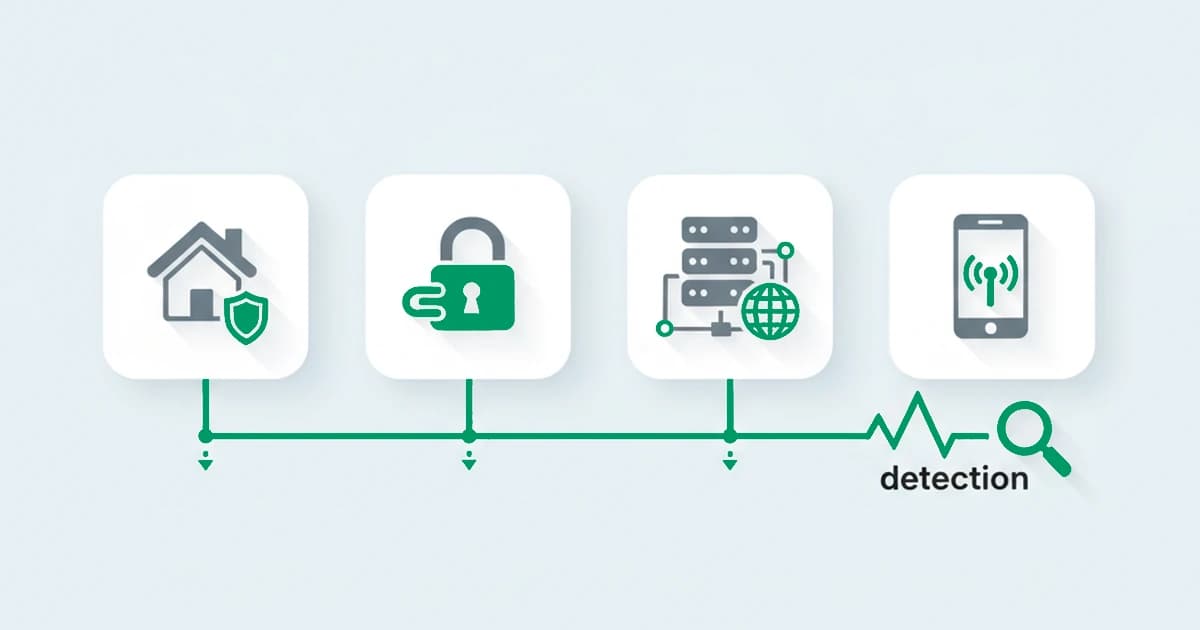
The third is protocol and behavioral inspection. Private Relay only covers Safari traffic, DNS resolution, and unencrypted HTTP; it is not a device-wide VPN tunnel for all application traffic. Session behavior (device consistency, timing patterns, header fingerprints) helps confirm what IP matching suggests, especially since egress IP space can overlap with other privacy and CDN infrastructure, making single-signal classification unreliable on its own.
A working implementation checklist:
- Automate the CSV fetch on a schedule (daily is reasonable) and diff it against the previous version before deploying.
- Validate the CSV schema on every pull. Apple has changed field structure before, and a silent parse failure is worse than no data.
- Build prefix matching with a trie or interval tree, not a linear IP list. At scale, linear scans become a bottleneck fast.
- Define fallback behavior explicitly: if the lookup service times out, decide in advance whether unknown traffic is treated as clean or flagged for review.
Pro Tip: Don't rely on per-IP reputation scoring for relay egress ranges. Apple rotates and shares these addresses across huge numbers of users, so an IP with a poor reputation history usually reflects one bad actor buried among thousands of legitimate sessions, not a systemic risk.
Relay classification belongs within a wider masked-traffic detection workflow, where network privacy and account abuse are assessed with separate evidence.
How Does Apple Private Relay Actually Work?
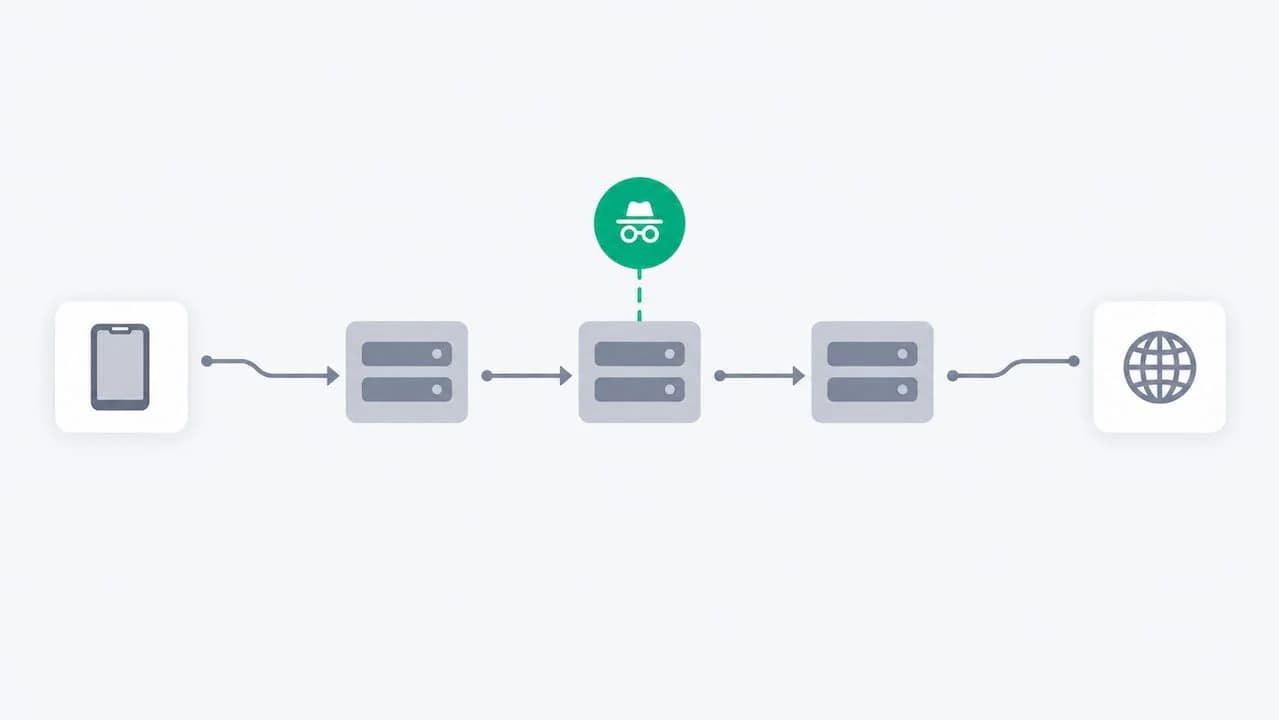
Private Relay uses a two-hop architecture. Your device connects first to an Apple-operated relay that sees your identity and IP address but not your destination, then to a second, partner-operated relay (a role Cloudflare and others fill) that sees your destination but not who you are. Neither hop holds both pieces of information, which is the entire privacy premise behind the design, as Cloudflare's own operator documentation lays out.
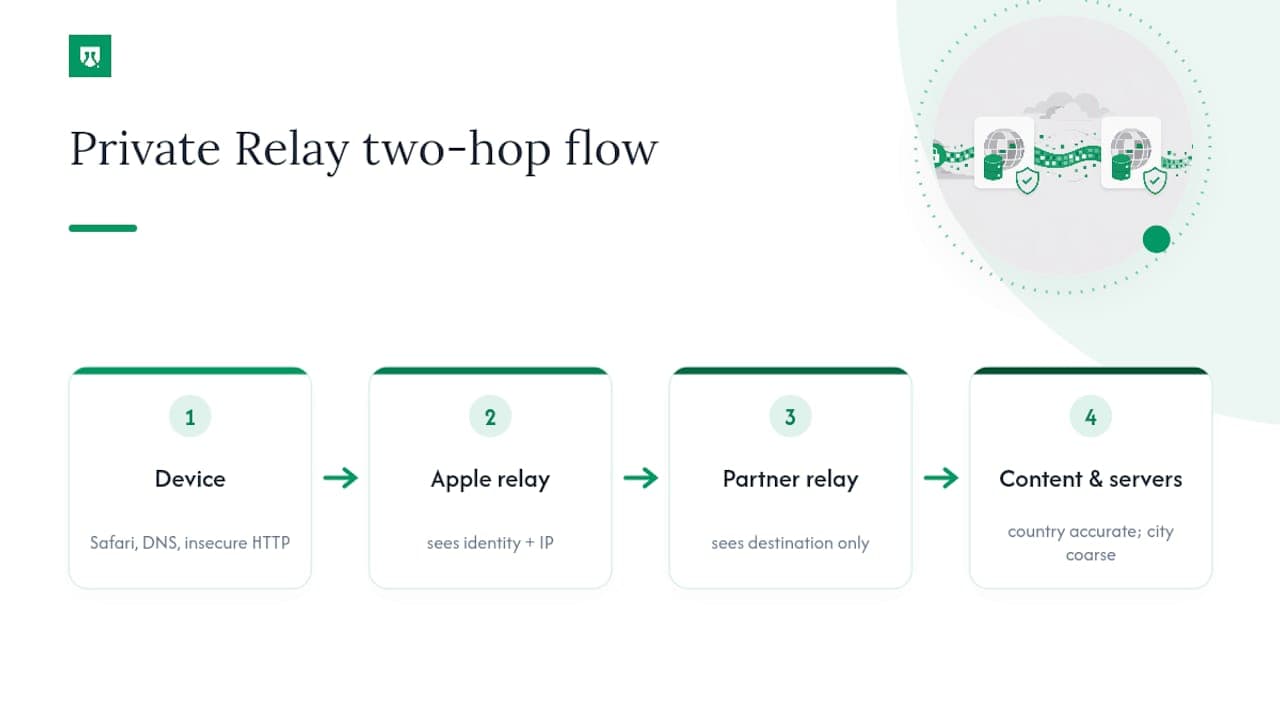
The scope is narrower than people assume. Private Relay protects Safari browsing, DNS queries, and insecure HTTP traffic. It is not a device-wide VPN. Traffic from other apps, other browsers, and secure connections outside Safari's scope passes through normally.
Geo accuracy follows a predictable pattern: country-level location stays accurate, because Apple deliberately preserves it for content licensing and regulatory reasons. City-level location is intentionally coarse and can shift between sessions. Any fraud rule or content-gating logic that enforces strict city-level matching will misfire regularly against Private Relay traffic.
How Do You Disable Private Relay on a Managed Network?
Apple documents a supported method, and it is not IP blocking. It's DNS.
- Identify the mask domains:
mask.icloud.com,mask-h2.icloud.com, and related mask API hostnames Apple lists in its developer documentation. - Configure your DNS resolver to return NXDOMAIN, not a silent drop, for those domains.
- Confirm the device shows its native "Private Relay unavailable on this network" message rather than an ambiguous connection error.
Silent drops cause devices to retry and hang, producing a worse experience than an explicit NXDOMAIN response, which tells the device immediately that Private Relay isn't available here.
Implementation examples vary by scale. Home and small office setups often use Pi-hole with a regex block rule targeting mask hostnames, verified with a quick nslookup against the resolver. Enterprise networks tend toward Fortinet's documented combination of DNS filtering plus QUIC application control, since QUIC blocking forces a fallback that DNS filtering alone won't catch.
A few trade-offs worth weighing before you flip the switch:
- Blocking QUIC broadly can disrupt other services that rely on it, not just Private Relay.
- DNS over HTTPS and DNS over TLS bypass your resolver entirely unless you also control or inspect those channels, and HTTPS inspection carries its own certificate and trust complications.
- Verify success through DNS logs and device behavior, not assumptions. Missing this step tends to produce a wave of help desk tickets from confused users.
How Should Fraud Teams Treat Private Relay Traffic?
Relay status alone should never trigger a block. That's the single most common mistake fraud teams make when they first start seeing is_relay: true in their logs, and it produces false positives against a large population of legitimate privacy-conscious users.
The pattern that works: allow by default, tag the geo signal as country-level trust rather than city-level, and correlate the relay flag with account history, device fingerprint, payment behavior, and session velocity. Escalate only when a combined risk score crosses a defined threshold, not on relay presence by itself. Detailed guidance on this classification approach is laid out well in community write-ups on treating Private Relay distinctly from VPN traffic, and it's worth reading in full if you're building rules from scratch.
Practical dos and don'ts:
- Do correlate relay flags with account age, device history, and known-good session patterns before acting.
- Do treat relay egress ranges like carrier-grade NAT or a large corporate proxy block, since thousands of unrelated users share the same addresses.
- Don't apply per-IP rate limits or CAPTCHA challenges to relay ranges specifically; you'll punish clean users disproportionately.
- Where supported, consider Private Access Tokens as a verification layer that confirms device legitimacy without depending on IP reputation at all.
Pro Tip: If your dashboard shows a sudden spike in "high risk" traffic right after enabling relay detection, check your rule logic first. That spike usually means relay is being scored as risk on its own, not that fraud actually increased.
Who's Behind This Guidance
This guide is written by Yahor Papou, CMO at ShieldLabs, where the day-to-day work centers on fraud detection and risk signal identification across VPNs, proxies, Tor, anti-detect browser detection, and Private Relay traffic. ShieldLabs combines deterministic rules and AI to recognize returning visitors with 99.9% identification accuracy, even across cleared cookies and rotated IPs. Every score comes with the underlying signals attached, so engineering teams can audit exactly why a visitor was flagged and choose the action for each case rather than trust an opaque number.
A Pragmatic Take on Blocking vs. Adapting
Block Private Relay only when policy demands it, schools and regulated environments being the clearest cases. Everywhere else, adapt your rules instead of degrading the experience for privacy-conscious users who never did anything wrong. Test detection changes in staging, watch the logs for a cycle before enforcing anything at scale, and if you do disable it network-wide, tell users plainly: "Private Relay is unavailable on this network to support required content filtering."
Yahor Papou, CMO at ShieldLabs
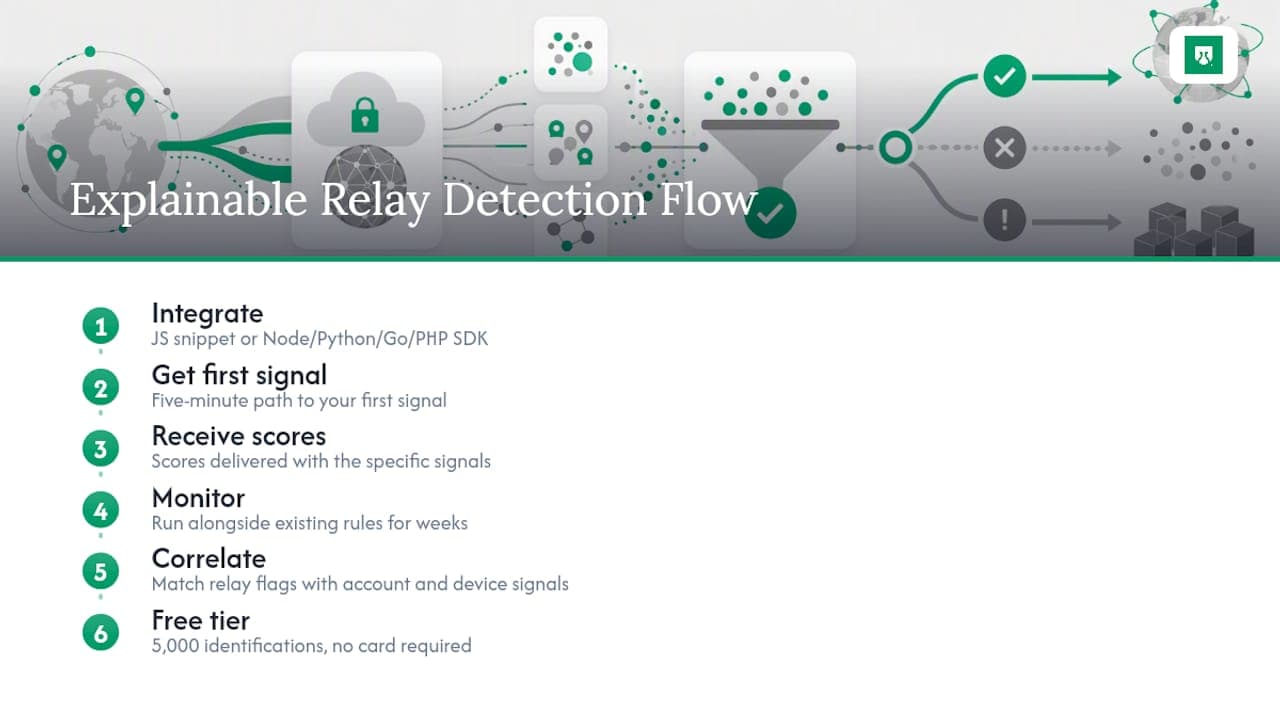
Get Explainable Relay Detection Without Building the Pipeline Yourself
Maintaining an egress CSV, validating schema changes, and building correlation rules from scratch is real engineering work that most teams end up deprioritizing until a fraud incident forces the issue. ShieldLabs ships Private Relay classification, broader risk signal detection, and returning-visitor recognition as a single feed, with every score arriving alongside the specific signals that produced it, so your team chooses the action for each case instead of trusting a black box. Integration is a JavaScript snippet on the front end or a server SDK for Node.js, Python, Go, or PHP, with a five-minute path to your first signal. Start in monitoring mode: run network intelligence alongside your existing rules, correlate relay flags with account and device signals for a few weeks, then move to enforcement once the pattern is clear. ShieldLabs includes a free tier covering 5,000 one-time identifications with no card required, so you can validate the approach against your own traffic before committing to a paid plan.
Sources
Keep these on hand and re-check them each time you update your detection pipeline, since Apple revises the CSV and mask domain list without much advance notice.
- Prepare your network or web server for iCloud Private Relay - Apple Developer
- iCloud Private Relay: information for Cloudflare customers
- Technical Tip: How to block iCloud Private Relay from bypassing the Security Inspection | Fortinet community
Recommended
Frequently asked questions
- Why Does My iPhone Keep Telling Me About Private Relay?
- That message usually appears when your network's DNS is blocking Apple's mask domains, which disables Private Relay for that connection, or when Apple is rotating your assigned relay for maintenance reasons.
- Should Private Relay Be On or Off?
- For most individual users it should stay on since it limits what your network and Apple itself can see about your browsing. Network administrators disable it only where policy, content filtering, or compliance requirements make that necessary.
- How Do I Know if Someone Is Tracking My IP Address?
- Private Relay's two-hop design means no single party sees both your identity and your destination, but it doesn't stop tracking methods that don't rely on raw IP, such as device fingerprinting or account-level identification; tools like ShieldLabs' risk signal detection work on the website operator's side to flag exactly which anonymity layers a visitor is using.
- Can I Turn Off Apple Private Relay?
- Individual users can disable it in iCloud settings on their own device. Network administrators disable it network-wide by returning NXDOMAIN for Apple's mask domains rather than by blocking IP ranges.
Related articles

Engineers & Fraud Ops: Reduce False Positives with 0–100 Proxy Scores
Implementation focused proxy detection for engineers and fraud teams: APIs, caching, TLS fingerprints, and a 0–100 confidence model to cut false positives.

15 best VPN and proxy detection tools for fraud prevention in 2026
Compare the best VPN and proxy detection tools for fraud prevention in 2026: what each detects, residential-proxy coverage, pricing, and how to choose.
6 Step Datacenter Proxy Detection Workflow for Fraud Teams
Practical production guide for fraud teams: detect datacenter proxies by pairing ASN, rDNS, device/TLS telemetry and IP population signals.