

Will iCloud Private Relay and Chrome IP Protection break your fraud detection?

Last updated on July 2, 2026 · 9 min read
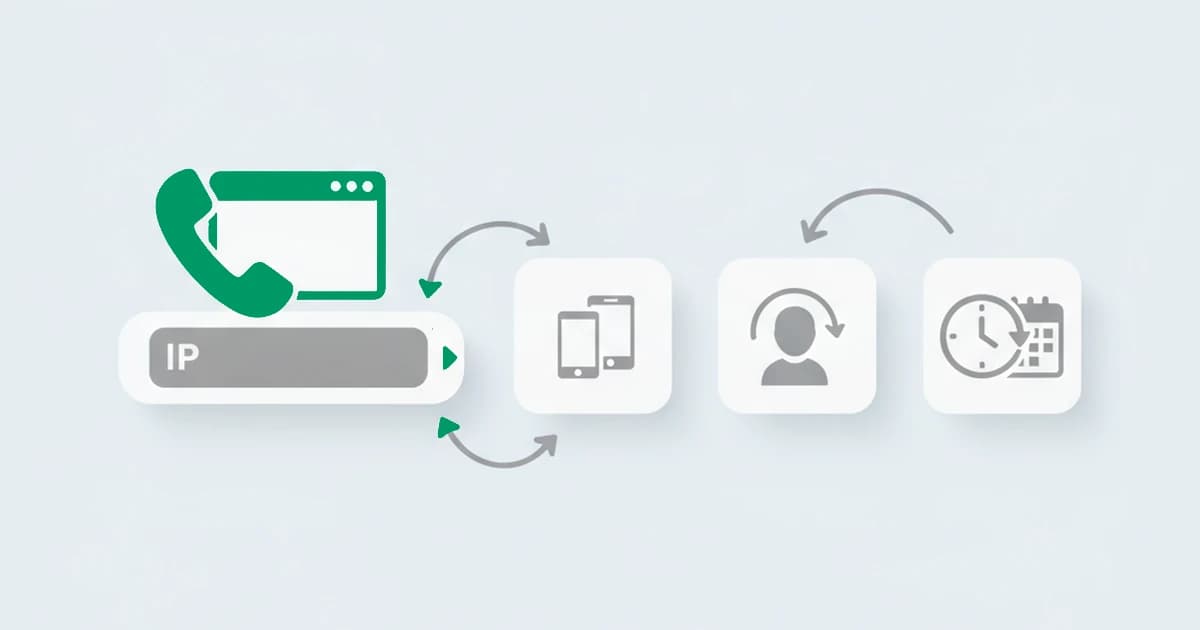
Every few months a browser ships a new way to hide the IP address, and a fraud team asks the same question: did my detection just break? With iCloud Private Relay already on millions of Apple devices and Chrome IP Protection rolling out, the question is live again. The honest answer sits between the two reactions you usually hear. The panic, that IP masking blinds your fraud detection, is wrong. The shrug, that nothing changed, is also wrong. The IP got less trustworthy, you should lean on it less, and almost everything else still works. This guide explains exactly what iCloud Private Relay and Chrome IP Protection change, what they do not, and why treating the people who use them as fraud is a mistake.
Key takeaways
- Browser IP masking is a privacy feature built into the browser, used by ordinary people by default or with one toggle, not a VPN or proxy a fraudster deliberately installs.
- iCloud Private Relay routes Safari traffic through two hops and hands the site a coarse regional IP, but it is identifiable because Apple publishes its egress ranges.
- Chrome IP Protection masks the IP only for third-party domains on a set list, mainly in Incognito, so a visitor on your own site in a first-party context is not masked at all.
- What degrades is the IP: precise geolocation, the IP as an identifier, and reputation on a shared egress address. What survives is the device, the behavior, and the session.
- These users are not fraudsters. The right response is to lean less on the IP and more on the device, and to treat the masking as a neutral fact, not a risk flag.
What is browser IP masking?
Browser IP masking is the practice of a web browser hiding a user's real IP address by routing their traffic through one or more relays, as a built-in privacy feature. It is different from a VPN or a proxy in the way that matters most for fraud: a VPN is something a user goes out and installs, often to appear in another country, while browser IP masking ships inside Safari or Chrome and is used by enormous numbers of ordinary people who never think of themselves as hiding anything. That single difference, who uses it and why, is why you cannot treat the two the same way.
Two features dominate the conversation, and they work differently enough that the distinction matters.
iCloud Private Relay
iCloud Private Relay is Apple's privacy feature for Safari, included with an iCloud+ subscription. When it is on, Safari traffic is encrypted and sent through two separate relays: the first, run by Apple, sees the user's real IP but not the destination, and the second, run by a partner, sees the destination but not the real IP. The site you run receives the IP of that second relay instead of the user's own.
For fraud detection the important details are narrow and reassuring. Private Relay is designed to keep the user in roughly the right place: the egress IP maps to the user's general region or country, not a foreign one, so it is not a tool for faking location. It applies to Safari only, not to apps or other browsers. And it is identifiable, because Apple publishes, and regularly updates, the IP ranges its relays exit from, so a session arriving on one of those addresses can be recognized as Private Relay rather than mistaken for an anonymous proxy. Because Private Relay only carries Safari traffic, a relay egress that shows up with a non-Apple, non-Safari client is a real contradiction, the kind of mismatch browser spoofing is built on. Recognizing it is the easy part. Knowing it is not a reason to distrust the visitor is the part that takes discipline.
Chrome IP Protection
Chrome IP Protection is Google's equivalent, and its scope is narrower than the headlines suggest. It routes qualifying requests through a two-hop proxy so that no single server sees both the user's IP and the destination, much like Private Relay. But it only engages for domains on a Masked Domain List, the cross-site trackers Google targets, and it applies in a third-party context, mainly in Incognito mode, generally with the user signed into a Google Account. In an April 2025 Privacy Sandbox update, Google confirmed the direction: rather than deprecate third-party cookies, it would keep them under user choice in Chrome and instead expand Incognito protections, with IP Protection planned to launch from the third quarter of 2025.
The consequence is the one most write-ups miss. IP Protection masks the IP when a flagged domain is loaded as a third party, an ad or an embedded widget on someone else's page. When a user visits your site directly, in a first-party context, their IP is not masked and is still available for ordinary geolocation and functionality. So for most of what a fraud team actually watches, a signup, a login, a checkout on your own domain, Chrome IP Protection does not apply at all. It changes what third-party trackers see far more than what your own server sees.
What actually degrades for your detection
Where masking does apply, what it weakens is specifically the IP, and it is worth being precise about which parts:
- Precise geolocation. A relay egress places the user in a region or a country, not a city. Location-based checks that expected street-level precision lose resolution.
- The IP as an identifier. Many users share one relay egress address, so the old habit of treating an IP as a rough stand-in for a person breaks. One address is now genuinely many people.
- IP reputation. A shared relay egress carries the mixed history of everyone behind it, so its reputation tells you even less than usual. A clean score is not reassurance and a poor one is not an accusation.
That is the full extent of it. The IP got coarser and less personal. Nothing on this list is your whole detection, unless you built your whole detection on the IP, which was already fragile before any of this shipped.
What survives, and why you should not panic
Everything that was not the IP still works. The device behind the session is unchanged, the browser still reports the same characteristics, and the behavior, the timing, the consistency of the session, the way it links to other sessions, is all intact. Masking the address does not mask the machine.
We tested this the plain way. When we measured sessions arriving on a masked address against the same sessions before masking, the device characteristics, the browser properties, and the session behavior read identically. The address changed; the machine did not. Apple introduced iCloud Private Relay in 2021 and publishes the ranges its relays exit from, so we can recognize one of those sessions as a privacy relay rather than confuse it with an anonymous proxy, then weigh the coarse IP lightly while the device carries the read.
On top of that, the masking itself is a readable, neutral signal. Because both Private Relay and IP Protection are identifiable, you can know that a session is using one of them and factor that in calmly: this IP is expected to be coarse, so weigh it lightly and let the device carry more. Every time one of these features ships, the same question comes up, and the answer has not changed: you do not lose the ability to tell trustworthy traffic from abusive traffic, you lose one increasingly unreliable input and lean on the better ones you already had.
Browser privacy is not evasion
This is the distinction the whole topic turns on. iCloud Private Relay and Chrome IP Protection are privacy features used by millions of ordinary people, they keep the user roughly where they really are, and they announce themselves through published ranges and known behavior. A VPN, a residential proxy, or Tor is the opposite on every count: chosen deliberately, often to appear in another country, and built to look like an ordinary unmasked visitor rather than to be recognized.
The three sit in two different buckets, and the table makes the split concrete:
| Connection | What it masks | Location it presents | Identifiable | Treat it as |
|---|---|---|---|---|
| iCloud Private Relay | The Safari IP, via two relays | Roughly the user's real region | Yes, Apple publishes its egress ranges | A neutral privacy signal |
| Chrome IP Protection | The IP for listed third-party domains, mainly in Incognito | Roughly the user's real region | Yes, through known behavior | A neutral privacy signal |
| VPN, residential proxy, or Tor | The IP, deliberately | Often a chosen foreign country | Built to blend in as unmasked | A signal to weigh with the device and the intent |
Treating the two the same way is the expensive mistake. If you flag every Private Relay user as risky, you are adding friction to a large share of your Apple customers for the crime of using a default Safari setting. The presence of browser IP masking means the IP is less informative for that session, not that the session is dangerous. Risk lives in what the device and the behavior show, weighed against what the visitor is trying to do, and a deliberate anonymizer aimed at a foreign country on a high-value action is a very different story from a regional Private Relay egress on a normal one.
Detecting browser IP masking with ShieldLabs
ShieldLabs reads the device and the whole session, not just the address, which is exactly what you need when the address goes quiet. It recognizes browser-native masking like Private Relay and IP Protection as a neutral category rather than a risk bump, leans on the device and network signals when the IP is coarse, and names what it saw so the masking is visible rather than silently penalized.
To be plain about scope: ShieldLabs scores the session, the device, and the network on a scale from 0 to 100, names the risk signals behind the score, including whether the connection is a known privacy relay, a deliberate anonymizer, or neither, and detects four High-Risk Events (multi-accounting, account sharing, impossible travel and account takeover) in the analytics dashboard. You read the risk score and the named risk signals through the API and webhooks and choose the action for each case, weighing how much a masked IP should matter for the action in front of you. The address became less useful; the decision did not get harder, it just moved to better signals.
Sources
- Apple: About iCloud Private Relay
- Google Privacy Sandbox: IP Protection Overview
- Google Privacy Sandbox: The next step for Privacy Sandbox and third-party cookies (April 2025)
- GitHub: GoogleChrome/ip-protection explainer
- Wikipedia: Proxy server
Frequently asked questions
- Does iCloud Private Relay hide your IP address?
- Yes, from the website you visit. Private Relay sends Safari traffic through two relays so the site sees the address of the second relay instead of the user's own, and the user's ISP cannot see which sites they browse in Safari. It does not hide the user's general location, though: the relay egress keeps them in roughly their real region or country, so it is a privacy feature, not a way to fake location. It also only covers Safari, not apps or other browsers.
- Will Chrome IP Protection break my fraud detection?
- For most fraud detection, no. Chrome IP Protection masks the IP only for third-party domains on a set list, mainly in Incognito mode, so when a user visits your site directly in a first-party context their IP is not masked at all. Where it does apply, you lose precise IP geolocation and the IP as an identifier, but the device, behavior, and session signals are unchanged. The fix is to lean less on the IP and more on the device, which is good practice regardless.
- Can you detect iCloud Private Relay traffic?
- Yes. Apple publishes the IP ranges its Private Relay exits from, so a session arriving on one of those addresses can be recognized as Private Relay rather than confused with an anonymous proxy. The useful part is what you do with that knowledge: knowing a session is on Private Relay tells you the IP will be coarse and should be weighed lightly, not that the visitor is suspicious. It is a neutral signal, not a fraud signal.
- Is using Private Relay or IP Protection a sign of fraud?
- No. Both are mainstream privacy features used by very large numbers of ordinary people, they keep users roughly in their real location, and they identify themselves rather than hiding what they are. That is the opposite of a VPN, residential proxy, or Tor connection chosen to appear in another country and to pass as an ordinary visitor. Flagging Private Relay or IP Protection users as risky adds friction to legitimate customers and catches almost no fraud.
- Does ShieldLabs handle browser IP masking?
- ShieldLabs recognizes browser-native masking like Private Relay and IP Protection as a neutral category, leans on the device and session signals when the IP is coarse, and folds the result into a risk score from 0 to 100 with the reasons named, including whether the connection is a privacy relay or a deliberate anonymizer. It does not penalize a session simply for using privacy features. It scores the session and delivers the risk score and named risk signals through its API and webhooks, and the free tier covers your first 5,000 identifications.
Related articles
Map JA3/JA4 to Endpoints: CAPTCHA vs Device Fingerprinting for Teams
Practical, implementation-first guidance for fraud and security teams. Map JA3/JA4, client hints, WebGL and behavioral signals to endpoints, and trigger...

Credential Stuffing Detection: 3 SIEM Rules SOCs Need Now
SOC playbook for credential stuffing detection: three SIEM-ready rules, triage and containment steps, and how to stream risk signals into your SIEM.
Deploy Tor Detection in Five Minutes for Security Engineers
Ops first Tor detection for security engineers: deploy exit lists, DNS/API lookup, TLS fingerprints, and auditable signals in five minutes.