

Developers: Build Privacy First React Bot Detection With One JS Snippet

Last updated on October 8, 2026 · 10 min read
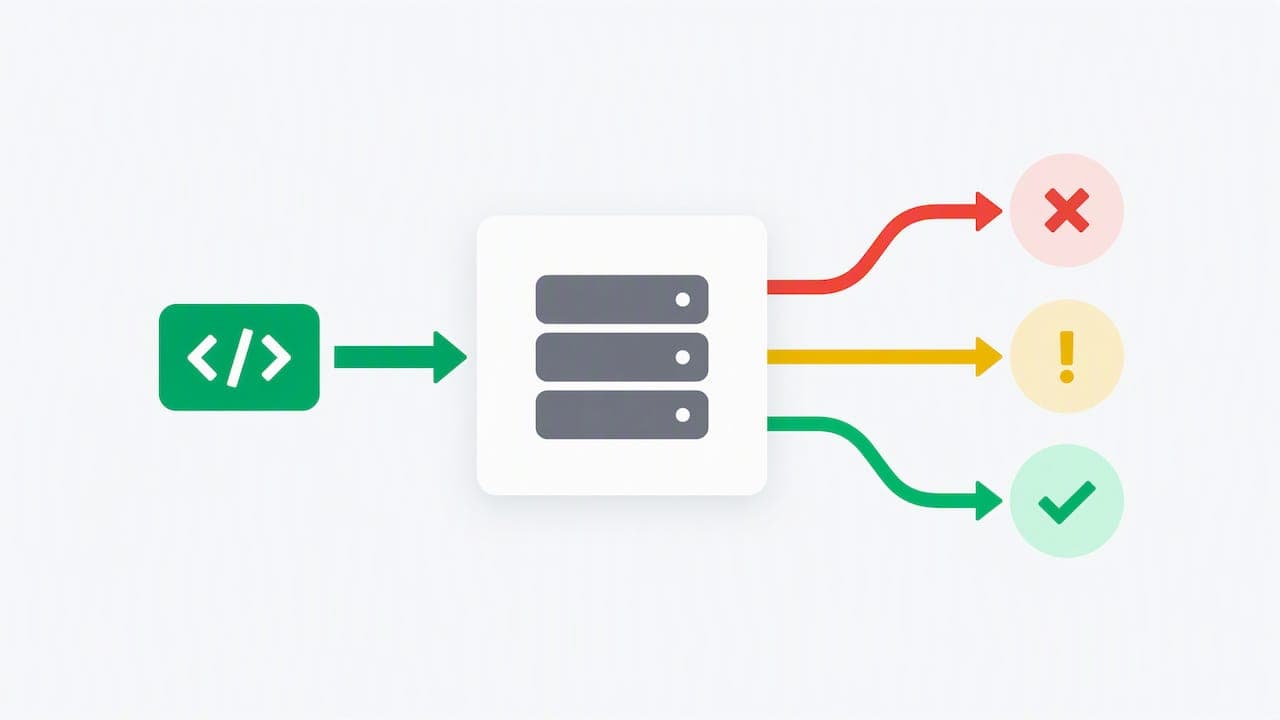
The most effective approach combines an invisible attestation token or privacy-first CAPTCHA at submit time with lightweight client behavioral signals, verified server-side before any decision is made, as shown in this website crawlability AI audit. This pairing keeps friction low for real visitors while giving you data to trigger step-up challenges when something looks wrong. The two non-negotiables are privacy-respecting collection and server-side verification: a token your frontend never validates is not a control, it is a suggestion.
TL;DR:
- Using invisible attestation tokens combined with server-side verification reduces user friction and enhances privacy compared to visible CAPTCHAs.
- Client-side signals, such as behavioral telemetry and attack patterns, serve as advisory layers that must be validated and logged on the server for effective bot management.
- Graduated responses, like silent logging for trusted sessions and challenges only for suspicious activity, improve user experience and detection accuracy.
- ShieldLabs provides risk scores and signals that integrate with existing systems, requiring minimal setup with frontend snippets and server SDKs.
- Proper implementation involves handling token expiration, reusing signals for tuning thresholds, and avoiding default global CAPTCHA challenges to prevent unnecessary user inconvenience.
Table of Contents
- Quickstart: adding CAPTCHA or attestation to a React form
- CAPTCHA vs. CAPTCHA-free: privacy, UX, and when to step up
- Client-side vs. server-side: OWASP's layered defense model
- Practical implementation checklist using ShieldLabs signals
- Developer perspective: pitfalls worth avoiding
- ShieldLabs as a direct detection layer you can integrate
- FAQ
- Sources
Quickstart: adding CAPTCHA or attestation to a React form
Getting a working integration into a React form, and later a React Native screen, follows a consistent pattern across providers.
- Load the provider's SDK or script and render the widget, or call an invisible execute method at submit time rather than on page load.
- Capture the token through the provider's callback, typically
onVerifyoronSuccess, and store it in component state. - Attach the token to your form payload and send it to your backend alongside the rest of the submission.
- On the server, call the provider's verification endpoint, such as hCaptcha's siteverify, and check the hostname, action, and timestamp before accepting the request.
- Reject expired or already-used tokens, and reset the widget on the client so the visitor can retry without reloading the page.
For a standard React form, hCaptcha's React integration ships an official component that handles the widget lifecycle and returns an h-captcha-response token for server verification. In Next.js, the widget needs to live inside a client component, since the underlying library depends on browser APIs that are unavailable during server rendering.
React Native complicates this, since most CAPTCHA providers do not ship a native SDK. The common workaround is a WebView wrapper that loads the hosted widget, or a native bridge where one exists. Invisible or attestation-style modes are worth prioritizing here specifically because they avoid asking someone to solve a puzzle on a small screen.
A few things catch teams off guard during development:
- Use the provider's published test site keys in development so you are not consuming production quota or triggering rate limits.
- Handle
onExpireandonErrorexplicitly, since a silently expired token looks identical to a missing one from the server's point of view. - Write an automated test that submits an expired or reused token and confirms your server rejects it, not just one that confirms a valid token passes.
CAPTCHA vs. CAPTCHA-free: privacy, UX, and when to step up
Visible CAPTCHAs carry real costs: they add friction, they create accessibility barriers for visitors using screen readers or with limited vision, and they measurably reduce form completion. Treat them as a step-up tool for suspicious sessions, not a default layer on every form.
Invisible scoring and attestation tokens are the better starting point for most applications. Patterns like Privacy Pass and Cloudflare Turnstile issue a token after passing a background check rather than presenting a puzzle, and that token still needs server-side validation before you trust it, as Cloudflare's own Turnstile documentation makes clear. Used this way, invisible attestation tends to be both less intrusive and more privacy-respecting than a visible challenge, since it avoids collecting puzzle-solving behavior tied to a visitor's identity.
A few other tools round out the toolkit:
- Proof-of-work challenges and WebAuthn or passkey prompts fit high-value, low-frequency actions like password resets or large transactions, where a small amount of added friction is acceptable.
- Honeypot fields and submission-time thresholds catch a meaningful share of unsophisticated bots for almost no cost, and pair well as a first filter ahead of server-side checks, an approach documented in open-source honeypot field libraries.
Pro Tip: Reserve visible CAPTCHAs for sessions that already failed an invisible check, not as the first thing a new visitor sees.
Client-side vs. server-side: OWASP's layered defense model
Client-side signals are advisory. A visitor's browser is not a trusted environment, and anything computed there can be inspected, modified, or bypassed by a determined operator running automation. The OWASP Bot Management and Anti-Automation Cheat Sheet frames this as a layered problem spanning three zones, each catching what the previous layer missed:
- Edge, where a CDN or WAF filters on IP reputation, ASN, TLS fingerprint, and request rate before traffic ever reaches your application.
- Application, where behavioral telemetry, honeypots, and attestation triggers decide whether a specific action needs a step-up challenge.
- Backend and business logic, where account-velocity checks, anomaly detection, and manual review queues catch patterns that only show up across multiple requests or accounts.
Behavioral fingerprinting adds a meaningful layer here. Libraries that score mouse movement, typing rhythm, WebGL renderer details, and timezone or screen resolution mismatches on a weighted scale, with implementations like js-bot-detector commonly flagging a score of 50 or higher as automated, give you a cheap second opinion alongside attestation tokens.
OWASP's core recommendation worth internalizing: validate every token server-side, require single-use and a short expiry window, and log which signals triggered a given decision so you can tune thresholds later. Avoid returning which specific rule fired in your API response, since that detail helps an operator route around your defenses on the next attempt.
Practical implementation checklist using ShieldLabs signals
Server-side verification is only as good as the signals feeding it. Alongside a CAPTCHA token or attestation result, you can submit a ShieldLabs identification call from the same form and evaluate the returned risk score before deciding whether to accept, challenge, or hold the submission for review.
- Capture anonymity flags such as VPN, proxy, or anti-detect browser detection alongside a persistent visitor identifier that holds up across cleared cookies and incognito sessions.
- Submit the identification call in parallel with your CAPTCHA token so both signals arrive before your server renders a decision.
- Read the risk score together with the specific signals behind it, rather than the score alone, since the signal list is what makes the decision auditable later.
- Start with conservative thresholds, log every decision, and widen or tighten them as you observe false positives in your own traffic.
Pro Tip: Log the full signal set behind every step-up decision for at least a few weeks before tuning thresholds, since a handful of days rarely shows you the shape of your real traffic.
Setup is a single JavaScript snippet on the frontend, with server SDKs for Node.js, Python, Go, and PHP to handle verification on your own infrastructure.
Developer perspective: pitfalls worth avoiding
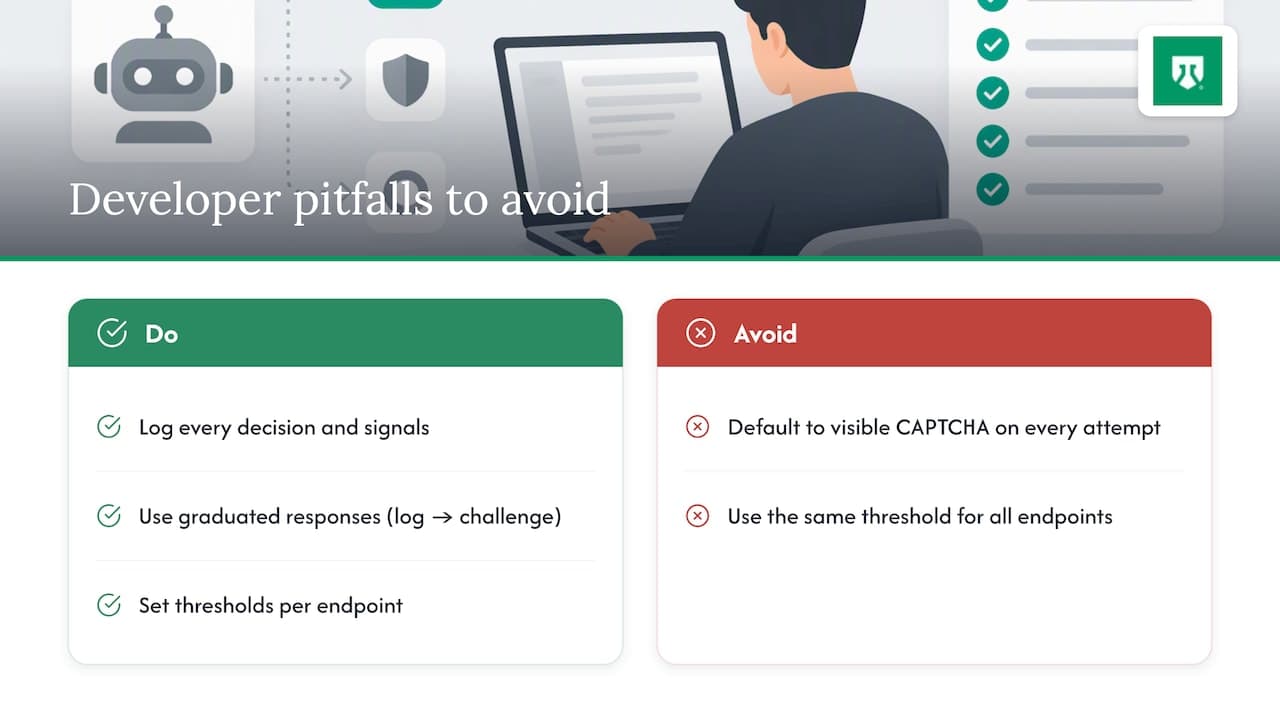
The most common mistake is defaulting to a visible CAPTCHA on every attempt, which punishes real visitors far more often than it stops determined automation. Graduated responses work better: log quietly for low-risk sessions, challenge only when signals stack up.
Log every decision and the signals behind it. Without that record, you cannot tell a false positive from a correctly blocked attempt, and tuning becomes guesswork. Thresholds should also differ by endpoint. A newsletter signup can tolerate a looser threshold than a checkout page or a password reset, where the cost of a successful abuse attempt is much higher.
— Jeff
ShieldLabs as a direct detection layer you can integrate
If you are building this stack today, ShieldLabs works as a signals source that plugs into the decision logic described above rather than replacing it. We identify visitors and score the risk of each session, including anti-detect browser detection, proxy and VPN flags, and a persistent identifier that holds up across cleared cookies and months between visits, with every score arriving alongside the signals that produced it.
- Integration requires one JavaScript snippet on the frontend plus a server SDK for your backend, with a typical setup time to the first signal.
- The free tier includes 5,000 identifications with no card required, enough to evaluate the signals against your own traffic before committing to a paid plan.
- Decision logic stays in your own code: ShieldLabs supplies the score and the reasons behind it, and your server decides whether that triggers a step-up challenge, a soft hold, or nothing at all.
Teams building fraud defenses on top of identification and anonymity signals typically start with the free tier, wire the signal into an existing form flow, and layer in step-up logic once they see what normal traffic looks like.
FAQ
Why am I being detected as a bot?
Automated flags usually come from a mismatch between expected human behavior and what your session actually produced, such as no mouse movement before a form submission, a browser automation fingerprint, or an IP address associated with a VPN, proxy, or datacenter range. Legitimate visitors occasionally trip these checks too, which is why graduated responses matter more than a hard block on a single signal.
What is a React bot?
A React bot is automated traffic interacting with a React or React Native application, typically through headless browsers, scripted HTTP requests, or browser automation frameworks, rather than a person using the interface directly. Detecting it relies on a combination of behavioral signals, attestation tokens, and server-side risk scoring, since the React rendering layer itself has no built-in way to distinguish a human from a script.
Is the internet mostly bots?
Automated traffic makes up a meaningful share of overall web traffic, though the exact proportion varies widely by industry, site type, and how traffic is measured. Rather than relying on a single headline figure, it's more useful to measure your own traffic's bot share directly using the layered detection approach described above.
How do I know if I am part of a botnet?
Signs include your device running unusually slow, unexpected network activity when you are not actively using it, or security software flagging unfamiliar processes. This is a device-level security question separate from the server-side bot detection covered in this guide, and is best addressed with reputable antivirus or endpoint security tools rather than anything a website operator can diagnose remotely.
Does ShieldLabs block bots automatically?
No. ShieldLabs identifies visitors and scores the risk of each session, providing the anonymity and behavioral signals your own code uses to decide whether to allow, challenge, or hold a request. The blocking decision and its enforcement stay in your application logic.
Sources
Recommended
Related articles
SSR Safe Angular Bot Detection: OWASP Layering and Server Validation
Angular-focused, actionable steps to run SSR safe client checks, validate tokens server side, apply OWASP layering, and use ShieldLabs signals for...

6 Step Datacenter Proxy Detection Workflow for Fraud Teams
Practical production guide for fraud teams: detect datacenter proxies by pairing ASN, rDNS, device/TLS telemetry and IP population signals.
Device Spoofing Detection for Web Fraud Teams
How browser, device and TLS signals reveal spoofing on the web, plus where mobile attestation belongs in a separate defense layer.