

What Is a Bot in Website Traffic? Types and Examples

Last updated on October 28, 2026 · 10 min read
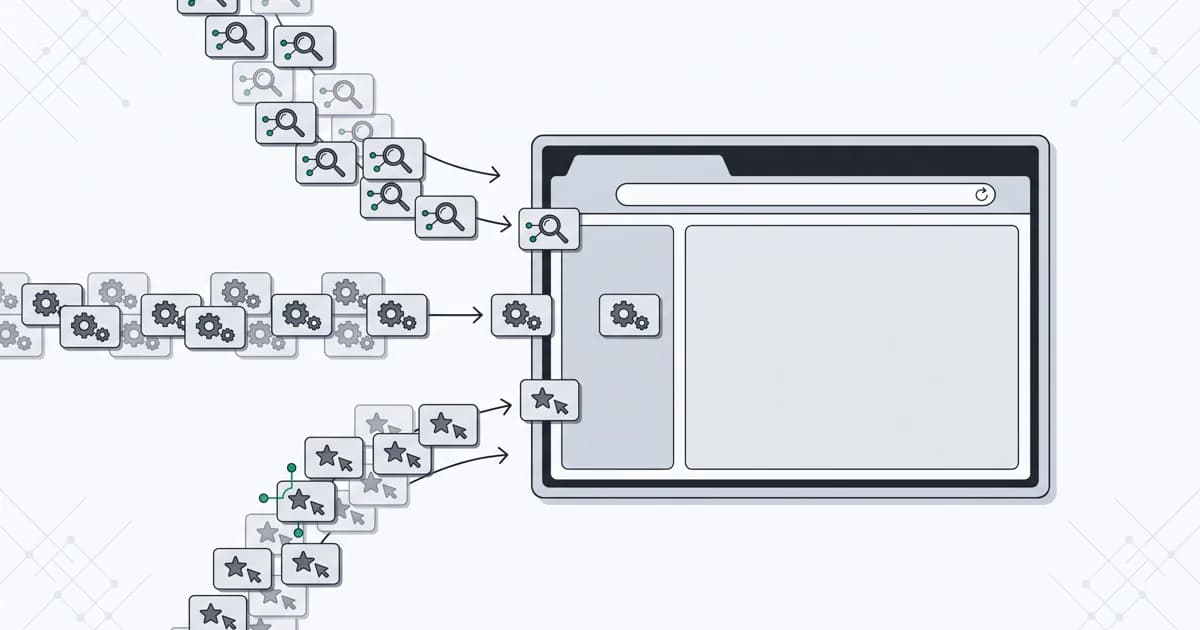
A bot is software that performs tasks automatically. In website traffic, those tasks appear as requests for pages, files or application actions. A search crawler reading a product page, a browser testing a checkout and an AI assistant retrieving an answer all generate automated activity. Their purposes and permissions differ.
For a website owner asking what is a bot, the useful next question is what that visit is trying to accomplish. Removing every automated request could remove search discovery and your own availability checks. Accepting every familiar client name could expose a protected action to activity you never intended to permit.
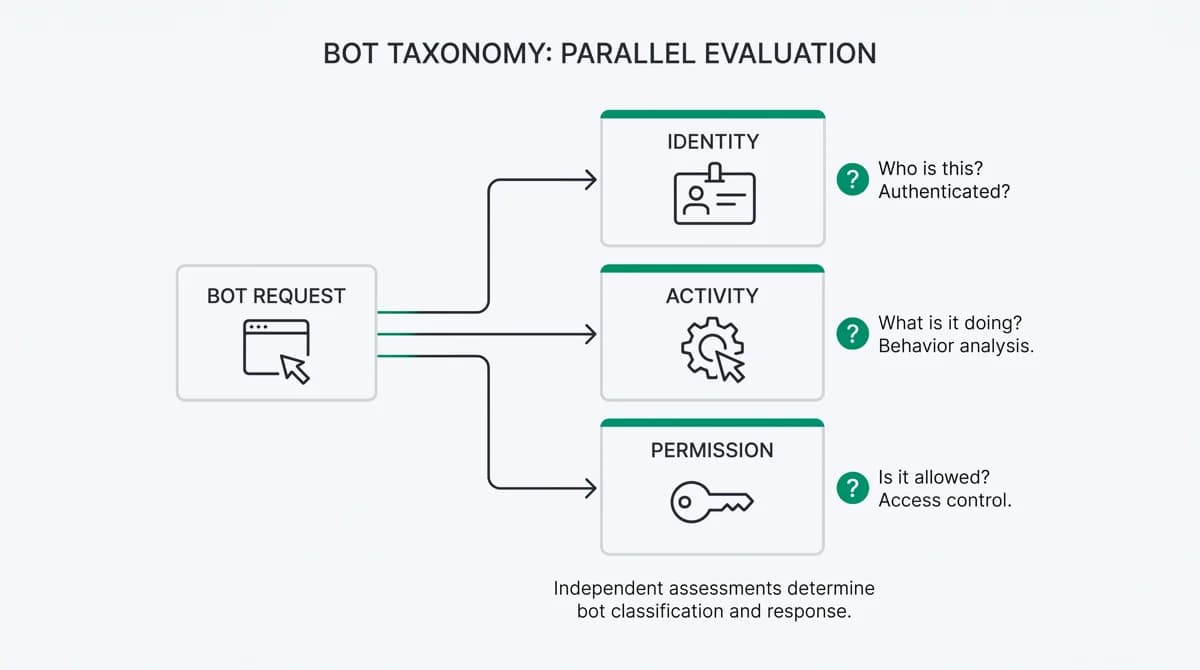
This guide separates three questions: who is making the request, what is it doing, and is that action permitted? That gives product, marketing and engineering teams a shared vocabulary before they choose a response.
How bots generate website traffic
A bot can send HTTP requests directly, without opening a visible browser. It can also operate a browser that loads pages and interacts with forms. Some tasks run on a schedule; others begin when a person asks an assistant to research a page or complete a workflow.
Cloudflare's bot traffic explainer describes the category as non-human traffic. That describes how the requests are generated, rather than whether a person benefits from them. A human can request a task, review a result or approve a later step while software performs the browsing in between.
Browser automation also has routine engineering uses. Playwright documents testing in both headless and headed browsers. A headless browser operates without a visible window; a headed browser displays one. Both can run automated tests. The presence of a window is therefore a poor dividing line between useful and unwanted activity.
Types of bots a website owner may encounter
Start with the job being performed. AWS's bot overview describes uses including search, monitoring, conversation and transactions. For website operations, the following categories help connect those purposes to the resources they use.
| Type of bot | Example task | What to establish |
|---|---|---|
| Search crawler | Retrieve public pages for a search index | Whether the requester belongs to the claimed operator and which content may be crawled |
| Preview or monitoring bot | Fetch a shared link or check availability | Which tool is expected, its permitted endpoints and an appropriate request budget |
| Testing automation | Exercise a signup or checkout during a release | Which runs belong to your team and which test accounts or environments they use |
| AI crawler | Collect content for a documented search or training purpose | The particular crawler's purpose and your content policy |
| User-directed AI agent | Read a page or interact with a service for a person | The requested task, account permissions and confirmation needed for sensitive changes |
| Abusive automation | Submit spam, test reused credentials or repeat ineligible claims | The affected action, linked activity and resulting harm |
These are practical categories, not an exhaustive or mutually exclusive standard. A testing tool can use a crawler, and an AI agent can control a browser. A customer support chatbot is also a bot, but a conversation in a widget is a different activity from a crawler fetching your public pages.
Use specific labels where the evidence supports them. Keep unidentified traffic in an explicit unknown category instead of silently treating it as human.
Good bots vs bad bots: check the action and its impact
Good bots perform work a site permits or values. Bad bots automate unwanted or abusive actions. The same technical method can serve either purpose: your test runner and a script submitting spam can both operate a browser.
Consider an uptime monitor. A request to an agreed health endpoint at an agreed frequency supports the service. If its configuration changes and it repeatedly triggers an expensive report, the operator's recognizable name does not make the resource cost acceptable. The immediate problem is the requested operation and its volume.
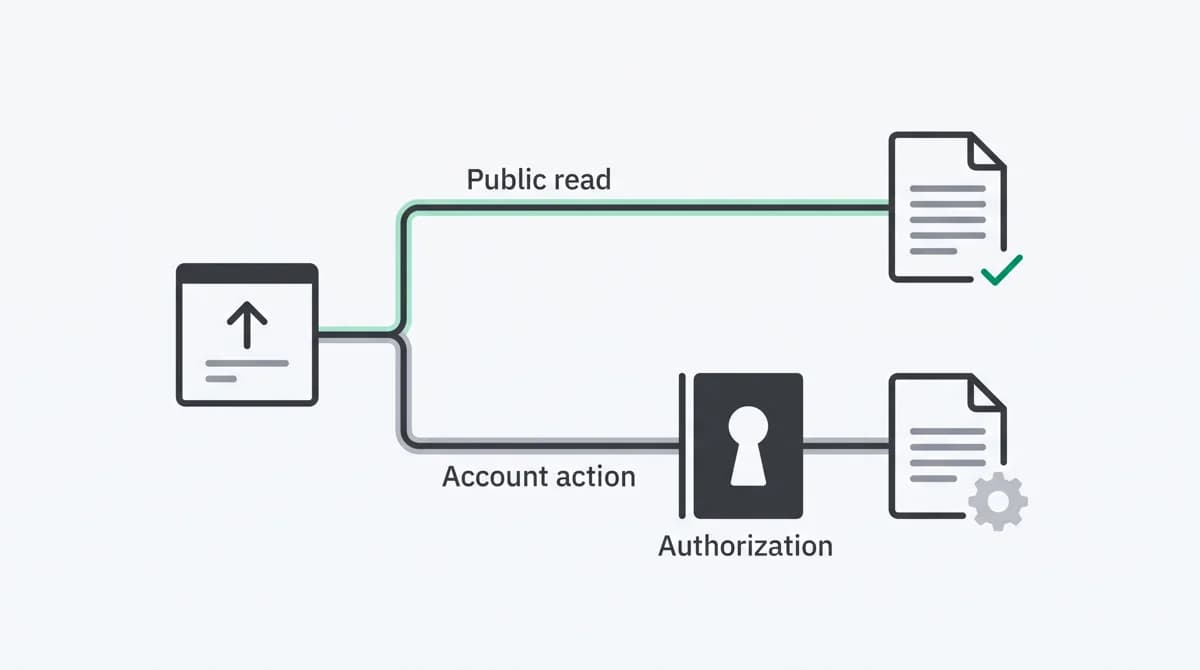
Likewise, permission to read a public catalog does not grant permission to reserve inventory, change an account or claim a promotion. OWASP's anti-automation guidance separates exposure by application flow, including account creation, login, inventory and APIs.
Apply that distinction when evaluating an unfamiliar client:
- Identify the resource or action it is requesting.
- Establish the access it is permitted to have.
- Check whether its rate and behavior fit that permission.
- Record the outcome, including legitimate users affected by a restriction.
Our fraud prevention strategy guide extends this approach across the product journey. For implementation methods and tool categories, use the separate bot detection tools comparison.
AI crawlers and AI agents do different jobs
An AI crawler may collect pages in the background. An AI agent may visit because a person asked it to compare products, summarize a document or perform a task. Grouping both under one AI label hides a distinction that matters to content access and account security.
OpenAI's crawler documentation provides a concrete example of separate purposes:
| Documented client | Purpose described by its operator |
|---|---|
| OAI-SearchBot | Help surface websites in ChatGPT search results |
| GPTBot | Crawl content that may be used to train generative AI foundation models |
| ChatGPT-User | Visit pages for certain user-initiated actions, rather than automatic web crawling |
These examples are provider-specific, not a universal list of AI clients. Check current documentation before applying a rule. OpenAI documents search and training settings independently and notes that robots.txt rules may not apply to user-initiated ChatGPT-User actions.
An agent browsing on behalf of a customer still needs the permissions required for the operation. Reading a public price, opening a signed-in invoice and changing a payout destination should have different access requirements. Successful crawler verification does not establish which customer account an agent may use.
Keep identity, automation and authorization separate
A clear traffic record preserves the evidence behind each classification. It distinguishes a client name presented in a header, independent evidence supporting that identity, observations of automation and the permission required for the action.
Identity: a User-Agent can claim to be a search crawler. For Google requests, the official verification guide describes published IP ranges and reverse/forward DNS checks. Use the method appropriate to the crawler or fetcher category. The purpose is to check the origin claim, not grant access to every endpoint.
Automation: browser signals can describe how a client operates. MDN documents navigator.webdriver as indicating browser control by automation. That observation does not describe the task's business purpose. A test runner can expose automation, while other automated requests may provide no browser observation at all.
Authorization: the requested resource determines the necessary access. The Robots Exclusion Protocol states: “These rules are not a form of access authorization.” RFC 9309 makes this boundary explicit. Crawl directives guide cooperating clients; private account data needs enforced access controls.
For a deeper investigation of browser and provider evidence, continue with detecting AI agents on a website. The classification here helps decide which investigation you need.
Three visits to the same product page
The following examples illustrate the framework. They are not customer logs or measured detection results.
A search crawler reads the page. The request claims a documented crawler identity, and the relevant operator verification succeeds. Its task is discovery of public content. Record the verification and apply the site's crawl policy and request limits. A search visit is useful activity, but it is not itself a customer conversion.
An AI assistant compares the product for a person. The initial operation is a public read. A later request to change a subscription would require the correct authenticated account, authorization and any necessary confirmation. Preserve that change in operation even if both requests come from the same provider.
A browser repeatedly claims an introductory benefit. The product page request may look ordinary. The investigation belongs at the benefit claim: is the account eligible, have related accounts claimed it already, and was the benefit issued? Whether the browsing is manual or automated, the eligibility check still matters.
This last example is why bot traffic vs human traffic should not become the only fraud question. Human activity can violate an offer's terms, and permitted automation can support a genuine customer journey.
Measure requests and customer outcomes separately
A bot traffic percentage needs a defined denominator. HTTP requests, page views, sessions and identified visitors measure different things. A page visit can request several assets, and an automated client may never run the browser analytics used to count a session.
Cloudflare explains how automated activity can distort traffic and engagement metrics. Compare records with compatible coverage before interpreting a change. A rise in crawler requests does not by itself show a rise in readers, and a drop in blocked requests does not establish better signup quality.
Keep a short measurement note with each report:
- Unit: requests, sessions, accounts or completed actions.
- Coverage: server/CDN observations, browser observations or both.
- Classification: verified identity, observed automation or unknown.
- Outcome: a successful customer action, permitted crawl, restricted request or unresolved case.
Separate your own testing and monitoring where possible. Review useful crawler access and legitimate completion alongside abuse outcomes. Our website visitor counting guide explains the measurement units; the invalid traffic guide covers their effect on traffic quality.
Detect bot and AI traffic with ShieldLabs
ShieldLabs combines bot and AI traffic detection with visitor identification, named risk signals and traffic quality scoring. Device, network and account context helps connect an automated visit with repeated signups, unusual logins or benefit claims. ShieldLabs helps block fraudulent and abusive traffic while distinguishing useful automation.
Start with the action you need to protect and inspect the surrounding evidence. The traffic quality workflow brings source and campaign context into that investigation. Start Free with 5,000 identifications, one time.
Sources
- Cloudflare: What is bot traffic?
- AWS: What is a bot?
- Playwright: testing in headed and headless browsers
- OWASP: Bot Management and Anti-Automation
- OpenAI: Overview of OpenAI Crawlers
- Google: Verify requests from crawlers and fetchers
- MDN: Navigator.webdriver
- IETF RFC 9309: Robots Exclusion Protocol
Recommended
Frequently asked questions
- What is a bot on a website?
- A bot is software that performs tasks automatically. On a website, it may request pages directly or control a browser to navigate and interact. Examples include search crawlers, uptime monitors, testing tools and AI agents. A person can initiate a bot's task while the software performs the individual requests.
- Are all bots bad?
- No. Search crawlers help people discover pages, monitors check availability, and testing tools check that a product works. Other automation submits spam, tests exposed credentials or repeats ineligible benefit claims. Judge the requested action, permission and impact alongside the client's identity instead of applying one policy to all automated traffic.
- What is the difference between a bot and a web crawler?
- A web crawler is a type of bot that retrieves pages, often following links to discover more content. Bot is the broader term: it also covers tools that test a website, submit forms or perform a task for a user. A crawler's access policy should reflect its purpose and verified identity.
- Are AI agents bots?
- An AI agent that automatically visits or interacts with a website generates automated traffic, even when a person requested the task. Separate that activity from background AI crawling for search or model training. The person's request gives the agent a task; the website's authentication and authorization still govern access to accounts and protected actions.
- Can a User-Agent identify bot traffic?
- A User-Agent string supplies a claimed client name, not independent verification. Compare a claimed crawler with its operator's documented verification method, such as published IP ranges or the appropriate DNS checks. Combine that result with automation evidence and the requested action. An ordinary browser string alone does not establish human activity.
- Does robots.txt stop unwanted bots?
- Robots.txt communicates crawl rules to clients that follow the protocol. It does not authenticate a requester or enforce access to private content. Use authentication and server-side authorization for protected resources, and suitable request limits for availability. Check each provider's documentation because automatic crawlers and user-triggered fetchers can follow different rules.
- How does ShieldLabs help explain bot traffic?
- ShieldLabs combines bot and AI traffic detection with visitor identification, named risk signals and traffic quality scoring. This connects automation evidence with device, network and account activity. Teams can investigate repeated signups, unusual logins and benefit claims while keeping useful automated visits distinct from fraudulent and abusive traffic.
Related articles
SSR Safe Angular Bot Detection: OWASP Layering and Server Validation
Angular-focused, actionable steps to run SSR safe client checks, validate tokens server side, apply OWASP layering, and use ShieldLabs signals for...

Ecommerce Bot Detection: Signals, Layers and Rollout
A practical guide to bot signals, edge and application controls, and measured rollout for ecommerce teams without overstating one study result.
Laravel Bot Detection: Rate Limits, Redis, and Device Signals
Layered Laravel bot detection with endpoint rate limits, Redis scaling, honeypots, logging and web device signals.