

How website visitors are counted: Google Analytics, Vercel, and ShieldLabs compared

Last updated on September 23, 2026 · 10 min read
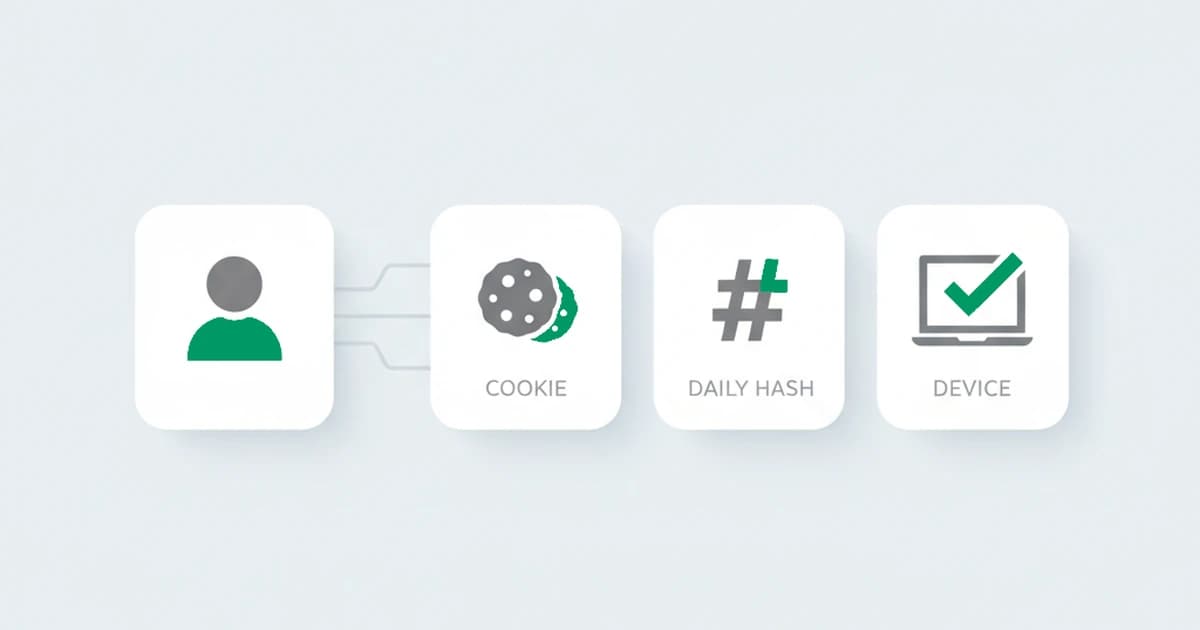
Open three analytics tools for the same website and you will see three different visitor counts, none of which agree. That is not a bug in any of them. Each tool has to decide who counts as a single visitor, and to do that it needs an identifier, something to recognize the same person on a later visit. The identifier each tool picks, a cookie, a temporary hash, or the device itself, is what decides the number. I ran the same week of traffic through three tools once and each reported a different number of visitors, and the gap traced entirely back to how each one defined "the same person." This guide explains how Google Analytics, Vercel, and ShieldLabs each count visitors and new visitors, why the totals diverge, and which is closest to the truth when you need to know who actually came back.
Key takeaways
- A visitor count is only as good as the identifier behind it. Every tool needs a way to recognize the same person twice, and they all choose differently.
- Google Analytics leans on a first-party cookie (plus an optional logged-in ID), so its count is accurate until the cookie is cleared, expires, or is blocked.
- Vercel Web Analytics is cookieless by design: it identifies a visitor with a hash of the request that is discarded after 24 hours, so it cannot recognize a returning visitor across days at all.
- ShieldLabs identifies the device behind the visit with a derived identifier that survives cleared cookies and changed networks, so the returning count holds up where a cookie does not.
- The "right" number depends on the question. For campaign and audience reporting, keep your analytics tool; for knowing who is genuinely returning and whether the traffic is real, a device-based count is closer to the truth.
What counts as a visitor, and a new visitor?
A unique visitor is one distinct person who comes to your site in a given time window, counted once no matter how many pages they view or how many times they return in that window. A new visitor is someone on their first-ever visit; a returning visitor has been before. These sound like facts about people, but in practice they are facts about an identifier.
To decide whether a visit is "new" or "returning," a tool has to answer one question: have I seen this person before? It can only answer by matching the current visit against some token it stored or computed last time. If the token matches, the visit is returning; if there is no token to match, the visit is counted as new. So the entire new-versus-returning split, and the unique-visitor total it feeds, comes down to what that token is and how long it survives. The three tools below make three different choices, and that is the whole reason their numbers diverge.
For interpretation after counting, the new-versus-returning visitors guide explains what the ratio means and how cookie resets affect it.
How Google Analytics counts visitors
Google Analytics 4 identifies users through a layered set of identity spaces, used in order of what is available. If a person is signed in and you send a User-ID, that is the strongest signal. If they are a signed-in Google user who allowed ads personalization, Google signals can recognize them across devices. Failing both, GA4 falls back to a device identifier: a client ID stored in a first-party cookie (the _ga cookie) set in the browser. When none of those is available, for example when consent is denied, GA4 fills the gap with behavioral modeling, an estimate rather than a direct count. Whichever identity is used, GA4 is event-based: a visitor is marked new when a first-visit event fires against an identifier it has not seen before, and returning when that same identifier comes back.
For most sites without logins, the cookie does the work, and that is where the count gets fragile. A first-party analytics cookie does not survive much:
- Cleared cookies and incognito. Clear the cookie or open a private window and the next visit has no client ID to match, so a returning visitor is counted as new.
- Cookie lifetime and Safari's cap. The analytics cookie has a long default lifetime, about two years, but that is a ceiling rather than a promise. Safari's Intelligent Tracking Prevention caps the cookies a site sets through JavaScript at about seven days, so a Safari visitor who returns after a week looks brand new even though the cookie was meant to last far longer.
- Ad blockers and privacy tools. Many block the analytics script outright, so those visits are never counted at all.
- Consent mode. Without consent there is no cookie, and the numbers shift from counted to modeled.
- Multiple devices. Without a User-ID, the same person on a phone and a laptop is two separate users.
The ground under cookie-based identification keeps shifting, too. After years of planning to phase out third-party cookies in Chrome, Google confirmed in April 2025 that it would keep them and leave the choice to users, winding down much of its Privacy Sandbox effort, one more turn in a cookie landscape that never quite settles into something a count can lean on.
None of this means the tool is broken; it is doing exactly what a cookie-based method can do. It just means the count drifts in a predictable direction, inflating new visitors and undercounting returning ones, which is the same effect that makes the new vs returning ratio hard to trust without context.
How Vercel Web Analytics counts visitors
Vercel Web Analytics takes the opposite approach, built privacy-first. It uses no cookies at all. As Vercel's own documentation puts it, "end users are identified by a hash created from the incoming request," and "the lifespan of a visitor session is not stored permanently, it is automatically discarded after 24 hours." The data is aggregated and anonymous, with no IP address stored and nothing kept that could reconstruct a session across sites.
That design has a direct and deliberate consequence for the count. Because the visitor identifier is a short-lived hash that is discarded each day, Vercel can tell you how many unique visitors you had within a window, but it cannot recognize the same person returning across days, because there is nothing persistent to match them against. This is a feature, not a flaw: the product is built so that it cannot follow an individual over time. The trade is that "returning visitor," in the sense of a loyal person who comes back next week, is not something a strictly cookieless daily-hash method is designed to measure. You get clean, private traffic numbers, and you give up durable returning-visitor recognition.
Why the numbers never match
Put the two side by side and the divergence is obvious: one tool remembers a visitor with a cookie that lasts until it is cleared or capped, the other remembers them with a hash that is gone in a day. A person who visits on Monday and again on Thursday is one returning visitor in Google Analytics if their cookie survived, two separate daily visitors in Vercel, and possibly a brand-new visitor in either one if they cleared cookies or switched devices in between. Same human, three different tallies, none of them wrong by their own definition.
This is why chasing an exact match between tools is a dead end. They are not measuring the same thing. The useful question is not "which number is correct" but "which identifier survives the things real people actually do," clearing cookies, going incognito, switching from phone to laptop, returning after a week on Safari. That is where a more durable identifier changes the answer.
Google Analytics, Vercel, and ShieldLabs at a glance
| Google Analytics 4 | Vercel Web Analytics | ShieldLabs | |
|---|---|---|---|
| How a visitor is identified | First-party cookie (client ID), plus optional User-ID and Google signals | A hash of the incoming request, no cookie | A derived device identifier from device and browser signals |
| Identifier lifespan | Until the cookie is cleared or expires (capped near 7 days on Safari) | Discarded after 24 hours | Durable; survives cleared cookies and a changed IP |
| Recognizes a returning visitor across days | Yes, while the cookie survives | No, by design | Yes, by the device |
| Same person on two devices | Two users, unless signed in | Two visitors | Two devices |
| What inflates "new" | Cleared cookies, incognito, Safari limits, ad blockers, no consent | Every new day | Much less; recognized without a cookie |
| Sees masked or automated traffic | Filters known bots only | Not its purpose | Flags bot, VPN, proxy, datacenter, and anti-detect use with a risk score |
| Built for | Marketing and campaign analytics | Privacy-first page analytics | Visitor identification and traffic quality |
Counting visitors with ShieldLabs
ShieldLabs identifies the device behind a visit rather than a cookie on it. It derives a stable identifier from a combination of device and browser signals, so returning-visitor recognition still works when the cookie is gone. Because the identifier is computed from the device rather than stored in the browser, it survives the things that erase a cookie: clearing cookies leaves nothing to delete, a changed IP address does not break it, and a private window reduces the accuracy rather than resetting the identity outright. The practical result is a new-versus-returning split that holds up where a cookie-based one quietly drifts.
We measured this directly. Sending the same returning device through wiped cookies, a new IP, and a fresh incognito window, the derived identifier still tied it back to a visit we had already seen, while a cookie-based count read the same person as new each time. The drift it corrects is not hypothetical: in 2019, Safari's Intelligent Tracking Prevention began capping the cookies a site sets in JavaScript at about seven days, so a genuine returning visitor on Safari looks brand new after a week, and the device match is what recovers them.
There is a second difference that matters as much as accuracy. Alongside recognizing the device, ShieldLabs scores each visit for the risk signals a marketing analytics tool is not looking for, such as VPN, proxy, datacenter, and anti-detect browser use, and returns a risk score from 0 to 100 with those signals named. So the count is not just "how many real returning visitors," it is also "how much of this traffic is masked or low-quality," the share that inflates a dashboard without ever being a real customer. You read the device identity and the risk score through the API and webhooks.
Two details keep the count accurate. ShieldLabs recognizes the device with 99.9% identification accuracy, so one person on two devices counts as two devices. And it answers a different question than your analytics suite: it covers identification and traffic quality, while a tool like Google Analytics covers campaign attribution and audience reporting. Most teams run both.
So which number should you trust?
It depends on what you are asking. For audience size, channel performance, and campaign reporting, your existing analytics tool is the right instrument, and Vercel's privacy-first count is a clean, defensible way to measure traffic. For the narrower and often more valuable question, is this the same visitor coming back, and is the traffic even real, a device-based count is closer to the truth, because its identifier survives the resets that turn one loyal visitor into three "new" ones. The tools are complements, not rivals. The mistake is assuming any single visitor number is the truth on its own, when each one is really an answer to a slightly different question.
Sources
- WebKit: Intelligent Tracking Prevention 2.1 (seven-day cap on script-writable cookies)
- Vercel: Web Analytics privacy and compliance (visitor identification, 24-hour discard)
- Google: Analytics Help, how Analytics counts users and identity
- MDN: Using HTTP cookies
- Wikipedia: Unique user
- Google: The Privacy Sandbox: next steps (2025)
Recommended
Frequently asked questions
- Why are my visitor numbers different in Google Analytics and Vercel?
- Because the two tools identify a visitor in completely different ways. Google Analytics uses a first-party cookie, so it can recognize a returning visitor for as long as that cookie survives. Vercel Web Analytics is cookieless and identifies a visitor with a hash of the request that is discarded after 24 hours, so it counts within a window but cannot link a person across days. The same traffic run through both will not match, because they are not measuring the same thing.
- Does Vercel Web Analytics track returning visitors?
- Not across days, and that is by design. Vercel identifies visitors with a hash created from the incoming request and discards it after 24 hours, with no cookie and no persistent identifier. That makes it strong on privacy and on counting traffic within a window, but it means a person who comes back next week is not recognized as the same returning visitor, because nothing was kept to match them against.
- Why does Google Analytics count returning visitors as new?
- Because it recognizes a returning visitor by a cookie in the browser, and that cookie is easy to lose. Clearing cookies, browsing incognito, switching from phone to laptop, or simply returning after a week on Safari (where tracking prevention caps script-set cookies near seven days) all leave no cookie to match, so a loyal visitor is counted as new. The effect is consistent: the count inflates new visitors and undercounts returning ones.
- Is ShieldLabs a replacement for Google Analytics?
- They answer different questions, so most teams run both. Google Analytics owns campaign attribution and audience reporting. ShieldLabs adds an accurate read of who is genuinely returning, by recognizing the device rather than a cookie, and flags the masked or low-quality share of traffic that analytics is not built to see. Use your analytics suite for marketing measurement and ShieldLabs for visitor identification and traffic quality.
- How does ShieldLabs count visitors more accurately?
- It identifies the device behind each visit with a derived identifier built from device and browser signals, rather than a cookie stored in the browser. Because that identifier is computed from the device, it survives cleared cookies and a changed IP and only degrades, rather than resets, in a private window. The returning count holds up where a cookie-based one drifts. It recognizes the device with 99.9% identification accuracy rather than a guarantee, since no such method reaches certainty.
Related articles
Persistent carts and preferences: keeping state for logged-out returning visitors
How to keep a returning visitor's cart and preferences across sessions without a login, by recognizing the device with a durable identifier.

Personalization for anonymous visitors: recognizing returning visitors without a login
How to personalize for returning visitors who are not logged in, by recognizing their device with a durable identifier that holds without cookies.
Returning visitor conversion: recognizing the returning shopper to capture the lift
Returning visitors convert far better than first-timers, but logged-out shoppers look new. Recognizing the returning device captures the conversion lift.