

7 CAPTCHA alternatives for 2026: stop abuse without blocking real users

Last updated on September 23, 2026 · 13 min read
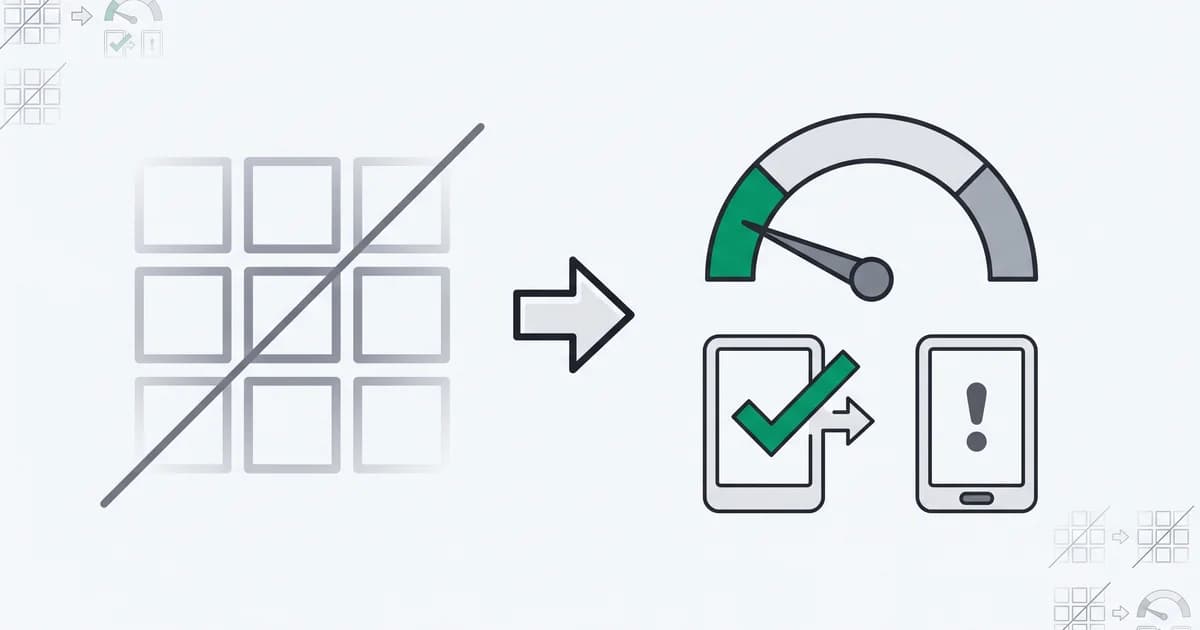
CAPTCHA has quietly stopped working at its one job. In 2023, an empirical study of modern CAPTCHAs found that bots solve them faster and more accurately than humans, published at USENIX Security 2023, while a real user spends around ten seconds squinting at an image puzzle. And the machines are no longer a fringe of the traffic: automated traffic made up 51 percent of all internet traffic, per the Thales 2025 Bad Bot Report, much of it using human-like interaction a puzzle can no longer filter. The result is the worst of both worlds: automation gets through and paying customers get taxed at the door.
That is why teams are moving to CAPTCHA alternatives that verify a visitor in the background instead of interrupting them. This guide covers why CAPTCHA is failing, what makes a good replacement, and the 7 best CAPTCHA alternatives for 2026, from silent device intelligence to invisible challenges and free techniques.
Key takeaways
- CAPTCHA now fails both ways: modern bots solve puzzles quickly, while real users abandon forms and checkouts because of the friction.
- The alternatives split into silent risk scoring (device intelligence, behavioral analysis, risk-based authentication) and invisible or low-friction challenges (Turnstile, hCaptcha, honeypots).
- A good replacement verifies most real users invisibly and reserves any challenge for the small share of sessions that actually look risky.
- Match the alternative to the job: automated bot floods want an invisible bot challenge, while human abuse at signup or login wants a silent risk score you can act on.
Why CAPTCHA is failing
CAPTCHA was built on a bet that some tasks are easy for humans and hard for machines. That bet no longer holds. Solving services and modern models clear image and text puzzles cheaply and at scale, so a determined attacker treats CAPTCHA as a minor cost rather than a wall. The one group it reliably slows down is real users, especially on mobile and for anyone using a screen reader.
The business cost lands on conversion. Every puzzle added to a signup, login, or checkout is friction that some share of genuine users will not push through, so CAPTCHA quietly trades away real revenue to inconvenience attackers who solve it anyway. The goal of an alternative is to flip that trade: keep the path clear for real users and put the effort only where risk actually is.
What makes a good CAPTCHA alternative
Not every replacement is an upgrade. A good CAPTCHA alternative should:
- Stay invisible for real users. The default experience for a legitimate visitor should be nothing at all, no puzzle, no delay.
- Actually resist abuse. It has to read signals an attacker cannot cheaply fake, not just move the same puzzle out of sight.
- Return a result you can act on. An explainable signal or score beats a fixed allow-or-block verdict, so you choose when a session is worth extra friction.
- Respect privacy. It should collect what it needs to judge risk without turning into cross-site tracking, and fit regimes like the GDPR.
- Integrate cleanly. A snippet or an API call should be enough; a heavy rollout defeats the point of a lighter check.
The 7 best CAPTCHA alternatives
ShieldLabs publishes this list and includes its own product. Every alternative, ShieldLabs included, is ordered by the criteria above: staying invisible for real users, resisting abuse, returning a result you can act on, respecting privacy, and integrating cleanly. Products come before free techniques, and silent risk scoring comes before challenges that can still fall back to friction.
1. ShieldLabs
ShieldLabs replaces the CAPTCHA you throw at humans with a silent risk read, with enterprise-level functionality without enterprise pricing. You add one JavaScript snippet, and each visit returns a risk score from 0 to 100 with the named signals behind it: bot and automation detection, risk signals like VPN, proxy, Tor, and anti-detect browser use read with 99.9% risk signal detection accuracy, plus persistent identification with 99.9% identification accuracy that links one device opening many accounts. Four ready-made High-Risk Events, multi-accounting, account sharing, impossible travel and account takeover, sit on top. Rather than make every real user solve a puzzle at signup, login, or checkout, ShieldLabs flags the risky sessions so only those get extra friction, and genuine visitors pass untouched. Pricing is a free tier of 5,000 identifications, then plans from 79 USD a month, with no credit card for the free tier.
ShieldLabs covers web traffic through one JavaScript snippet, with an API and webhooks on every plan, and it returns a score and detections rather than a challenge widget, so an edge challenge can still sit in front of it for raw floods.
Best for: replacing CAPTCHA on signup, login, and checkout where the problem is bots plus human abuse like fake accounts and multi-accounting, with friction reserved for the risky sessions.
2. Cloudflare Turnstile
Turnstile is Cloudflare's free, non-interactive CAPTCHA replacement. Instead of a puzzle, it runs a series of lightweight browser and behavior checks in the background, reading silent telemetry from the visitor's browser to decide whether a challenge is warranted. For the vast majority of legitimate visitors it resolves with no interaction at all. It is a common drop-in swap for a visible reCAPTCHA box, since it exposes a similar widget and server-side verification call, and being free and backed by Cloudflare's network makes it an easy first move for a team that just wants to retire a reCAPTCHA widget.
The tradeoff: Turnstile is most effective against commodity, high-volume bot traffic that reuses known patterns. A determined attacker running custom or targeted automation, tuned to imitate a real browser, is a harder case for any invisible browser challenge, and Turnstile judges the request in front of it, not the longer-term behavior of the account behind it.
Best for: teams that want a free, invisible bot challenge to replace a reCAPTCHA widget with minimal work.
3. Fingerprint
Fingerprint is a device intelligence API built on the open-source FingerprintJS library. It combines browser and device signals into a persistent visitor identifier that survives cookie clears and IP rotation, then layers on Smart Signals, a catalog of named detections like VPN, proxy, incognito, virtual machine, and bot activity, rolled into a single Suspect Score. It is self-serve and developer-first, with client and server SDKs plus native iOS and Android coverage, a free tier of 1,000 API calls a month, and paid usage-based pricing that starts at 99 USD a month. It also carries SOC 2 Type II and ISO 27001, which opens regulated buyers.
The tradeoff shows up in interpretation. Fingerprint returns raw signals and a score, but not ready-made detection of multi-accounting, account sharing or account takeover, so some customers report having to build their own composite model on top to map signals to their specific fraud. Cost also ramps with volume, the most common theme in reviews.
Best for: developer teams that want a persistent device identifier, including on mobile, and are willing to build their own decision logic on top.
4. hCaptcha
hCaptcha is a privacy-focused CAPTCHA and reCAPTCHA alternative. Its main selling point for teams leaving Google reCAPTCHA is compatibility: it exposes a reCAPTCHA-style API, so migrating is closer to a script swap than a rebuild, and it runs risk analysis in the background to wave most visitors through without interaction. It positions itself as a more privacy-conscious option than reCAPTCHA and offers invisible and enterprise modes.
The tradeoff is honest to name: hCaptcha is still a challenge, not a silent score. When it judges a session as risky, it falls back to a visual puzzle, so some share of your users, including the false positives, will still hit the exact friction you were trying to remove. It filters the request in front of you rather than identifying the account behind it.
Best for: teams that want a near drop-in reCAPTCHA replacement with a privacy-focused posture and a mostly invisible mode.
5. Friendly Captcha
Friendly Captcha replaces the puzzle with a proof-of-work challenge that the visitor's browser solves silently in the background. There is nothing to click and nothing to read: the browser spends a small amount of computation to earn a token, which raises the cost of submitting a form at scale. It is built privacy-first and is used by European teams for its GDPR-friendly, no-personal-data design, which makes it an easy compliance story.
The tradeoff is that proof-of-work is a cost deterrent, not a risk judgment. It makes mass automated submissions more expensive but does not read who the visitor is or how they behave, so a determined attacker with enough compute can still push through, while legitimate users on low-powered devices pay a small delay. It raises the price of abuse rather than scoring it.
Best for: privacy-sensitive and EU teams that want a no-interaction, GDPR-friendly challenge with no user puzzle.
6. Honeypot fields
A honeypot is a technique, not a product, and it costs nothing to add. You place a hidden form field that a real user never sees and never fills, tucked away with CSS or positioning, while naive automation that fills every field in the form walks straight into it. Submissions that touch the field get rejected. Because there is no widget and no interaction, real users experience zero friction, which is its main appeal alongside the price.
The tradeoff is that a honeypot only catches unsophisticated bots. Any serious automation inspects the form, notices the field is hidden, and simply leaves it blank, so the technique is trivial for a targeted attacker to defeat. It is a filter for the low-effort spam floor, not a defense against a motivated adversary, which is why it works best as one layer rather than the whole answer.
Best for: a free first layer against basic form spam, best combined with a stronger signal rather than used alone.
7. Behavioral analysis
Behavioral analysis scores how a visitor actually moves through a page: mouse paths, typing rhythm, touch and scroll patterns, and the timing between actions. Human behavior tends to be irregular in ways scripted automation is not, so the technique separates likely humans from likely bots silently, with no challenge shown. It is sold both as a standalone capability and, more often, bundled inside larger fraud and bot-mitigation platforms as one input among many.
The tradeoff is that behavioral analysis needs behavior to judge. It has little to work with at the very first interaction, before the visitor has done anything, and the most sophisticated automation now replays human-like movement specifically to defeat it, so it is rarely reliable enough to stand alone. It also depends on collecting interaction data, which carries its own privacy considerations. Most teams use it as one weighted layer inside a broader risk decision rather than as a single verdict.
Best for: teams that want a silent, interaction-based signal to add to a larger risk decision, not a standalone gate.
How to choose
There is no single best CAPTCHA alternative, only the one that matches what you are actually defending. Start from the threat, not the tool.
If you are fighting high-volume automated traffic, an invisible bot challenge like Turnstile, or a behavioral layer, filters the bulk of it fast and cheap. If you are fighting human abuse at signup and login, fake accounts, multi-accounting, promo abuse, the problem is a real person on a suspicious device rather than a script, and a silent risk score from device intelligence fits better. And if you just need to knock out basic form spam, a honeypot costs nothing.
In practice many setups layer these rather than pick one. A common pattern is a honeypot to catch naive spam, an invisible challenge to filter general bot traffic at the edge, and a silent risk score in the application for the high-stakes moments, signup, login, and checkout, where you want to reserve friction for the sessions that earn it. Match each layer to the job it does best, and keep the path clear for the real users who make up most of your traffic.
Sources
- arXiv: An Empirical Study & Evaluation of Modern CAPTCHAs (2023)
- Thales: 2025 Bad Bot Report: Bad Bots in the Agentic Age (2025)
- Wikipedia: CAPTCHA
- Wikipedia: reCAPTCHA
Recommended
Frequently asked questions
- What can I use instead of CAPTCHA?
- The main alternatives are silent risk scoring from device intelligence or behavioral analysis, invisible challenges like Cloudflare Turnstile, privacy-first checks like Friendly Captcha, and free techniques like honeypot fields. The right one depends on whether you are stopping automated bots or human abuse, and most teams combine an invisible challenge with a risk signal so real users never see a puzzle.
- Is there an invisible CAPTCHA?
- Yes. Several alternatives run entirely in the background: Cloudflare Turnstile resolves without interaction for most visitors, device intelligence and behavioral analysis score a session silently, and proof-of-work checks run in the browser without a puzzle. The point of all of them is that a legitimate user sees nothing while the system still judges risk.
- Do CAPTCHA alternatives actually stop bots?
- Bot-focused alternatives like Turnstile and behavioral analysis are built to catch automation, and they generally outperform a visible CAPTCHA that modern bots already solve. Device-and-risk-based alternatives read automation signals too, and extend to human abuse such as fake accounts and multi-accounting, which a challenge alone does not see. Matching the tool to the threat matters more than any single tool being strongest.
- Why are teams replacing reCAPTCHA?
- Two reasons: effectiveness and friction. Modern bots solve reCAPTCHA-style puzzles cheaply, so the security benefit has shrunk, while the puzzles still cost real users time and lost conversions, and some teams also move off it over privacy and data-handling concerns. Alternatives promise to verify most visitors invisibly and challenge only the risky few.
- Does ShieldLabs replace CAPTCHA?
- For the abuse and fraud use case, yes. ShieldLabs scores each visit silently and surfaces the device, bot, and risk signals behind it, with four ready-made High-Risk Events (multi-accounting, account sharing, impossible travel and account takeover), so instead of showing a puzzle at signup or login you challenge only the risky sessions ShieldLabs flags and wave real users through. You can still put an edge challenge in front of it if you want high-volume floods filtered before they reach your application. Pricing is a free tier of 5,000 identifications, then plans from 79 USD a month.
Related articles
How to Detect AI Agents on a Website
Detect AI agents on a website by separating operator identity, automation evidence and authorization. Protect accounts while permitting useful public crawling.

Fraud Detection API for Web Apps: From Browser Signal to Backend Decision
Integrate a fraud detection API into web signup and login with browser collection, verified server results, signed webhooks and clear timeout handling.

Fraud Analytics: Reading Device and Risk Patterns in Web Traffic
Use fraud analytics to investigate risk signals, account events and traffic sources. Read dashboard units correctly and join evidence to real outcomes.