

How to Detect AI Agents on a Website

Last updated on October 9, 2026 · 8 min read
Last updated: October 9, 2026
Detecting AI agents on a website requires more than spotting an automated browser. In 2025, Cloudflare added a breakdown of AI bot traffic by training, search and user-directed activity. Those categories have different purposes and access needs. A crawler fetching a public article and an agent attempting a reward claim should not receive the same policy solely because both use automation.
Combine identity evidence, browser and network detections, authenticated account context and the action being attempted. Record whether an agent identity is verified, merely declared or unknown. Then enforce the access and product rules relevant to that request.
TL;DR: Separate crawler identity, automation detection and authorization. Verify documented operator evidence where available, use browser/device signals for interactive web activity, and evaluate account actions independently. Neither a user-agent label nor human-like clicking proves that an agent is authorized.
What kinds of AI traffic can reach your website?
AI traffic includes training crawlers, search retrieval, user-triggered content fetches and browser agents that interact with web applications. The collection and verification methods differ. An HTTP client may never execute your browser JavaScript, while an interactive browser can produce a normal page session and account actions.
| Traffic type | Typical action | Primary policy question |
|---|---|---|
| Training crawler | Fetch public pages for a dataset | Is this crawling permitted? |
| Search or retrieval bot | Fetch material for an answer | Which public content may it access? |
| User-directed fetch | Retrieve a page for a user | Does the requested resource require authentication? |
| Interactive browser agent | Use forms or perform actions | Is the account authorized for this operation? |
Use these as a practical classification, not universal labels every product returns. Some requests have insufficient evidence to identify their purpose. Keep unknown traffic in your reporting rather than assigning every automated session to an AI provider.
Can you identify an AI agent from its user-agent string?
A user-agent string is a declaration by the client. It can help route a verification check, but it is not identity proof. Compare a claimed operator against that operator's current documentation and whatever verifiable evidence it publishes.
OpenAI's crawler documentation distinguishes GPTBot, OAI-SearchBot and ChatGPT-User. It describes different purposes and crawler controls, so a broad rule for the word “ChatGPT” would lose that distinction. Use the current operator reference instead of maintaining an unverified list of names copied from a blog.
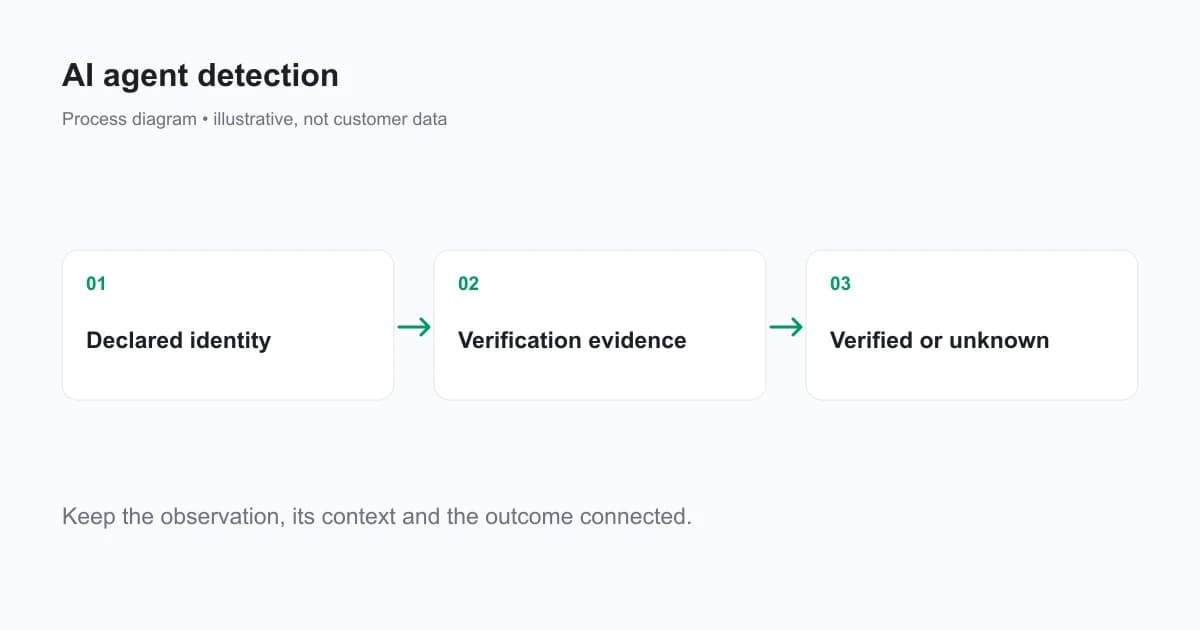
Where an operator publishes network ranges, check the documented evidence using its current validation method. Do not accept a matching name from an unrelated address as verified operator traffic. A changing hosting network also makes a static list an operational asset that needs maintenance.
What does browser automation detection tell you?
Browser automation detection tells you that a session carries observable evidence of automation. It does not, by itself, identify the model, service provider or human authorizing the task. A scripted browser can be ordinary testing, an approved integration or an abuse operation.
Read automation evidence with device context, the account's history and the action sequence. Repeated signups, repeated introductory-credit claims and suspicious recovery activity raise different product questions from public-page retrieval. Account eligibility and authorization remain relevant even when a session looks familiar.
Avoid a rule that treats the absence of automation evidence as proof of a human. Collection can be incomplete, browser protections can limit observations, and agents can operate ordinary browsers. Keep “not detected” distinct from a verified identity.
How does request signing change agent verification?
Request signing can establish possession of an operator's signing key and protect selected message components when verification is implemented correctly. It does not automatically authorize the resource or action being requested. The HTTP Message Signatures standard defines a framework for signatures over HTTP message components.
A signature verification flow needs the expected signer, trusted key discovery, covered components and freshness/replay controls. A valid signature for one request should not become permission to read a private account or perform a payout.
Also distinguish operator request signatures from your detection vendor's webhooks. A ShieldLabs webhook signature authenticates a scored-result delivery to your backend. It is not an assertion that the original visitor presented a particular AI operator's signing key.
How should you permit useful crawling while protecting accounts?
Write separate policies for public content and authenticated operations. Use crawling controls for public indexing and training access, and use normal authentication, authorization, rate limits and eligibility checks for application actions. An allowed public crawler does not need access to a customer's settings page.
The Robots Exclusion Protocol states: “These rules are not a form of access authorization.” It communicates crawler preferences. Protect private content and costly operations at the server even if your robots file already excludes them.
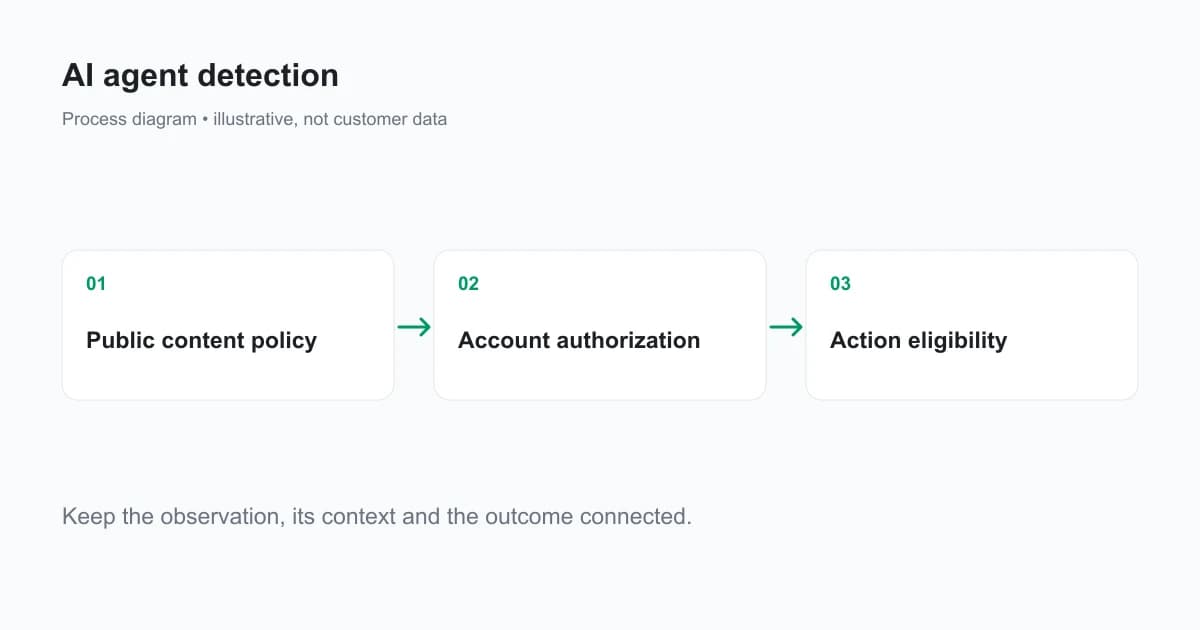
For a product that permits personal automation, make the entitlement explicit. An approved agent can still exceed an account's credit or rate limit. Verify the same qualifying action before a reward regardless of whether a person or an agent submitted the form.
How does ShieldLabs support web AI and automation detection?
ShieldLabs identifies bots, automated traffic and AI agents as part of its web traffic and fraud detection capabilities. It combines identification with named risk evidence and account-level High-Risk Events so an investigation can follow the activity behind an automated visit.
For implementation, use the documented risk signal outputs and webhook contract. Public detection flags include browser_automation and search_bot. Do not invent an ai_agent flag or a provider taxonomy that your integration's contract does not publish.
The dashboard can help review automated traffic alongside linked accounts and traffic sources. The four High-Risk Events are Multi-accounting, Account sharing, Impossible travel and Account takeover, with Medium or High confidence separate from a risk score band. Provider attribution, authorization and product qualification are separate questions from those detected events.
Read the documented bot and automation signals with your existing signup and login protections. Browser collection supplies web activity evidence; request-level infrastructure protection and access control handle other parts of the flow.
How do you test an AI-agent detection workflow?
Build a test set containing approved crawlers, your own automated tests, normal user sessions and user-directed browser tasks. Verify which evidence is actually available for each and whether the resulting policy matches the intended access. Record incomplete collection and unknown identities.
Measure false positives on legitimate automation and legitimate users. A “bots blocked” total says little about whether useful search traffic or customer workflows were disrupted. Also test direct requests to protected endpoints so that missing browser evidence cannot skip authorization or eligibility checks.
Keep observation and conclusion separate in the test record. “Browser Automation detected” is an observation. “This account repeatedly claimed an ineligible benefit” needs account and qualification records. “Verified operator request” needs the documented operator verification evidence.
What should you log for an agent investigation?
Retain the observation ID, declared and verified identity states, account reference, action, relevant risk signals and the resulting response. Include the operator-verification method and date when identity matters. Avoid copying credentials or unnecessary full request bodies into routine logs.
Review policy changes against the type of traffic affected. An indexing policy may affect discoverability; a signup policy may affect conversion and reward abuse. Keep those measures distinct so a reduction in public crawling is not reported as successful account-fraud prevention.
Ready to investigate automated web traffic?
ShieldLabs supplies identification, bot and AI traffic detection, named risk signals and ready-made account abuse detection. Start Free with 5,000 one-time identifications and review the evidence behind your web traffic.
Sources
- Cloudflare: AI crawler traffic by purpose
- OpenAI crawler reference
- RFC 9421: HTTP Message Signatures
- RFC 9309: Robots Exclusion Protocol
- ShieldLabs risk signals
- ShieldLabs webhook reference
Recommended
Frequently asked questions
- What does bot traffic do?
- Bot traffic performs automated actions, including crawling, fetching content, testing websites and interacting with application forms. Some activity is useful and authorized; some repeats actions that violate product rules. Evaluate the request purpose, available identity evidence and account authorization before choosing a response.
- Is bot traffic bad for your website?
- Bot traffic is not inherently harmful. Search crawlers and approved integrations can provide useful services, while unauthorized scraping or repeated account abuse can create cost and friction. Keep public crawling policies separate from authentication and benefit eligibility so an automation label does not determine permission by itself.
- How can you tell if a person is a bot?
- On a website, collect automation evidence and interpret it with verified identity, account history and the action attempted. A user-agent name or human-like interaction alone cannot establish who operates the request. Preserve unknown and incomplete states rather than turning a missing detection into proof of a human.
Related articles
Remember This Device for MFA With a Persistent Device ID
Design remember this device for MFA with a revocable trust credential, persistent device context, expiry and step-up authentication for sensitive actions.

Fraud Detection API for Web Apps: From Browser Signal to Backend Decision
Integrate a fraud detection API into web signup and login with browser collection, verified server results, signed webhooks and clear timeout handling.
Fraud Analytics: Reading Device and Risk Patterns in Web Traffic
Use fraud analytics to investigate risk signals, account events and traffic sources. Read dashboard units correctly and join evidence to real outcomes.