

Laravel Bot Detection: RateLimiter Recipes, Redis Scaling, and API Use

Last updated on October 2, 2026 · 13 min read
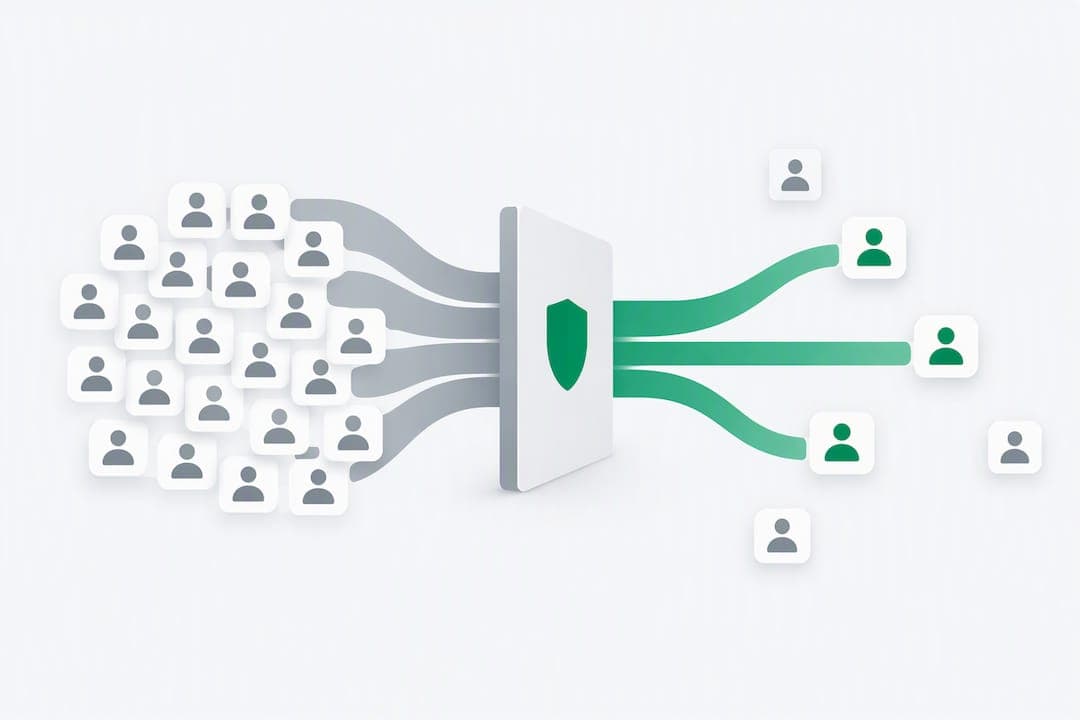
The highest-leverage move for Laravel bot detection is a layered defense: rate limiting at the edge and in the framework, a few low-friction application signals, and logging that captures what happened. Attach Laravel's RateLimiter to sensitive routes, add a honeypot field to public forms, and turn on Redis-backed throttling if traffic volume justifies it. Do this before reaching for heavier WAF rules or third-party challenge services.
TL;DR:
- Combining rate limiting, honeypots, and fingerprinting at multiple architecture layers effectively reduces Laravel bot traffic without relying solely on heavy WAF rules.
- Using Redis-backed throttling across servers ensures consistent request counting in load-balanced environments, especially for high traffic routes like login and checkout.
- Passive network signals such as TLS fingerprints and IP intelligence should run before client-side fingerprinting to avoid adding user friction.
- Logging signals and incidents thoroughly helps identify persistent automation issues and guides targeted mitigation strategies.
- Integrating detection services provides detail-rich signals for complex cases and aids in persistent visitor identification, especially when built-in measures are insufficient.
Table of Contents
- What a Layered Bot-Detection Architecture Looks Like for Laravel
- Laravel Rate-Limiting Recipes: Per-Endpoint Code Examples and Redis Scaling
- Signals and Fingerprinting to Surface in Laravel Middleware
- Lightweight Mitigations: Honeypots, Tarpits, and CAPTCHA Alternatives
- Instrumentation and Logging: What to Capture and How to Analyze Bot Incidents
- When to Build In-App vs. When to Integrate a Detection Service
- Checklist: Endpoint-Hardening Quick Wins for Laravel Deployments
- Optional: Detection API Option and How It Plugs Into Laravel
- Authoritative Docs and Cheat Sheets to Implement the Steps Above
- Sources
- FAQ
What a Layered Bot-Detection Architecture Looks Like for Laravel
Bot mitigation works best when no single layer is asked to catch everything. OWASP's Bot Management and Anti-Automation Cheat Sheet recommends a multi-signal approach split across edge, application, and business layers, each responsible for a different class of decision.
- Edge layer: a CDN or WAF evaluates IP reputation, TLS and HTTP fingerprints, and geographic anomalies before a request reaches Laravel.
- Application layer: Laravel's rate limiters, session and identity quotas, and honeypot fields catch what slips past the edge.
- Business layer: anomaly detection, account-velocity rules, and manual review queues handle patterns that only make sense in context, such as one device opening dozens of accounts.
Mapping endpoints to OWASP's Automated Threat (OAT) categories clarifies which control to build first. Login endpoints face credential stuffing (OAT-008) and credential cracking (OAT-007), so a composite rate limit is the first control. Signup endpoints face account creation abuse (OAT-019), where velocity limits and a honeypot go furthest. Search and catalog pages face scraping (OAT-011), best slowed with per-identity throttling. Checkout flows face scalping and card cracking (OAT-001, OAT-010), where purchase limits and queueing matter most. Public APIs face a broad mix, so API keys with per-key quotas are the baseline.
Laravel Rate-Limiting Recipes: Per-Endpoint Code Examples and Redis Scaling
Laravel's rate limiting is built around the RateLimiter facade and the ThrottleRequests middleware, both configurable per route rather than globally.
- Define a named limiter in a service provider using
RateLimiter::for()andLimit::perMinute(), scoped to the request rather than applied blindly to every route. - For login, build two independent buckets: one keyed on the submitted username and one keyed on IP address (or IP plus ASN for stronger coverage). A request must clear both before it proceeds, a pattern OWASP's Credential Stuffing Prevention Cheat Sheet recommends because IP-only throttles fail against rotating-proxy botnets.
- Use
Limit::perMinute(5)->by($username)alongside a second limiter keyed on$request->ip(), then apply both inside the sameRateLimiter::for('login', ...)closure so neither bucket alone decides the outcome. - Where enumeration matters, count only failed login attempts against the limiter using the
after()callback, so legitimate users who succeed on a slow connection are not penalized alongside credential-stuffing attempts. - Return a generic 429 response when a limit fires. Avoid messaging that reveals which bucket triggered, since that detail becomes a tuning signal for whoever is probing the endpoint, a point the OWASP cheat sheet makes directly.
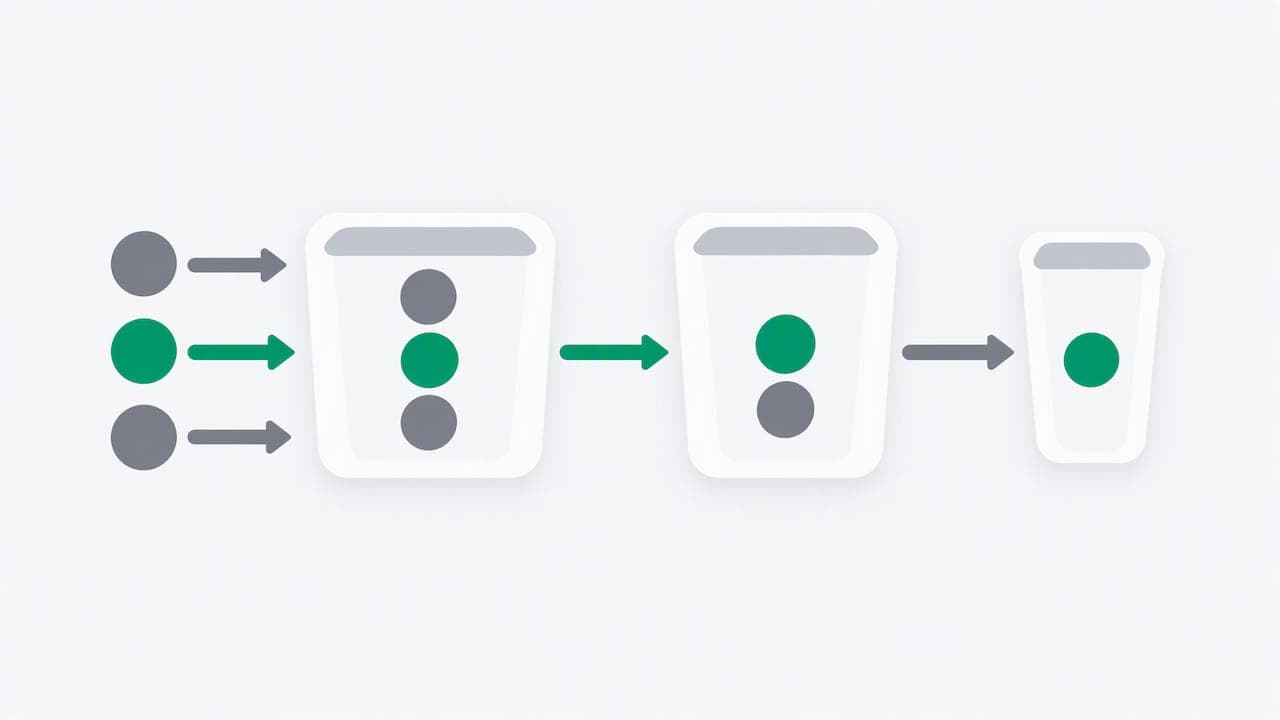
For traffic beyond what a single cache instance handles comfortably, swap the default ThrottleRequests middleware for ThrottleRequestsWithRedis, which stores counters in Redis and keeps limiter state consistent across multiple application servers. This matters once an application runs behind a load balancer with more than one PHP worker pool, since a per-server in-memory counter undercounts the real request rate.
Pro Tip: Keep the login rate limiter's window short (one minute) but its lockout escalating on repeat offenses, so a single mistyped password never locks out a real user while a scripted attempt still slows down fast.
Signals and Fingerprinting to Surface in Laravel Middleware
Rate limits alone do not distinguish a scraping tool from a real browser making a burst of requests. Network and client fingerprints fill that gap, and OWASP's guidance is explicit that passive network signals should come before anything invasive on the client.
- JA3/JA4 and HTTP/2 fingerprints identify the TLS and connection characteristics of the client library making the request, which often reveals headless tooling even when the IP address and User-Agent look ordinary. JA4 fingerprinting improves on JA3 by covering more of the handshake, which matters for clients that rotate IP addresses but reuse the same TLS stack.
- ASN and IP intelligence flags datacenter and hosting-provider ranges that rarely correspond to real customer traffic on consumer-facing routes.
- Client-side signals such as the
Sec-CH-UAclient hints header, canvas or WebGL hashes, and JavaScript environment checks catch automation frameworks that spoof a User-Agent string but leave other environment details inconsistent.
A layered approach across OAT-001 through OAT-021 is the architecture OWASP's Bot Management Cheat Sheet describes, pairing edge, application, and business controls rather than relying on one signal to carry the decision.
Passive network-level signals should run first on every request, since they cost nothing in user experience. Reserve client-side fingerprinting for sensitive flows like login, checkout, and account creation, where the added friction is justified. A brief primer on what TLS fingerprinting actually measures is useful context before wiring JA3/JA4 values into middleware. Once captured at the edge or in a CDN, pass these values into Laravel as custom request headers, read them in a dedicated middleware class, and attach them to the request as attributes so downstream controllers and jobs can reference them without re-parsing raw headers.
Lightweight Mitigations: Honeypots, Tarpits, and CAPTCHA Alternatives
Heavy-handed blocking creates false positives and frustrates real users. A graduated response, detect first and escalate only when confidence is high, keeps friction proportional to risk.
- Add a hidden form field to Blade templates, styled off-screen rather than with
display: none(which some scripts skip), and reject any submission where that field is filled in on the server side. - For requests that score as high-confidence automation but are not worth an outright block, slow the response by a few seconds before returning it rather than issuing an immediate 403. This tarpit approach wastes the caller's time without tipping off a scraper that it has been detected.
- Where a challenge is unavoidable, prefer lower-friction alternatives to traditional CAPTCHA puzzles: attestation tokens, invisible scoring, or proof-of-work challenges that run silently in the background. A rundown of CAPTCHA alternatives covers the trade-offs between these approaches.
- Route traffic through a consistent sequence: detect, then challenge, then tarpit if the challenge fails, then escalate to manual review for patterns that repeat across sessions.
Robots.txt bait paths, links disallowed in robots.txt that a compliant crawler ignores but a scraping script often follows, are a cheap complement to honeypot form fields. A free robots.txt validator or a robots.txt generator can confirm the bait path is syntactically correct before relying on it.
Pro Tip: Log every honeypot and tarpit trigger with the same request id used elsewhere in your logs, so a pattern that looks isolated on one endpoint can be traced across a full session later.
Instrumentation and Logging: What to Capture and How to Analyze Bot Incidents
Detection only pays off if the data behind it is queryable after the fact. At minimum, log the timestamp, request id, route, response status, client IP, ASN, JA4 value, User-Agent, a hashed session identifier, and the decision plus signals that produced it, a field list consistent with the operational checklists in OWASP's bot management guidance.
- Avoid storing raw personally identifiable information in these logs. Hash or truncate identifiers, and rotate stored fingerprints on a short retention schedule rather than keeping them indefinitely.
- Track dashboard metrics that catch drift early: spikes in challenge counts, failed login volume over time, and requests per second broken down by endpoint.
- Alert when any of those metrics crosses a baseline, since a slow-burning credential-stuffing attempt often looks unremarkable minute to minute but abnormal over an hour.
- Push heavy telemetry export to Laravel's queued jobs rather than writing it synchronously in the request cycle, so logging overhead never adds latency to the response a user is waiting on.
Correlating IP, session, authenticated identity, endpoint, and behavioral signals in one place is what turns a pile of log lines into something a team can actually act on during an incident review.
When to Build In-App vs. When to Integrate a Detection Service
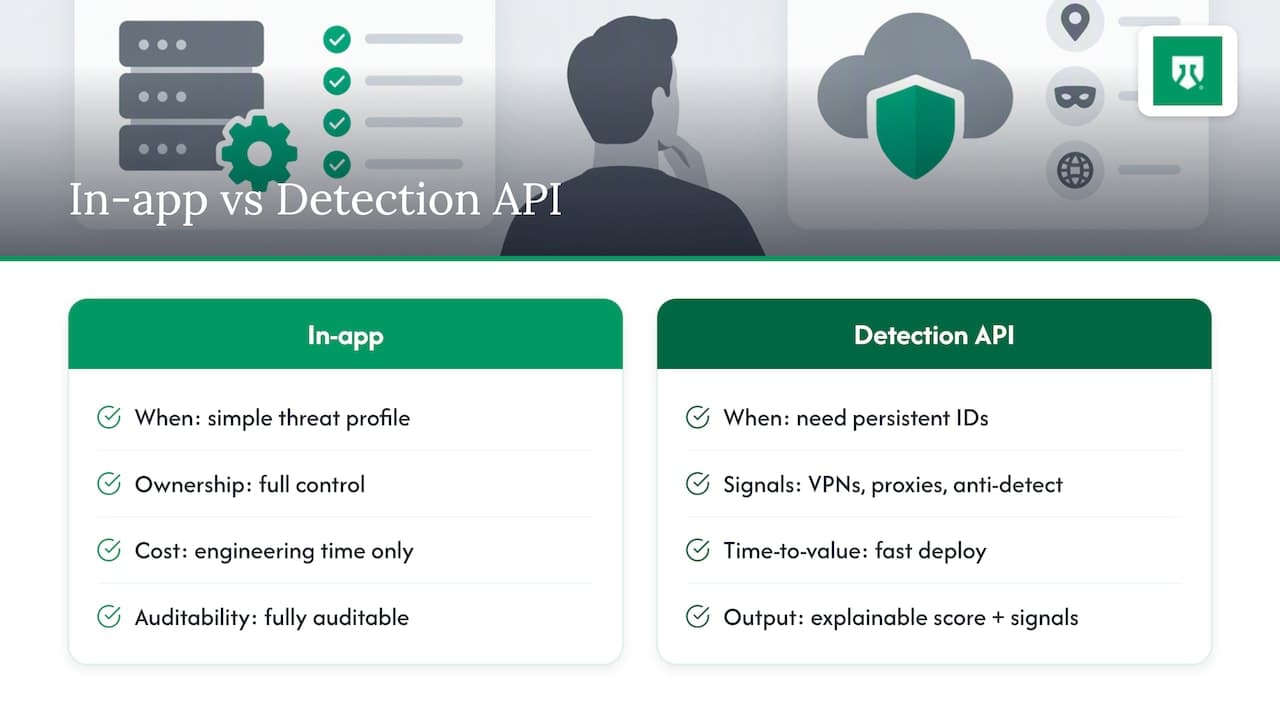
Building rate limits, honeypots, and basic fingerprint checks in-app is the right call when the threat profile is straightforward and the team wants full ownership of every decision. It keeps the logic auditable, avoids external dependencies, and costs nothing beyond engineering time.
Integrating a dedicated detection API makes more sense once the requirement expands to persistent visitor identification across sessions, broad anonymity signals (VPNs, proxies, anti-detect browser detection), or a need for fast time-to-value without building fingerprint parsing from scratch. A detection API's role is to surface an explainable score with the signals behind it. Your own Laravel code still decides what happens next, whether that means a 429, a challenge, or a queued review.
Typical Laravel integration pairs a lightweight JavaScript snippet for client-side signals with a server-side SDK or direct API call from sensitive routes like login and checkout. Before adopting one, verify how it handles data retention, what latency it adds to the request path, and whether its signals are documented well enough to debug a disputed decision.
Checklist: Endpoint-Hardening Quick Wins for Laravel Deployments
Run through these before a release touching any user-facing endpoint:
- Login: composite per-username and per-IP rate limits, breached-password checks against a known list, and multi-factor authentication for higher-risk accounts.
- Signup: email or phone verification, velocity limits on accounts created per IP or device, and a honeypot field on the form.
- Search and catalog pages: per-identity rate limiting and canary content unique to each session to detect scraping.
- Checkout: purchase limits per identity, queueing under load, and 3D Secure where the payment flow supports it.
- Public API: API keys, per-key quotas, and signed requests to prevent replay.
Optional: Detection API Option and How It Plugs Into Laravel
Teams that outgrow in-app checks alone often want a persistent visitor identifier that survives cleared cookies, incognito windows, and IP changes, which is harder to build reliably from scratch than a rate limiter. ShieldLabs is one option built around that problem: it identifies visitors and anonymity signals, including VPN, proxy, Tor, Apple Private Relay, datacenter ranges, and anti-detect browser detection, and returns a risk score along with the signals that produced it for every visit, detailed on the anonymous visitor detection product page.
- Frontend integration is a single JavaScript snippet; Laravel applications call a server-side SDK or the API directly from sensitive routes like login, signup, or checkout.
- Every score arrives with its underlying signals, so the decision to challenge, throttle, or flag a request for review stays in your application code rather than in a black box.
- A free tier covers a number of identifications with no card required, enough to pilot the signals against a real endpoint before deciding whether to extend coverage.
Plans and current pricing are listed on the ShieldLabs pricing page for teams evaluating a detection-as-a-service pilot alongside the in-app recipes above.
Authoritative Docs and Cheat Sheets to Implement the Steps Above
- Laravel's own rate limiting documentation covers
RateLimiter::for,Limit::perMinute, and Redis-backed throttling in detail. - OWASP's Bot Management and Anti-Automation Cheat Sheet and Credential Stuffing Prevention Cheat Sheet remain the reference points for control selection.
- For endpoint-specific mapping against OAT categories, the account takeover tag on the ShieldLabs blog walks through mitigations by endpoint type.
Sources
- Laravel 12.x — Rate limiting
- OWASP — Bot Management and Anti-Automation Cheat Sheet
- OWASP — Credential Stuffing Prevention Cheat Sheet
FAQ
What is the fastest way to reduce bot traffic in a Laravel app?
Attach RateLimiter::for() to your most sensitive routes, particularly login and signup, using composite buckets keyed on both username and IP address. Add a hidden honeypot field to public forms and log every triggered limit so you can confirm the change is working before adding heavier controls.
Does Laravel have built-in bot detection?
Laravel does not ship a dedicated bot-detection feature, but its rate limiting via the RateLimiter facade and ThrottleRequests middleware is the foundation most Laravel bot mitigation relies on. Detection signals like TLS fingerprints, honeypots, and behavioral velocity checks are added in application middleware on top of that base.
When should I use Redis instead of the default rate limiter?
Switch to ThrottleRequestsWithRedis once your application runs across multiple servers or workers, since a default in-memory or single-cache counter can undercount real request volume in that setup. Redis keeps the counter consistent across every instance handling traffic for the same route.
Are CAPTCHAs still the standard way to stop bots?
Traditional CAPTCHA puzzles are one option, but lower-friction alternatives like invisible scoring, attestation tokens, and proof-of-work challenges are increasingly used because they add less friction for real users. The right choice depends on how sensitive the endpoint is and how much friction the flow can tolerate.
Is collecting TLS or device fingerprints for bot detection legal?
Fingerprinting practices are subject to privacy regulations that vary by jurisdiction, and requirements differ for passive network signals versus client-side data collection. Review the rules that apply in your operating region and consult a privacy professional before deploying invasive client-side fingerprinting, particularly on flows that handle personal data.
Recommended
Related articles
Developers: Detect Incognito Mode After Chrome 76 With Server Signals
For developers: why client probes break after Chrome 76, what detectIncognito.js detects, and when server side signals prove reliable.

Calculate Fraud Detection Pricing With ShieldLabs' 5,000 Free Tier
Estimate fraud detection costs with a buyer-focused pricing workbook and worked examples. Validate your projection using ShieldLabs' 5,000 free...
Stop Sybil Attacks Without KYC: Evidence-First Prevention for Marketplaces
Build an evidence-first defense for marketplace Sybil attacks: payment-weighted reputation, graph-based detection, device and anonymity signals, plus...