

Developers: Detect Incognito Mode After Chrome 76 With Server Signals

Last updated on October 3, 2026 · 14 min read
Short answer: no, you cannot reliably detect Incognito mode across browsers. At best, developers can run probabilistic probes that often break with browser updates. Chrome closed the simplest detection vector in Chrome 76, and maintained libraries like detectIncognito.js aim for resilience rather than certainty. Sites and networks still observe activity regardless of private mode.
TL;DR:
- Browser storage quota and API behavior, which differ between private and normal sessions, are unstable indicators that break often with browser updates.
- Server-side signals like IP reputation, device fingerprints, and behavioral patterns offer more reliable detection that persists despite clearing cookies or using Incognito mode.
- Client-side detection methods are susceptible to evasion through extensions, spoofing, and network interference, making them unsuitable as sole verification tools.
- Private mode detection is ethically useful mainly for metering, fraud prevention, and risk assessment, not for targeting or restricting users based on privacy choices.
- Ongoing monitoring, testing across browsers, and combining client-side heuristics with server-side signals create a more robust and responsible detection approach.
Table of Contents
- Why incognito detection is probabilistic, not guaranteed
- Browser-specific probes and the libraries that implement them
- Reducing false positives in detection pipelines
- Server-side signals as a more durable alternative
- How detection differs across Chrome, Firefox, Safari, and Edge
- Why users and developers try to evade incognito detection
- What's reasonable to do with incognito detection, and what isn't
- Practical editorial perspective: how to design detection responsibly
- When a device and network intelligence platform makes more sense
- Sources
- FAQ
Why incognito detection is probabilistic, not guaranteed
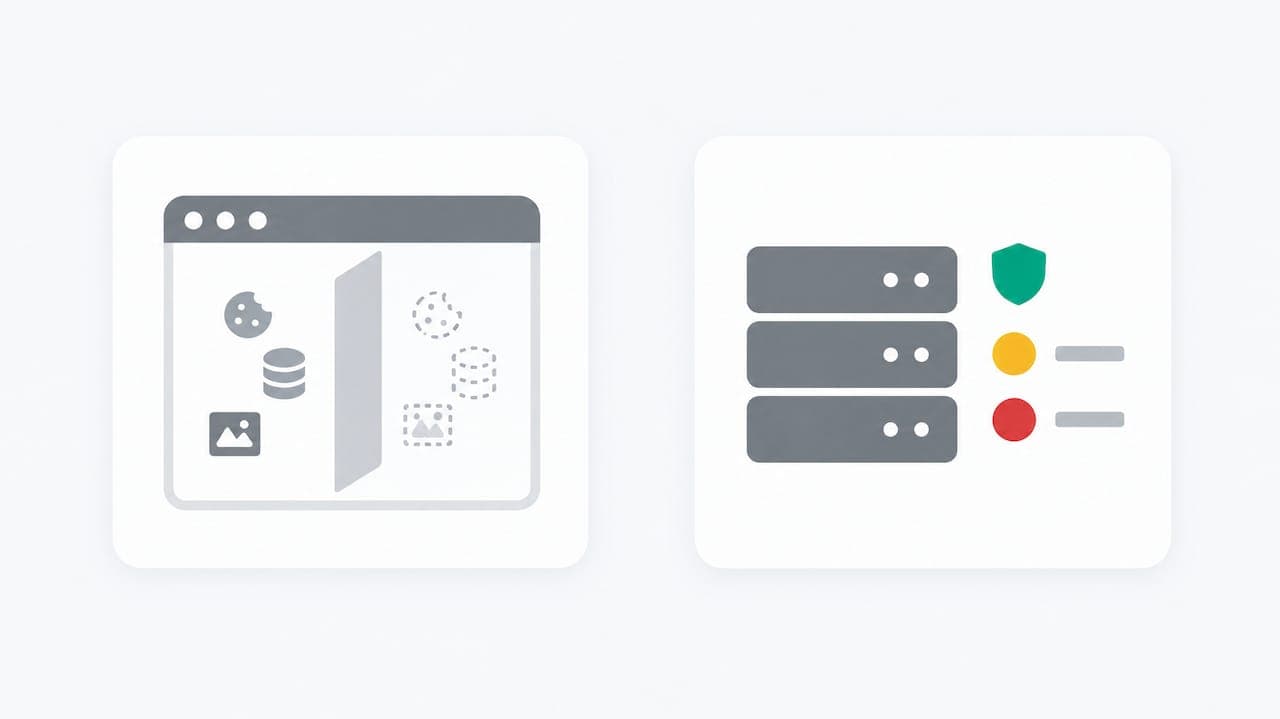
Incognito and other private modes change what persists on the device, not what the network or the site can see. When a session ends, the browser discards local history, cookies, and cached site data tied to that session. That is the entire scope of the protection.
What remains observable has nothing to do with local storage. Google's own support documentation confirms that websites, employers, and internet providers may still see activity during a private session, because Incognito affects local persistence, not network visibility. A site's server logs, a company's network monitoring, and an ISP's traffic records are unaffected by whether the tab is private.
There is no standardized web API that returns a simple boolean for "this is a private window." Detection instead relies on indirect signals: quota limits, storage behavior, or API availability that differs subtly between normal and private sessions. Those differences shift across browser versions, which is why every detection method eventually breaks or produces false positives.
A few structural points matter for anyone building against this:
- Device-local traces (history, cookies, site data) are cleared when the private session closes.
- Network-level visibility (requests, IP addresses, DNS queries) is untouched by private mode.
- Enterprise policies can disable or force Incognito availability, which changes what a probe will detect.
- No vendor publishes a supported API for private-mode detection, so every method is reverse-engineered from browser internals.
Any detection built on these foundations is inherently fragile, which is the frame for every technique in the next section.
Browser-specific probes and the libraries that implement them
The oldest and most famous approach exploited Chrome's FileSystem API, which previously failed silently when called inside Incognito. Chrome's engineers patched that gap in Chrome 76, closing the easiest and most reliable detection vector available at the time. Anything written before that release should be considered obsolete.
Modern approaches lean on indirect signals instead:
- Storage quota comparison: scripts call
navigator.storage.estimate()and compare the reported quota against typical non-private values; Chromium's private sessions have historically returned a smaller quota, and developer discussions document the empirical thresholds used to infer private mode, though these thresholds shift between versions. - webkitTemporaryStorage checks: older WebKit-based probes queried temporary storage limits, a technique largely superseded by the standardized Storage API but still referenced in community answers.
- Feature-detection libraries: detectIncognito.js wraps these probes behind a maintained, asynchronous API that returns a browser name and an
isPrivateboolean, abstracting away the version-specific internals.
The detectIncognito repository documents real operational caveats: the probe requires HTTPS to function correctly, Guest mode frequently triggers false positives, and loading the script from a third-party CDN can introduce blocking or latency issues that corrupt results. Hosting the script yourself, rather than pulling it from a public CDN, avoids one common failure mode; see practical guidance on how to optimize for both search engines when managing third-party scripts for core functions.
A workable implementation pattern looks like this: feature-detect the relevant storage APIs before calling them, run the probe asynchronously, and treat the returned value as a signal rather than a verdict. Log the detection rate over time so a sudden spike or drop after a browser update is visible before it corrupts downstream logic.
Pro Tip: Never gate a critical feature on a single client-side probe result; log it, monitor it, and pair it with a server-side signal before acting on it.
Reducing false positives in detection pipelines
Client-side private-mode probes fail for reasons that have nothing to do with actual private browsing. Guest mode, ad blockers, sandboxed iframes, and enterprise storage policies can all produce the same symptoms as Incognito.
MDN's Web Storage documentation is explicit that private browsing keeps localStorage and sessionStorage available; the browser treats localStorage like sessionStorage and clears it at session end rather than blocking the API outright. A failed storage write, in other words, has several possible causes beyond private mode, which makes storage-failure checks a weak standalone signal.
A few practices reduce misclassification:
- Test probes against multiple browser versions, not just the current stable release.
- Run probes only over HTTPS, since several techniques silently fail on insecure origins.
- Log detection outcomes as telemetry rather than as a binary gate on functionality.
- Never auto-block or auto-restrict a user based solely on a positive private-mode result.
Treating a probe result as one input among several, rather than a final answer, keeps a flawed signal from becoming a flawed decision.
Server-side signals as a more durable alternative
Client-side probes answer a narrow question: is this specific browser tab private. For fraud prevention, traffic quality, or abuse detection, that question is usually the wrong one. What actually matters is whether a visitor is anonymized, whether they match a known risk pattern, and whether their identity persists across sessions regardless of what the browser reports.
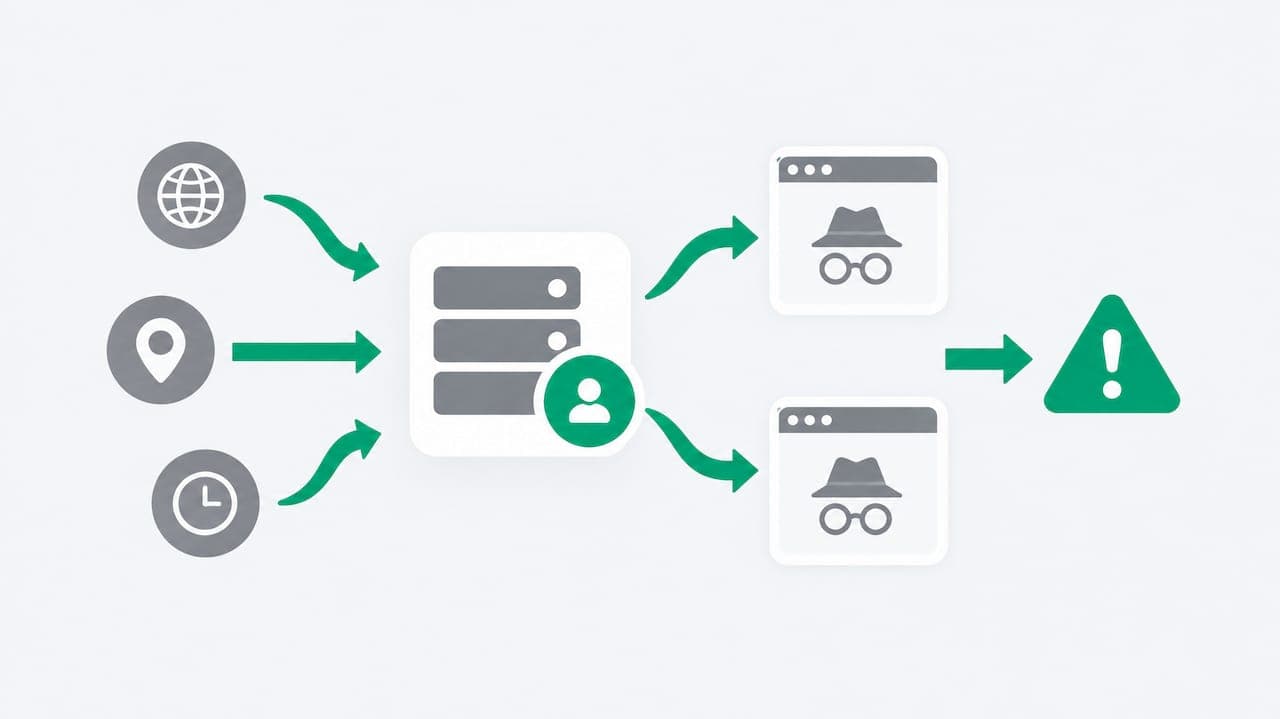
Server-side approaches correlate signals that a private window cannot hide: IP reputation, datacenter versus residential ranges, Apple Private Relay usage, and anti-detect browser detection. These signals live outside the page, so clearing cookies or opening a private window does not reset them.
Categories worth building into a detection stack:
- Anonymity signals: VPN, proxy, Tor, and Private Relay indicators drawn from network behavior rather than page scripts.
- Device fingerprints that persist across sessions even when local storage is wiped.
- Cross-account and cross-session patterns that flag shared devices or coordinated abuse.
- Risk scores that combine multiple weak signals into one auditable output.
ShieldLabs reports up to 99% accuracy identifying returning visitors despite cleared cookies, Incognito mode, and IP rotation, drawing on more than 100 signals collected per visit. That figure matters because it addresses the actual production problem: recognizing a visitor over time, not catching a single private tab.
Every ShieldLabs risk score ships with the underlying signals that produced it, so a flagged session is auditable rather than a black-box verdict, and the decision to act on it stays in the customer's own code. Setup runs through a JavaScript snippet plus server-side SDKs for Node.js, Python, Go, and PHP, which is faster to integrate than maintaining a custom probe library against every browser release. This approach fits teams dealing with fraud risk, analytics integrity, or multi-accounting, where a single client-side heuristic was never going to hold up anyway.
How detection differs across Chrome, Firefox, Safari, and Edge
Private mode detection is not one problem with one answer; it is a different problem in every browser. Chrome and Edge, both Chromium-based, share similar storage quota behavior, so techniques built around navigator.storage.estimate() tend to transfer between them, though exact thresholds can diverge by version and by Chromium release cycle.
Safari's private browsing has historically been more aggressive about blocking storage access entirely in some versions, which paradoxically made certain older probes more reliable on Safari than on Chrome, since a hard storage failure is easier to detect than a reduced quota. That behavior has shifted across Safari releases, and any Safari-specific probe needs retesting against current versions before being trusted in production.
Firefox's private browsing model differs further, with its own history of blocking or restricting certain storage APIs during private sessions, which again produces browser-specific failure signatures that do not map cleanly onto the Chromium approach.
The practical consequence is that a single detection script rarely works identically across all four browsers. A library like detectIncognito.js handles this by branching internally per browser rather than applying one universal check, which is also why it requires ongoing maintenance: a method that works on Chrome's current stable release may need a different code path on Firefox or Safari, and any of the three can change behavior in a future update without notice.
Why users and developers try to evade incognito detection
Some developers build private-mode probes specifically to apply paywalls or usage limits that a private window would otherwise bypass by resetting local counters. On the other side, some users and extension authors actively try to defeat those probes, patching or spoofing the storage APIs that detection scripts rely on.
Common evasion approaches include browser extensions that override navigator.storage.estimate() with fixed values designed to mimic a non-private session, or scripts that intercept and rewrite the responses detection libraries depend on. Anti-detect browser detection exists partly because the same underlying arms race, spoofing a browser's observable characteristics, extends well beyond simple Incognito checks into full fingerprint manipulation.
This back-and-forth is a structural reason client-side detection stays unreliable. Every new probe technique invites a corresponding patch, and because there is no standardized API to detect private mode, there is also no standardized way to prevent evasion. A detection script that works today can be defeated by a browser extension update tomorrow, independent of anything the website operator changes.
For teams that rely on private-mode detection to enforce a paywall counter or usage limit, this means the underlying mechanism needs a server-side backstop. A counter that resets whenever local storage clears, private mode or not, was never a durable control to begin with.
What's reasonable to do with incognito detection, and what isn't
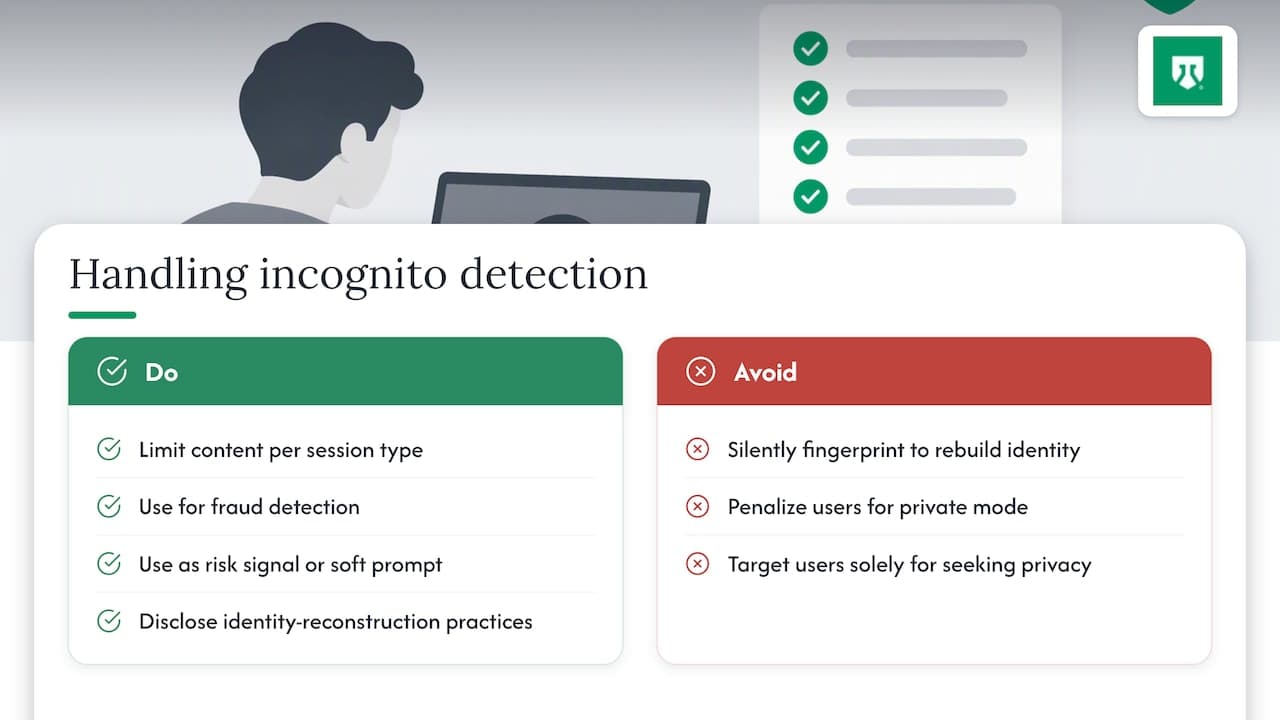
Detecting private browsing raises a narrower ethics question than it might first appear: the issue is rarely the detection itself, but what a site does with the result. Flagging a session as likely private to apply a soft content limit is a different decision than silently fingerprinting a user to defeat the privacy protection they deliberately chose.
Users who open a private window are making a specific choice about what they expect the browser to keep local. A site that works around that choice to reconstruct a persistent identity, without disclosure, puts itself at odds with the reason private browsing exists in the first place. Chrome's own messaging has evolved to acknowledge that private mode limits local traces without preventing broader data collection, which is itself a signal that browser vendors expect scrutiny of how that gap gets used.
For websites, the more defensible use cases are metered content (showing a paywall message once per session type) and fraud prevention, where the goal is distinguishing suspicious coordinated behavior from an individual user's ordinary privacy choice. The less defensible use cases involve using detection to specifically target or restrict users for the act of seeking privacy itself, rather than for any behavior that independently indicates risk or abuse.
Practically, this argues for proportionality: use detection signals to inform a risk score or a soft prompt, not to single out or penalize someone purely for opening a private window.
Practical editorial perspective: how to design detection responsibly
Treat client-side Incognito probes as soft heuristics, never as the deciding factor in a security or billing decision. Server-side correlation, persistent fingerprints, and cross-session pattern detection hold up far better than any in-page script, because they don't depend on browser internals that change every release cycle.
Monitor false-positive rates continuously rather than trusting a probe because it worked in testing. A detection library that was accurate in January can misfire after a browser update in March, and the only way to catch that is ongoing telemetry, not a one-time test. Keep a documented browser and version testing matrix, and update detection libraries on a schedule rather than reactively.
— Jeff
When a device and network intelligence platform makes more sense
In-page probes answer a narrow question about one browser tab; they say nothing about whether that visitor returned last week under a different cookie, or whether a hundred signups this morning came from the same anti-detect browser. ShieldLabs handles that broader layer: visitor identification at up to 99% accuracy, built on more than 100 signals covering VPNs, proxies, Tor, Apple Private Relay, datacenter ranges, and anti-detect browser detection.
- Every risk score ships with the signals that produced it, so flagged traffic is auditable rather than a black box.
- Detection covers persistent recognition across cleared cookies, Incognito sessions, and IP rotation, not just a single page load.
- Integration runs through a JavaScript snippet plus server-side SDKs, with a working signal typically live within minutes.
- Pricing is published rather than negotiated: a free tier covers up to 5,000 identifications, with paid plans starting at $79 per month.
For teams that have hit the ceiling of what a browser script can reliably tell them, the pricing page is the fastest way to see what a server-side signal layer would cost against current traffic volume.
Sources
- Web Storage API - MDN
- Browse in Incognito mode - Google Chrome Help
- detectIncognito repository (Joe12387)
- Google updates Chrome's Incognito mode disclaimer to admit it is tracking users
FAQ
Can incognito mode be detected?
Incognito mode cannot be detected with certainty through any standard browser API. Developers can run probabilistic probes using storage quota behavior or maintained libraries like detectIncognito.js, but these rely on indirect signals that vary by browser and version rather than a confirmed boolean.
Is there a way to tell if someone has used incognito mode?
After a private session ends, the device itself retains no record: history, cookies, and site data tied to that session are cleared. The only persistent visibility comes from server-side logs on websites visited, network records held by an ISP or employer, or cross-session signals collected by a detection platform rather than anything stored locally.
Can law enforcement see your incognito history?
Incognito mode only clears local traces on the device; it does not hide requests from the network or from visited sites, as Google's own support documentation confirms. Authorities with legal access to ISP records, network logs, or site operator data could potentially see activity through those channels, independent of what the browser itself retained.
Can someone see what I look at in incognito mode?
Nobody with access only to the device after the session ends can see Incognito activity, since local history and cookies are cleared when the private window closes. Someone with access to the network the device used, such as a shared router's logs, or to records held by the websites visited, could still see that activity through those separate channels.
Recommended
Related articles
Laravel Bot Detection: RateLimiter Recipes, Redis Scaling, and API Use
Code ready Laravel bot detection: per-endpoint RateLimiter examples, Redis throttling notes, fingerprint signals, honeypots, and guidance on when to use a...


Calculate Fraud Detection Pricing With ShieldLabs' 5,000 Free Tier
Estimate fraud detection costs with a buyer-focused pricing workbook and worked examples. Validate your projection using ShieldLabs' 5,000 free...
Stop Sybil Attacks Without KYC: Evidence-First Prevention for Marketplaces
Build an evidence-first defense for marketplace Sybil attacks: payment-weighted reputation, graph-based detection, device and anonymity signals, plus...