

Impossible travel detection: reading the device behind the location

Last updated on September 23, 2026 · 9 min read
By one nationally representative survey, about 32 percent of U.S. adults use a VPN. That single fact is why impossible travel detection is harder than it sounds. The classic rule is simple: if one account signs in from Chicago and then ten minutes later from Frankfurt, nobody flew that route in ten minutes, so something is wrong. But to a rule that only measures speed, an ordinary person who flips on a VPN with a German exit just made the same impossible trip. They did nothing wrong.
The interesting part of impossible travel detection is not measuring the distance. It is deciding whether the location was ever real, and whether the same device is behind both sessions.
Key takeaways
- Impossible travel flags one account logging in from two places too far apart to travel between in the time elapsed. It is a velocity check, and on its own it is noisy.
- The biggest source of noise is masking: a VPN, proxy, or relay moves a user's apparent location, so an ordinary person trips the rule by switching networks.
- The device and network behind each session are what separate a real impossible trip from a masking artifact, and they link the same device across the locations a rotating IP is meant to scatter.
- A velocity rule over sign-in logs can live in your identity platform. The web-layer device read is the context that makes those alerts trustworthy.
- Treat impossible travel as one risk input weighed into a score, not an automatic lockout. Score it, then choose the action for each case.
What is impossible travel detection?
Impossible travel detection compares two sign-in events for the same account and asks whether the distance between them could have been covered in the time between them. A login from one country at 10:00 and another from a country an ocean away at 10:20 implies a speed no traveler can reach, so the second login is flagged as anomalous. It started as a cloud-identity concept, where the sign-in logs already record where and when each authentication happened, and the rule runs over those records. Microsoft describes it in its identity-protection documentation as one of the risk detections that compares the locations of sequential sign-ins against the time between them.
Two things are worth noticing about that definition. First, it is a calculation over events that already happened, run against the authentication log, which is why it lives in identity platforms and security information and event management tools rather than on the page. Second, every input to it is a location derived from an IP address, and an IP-derived location is a guess that an anonymizing connection can rewrite at will. The rule is only as good as the locations it is fed, and that is exactly where it gets into trouble.
Why the rule cries wolf: the false-positive problem
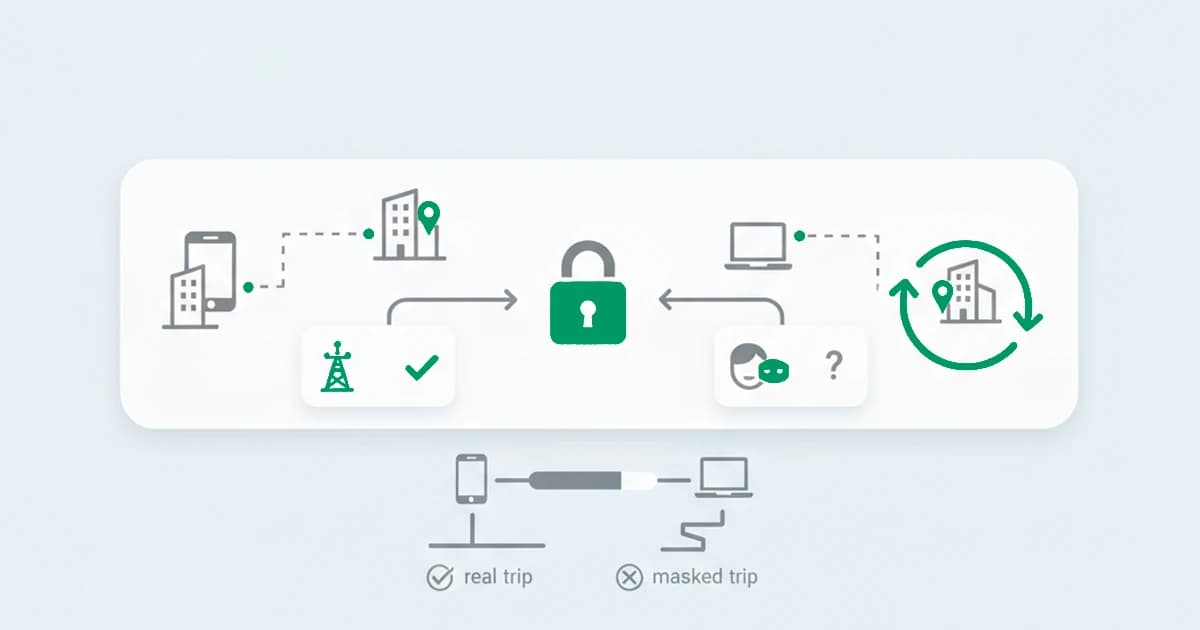
Ask anyone who runs impossible travel alerts in production and the first thing they mention is the noise. A real example from a security forum: the alert fires because there are logins from a phone and a laptop in short succession as someone arrives somewhere, two devices, two networks, one person. The rule sees two distant origins and panics.
The masking layer makes it worse, and that is where the 32 percent matters. When roughly a third of your users may route through a VPN, every VPN that exits in another country reads as a teleport.
A privacy relay that assigns an egress far from the user does the same. So does a corporate network that backhauls traffic through a head office in another region, or a phone on a carrier whose gateway sits two states away. None of these is an attack, and all of them trip a pure velocity rule. A detector that locks accounts on this signal alone spends its day punishing customers for using a VPN, which is one reason teams quietly turn the policy down until it stops catching anything.
The lesson is not that impossible travel is useless. It is that velocity by itself cannot tell a faked trip from a masked one, because both look like the same impossible jump. To tell them apart you have to read what is underneath the location.
The location is only as trustworthy as the network behind it
Before you measure how far an account moved, the honest first question is whether either location is real. A velocity rule treats the IP-derived city as ground truth. The connection behind it often says otherwise.
This is where a web-layer read adds what a log-only calculation cannot. On each visit you can see whether the connection carries risk signals, a VPN, an anonymous proxy, a Tor exit, or an anti-detect browser, and whether the IP-derived country even agrees with the browser timezone and locale. A proxy and VPN detection read tells you the Frankfurt location is a VPN exit, so the impossible trip is probably an artifact, not a breach.
The same read works the other way: an attacker who deliberately picks an exit near the real account holder produces no impossible travel at all, and only the masking signal gives them away. Pairing the trip with the network behind it is also the core of geolocation spoofing detection, where a reported place has to agree with the rest of the session before it is believed.
The device is the anchor the IP is not
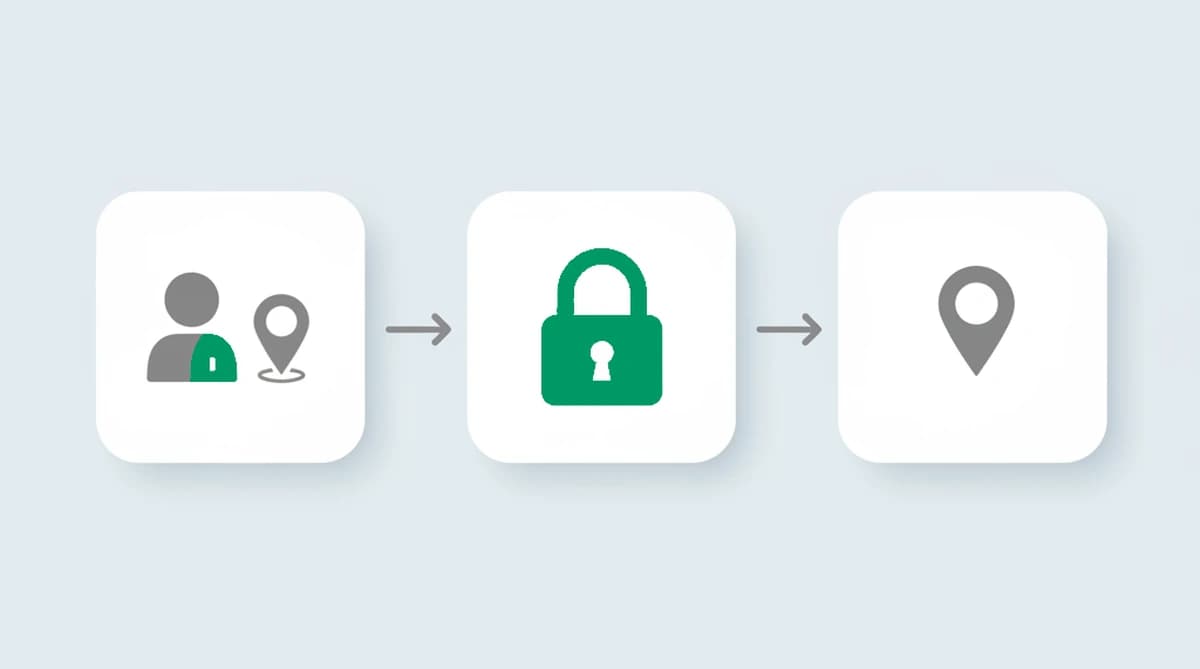
Here is the part the velocity rule misses entirely, and the part worth building on. A location is disposable. The machine is not. A VPN moves the IP, a new circuit moves the exit, a cleared cookie moves the session identifier, but the device behind all of it stays the same. So the more useful question than "how fast did this account move" is "is this the same device, and has this account used it before."
Against masked sessions, we tested this, and the device read is what stayed put. We ran the same machine through a rotating set of VPN exits, and the IP-derived city jumped continents while the device identifier behind it never moved, so the sessions still linked back to one machine. A rotating IP is built to scatter a trip across locations, and a stable device identifier pulls those scattered sessions back into one.
That reframe turns one noisy signal into two reliable reads. When an account that has signed in from the same handful of devices for months suddenly appears on a device it has never used, from a place it has never been, that is the pattern behind account takeover, often the end of a credential-stuffing run: the credentials moved to someone else's machine.
And when one device shows up under many "different" accounts from many "different" cities, that is not a frequent traveler, it is one operator behind a pile of identities, the pattern that multi-accounting prevention and account sharing detection are built to read. Device-ID reuse across locations exposes exactly the faked trip a rotating IP is designed to scatter. To be clear about scope, this is identity linkage: the device ties the sessions together, and the timing of the logins is your auth platform's job.

Where impossible travel detection fits with your stack
Identity platforms, conditional-access policies, and security information and event management tools can run a velocity rule on their own sign-in logs: login A in one city at one time, login B in another. Detection that runs on the live session goes further: it checks the trip itself and reads the device and network behind each login.
That is the context a sign-in log lacks. The log knows two locations and two timestamps; it does not know that one of those locations is a VPN exit, or that the second login arrived on a device the account has never touched. The web-layer read supplies both: whether the location is trustworthy, and whether the device behind it is familiar. With both in the same read, the alert stops firing on every VPN user and starts pointing at the sessions that actually look wrong: the trip has to be geometrically impossible, and the device-and-network read shows whether it was faked or just masked.
Confirming impossible travel with device and network signals
The trip alone is only part of the read. The strength of the detection comes from how the layers agree. The reads that do the work:
| Signal alongside the trip | What it adds | Strength |
|---|---|---|
| A new device for this account at the new location | the account moved to someone else's machine | High |
| An anonymized connection at one or both ends | the location may be masked, so the trip may be fiction | Medium-High |
| The same device under several accounts across cities | one operator, not many travelers | High |
| A known device on a normal connection, just a new city | likely a genuine trip or a routine VPN | Low |
A frequent flyer on a recognized device trips the top row never and the bottom row often, and should sail through. A takeover lands on a brand-new device behind a masked connection and lights up the rows that matter. Weighing these into a risk score, rather than locking the account on the raw distance, is what separates the two without punishing the traveler by default.
How to separate a real impossible trip from a masked one:
- Check the network at each end for a VPN, proxy, or Tor exit that could fake the location.
- Check the device at the new location against the ones this account has used before.
- Look for reuse: the same device appearing under other accounts or from other cities.
- Weigh these against the trip your identity platform flagged, into a risk score.
- Choose the action for each case: step up, hold, or allow, rather than locking on distance.
Detecting impossible travel with ShieldLabs
ShieldLabs supplies the half of impossible travel detection that a sign-in log cannot see. You add one JavaScript snippet, and on each visit it returns a risk score from 0 to 100 with the named signals behind it: whether the connection carries risk signals like a VPN, proxy, or Tor exit that make the reported location suspect, and whether the device behind the session is one this account has used before. Across sessions, ShieldLabs detects Impossible travel directly as a High-Risk Event, with Medium or High confidence, alongside Account takeover and Multi-accounting.
In short: ShieldLabs scores the device and network of each session on a 0 to 100 risk score, names the risk signals that fired, and detects the four High-Risk Events out of the box, so impossible travel is flagged on trustworthy inputs instead of raw IP guesses. You read the risk score, the named risk signals, and the High-Risk Events through the API and webhooks and choose the action for each flagged trip: a step-up challenge, a hold, or a pass, so a customer on a VPN is not locked out for taking a trip they never took. The same identity layer carries into account takeover prevention and location spoofing detection.
Sources
- Security.org: 2025 VPN Consumer Report (nationally representative survey of 1,009 U.S. adults) (2025)
- Microsoft Learn: Microsoft Entra ID Protection risk detections (atypical travel)
- OWASP: Credential Stuffing
- Wikipedia: Geolocation software
Frequently asked questions
- What is impossible travel detection?
- Impossible travel detection is a security check that compares two sign-in events for the same account and flags them when the distance between the two locations is too far to have been covered in the time between the logins. A sign-in from one country followed minutes later by a sign-in from another continent implies a speed no person can reach, so the second login is treated as a possible compromise. It is computed from the locations and timestamps in an authentication log, which is why it usually lives in an identity platform or a security information and event management tool.
- What causes impossible travel false positives?
- The most common cause is masking. A VPN, an anonymous proxy, or a privacy relay gives a user an exit location far from where they actually are, so an ordinary person trips the rule simply by switching networks. Other benign causes are a phone and a laptop signing in close together as someone travels, a corporate network that routes traffic through another region, and a mobile carrier whose gateway sits far from the user. Because all of these look like an impossible jump to a pure velocity rule, reliable detection weighs the trip against the device and the connection behind it rather than acting on distance alone.
- How is impossible travel detected in Microsoft 365?
- In Microsoft 365, impossible travel is surfaced by the identity-protection layer in Entra ID, which compares the locations of sequential sign-ins recorded in the sign-in logs against the time between them and raises a risk detection when the implied travel is not feasible. It runs on the authentication events the platform already collects. A web-layer signal is a different and complementary read: it scores the device and network of the live session, which is the context the sign-in log does not carry, so the two are used together rather than as substitutes.
- Can you detect impossible travel without reading sign-in logs?
- The velocity calculation itself needs the sign-in log, because it compares two recorded login events. What you can do without the log is read the session as it arrives: whether the connection is masked by a VPN, proxy, or Tor, and whether the device is one the account has used before. That web-layer read does not replace the velocity rule, but it answers the questions the rule cannot, namely whether the location is real and whether the same device is behind the account, which is what makes an impossible-travel alert worth acting on.
- Does ShieldLabs detect impossible travel?
- Yes. ShieldLabs detects Impossible travel directly as one of its four High-Risk Events, with Medium or High confidence, ready out of the box in the analytics dashboard, API, and webhooks. It also scores the device and network behind each session, whether the connection is masked and whether the device is familiar, so a VPN hop is not mistaken for a real trip, and your team chooses the action for each flagged login. It complements your conditional-access and SIEM tooling rather than replacing them, and the free tier covers your first 5,000 identifications.
Related articles

Stop Sybil Attacks Without KYC: Evidence-First Prevention for Marketplaces
Build an evidence-first defense for marketplace Sybil attacks: payment-weighted reputation, graph-based detection, device and anonymity signals, plus...


How to stop multi-accounting in online gambling: sportsbooks, poker, and casinos
How to stop multi-accounting in online gambling: why players open multiple betting accounts, the signals that link them to one person, and an operator playbook.


How to detect betting bots on sportsbooks, casinos, and poker sites
How to detect betting bots: the five kinds operators face, the device, network, and timing signals that expose them, and how to stop bot-driven abuse.