

Proxy detection for fraud prevention: how to identify hidden traffic sources

Last updated on July 2, 2026 · 11 min read
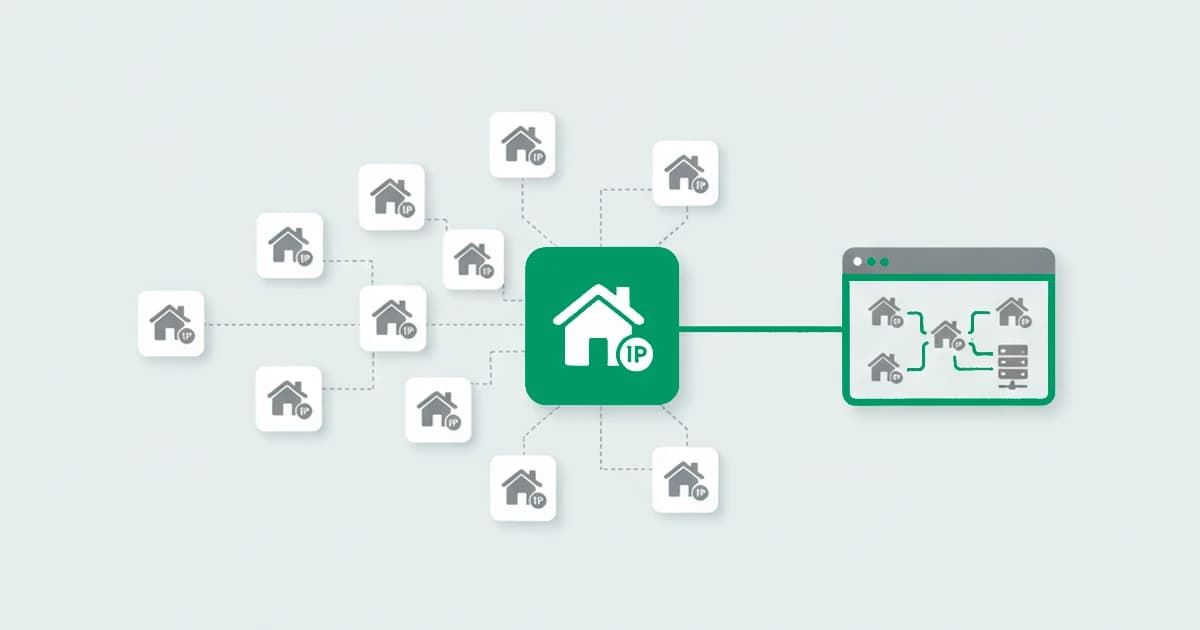
A residential proxy hands one user a fresh, clean home IP for every request, so the old rule of "one IP, one account" quietly waves all of them through. That is the challenge proxy detection faces in 2026. A proxy lets one user route dozens of sign-ups through what look like dozens of separate connections, breaking the link between an action and the person behind it, and the residential kind looks exactly like a real customer. Static blocklists were built for datacenter ranges, not for addresses that rotate every request, which is why proxy detection matters to teams trying to stop fraud and why an IP lookup alone no longer answers the question.
Key takeaways
- Proxy detection is not just an IP check. It is an assessment of how transparent a traffic source is and whether the rest of the session context agrees with it.
- Datacenter and hosting traffic is usually easy to classify. Residential proxy traffic is the hard case, because it rides on real consumer ISP addresses.
- Direct signals (WebRTC/STUN, datacenter ranges, proxy headers, reputation lists) find the obvious intermediaries. Supporting signals (geo, latency, TCP/IP fingerprint, DNS, timezone) carry the load when the direct ones come up empty.
- IP-only checks miss the real risk, because that risk usually lives in environment inconsistencies, linked accounts, and repeated behavior, not in the address itself.
What is proxy detection?
Proxy detection is the process of determining whether a visitor is hiding their real network origin behind intermediary infrastructure. That infrastructure can include proxy services, VPNs, Tor, Apple's iCloud Private Relay, residential networks, and hosting or cloud ranges when they are used as a masking layer. The output is a read on how transparent the connection is, not a verdict on the person behind it.
Connecting through an intermediary network layer does not automatically mean fraud. Reliable anonymous proxy detection depends on two questions: is masking present, and what kind. The risk depends on the scenario the connection shows up in, such as a sign-up, a login, a checkout, a bonus redemption, or a traffic-quality review.
A session can look perfectly normal at the IP level and still fall apart on inspection: the geography, timezone, operating system, browser, and account history disagree with each other. At that point the IP is no longer the issue. The issue is that the full session context looks artificially assembled.
Map ≠ territory: a proxy is infrastructure, not intent. The same masking layer carries a privacy-conscious shopper and a bonus farmer. Proxy detection tells you the connection is masked. Whether that is a problem is a question about the rest of the session.
Why does proxy detection matter for fraud prevention?
Proxy detection matters because a traffic source you cannot read reliably degrades decisions across the whole funnel, not just fraud prevention. When masking goes unseen, one user looks like many customers, and the cost spreads into product, growth, and operations. Specifically, weak proxy visibility erodes:
- Sign-up and onboarding quality. Mass registrations dilute every conversion metric downstream.
- Trust in login and account recovery. Masked logins blunt geo and velocity rules.
- Bonus and referral resilience. The same user claims a payout under many "fresh" identities.
- Acquisition traffic quality. Marketing spend chases sessions that were never real customers.
- Manual review load. Analysts burn hours triaging traffic the system could have scored.
- Analytics reliability. Anonymized traffic pollutes the numbers a team makes decisions on.
A team that cannot separate normal traffic from masked traffic from abuse-driven traffic ends up wrong in both directions: it lets abuse through while adding friction for legitimate users.
How is masked traffic used in abuse and fraud?
Masked traffic is used in abuse to break the direct link between an action and the user behind it, which weakens any defense tied only to IP, cookies, or a single account. Masking is not suspicious by itself, but it lets one source look like many separate sessions, especially when it is paired with untraceable or anti-detect browsers that reset the browser-side fingerprint at the same time. The same pattern shows up across a familiar set of abuse cases:
- Mass account creation. Hundreds of "separate" sign-ups from what is really one source.
- Bypassing limits and restrictions. Fresh network origins reset per-IP caps and rate limits.
- Suspicious login attempts. Credential-stuffing and account takeover routed to look distributed.
- Repeated bonus and promo collection. The same person claiming a welcome credit again and again.
- Traffic and acquisition manipulation. Inflating campaign metrics with sessions that never convert.
In every case the goal is identical: make the system see separate sessions instead of recognizing the same actor behind them.
The most common sources of masked traffic
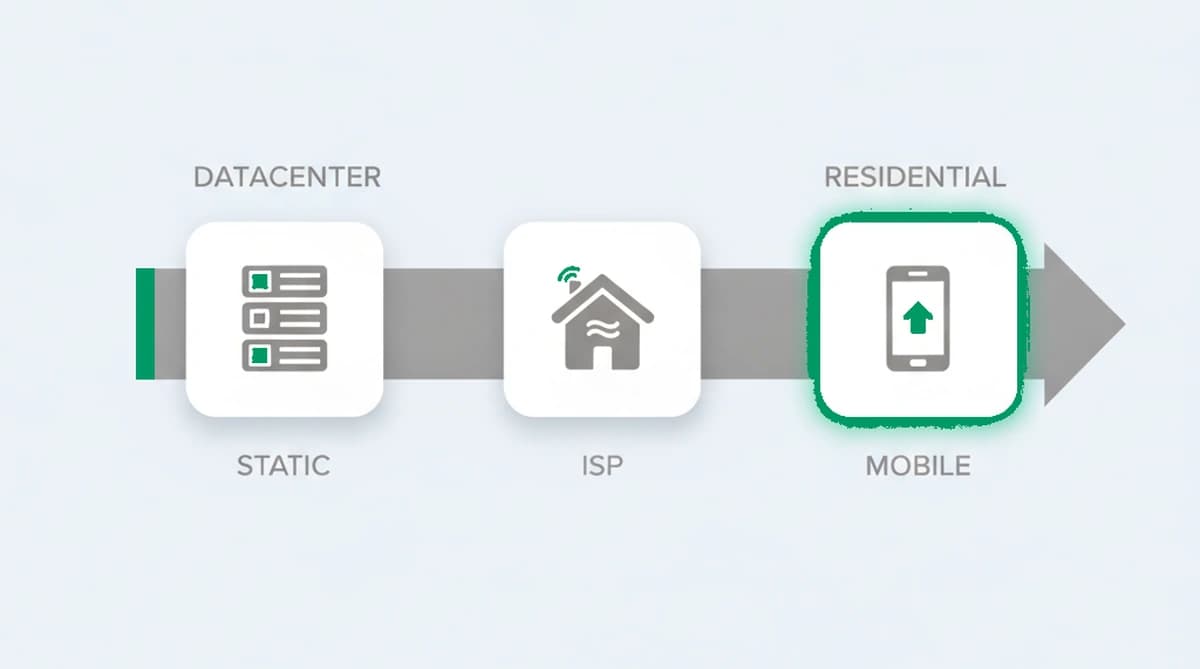
The most common sources of masked traffic are datacenter and hosting ranges, VPNs, Tor, iCloud Private Relay, mobile proxies, and residential proxies. Treating them as one category is the first mistake, because each carries different risk and needs different interpretation. The main sources, from easiest to hardest to classify:
| Source | What it is | Detection difficulty |
|---|---|---|
| Datacenter proxies / hosting | Traffic from server or cloud environments | Easy. It rarely resembles consumer traffic. |
| VPNs | Traffic routed through a remote VPN server | Moderate. Widely used and often legitimate. |
| Tor | The onion-routing anonymity network | Moderate. Exit nodes are publicly listed. |
| iCloud Private Relay | Apple's privacy relay for Safari users | Moderate. Legitimate by default, but reduces network signal. |
| Mobile proxies | Shared, rotating carrier-grade NAT (CGNAT) addresses, one public IP across many users | Hard. One IP can front many real and fake users. |
| Residential proxies | Real consumer ISP addresses sold as proxies | Hardest. Looks like an ordinary household connection. |
A few notes that change how each is read:
- Datacenter and hosting is the cleanest signal. It comes from environments a normal person never browses from, so in sensitive flows it is a strong risk indicator on its own.
- VPNs hide a real origin by routing through a remote server. A VPN is not risk by itself, but it lowers the transparency of the network context and weakens geographic signals.
- Tor is built to anonymize the route and heavily reduce source transparency. It is one of the strongest origin-hiding options, which is exactly why it draws scrutiny in high-value flows.
- iCloud Private Relay is Apple's privacy relay that masks Safari browsing, DNS, and insecure traffic, hiding a user's real IP and softening some network signals. It is not a fraud tool, but it creates the same practical problem: part of the usual context becomes less reliable.
- Mobile and residential are the hard cases, covered in detail below.
How does modern proxy detection work?
Modern proxy detection works by correlating several layers of data, not by reading a single field. The goal is not only to classify the network source, but to judge whether the whole session looks consistent, natural, and unconnected to repeated patterns. A masked source can fake one layer easily, but keeping the IP, transport, browser, and behavior all agreeing at once is the part that breaks down at scale.
13 proxy detection techniques
Websites detect proxies by reading many independent signals across the IP, network, transport, and browser layers, then scoring how consistently they describe one honest connection. The 13 techniques below split into direct signals that find the intermediary itself and supporting signals that carry the load when the direct ones come up empty. No single check is decisive on its own.
Direct signals
These find the intermediary layer itself:
- IP reputation and blocklists: known proxy, VPN, or abuse-related ranges flagged from threat-intelligence lists, fast against obvious sources but quick to age and never reliable alone.
- Datacenter vs residential classification: an IP mapped to its owning autonomous system number (ASN), reverse DNS, and WHOIS registration to separate hosting and cloud ranges from real consumer ISPs.
- WebRTC and STUN origin check: a peer-to-peer connection negotiation that can surface the real IP behind a proxy or VPN in some configurations, though modern browsers increasingly mask it, then compares it against the address the visitor presents.
- Proxy header analysis: forwarding and tunneling traces left in the request, useful as a direct indicator but not universal, since many modern proxies strip or never add them.
- DNS leak check: cases where name-resolution traffic exits a different channel than the main connection, common in proxy and VPN setups and a reliable tell when it appears.
Supporting signals
These rarely prove a proxy alone, but they confirm or contradict the direct signals:
- IP geolocation context: weak by itself, strong as a contradiction source, carrying weight when IP geography disagrees with browser timezone, account history, or other session attributes.
- Timezone and locale mismatch: a network pointing to one country while the browser's timezone or language points to another, one of the most practical masking tells.
- Passive TCP/IP fingerprinting: low-level packet traits that infer the real operating system, flagging a mismatch when the inferred OS disagrees with the browser's declared one.
- TLS fingerprinting: the handshake signature of the connecting client, which exposes proxy and tunneling clients whose handshake differs from the browser the visitor claims to be running.
- MTU and transport hints: a reduced packet size or extra hop that points to a tunnel, since VPN and proxy encapsulation often shrinks the effective path.
- Latency and round-trip timing: comparing observed latency against the claimed location, where an extra remote hop adds delay a direct connection would not, a noisy signal best used in support.
- Network-to-environment consistency: contradictions between the network origin and the session around it, such as an IP country that disagrees with the OS, browser language, and timezone the visitor reports.
- Impossible-travel and velocity: the same account or device surfacing from geographies too far apart to reach in the elapsed time, exposing a rotating pool of masked exits.
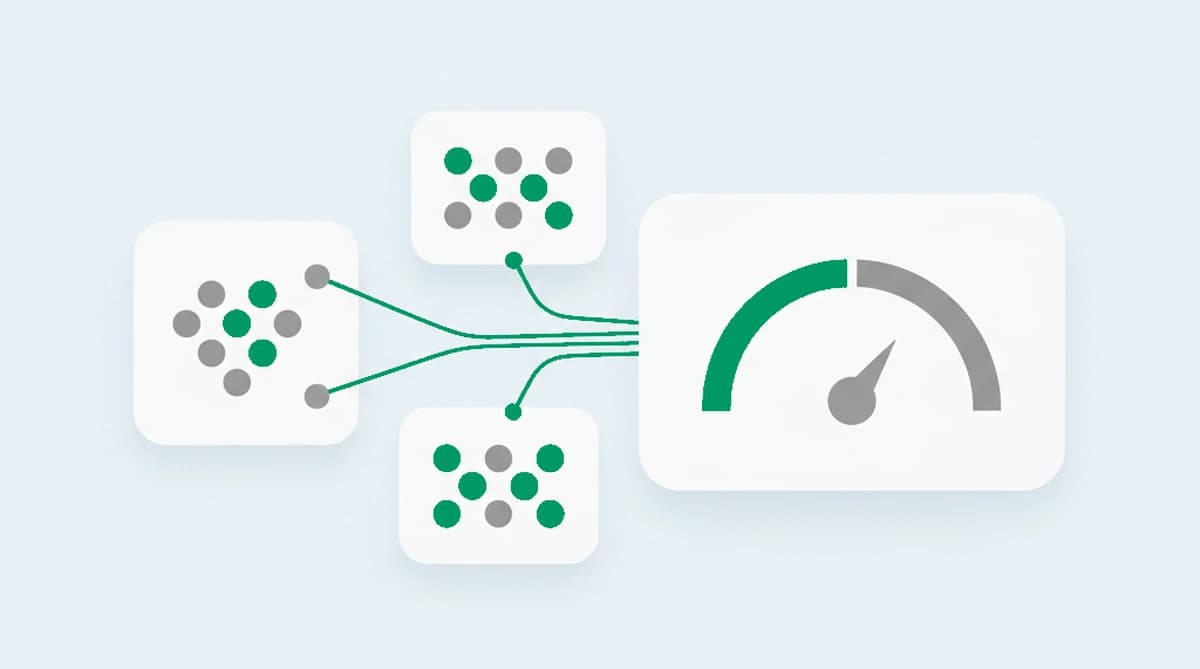
The pattern across all of them is the same: detection is correlation, not any single check. Each signal is weak alone and hard to beat in combination, which is why mature systems weigh them into one score rather than firing a binary flag. The more signals you correlate, the harder it is for a masked source to keep every layer consistent at once.
Our tests of connections routed through common proxy and tunneling clients kept landing on one layer: the TLS handshake gave them away, because the client negotiating the connection did not match the browser the session claimed to be running. That tell holds because encryption is now the default. In 2024, roughly 95 percent of the pages Chrome loaded came over HTTPS, so nearly every visitor completes a TLS handshake, and that handshake signature is far harder to keep in step with a spoofed user agent than the user agent itself. What we measured was the mismatch between the two, not the IP alone, which is why a clean residential address still gets read in context.
Where residential proxy IPs come from
A residential proxy is only valuable because its address belongs to a real household, so the networks selling them need a steady supply of home connections to route through, usually sourced from real consumer devices enrolled through bundled apps, bandwidth-sharing schemes, or compromised hardware without the owner paying attention. The scale is not small: Bitsight research in 2026 mapped more than 53 million unique residential-proxy exit IPs, with many overlapping known malware infections. The same supply chains feed the residential proxy detection methods that catch the traffic riding them.
This is why a residential IP carries real reputation, and why blocking one is risky: the address is a genuine home connection, and the household behind it usually has no idea it is being used. It is also why blocklists go stale so fast. These addresses are a cheap, rented resource, reused and resold across stacked providers, so the pool you flagged last week is a different set of addresses this week. The old assumption that a home IP means a real person no longer holds; what matters now is whether the visitor is transparent or routed through a hidden middleman.
Why are residential proxies harder to detect?
Residential proxies are the hardest case because the traffic looks like normal user traffic. This is the core split in residential versus datacenter proxy detection: datacenter and hosting infrastructure stands out by its network characteristics, which keeps datacenter proxy detection comparatively straightforward, while a residential connection rides on a consumer ISP address that, at first glance, looks completely ordinary. Older IP-only checks tend to fail here, either missing suspicious sessions or overcompensating with rules that are too aggressive.
A consumer-looking IP is not, by itself, a reason to trust a session. Consider a login from an ordinary home ISP address. Taken alone, it reads as a normal customer. But if the same session also shows a timezone mismatch, anti-detect browser signals, a device reused across several accounts, and a run of repeated suspicious attempts, the residential IP stops being reassuring. The address is clean; the context around it is not.
This is why residential proxy detection cannot lean on the network layer alone. It needs the supporting signals to do the work the IP can no longer do, the same correlation that residential proxy detection relies on to read these consumer-looking sessions.
Why aren't IP-only checks enough?
An IP describes infrastructure context, but it does not explain whether a session is genuine, consistent, or linked to other actions. It answers where a connection comes from, almost never what that means. IP-only approaches fail in four predictable ways:
- Plausible masking looks normal. Some abuse traffic is deliberately designed to avoid resembling obvious anonymizing infrastructure.
- The same network layer holds different traffic quality. Within similar ranges you find both legitimate users and clearly suspicious sessions.
- Proxies often pair with a faked browser. Masked traffic frequently runs through anti-detect browsers, so the browser-side signals are spoofed at the same moment as the network origin, and a network-only check sees none of it.
- The real risk lives outside the IP layer. It surfaces in browser anomalies, linked accounts, shared identifiers, device reuse, and repeated behavior patterns.
That is why proxy detection belongs inside a broader visitor intelligence model, not in a standalone decision engine. The IP is one input among many.
How do you evaluate a proxy detection provider?
A proxy detection provider should not be judged by how many IPs it labels. The real question is whether it helps a team make more accurate decisions in real scenarios. Teams generally get more value from services that return an explainable risk score than from tools that return only a binary result. Six areas worth checking:
| Criterion | The question to ask |
|---|---|
| Coverage | How well does it distinguish datacenter, VPN, Tor, relay, and hosting cases? |
| Signal depth | Does it return only a label, or also service details, confidence, timestamps, and supporting context via an API? |
| Layering | Can network signals combine with device intelligence, browser fingerprinting, and visitor identification? |
| Explainability | Can your team see why a session received a high risk score? |
| Workflow fit | Does the output work across sign-up, login, payment, promotions, and traffic-quality review? |
| False-positive control | Does it support proportionate actions, or force a rigid allow/block model? |
The most common mistake is oversimplification: trusting the network layer too much, or reacting to it too aggressively. Treating every proxy as malicious, leaning entirely on IP reputation, underestimating residential cases, applying one rule to every flow, and skipping regular review of false positives and missed abuse are all versions of the same error. A more mature approach uses proxy detection as a decision-support layer inside a broader intelligence model.
Detecting proxies with ShieldLabs
The whole point of this guide is that an IP is one input among many, and the real risk lives in the context around it. ShieldLabs runs anonymous proxy detection and the surrounding correlation for you, so your team reads a finished picture instead of stitching together IP lists, network probes, and session checks that drift out of date. One JavaScript snippet scores every visitor in about five minutes from install to first risk signal.
Each visit returns a dedicated proxy signal together with a full set of risk signals, including datacenter and hosting-range checks, VPN, and Tor, among others. Those signals roll up into one explainable risk score that weighs the inconsistencies and rises when the connection looks masked, all in the background with no friction for the visitor.
Because the address is rarely the whole story, a stable identifier ties a "fresh" visit back to a returning device even after cleared cookies and rotated IPs. That surfaces the cross-session behavior a single proxy hides: ShieldLabs detects High-Risk Events directly, such as Multi-accounting when many accounts sit on one device, each with Medium or High confidence, in the analytics dashboard, API and webhooks. The analytics dashboard also lets your team assess overall traffic quality and tell anonymous traffic apart from clean traffic at a glance, as a trend over time, not just one visit at a time.
The risk score, risk signals, and High-Risk Events are available through an API and webhooks, so your team can readily detect proxy use in its traffic and act on the result in its own flow, while ShieldLabs helps block fraudulent and abusive traffic.
Sources
- Stripe: Analyzing first-party fraud trends: account, free-trial and refund abuse (2025)
- Wikipedia: Carrier-grade NAT
- Wikipedia: Proxy server
- Wikipedia: Tor (network)
- MDN Web Docs: WebRTC API
- IETF: RFC 1930: Guidelines for creation, selection, and registration of an Autonomous System (AS)
- Bitsight: Residential proxy services and malware ecosystems
Frequently asked questions
- Can JavaScript alone detect a proxy?
- Partly, but not on its own. Browser-side JavaScript surfaces some tells, like a WebRTC leak that exposes a real IP or a timezone that contradicts the declared location, but the strongest proxy evidence sits at the network and transport layer that page scripts cannot reach: datacenter-versus-residential classification, TCP/IP traits, and the TLS handshake. Reliable proxy detection pairs the browser-side read with server-side network signals, then scores how well the whole session agrees.
- Does a proxy signal always mean fraud?
- A proxy signal does not always mean fraud. A proxy by itself is infrastructure, not intent, so a proxy signal is one risk input to weigh with the rest. What matters is whether masking raises risk in a specific scenario such as a sign-up, a login, a payment, or a bonus redemption, and whether the rest of the session context agrees with it. Plenty of legitimate users route through VPNs and privacy relays every day, which is why the signal is weighed in context before you choose the action.
- How reliable is proxy detection against residential proxies?
- Residential proxies are the hardest case, so no proxy detection catches every one from the IP alone. Because they ride on real consumer ISP addresses, the connection looks ordinary, and reliability comes from supporting signals rather than the address: timezone and OS mismatches, anti-detect browser signs, device reuse across accounts, and repeated suspicious behavior. The IP can read clean while the context around it gives the session away.
- Will proxy detection flag real users on a VPN?
- A VPN session is masked, so it will surface as a proxy or VPN signal, and you choose the action for each case. The point of an explainable risk score is to tell a one-off privacy-conscious VPN user apart from a coordinated pattern across accounts, then apply a proportionate action. A team that treats every VPN as fraud adds friction for legitimate users, which is the false-positive trap proxy detection is meant to avoid, not create.
Related articles
Stop Sybil Attacks Without KYC: Evidence-First Prevention for Marketplaces
Build an evidence-first defense for marketplace Sybil attacks: payment-weighted reputation, graph-based detection, device and anonymity signals, plus...


How to stop multi-accounting in online gambling: sportsbooks, poker, and casinos
How to stop multi-accounting in online gambling: why players open multiple betting accounts, the signals that link them to one person, and an operator playbook.

How to detect betting bots on sportsbooks, casinos, and poker sites
How to detect betting bots: the five kinds operators face, the device, network, and timing signals that expose them, and how to stop bot-driven abuse.