

Device-based authentication: recognizing the trusted device behind a login

Last updated on July 11, 2026 · 8 min read
In 2025, the Verizon Data Breach Investigations Report found stolen credentials were the single most common way into a breach, the initial access vector in 22% of cases. A password proves someone typed the right string. It does not prove the person on the other end is your customer. That gap is the reason a login needs a second question, and one of the quietest ways to ask it is to look at the device.
Device-based authentication answers "is this the same device this account always uses" instead of only "is this the right password." Get it right and a returning customer signs in without friction while an unfamiliar device gets a closer look. This guide explains what device-based authentication is, how it works, how it compares to passkeys and the old "remember this device" cookie, and where its limits are.
Key takeaways
- Device-based authentication verifies a login by confirming it comes from a device the account has used before, used as a transparent signal alongside the password rather than as the only check.
- Done well, it cuts friction two ways: returning customers on a known device skip extra prompts, and a login from an unfamiliar device triggers a step-up challenge.
- The durable version recognizes the device from its own characteristics, so it survives cleared cookies and a changed IP, unlike a "remember this device" cookie that vanishes the moment either changes.
- It is one probabilistic factor in a risk decision, weighed alongside a password or a passkey rather than replacing them.
What is device-based authentication?
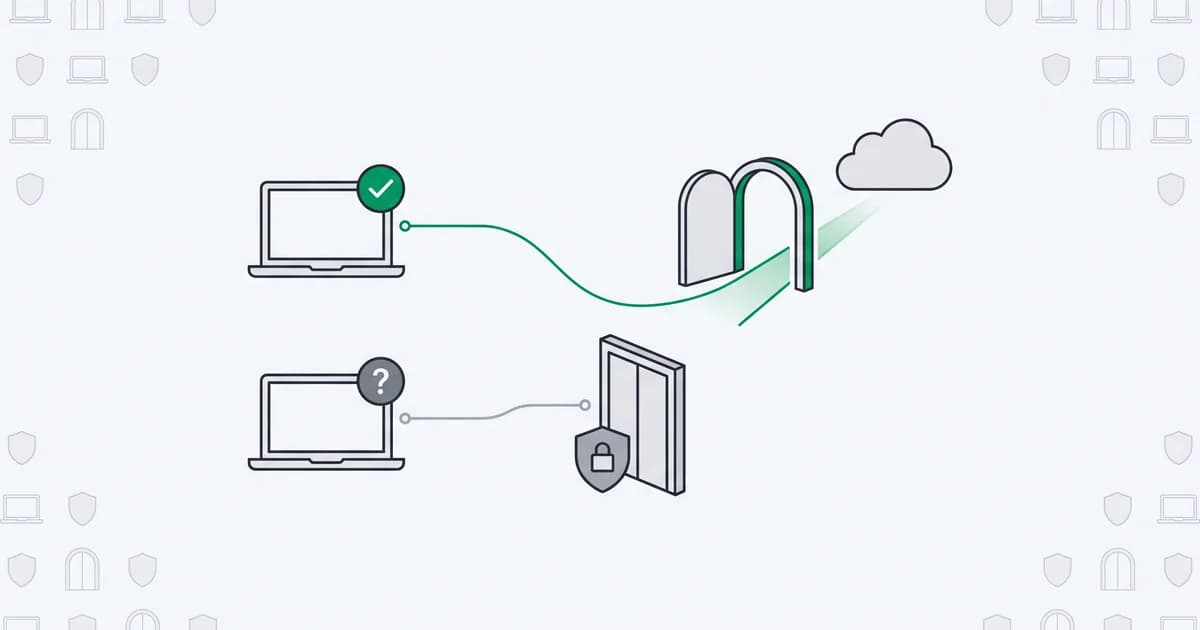
Device-based authentication is a method that confirms a user's identity in part by verifying the login is coming from a trusted device, one the account has been associated with before. Instead of treating every login as a stranger and challenging it the same way, the system recognizes the device and uses that recognition to decide how much additional proof to ask for.
The term covers two related but different jobs, and the search results for it mix them constantly. One is enterprise device identity: proving a managed laptop or an IoT unit is an authorized piece of hardware, usually with a certificate installed on the machine. The other, the one this guide is about, is consumer and customer authentication: recognizing the personal device behind a signup or a login so a real returning user is not made to jump through the same hoops every time. Both verify a device. They solve very different problems.
Read in the consumer sense, device-based authentication is closest to what people mean by a trusted device: the phone or laptop you have used to sign in before, that the service now treats as lower risk. The value is not that the device is a secret. It is that recognizing it lets you tell a familiar session apart from a brand-new one, quietly, before you decide whether to ask for anything more.
How device-based authentication works
At a high level there are two moments. The first time a device is seen, the service enrolls it: it records a set of characteristics that identify the device and links them to the account, a step often called device binding, usually after the user has passed a stronger check like a one-time code. On later logins, the service recognizes the device against what it stored and treats a match as a positive signal.
What gets stored is the part that matters. The fragile version drops a cookie or a token in the browser and calls the device "trusted" as long as that cookie is present. The durable version derives an identifier from the device and browser themselves, things like the rendering stack, installed fonts, hardware hints, and network characteristics, so it can recognize the same device even when the cookie is gone. That derivation is the same browser fingerprinting that powers device recognition elsewhere, applied here to the login. Research on browser uniqueness has shown, in studies dating back to 2010, that these characteristics carry enough entropy to single out the large majority of browsers, which is what makes recognition workable in the first place.
Recognition then feeds a decision, and the decision is where the friction is saved:
- Known device, normal session. The login matches a device the account has used before, from a plausible location and connection. The service lets it through with no extra prompt. This is what "silent" or transparent authentication means.
- Unknown device, or a known device behaving oddly. The login comes from a device the account has never used, or a familiar device suddenly on an anonymized connection. The service steps up: a one-time code, a passkey, an email confirmation, whatever the risk warrants.
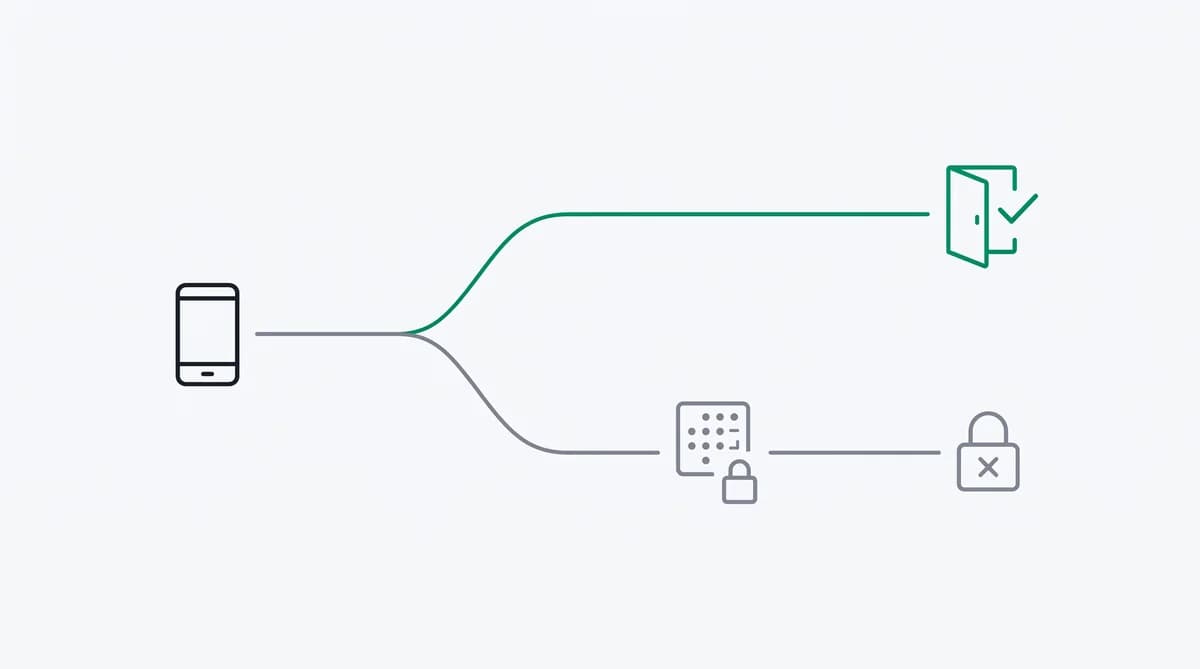
The point is not to replace the challenge. It is to stop asking for it when it is not needed, and to ask for it precisely when it is.
Device recognition vs device possession
"Device-based" hides an important distinction. Some methods prove cryptographic possession of a device; device recognition estimates that this is the same device as before. They are complementary, and confusing them oversells what recognition does.
| Method | How it ties to the device | Survives cleared cookies and a new IP | Best at |
|---|---|---|---|
| "Remember this device" cookie | A stored token in the browser | No, lost when cookies clear or the device changes | Low-friction convenience on a single browser |
| Passkey / FIDO2 | A cryptographic key bound to the device | Yes, the key is not a cookie | Phishing-resistant proof of possession |
| Device recognition (fingerprint-based) | An identifier derived from device and browser signals | Yes, it is re-derived each visit | A silent risk signal that decides when to challenge |
A passkey, built on the WebAuthn standard, is a strong authentication factor: it proves the user holds a specific key, and it resists phishing. Device recognition plays a different, complementary role: a probabilistic signal that says "this looks like the device this account has used before," which is exactly the input you want for deciding whether a passkey prompt or a one-time code is even necessary. Passkeys are climbing fast, with the FIDO Alliance reporting that roughly a quarter of sign-ins across its member services used them in 2025, yet even a passkey login is smoother when a device-recognition signal decides whether to prompt for it at all. The cookie approach is the weakest of the three, because clearing cookies or switching browsers erases the memory, which is why a durable identifier is worth the trouble.
Where device-based authentication helps
The clearest win is friction. Every extra prompt at login costs you some real users who give up, so challenging a customer who has signed in from the same laptop a hundred times is friction with no security payoff. Recognizing that device lets you reserve the challenge for the logins that actually look new, which is better for the customer and cheaper for your support queue.
The second win is the mirror image: catching the login that should not sail through. Account takeover almost always arrives on a device the real owner has never used, often over a VPN or proxy to hide where it is coming from. A login from an unrecognized device, or from a known device that has suddenly moved countries between sessions, is one of the more reliable early signals of takeover, which is why impossible travel and new-device checks are staples of account security. Device recognition is what makes "new device" a signal you can actually act on. It also feeds the user-facing side of the same idea, the "new device signed in" alerts and recent-device lists that let people spot a login they did not make, turning account owners into another set of eyes on takeover.
Put together, the two turn a binary "password right or wrong" into a graduated response. Returning customers get out of their own way, suspicious logins get slowed down, and the decision rides on evidence the password alone never carried.
The limits of device-based authentication
Device recognition is a signal, not a verdict, and treating it as more than that is where it goes wrong. It is probabilistic: two similar devices can look alike, and a determined attacker can try to copy a device's characteristics, so a match raises confidence rather than proving identity. That is precisely why it belongs next to a real factor, not in place of one.
Three limits are worth stating plainly. Shared and family devices break the one-device-one-person assumption, so a household computer is a weak trust anchor on its own. New legitimate devices are normal, people buy phones, so the system has to make enrolling a new device easy without making impersonation easy, which is the hard design problem. And recognition leans on device and browser signals, which raises reasonable privacy questions and depends on how much a browser exposes, so it should be paired with clear notice and used to reduce friction rather than to track people across unrelated sites. The NIST digital identity guidelines treat this kind of contextual signal as supporting evidence for exactly these reasons.
Held to that scope, device-based authentication is a strong layer. Sold as a password-killer, it fails the first time someone clears their browser or borrows a laptop.
Recognizing trusted devices with ShieldLabs
ShieldLabs gives you the device-recognition layer without asking you to build fingerprinting yourself. You add one JavaScript snippet to your login and signup pages, tie it to your account IDs, and each visit returns persistent identification that recognizes a returning device even after cleared cookies and a rotated IP, alongside a risk score from 0 to 100 with the named signals behind it. The identifier recognizes a returning device, which is exactly the signal you want to tell a familiar login from a new one.
We measured this recognition against wiped cookies and a fresh IP, and the returning device still mapped to the same identifier, because it is re-derived from the browser and device characteristics rather than stored in a cookie that a cleanup erases. That durability rests on how much those characteristics vary between machines: the browser-uniqueness study published in 2010 found roughly 84 percent of browsers were instantly unique, the entropy that makes a returning device recognizable at all.
The same read surfaces the risk signals, a VPN, proxy, Tor, or anti-detect browser, that make a login from a familiar account look suddenly unfamiliar, so a returning device arriving over a freshly masked connection is easy to route to a step-up check. ShieldLabs scores the session, names the evidence, and flags the risky logins through the API and webhooks, so you choose the action for each case: a quiet pass or a challenge. It is the device-recognition signal that feeds your login logic, and the free tier covers your first 5,000 identifications.
Sources
- Verizon: 2025 Data Breach Investigations Report (2025)
- NIST: SP 800-63B Digital Identity Guidelines, Authentication and Lifecycle Management
- W3C: Web Authentication (WebAuthn) Level 2
- FIDO Alliance: Passkey Index 2025
- EFF: How Unique Is Your Web Browser? (Eckersley, 2010)
- Wikipedia: Multi-factor authentication
- Wikipedia: Device fingerprint
Recommended
Frequently asked questions
- What is device-based authentication?
- Device-based authentication is a method that confirms a login in part by recognizing that it comes from a device the account has used before. Rather than challenge every login the same way, the system treats a recognized device as a lower-risk signal and reserves extra prompts, like a one-time code, for logins from unfamiliar devices. It is used as one factor alongside a password or a passkey, not as the only check.
- Is device-based authentication secure?
- It is secure as a supporting layer, not as a sole factor. Recognizing a device is probabilistic, so a match raises confidence rather than proving identity, which is why it works best deciding when to ask for a stronger check rather than replacing that check. Used to wave through familiar devices and step up unfamiliar ones, it strengthens a login; used alone, a cleared browser or a shared computer will defeat it.
- How is device-based authentication different from a passkey?
- A passkey proves cryptographic possession of a specific device and resists phishing, so it is a full authentication factor. Device recognition estimates that a login comes from the same device as before, which is a risk signal, not a possession proof. In practice they pair well: device recognition decides quietly whether a login even needs the stronger step, and the passkey or one-time code provides it when it does.
- Is device-based authentication the same as MFA?
- Not quite. Multi-factor authentication combines two or more independent factors, and device-based authentication is usually one contextual input within that rather than the whole thing. A recognized device can act as a possession signal that lets a returning user skip a second prompt, but fingerprint-based recognition on its own is a risk signal, not a strong standalone factor, which is why it is paired with a password, a one-time code, or a passkey rather than counted as a full factor by itself.
- Can device-based authentication replace passwords?
- Not on its own. Because recognizing a device is a probabilistic signal and devices are shared, cleared, and replaced, it cannot carry the full weight of proving who someone is. It reduces how often a returning user has to prove it, and it flags logins that deserve more scrutiny, but the actual proof still comes from a password, a passkey, or another real factor.
- Does ShieldLabs handle authentication?
- ShieldLabs is the device-recognition layer that works alongside your authentication. It returns persistent identification and a risk score with the named signals through its API and flags the risky logins, so your system can tell a familiar device from a new one and challenge only the logins that need it. The password, passkey, or one-time code stays in your application, and the free tier covers your first 5,000 identifications.
Related articles
4 Step Node.js Device Fingerprinting with W3C Privacy and ShieldLabs
Implement Node.js device fingerprinting that follows W3C privacy guidance. Follow a 4 step integration with provenance, confidence scores, drift checks,...

Device Spoofing Detection for Web Fraud Teams
How browser, device and TLS signals reveal spoofing on the web, plus where mobile attestation belongs in a separate defense layer.
Device Fingerprinting for Fraud: GDPR and UK PECR Considerations
A practical guide to purpose, consent exceptions, retention and rights when using device fingerprinting for fraud prevention in the UK and EU.