

Passwordless authentication: how it works, methods, and limits

Last updated on July 12, 2026 · 9 min read
Passwords are the weakest link in most logins: they get reused, phished, and dumped in breaches by the billion. Verizon's 2025 Data Breach Investigations Report found that stolen credentials were behind 88 percent of breaches against basic web applications, and served as the initial access route in 22 percent of breaches overall. The industry is finally moving off them, and in 2025 passkeys reached real scale, with the FIDO Alliance reporting billions of passkeys in active use and roughly a quarter of sign-ins across its member services going passwordless. Passwordless authentication is the umbrella term for that shift.
It is not one technology, though, and the methods under the label range from genuinely phishing-resistant to barely better than a password. This guide explains what passwordless authentication is, how it works, the main methods and how they differ, the real benefits, and the limits worth knowing before you rely on it.
Key takeaways
- Passwordless authentication verifies a user without a password, using something they have (a device or key) and often something they are (a biometric) instead.
- The methods are not equal: passkeys and FIDO2 security keys are phishing-resistant, while magic links and one-time codes remove the password but can still be intercepted or phished.
- The main benefits are stronger phishing resistance, less login friction, and fewer password resets, which cuts support cost.
- Passwordless proves possession of a device, not that the right person is behind an unfamiliar one, so a device-risk signal still adds value on top.
What is passwordless authentication?
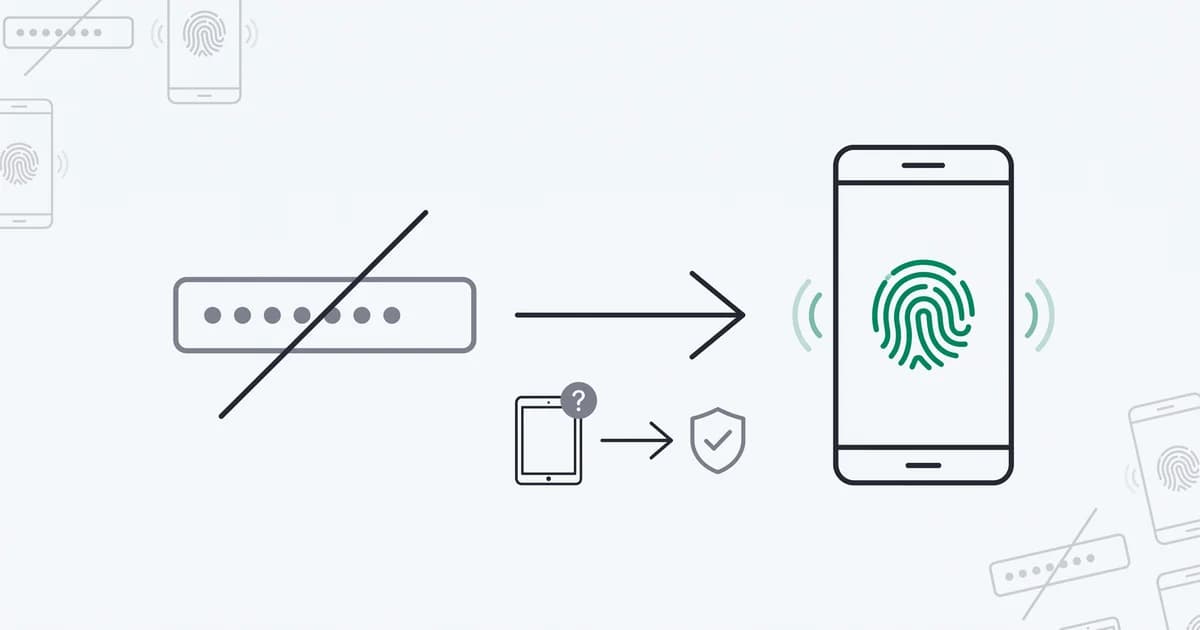
Passwordless authentication is any method of verifying a user's identity that does not rely on a password or another memorized secret. Instead of something the user knows, it uses something they have, such as a phone, a passkey, or a hardware key, usually combined with something they are, such as a fingerprint or face scan, to confirm the person holding the device.
The goal is to remove the password entirely, along with the whole class of attacks that target it: phishing, credential stuffing, password reuse, and breach dumps. If there is no password to steal, there is nothing for those attacks to capture. That is the promise, and for the strongest methods it largely holds, though the term covers a wide range of approaches that deliver on it to very different degrees.
How passwordless authentication works
The strongest form, built on the FIDO2 and WebAuthn standards that were standardized in 2019, uses public-key cryptography. When a user registers, their device generates a key pair: a private key that never leaves the device, and a public key stored by the service. To log in, the service sends a challenge, the device signs it with the private key after the user confirms with a biometric or PIN, and the service verifies the signature with the public key. Nothing secret crosses the network, so there is nothing to phish or replay.
Other passwordless methods work differently and less strongly. A magic link emails the user a one-time sign-in URL; a one-time code is sent by SMS, email, or an authenticator app. These remove the stored password, but the secret still travels, over email or a phone network, where it can be intercepted, forwarded, or phished in real time. So "passwordless" describes the user experience of not typing a password, while the security depends heavily on which method sits underneath.
Passwordless authentication methods
The common methods, from strongest to weakest:
- Passkeys. A consumer-friendly FIDO2 credential, introduced in 2022, synced across a user's devices and confirmed with a biometric. Phishing-resistant, because the key is bound to the site's origin and never leaves the device.
- FIDO2 hardware security keys. A physical key, such as a USB or NFC device, that holds the private key. The strongest option, common for high-security workforces.
- Platform biometrics. Fingerprint or face recognition built into a phone or laptop, used as the local check that releases a passkey or device credential.
- Push approval. An authenticator app prompts the user to approve a login on a trusted device. Convenient, but vulnerable to prompt-bombing if not paired with number matching.
- Magic links. A one-time sign-in link sent by email. Passwordless and low-friction, but only as secure as the email inbox, and phishable in real time.
- One-time codes. A short code sent by SMS, email, or app. Familiar and passwordless, but interceptable, especially over SMS.
The practical takeaway is that passkeys and hardware keys resist phishing by design, while link and code methods trade some security for reach and simplicity.
Benefits of passwordless authentication
Done with the stronger methods, passwordless delivers real gains:
- Phishing resistance. With passkeys and FIDO2 keys, there is no shared secret to trick a user into handing over, which closes the door on the most common account-takeover route.
- Less login friction. A fingerprint or a tap is faster than typing a password and a second-factor code, which lifts completion rates on signup and login.
- No MFA fatigue. Removing repeated password-plus-code prompts eliminates the prompt-bombing that wears users down into approving a malicious login.
- Lower support cost. Most help-desk tickets are password resets. Remove the password and a large, recurring support burden goes with it.
These are why regulators and standards bodies increasingly point toward phishing-resistant, passwordless methods as the direction of travel. NIST's SP 800-63B digital identity guidelines treat phishing resistance and verifier impersonation resistance as distinct authenticator properties, and CISA's guidance on implementing phishing-resistant MFA names FIDO and WebAuthn as the strongest controls, recommending them ahead of SMS or app-code methods.
The limits of passwordless authentication
Passwordless is a strong upgrade, not a finished answer, and a few limits are worth stating plainly. Device loss and account recovery become the new soft spot: if the login is the device, then losing it, or the recovery flow that restores access, is where attackers focus, and a weak recovery path can undo a strong passkey. Not every method is phishing-resistant, so a passwordless login built on magic links or SMS codes still carries much of the old risk. Shared and family devices complicate the one-device-one-person assumption, and adoption is uneven, so most services run passwordless alongside a password fallback that remains a target.
There is also a subtler gap. Passwordless proves possession of an enrolled device confirmed by its owner, which is strong, but it does not by itself confirm that a login from a device the account has never used is really the account holder. An enrolled credential on a new or unexpected device, arriving over an anonymized connection, is exactly the kind of event that still deserves a closer look, which is where a device-risk signal complements passwordless rather than competing with it.
Recognizing the device behind a passwordless login with ShieldLabs
ShieldLabs adds the device-risk signal that decides when even a passwordless login deserves a second look, working alongside the passwordless method and identity provider you already run. You add one JavaScript snippet, and each login returns persistent identification that recognizes a returning device across cleared cookies and a rotated IP, plus a risk score from 0 to 100 with the named signals behind it, including the risk signals, VPN, proxy, Tor, and anti-detect browser use, that often accompany a takeover.
In 2026 we tested the device signal against exactly the case passwordless leaves open: a valid, enrolled credential arriving on a device the account has never used. Reading the device on each login, a returning device came back as the same identifier with 99.9% identification accuracy straight through cleared cookies and a switched IP, while a first-seen device over a masked connection stood out as the event worth a step-up. That gap is why the signal complements the FIDO2 and WebAuthn model standardized in 2019 rather than competing with it: possession of an enrolled device is strong, but it does not by itself confirm the person behind an unfamiliar one.
That lets a passwordless flow stay frictionless for a returning device and reserve a step-up, or a closer review, for a login from a device the account has never used or one arriving over a masked connection. It works the same way for the weaker passwordless methods, adding a risk read to a magic link or a one-time code that has none of its own. ShieldLabs scores the session and names the evidence through the API and webhooks; you choose the action for each case, and your identity provider handles the login itself. The free tier covers your first 5,000 identifications, and the device-based authentication that underpins this is worth a closer read on its own.
Sources
- FIDO Alliance: Passkey Index 2025
- Verizon: 2025 Data Breach Investigations Report
- W3C: Web Authentication (WebAuthn) Level 2
- NIST: SP 800-63B Digital Identity Guidelines, Authentication and Lifecycle Management
- CISA: Implementing Phishing-Resistant MFA
- Wikipedia: Passwordless authentication
Recommended
Frequently asked questions
- What is passwordless authentication?
- Passwordless authentication is any method of verifying a user without a password or memorized secret. Instead, it relies on something the user has, like a phone, passkey, or hardware key, usually combined with something they are, like a fingerprint or face scan. The aim is to remove the password and the attacks that target it, though the methods range from phishing-resistant passkeys to less secure magic links and one-time codes.
- Is passwordless authentication safer than 2FA?
- It can be, depending on the method. A phishing-resistant passkey or FIDO2 key is generally stronger than a password plus an SMS or app code, because there is no shared secret to phish and no prompt to fatigue. But a passwordless method built on magic links or one-time codes is not automatically safer than good two-factor authentication. The strength is in the specific method, not the passwordless label.
- What are the disadvantages of passwordless authentication?
- The main ones are device loss and account recovery becoming the new attack surface, uneven method strength since links and codes are still phishable, complications on shared or family devices, and the password fallback that many services keep, which remains a target. Passwordless closes the password attack class but shifts risk toward the device and the recovery flow, which then need their own protection.
- Is passwordless authentication the same as passkeys?
- No. Passkeys are one passwordless method, a specific FIDO2 credential synced across devices and confirmed with a biometric. Passwordless authentication is the broader category that also includes hardware security keys, magic links, one-time codes, and push approvals. Passkeys are among the strongest passwordless options, but they are not the whole category.
- Does ShieldLabs provide passwordless authentication?
- ShieldLabs is the device-recognition and risk-signal layer that works alongside your passwordless method and identity provider. It gives every login persistent identification and a risk score with the named signals, so your authentication system can tell a familiar device from an unfamiliar one and decide when even a passwordless login needs a step-up. Your identity provider still handles the login itself, and the free tier covers your first 5,000 identifications.
Related articles
4 Step Node.js Device Fingerprinting with W3C Privacy and ShieldLabs
Implement Node.js device fingerprinting that follows W3C privacy guidance. Follow a 4 step integration with provenance, confidence scores, drift checks,...

Device Spoofing Detection for Web Fraud Teams
How browser, device and TLS signals reveal spoofing on the web, plus where mobile attestation belongs in a separate defense layer.
Device Fingerprinting for Fraud: GDPR and UK PECR Considerations
A practical guide to purpose, consent exceptions, retention and rights when using device fingerprinting for fraud prevention in the UK and EU.