

How to detect Tor traffic without blocking real users

Last updated on July 2, 2026 · 9 min read
By the Tor Project's own count, roughly two million people connect to Tor every day. The overwhelming majority are not committing fraud. That single fact is what makes Tor detection less of a technical problem and more of a judgment one. Spotting that a request came through Tor is genuinely easy, because the list of Tor exit nodes is public and the Tor Project publishes it. The hard part is what you do next, when the same exit node carries a privacy-conscious shopper, a journalist, and the one account farmer you actually care about.
Key takeaways
- Detecting Tor at the web layer is mostly a lookup: the Tor Project publishes its exit-node addresses, so checking an IP against that list catches the bulk of Tor traffic.
- Tor is a privacy tool, not a fraud signal on its own. Journalists, activists, and ordinary privacy-minded users rely on it, so blocking all Tor traffic is a blunt instrument that costs you real visitors.
- The harder problem is that one actor rotates circuits, so an IP-only view sees many separate visitors. Reading the device underneath links those sessions back to one person.
- Treat Tor as one risk signal among several, weighed into a risk score, not as an automatic verdict.
Why detecting Tor is the easy part
Detecting Tor traffic is straightforward because Tor is designed to be a public network, not a covert one. Every relay, including the exit nodes that actually connect to your server, is listed in a directory the Tor Project maintains and publishes openly. When a request reaches your application, the IP address you see is the exit node's, and you can check that address against the published exit list in a single lookup.
A Tor network check is exactly that: a lookup of the request IP against the current exit-node list, which is also what public exit-node checkers do. That is why Tor traffic can be readily identified: as Wikipedia's article on Tor notes, all the Tor nodes are public information anyway.
So the "can I tell this is Tor?" question is mostly solved before you start. The interesting questions are the ones that come after: is this Tor session worth worrying about, and how do I tell the abuser apart from the two million people using Tor for ordinary reasons?
Tor tends to show up behind the abuse you already track, multi-accounting, payment and card-testing abuse, content scraping, account-takeover attempts at login, and ban evasion, because rotating circuits is a cheap way to change the IP each attempt arrives from. Those are not lookups. Those are the parts worth writing about.
What is Tor, and why the exit node is the visible point?
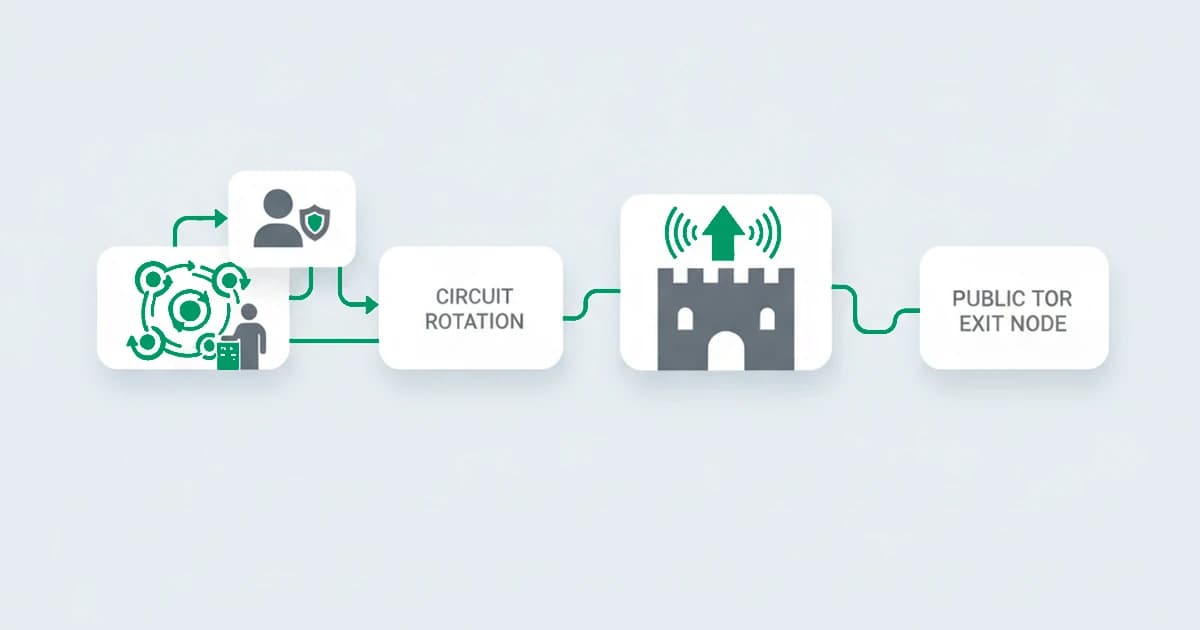
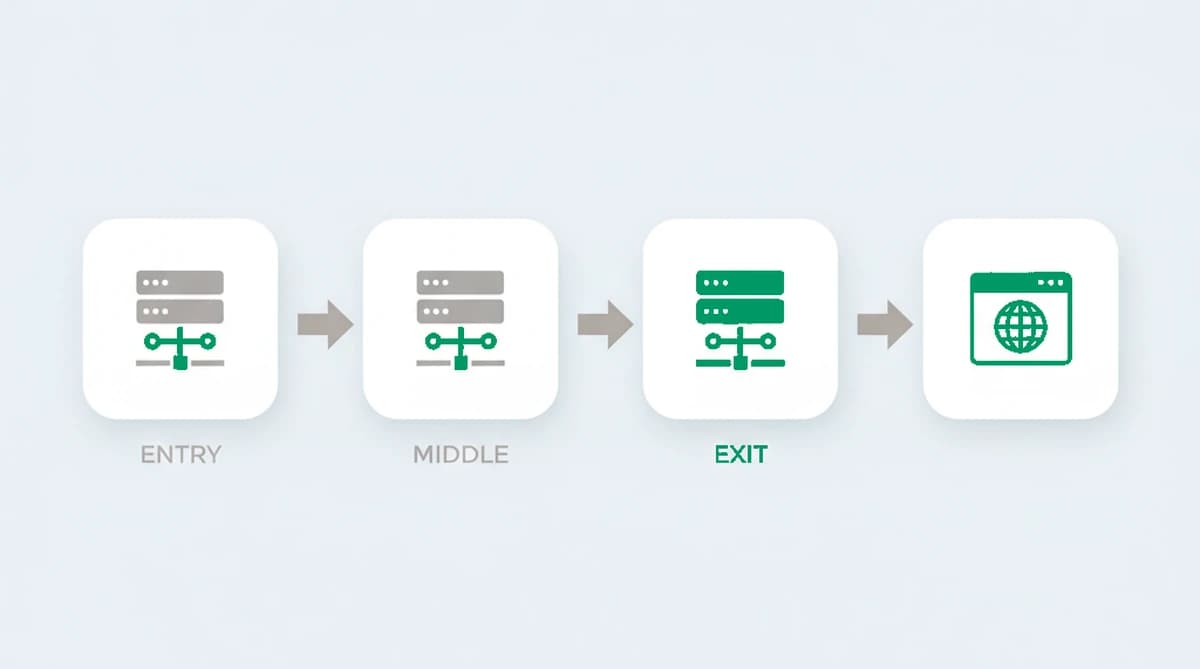
Tor, short for The Onion Router, first released in 2002, routes a connection through at least three volunteer-run relays, wrapping it in layers of encryption so no single relay sees both who you are and what you are visiting. The entry relay knows your real IP but not your destination; the exit relay knows the destination, your server, but not your real IP. Your application only ever sees the exit node, and because that exit relay is published, the exit node is the point where Tor becomes detectable to a website.
This is also why network-level Tor detection and web-level Tor detection are different jobs. On a corporate network, security teams identify Tor by inspecting traffic patterns, known ports, and the TLS handshake with deep packet inspection or flow analysis. That is the firewall and SIEM world. At the web-application layer, where a request simply arrives at your server, the practical signal is the exit-node address itself, plus what the rest of the session tells you about the visitor behind it.
The trap: Tor is not the same as fraud
The mistake that costs you real users is treating a Tor flag as a guilty verdict. Tor exists because anonymity has legitimate uses, and the people relying on it are mostly not the people you are trying to stop. The Electronic Frontier Foundation and the Tor Project document the everyday users: journalists protecting sources, people in censored regions, domestic-abuse survivors, security researchers, and ordinary users who simply do not want to be tracked. Using Tor is legal in most of the world, including the United States.
Blocking all Tor traffic outright is the blunt response, and it has a real cost: you turn away legitimate visitors to catch a thin slice of bad actors who, in any case, can switch to a residential proxy the moment Tor stops working.
The better posture is the same one that works for any risk signal: treat Tor as a risk input, raise the scrutiny on a Tor session without auto-rejecting it, and let the rest of the evidence decide. Score it, do not ban it.
The harder problem: one actor, many exit IPs
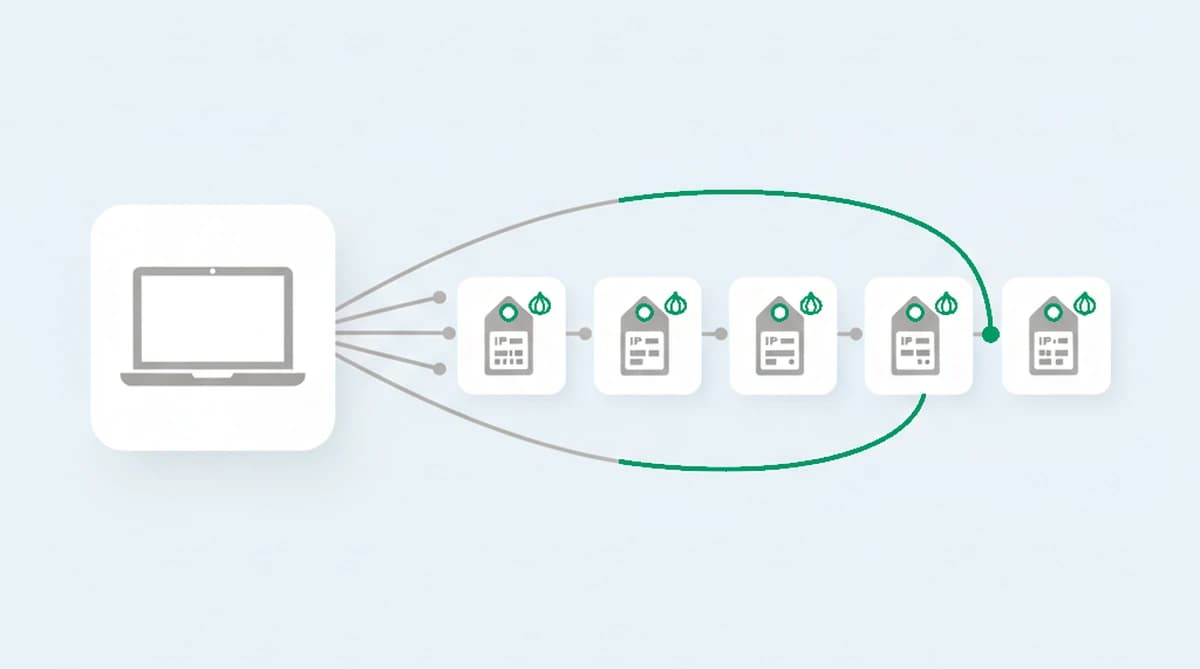
Here is the part the exit-node lookup does not solve. A single Tor user can build a new circuit, and therefore present a new exit IP, as often as every few minutes. To anything that reasons about visitors by IP address, that one person looks like a stream of unrelated strangers, each arriving from a different exit node. The whole technique of rotating circuits is built to defeat IP-based tracking, and against an IP rule it works.
What does not change between circuits is the machine. The browser, the device, and the way it renders and behaves stay the same while the exit node rotates underneath them. Reading that device layer is what ties the "different" Tor sessions back to one actor: a stable device identifier survives the circuit rotation that resets the IP.
So the useful question shifts from "is this Tor?" (easy, and the abuser knows you can see it) to "is this the same device coming back through Tor again?" (the linkage a rotating exit address is meant to hide).
We ran the same machine through a rotating series of Tor circuits and watched the exit IP change every few minutes while a stable device identifier held steady across all of them. To an IP rule each circuit reads as a fresh stranger; to the device layer it stays one actor. That rotation is not incidental. It has been the core of Tor since its second-generation onion routing design was published in 2004, built specifically to defeat tracking that reasons by IP address.
Reading Tor as one risk signal, not a verdict
Tor is most useful as one entry in a wider set of risk signals, not as a standalone trigger. On its own a Tor flag tells you someone wants privacy. Combined with other signals it starts to tell you something about intent. The reads that do the work:
| Signal alongside Tor | What it adds | Strength |
|---|---|---|
| The same device across several Tor sessions | one actor rotating circuits, not many visitors | High |
| An anti-detect browser over Tor | a profile deliberately built to look unique per session | High |
| Tor plus a declared identity that keeps changing | cosmetic identity churn behind a stable machine | Medium-High |
| A Tor exit in one place, device hints from another | a connection actively masking its origin | Medium |
No single row is a verdict. A privacy-minded user on Tor trips the first signal once and looks nothing like a farm; the same device returning through a dozen exits to open a dozen accounts is the pattern worth a closer look. The combination, read into a risk score, is what separates the two without punishing either by default.
How to detect Tor traffic at the web layer
Putting it together, web-layer Tor detection is a short, honest stack:
- Match the exit-node list. Check the request IP against the Tor Project's published exit addresses. This catches the bulk of Tor traffic at near-zero cost and is the commodity part of the job. It will not catch an exit node that has only just joined the network and has not yet appeared in the published list, a short window before the directory catches up, which is one more reason not to lean on the list alone.
- Link the device across circuits. Tie the session to a persistent device identifier so a rotating exit IP does not read as a new visitor each time. This is the part an IP-only view misses.
- Corroborate with the other risk signals. Weigh Tor next to anti-detect-browser use, proxy and VPN signals, and the consistency of the rest of the session, so the score reflects the whole picture rather than one flag.
- Decide on the score, not the flag. Choose the action, allow, challenge, or review, based on the score, so a legitimate Tor user is not blocked for using Tor.
Detecting Tor traffic with ShieldLabs
ShieldLabs reads Tor as one of its 300+ named risk signals, returned with a risk score from 0 to 100 on every visit through one JavaScript snippet. When a request arrives over a Tor exit node, that surfaces as a risk signal; when the same device comes back across rotating circuits, persistent identification links those sessions back to one actor, which is the linkage the circuit rotation is meant to break.
To be clear about scope: ShieldLabs reads the web request. It names the Tor signal, links the device behind rotating exits, weighs it with the other risk signals into one score from 0 to 100, and detects High-Risk Events such as Multi-accounting and Account takeover in the analytics dashboard; network-layer monitoring is a separate job. You read that risk score, the named risk signals, and the High-Risk Events through the API and webhooks and choose the action for each visit, allow, challenge, or review, so a journalist on Tor is not treated like a farm. The same anonymity layer carries into proxy and VPN detection.
Sources
- The Tor Project: Tor Metrics, daily users
- Electronic Frontier Foundation: Tor
- Wikipedia: Tor (network)
Frequently asked questions
- Is using Tor illegal?
- In most countries, including the United States, using Tor is legal. It is privacy software with mainstream, lawful uses: journalism, censorship circumvention, security research, and ordinary private browsing. What can be illegal is what a small minority does over it, the same as any network. For a website, that means a Tor connection is a reason to look closer, not a reason to assume wrongdoing.
- How do websites know I am using Tor?
- The Tor network is public by design. Every exit node, the relay that makes the final connection to a website, is listed in a directory the Tor Project publishes openly. A site can check the IP address of an incoming request against that published exit-node list and recognize Tor in a single lookup, which is why detecting Tor is the easy part.
- Can you block Tor traffic?
- Yes, technically. Because the exit-node list is public, a site can refuse any request from a listed exit address. The catch is that this blocks every legitimate Tor user too, and a determined abuser simply moves to a residential proxy. Most fraud teams get a better result by scoring Tor as one risk signal and acting on the combination rather than banning the whole network.
- Does ShieldLabs block Tor traffic?
- ShieldLabs helps block fraudulent and abusive Tor traffic without a blanket ban. It names Tor as a risk signal and returns it with a risk score and the device identifier behind the session, and your team chooses the action for each Tor visit, allow, challenge, or review, so you can raise scrutiny on a high-risk session without turning away the privacy-minded users who make up most of Tor. The free tier covers your first 5,000 identifications.
Related articles
Calculate Fraud Detection Pricing With ShieldLabs' 5,000 Free Tier
Estimate fraud detection costs with a buyer-focused pricing workbook and worked examples. Validate your projection using ShieldLabs' 5,000 free...

Stop Sybil Attacks Without KYC: Evidence-First Prevention for Marketplaces
Build an evidence-first defense for marketplace Sybil attacks: payment-weighted reputation, graph-based detection, device and anonymity signals, plus...
98%+ Ecommerce Bot Detection: Research Backed, OWASP Aligned
A practical ecommerce bot detection playbook: research-backed behavioral models, OWASP-aligned layered defenses, shadow-mode rollout, and explainable risk...